
This feature lets you assign different owners to contacts and their related opportunities. It gives your team more flexibility when ownership needs to be split between relationship management and deal management, while still keeping follower updates aligned when ownership changes.
TABLE OF CONTENTS
- What This Feature Does
- How to Enable Separate Owners
- How the Feature Works
- Additional Follower Settings
- How This Helps
- Frequently Asked Questions
- Need Help
What This Feature Does
By default, contacts and opportunities often follow the same ownership structure. This feature allows those ownership assignments to be managed separately, giving you more control over who is responsible for the contact and who is responsible for the related opportunity.
This is useful when one team member manages the relationship while another team member manages the deal or follow-up process.
How to Enable Separate Owners
To turn on separate owners for contacts and opportunities:
Open Settings.
Go to Opportunities & Pipelines.
Find the setting labeled Allow different owners for contacts and its opportunities.
Turn the toggle On.
Click Save Changes.
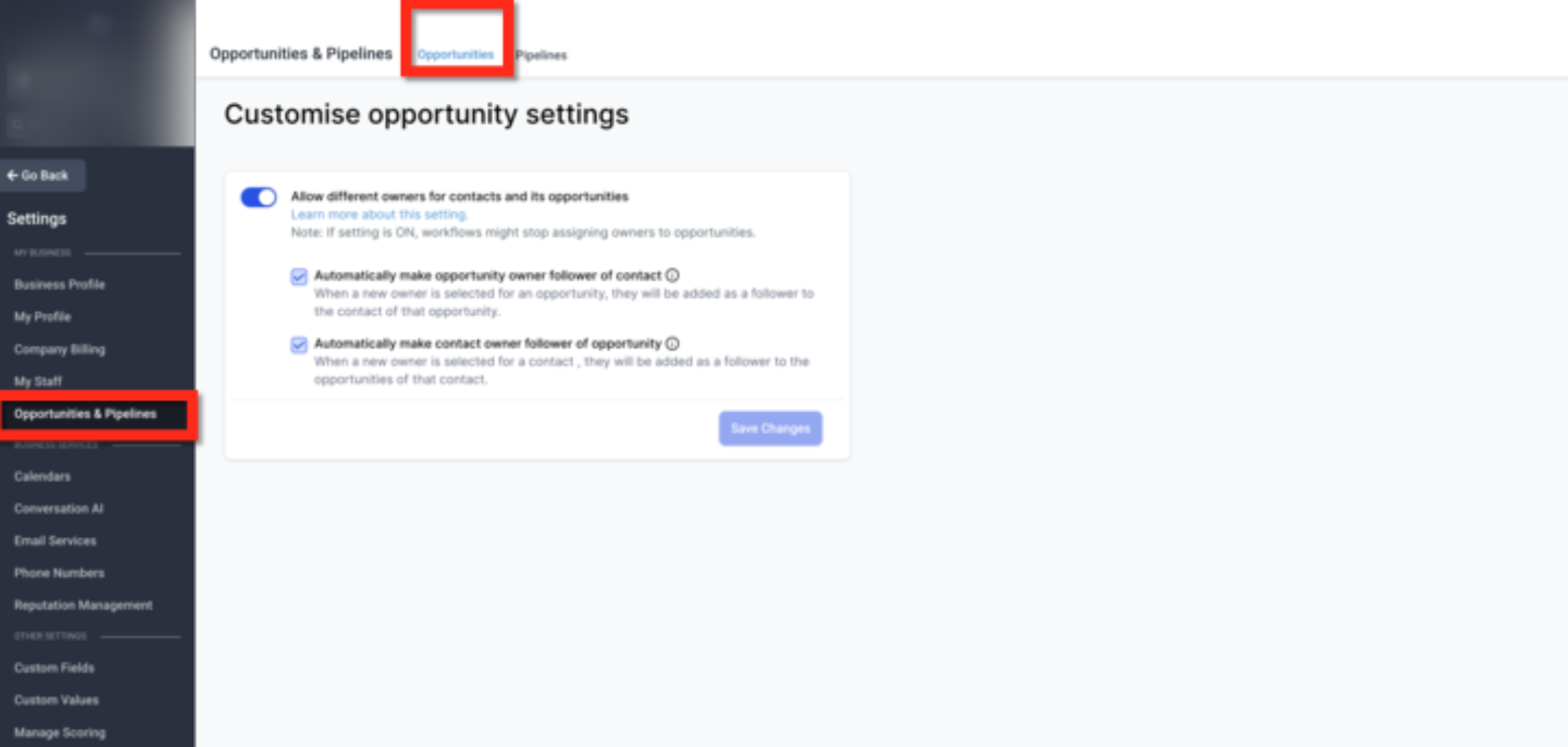
This screen shows the ownership setting inside Opportunities & Pipelines. Turn on Allow different owners for contacts and its opportunities, review the two follower options below it, and click Save Changes to apply the update.
How the Feature Works
Once this setting is enabled, contacts and opportunities can have different owners.
Contact and Opportunity Owners Can Be Different
A contact can remain assigned to one owner while the related opportunity is assigned to someone else. This allows ownership to match your team’s real workflow instead of forcing the same person to own both records.
Default Opportunity Owner
When a new opportunity is created, the default owner is still the same as the contact owner. After creation, the opportunity owner can be updated if a different owner is needed.
Workflow Support
If ownership automation is available in your account, this feature can also support more advanced assignment and routing logic.
Additional Follower Settings
Two optional settings can help keep followers aligned when ownership changes.
Automatically Make Opportunity Owner Follower of Contact
Enable this option if you want the opportunity owner to automatically become a follower of the related contact whenever the opportunity owner changes.
This helps ensure the person managing the opportunity can also stay updated on the contact record.
Automatically Make Contact Owner Follower of Opportunity
Enable this option if you want the contact owner to automatically become a follower of related opportunities whenever the contact owner changes.
This helps ensure the person managing the contact can still stay informed about deal activity.
These settings improve visibility and collaboration without forcing ownership to remain the same.
How This Helps
Greater Ownership Flexibility
You can assign records based on real responsibilities instead of a one-owner-only structure.
Better Team Collaboration
Follower updates help the right people stay informed when ownership changes.
More Accurate Record Management
Contacts and opportunities can reflect the correct owners without manual workarounds.
Cleaner Handoffs
When sales, support, or account management teams share responsibilities, ownership can be updated without losing visibility.
Frequently Asked Questions
Q: Can a contact and its opportunity have different owners?
Yes. Once this setting is enabled, contacts and opportunities can be assigned to different owners.
Q: What is the default owner when a new opportunity is created?
A new opportunity starts with the same owner as the contact by default. You can update the opportunity owner afterward if needed.
Q: What do the follower settings do?
They automatically add the updated owner as a follower on the related record so the right person stays informed.
Q: Do I need to enable the follower settings for separate ownership to work?
No. Separate ownership works on its own. The follower settings are optional and only affect record visibility and updates.
Q: When should I use separate owners?
Use separate owners when different team members manage relationships and opportunities, or when handoffs are common across your process.
Q: What happens if the contact owner changes after an opportunity has already been assigned?
If the setting “Automatically make contact owner follower of opportunity” is enabled, the contact owner will automatically be added as a follower of the opportunity when ownership changes. This helps keep the correct team members informed about updates and activity related to that opportunity.
Need Help
If separate ownership is not behaving as expected:
Confirm the main ownership toggle is enabled.
Make sure you clicked Save Changes after updating the setting.
Review whether the follower settings are turned on or off.
Check the contact and opportunity records directly to confirm ownership changes were saved.
If the issue continues, contact Support and include:
A screenshot of your ownership settings
The contact and opportunity records involved
A short description of what you expected to happen