
Marketing Audit Reports are now available directly inside sub-accounts at no additional cost. This feature allows you to analyze performance, identify opportunities, and track improvements over time—without needing external tools or manual reporting.
TABLE OF CONTENTS
- What is the Marketing Audit Report?
- Why This Matters
- Feature Availability
- Access Control
- How to Enable Marketing Audit Reports
- How to Generate a Marketing Audit Report
- Accessing Marketing Audit from Reporting
- Viewing the Generated Marketing Audit Report
- What You Can Do with Marketing Audit Reports
- Best Practices
- Frequently Asked Questions
- Need More Help
What is the Marketing Audit Report?
Marketing Audit Reports provide a comprehensive overview of a business’s online presence, including performance across listings, SEO, reputation, website health, and more. These insights help identify gaps, highlight strengths, and guide smarter marketing decisions.
Why This Matters
Having access to Marketing Audit Reports inside sub-accounts makes it easier to monitor performance and take action quickly.
Performance Tracking: Monitor business health across key marketing areas
Before-and-After Comparison: Measure improvements over time
Opportunity Identification: Discover gaps that can drive new business
Better Decision Making: Use data-backed insights to guide strategy
Feature Availability
Marketing Audit Reports are currently available under Labs and will be rolled out to all sub-accounts by default once fully released.
Available at no additional cost
Accessible directly within sub-accounts
No complex setup required
Access Control
Access to Marketing Audit Reports is enabled by default for users within a sub-account. Permissions can be customized to control who can view or generate reports.
To manage access:
Navigate to Settings → My Staff → Roles
Update permissions based on user roles
Grant or restrict access as needed
How to Enable Marketing Audit Reports
Proper setup ensures the feature is available and ready to use within your sub-account.
Navigate to Settings → Labs inside your sub-account
Locate Marketing Audit
Toggle the feature ON
Once enabled, the feature becomes immediately available.
How to Generate a Marketing Audit Report
Generating a report takes just a few clicks and provides instant insights into business performance.
Go to Reporting from the left navigation
Click on Audit Report
Select Generate Report Now
Wait a few moments while the system processes the data
Accessing Marketing Audit from Reporting
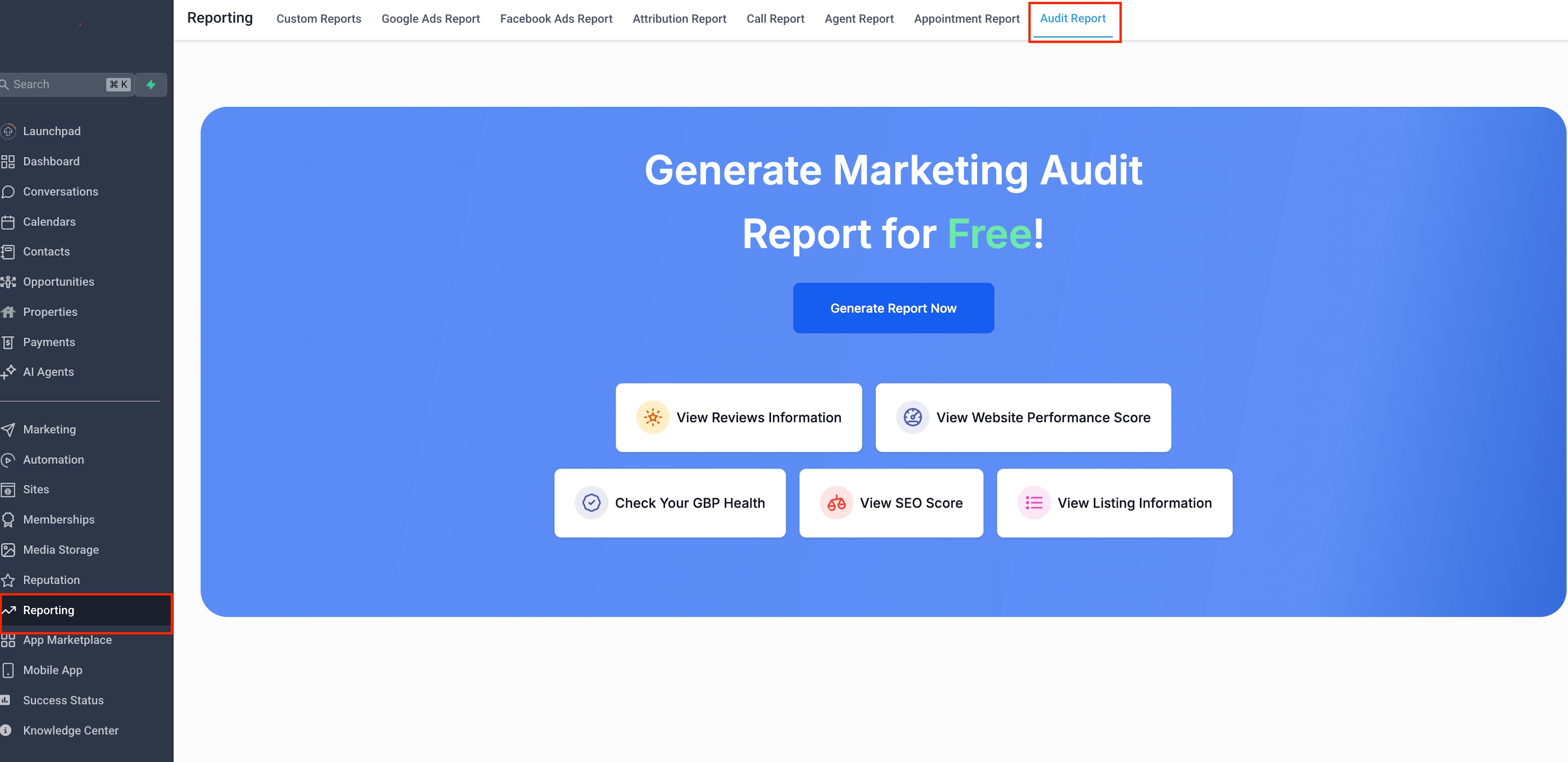
Shows the Reporting section with the Audit Report tab highlighted.
What to do: Open Reporting and click on Audit Report to access the audit dashboard.
Viewing the Generated Marketing Audit Report
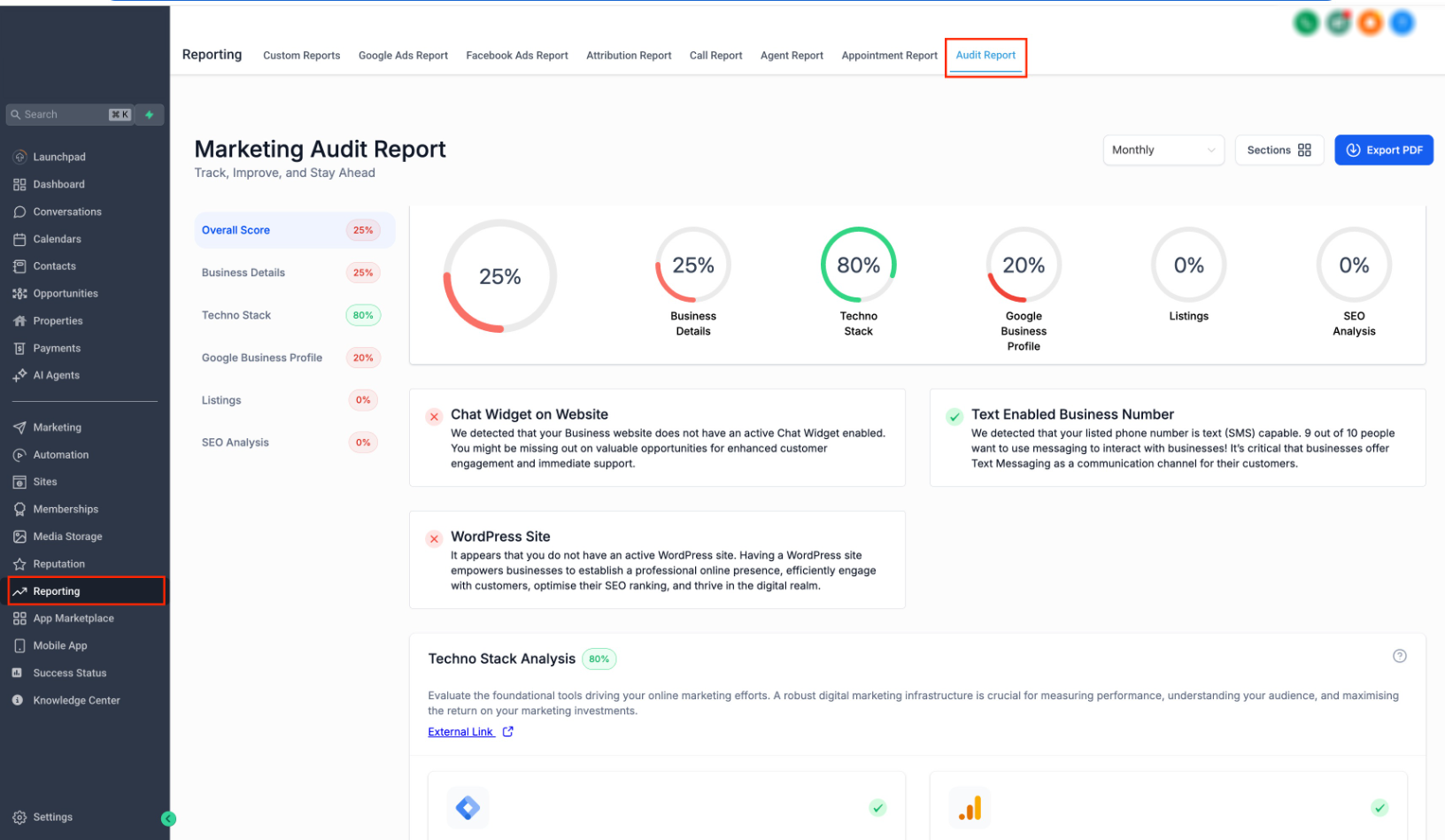
Displays the full audit report with scores, insights, and performance breakdown.
What to do: Review the report sections to understand performance, issues, and improvement opportunities.
What You Can Do with Marketing Audit Reports
Marketing Audit Reports are designed to help you take action and improve results.
Track Progress: Monitor improvements across reporting periods
Identify Issues: Spot missing elements like chat widgets, listings, or SEO gaps
Schedule Reports: Automate monthly or quarterly reports with notifications
Export Reports: Download reports as PDFs to share or present
Improve Conversions: Use insights to optimize business performance
Best Practices
Using Marketing Audit Reports consistently will deliver better results over time.
Run reports regularly (monthly recommended)
Compare past and current reports to measure progress
Focus on high-impact improvements first
Use reports as part of your sales or client communication process
Frequently Asked Questions
Q: Is the Marketing Audit Report free?
Yes. It is available at no additional cost within sub-accounts.
Q: Where can I access the audit report?
You can find it under Reporting → Audit Report.
Q: Do I need to enable this feature first?
Yes. It must be enabled in Labs before use.
Q: Can I control who has access to this feature?
Yes. Access can be managed through user roles and permissions.
Q: How long does it take to generate a report?
Reports are typically generated within a few seconds.
Need More Help
If you need assistance enabling or using Marketing Audit Reports, visit the Help Center or contact Support for further guidance.