
Identity verification through Persona helps keep eligible +1 and +972 LC Phone number purchases compliant while reducing fraud, spam, and abuse.LC Phone uses Persona identity verification during eligible phone number purchases in the United States, Canada, Puerto Rico, and Israel. This article explains when verification is required for LC Phone-managed accounts, how the verification process works, and what to do if you encounter an issue.
TABLE OF CONTENTS
- What is Identity Verification?
- Key Benefits of Identity Verification
- When Is Persona Identity Verification Required?
- How to Complete Identity Verification
- Troubleshooting Phone Number Purchase Errors
- Frequently Asked Questions
- Need Help?
What is Identity Verification?
Persona identity verification confirms the identity of the user responsible for an LC Phone-managed account before certain phone-number purchases and compliance actions. Completing Persona once per account helps establish a verified identity that can be reused for future eligible activities without repeating the identity-verification process.
LC Phone uses Persona when purchasing eligible +1 numbers for the United States, Canada, or Puerto Rico and +972 numbers for Israel. Completing Persona one time per account verifies the identity associated with future eligible phone-number purchases and related compliance actions.
Persona does not complete or replace A2P 10DLC registration, Toll-Free Verification, CNAM setup, or SHAKEN/STIR authentication. Those processes must still be completed separately when applicable.
- Applies to LC Phone-managed accounts purchasing eligible +1 and +972 numbers.
- Triggered during the purchase flow when the account has not previously completed Persona.
- A successful verification marks the account as verified for future eligible +1 and +972 purchases.
Key Benefits of Identity Verification
Persona helps establish a verified identity for the account before regulated phone-number and messaging activities are completed. This reduces repeated verification steps while supporting safer and more compliant use of LC Phone.
- Compliance and Platform Safety: Helps meet identity-verification requirements while reducing fraud, spam, and misuse.
- Reusable Verification Status: Allows the verified identity to be reused for future eligible compliance actions without repeating Persona.
- Streamlined Number Purchases: Reduces repeated identity-verification prompts for future eligible +1 and +972 phone-number purchases.
- Number Pool Support: Allows eligible Number Pool purchases and replenishment to continue without repeating Persona after successful verification.
When Is Persona Identity Verification Required?
Persona is required only when the phone-number purchase and account meet the applicable eligibility conditions. Knowing these conditions helps you determine whether a Persona prompt should appear during the purchase flow.
Persona is required only if all of the following are true:
- You are purchasing a +1 number for the United States, Canada, or Puerto Rico, or a +972 number for Israel.
- The account is LC Phone-managed rather than using an external telephony provider.
- The account has not completed Persona before.
After one successful Persona verification per account, you will not be prompted to complete Persona again for future eligible phone-number purchases or related compliance actions. The verified identity may be reused during these processes, but each registration or verification must still be completed separately when required:
- Phone number purchases, including Number Pool purchases and replenishment
- A2P 10DLC Brand registrations
- Toll-Free number verifications
- CNAM setups
- SHAKEN/STIR authentication
How to Complete Identity Verification
Completing Persona successfully ensures the account can continue with eligible LC Phone number purchases without repeatedly completing identity verification. The verification requires a valid government-issued ID and a live selfie from the person completing the process.
Note: Persona is a one-time process per account. Once verified, users are generally not prompted to repeat Persona for future eligible number purchases or compliance actions.
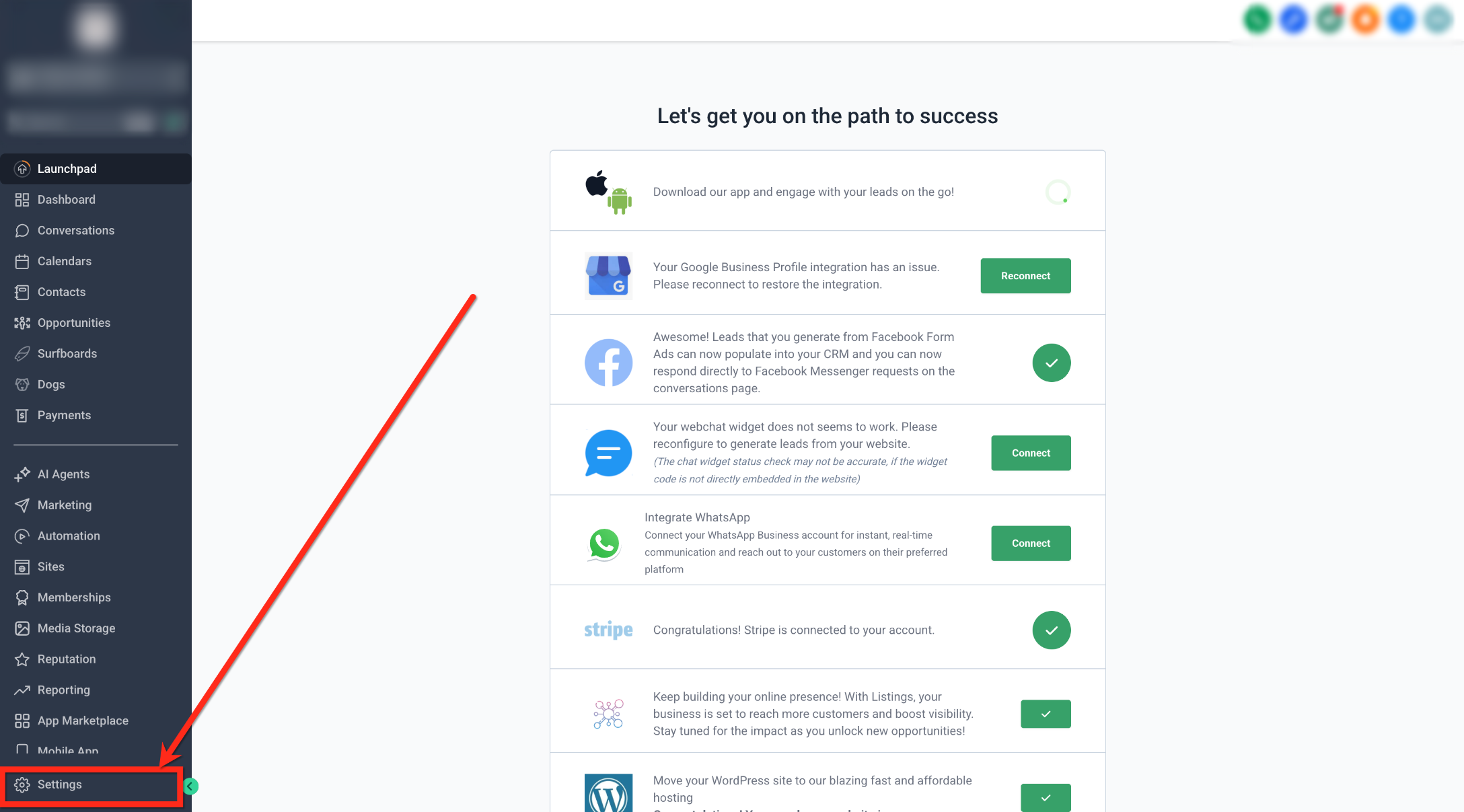
- Log in to the account and click Settings.
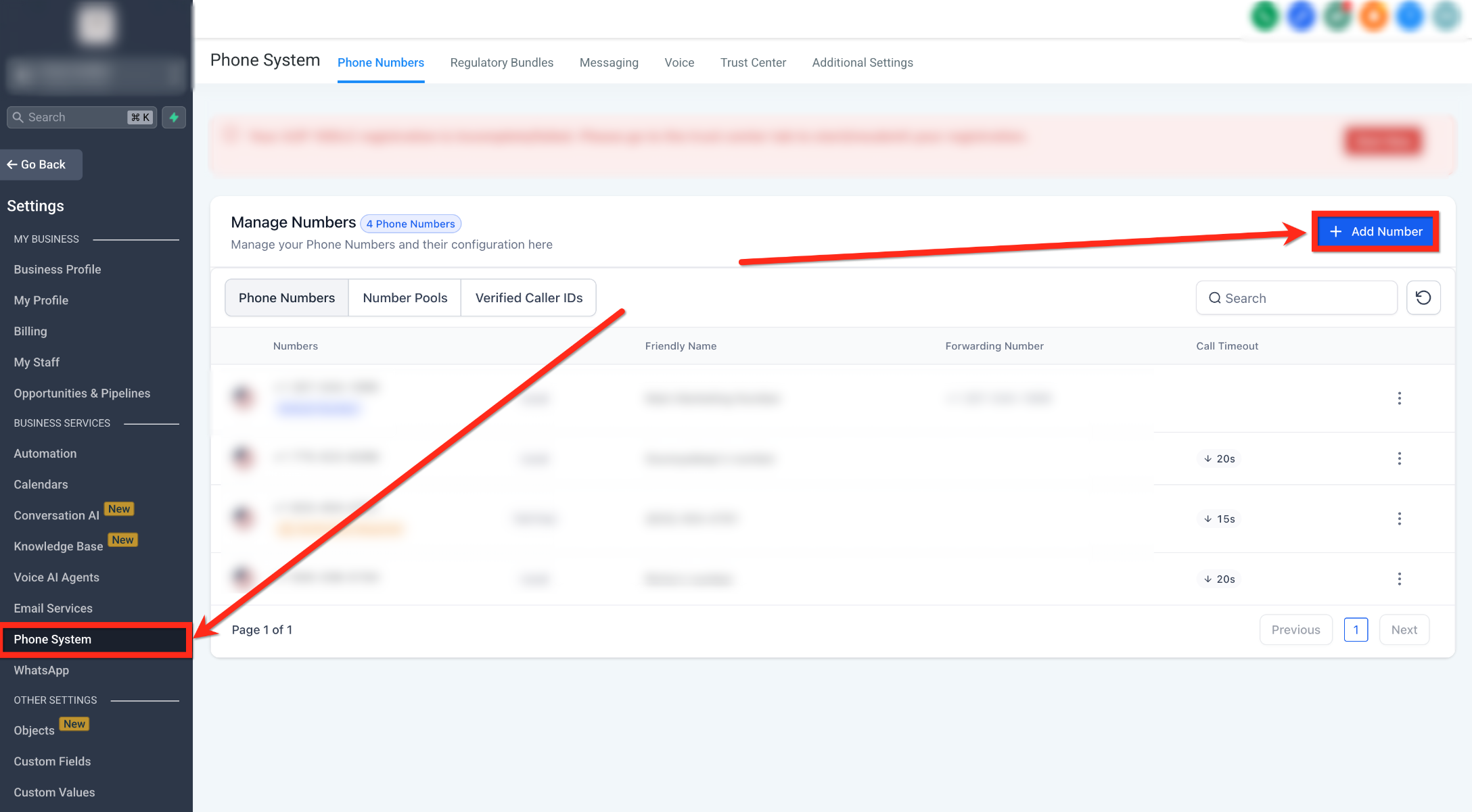
- Click Phone System, then click + Add Number.
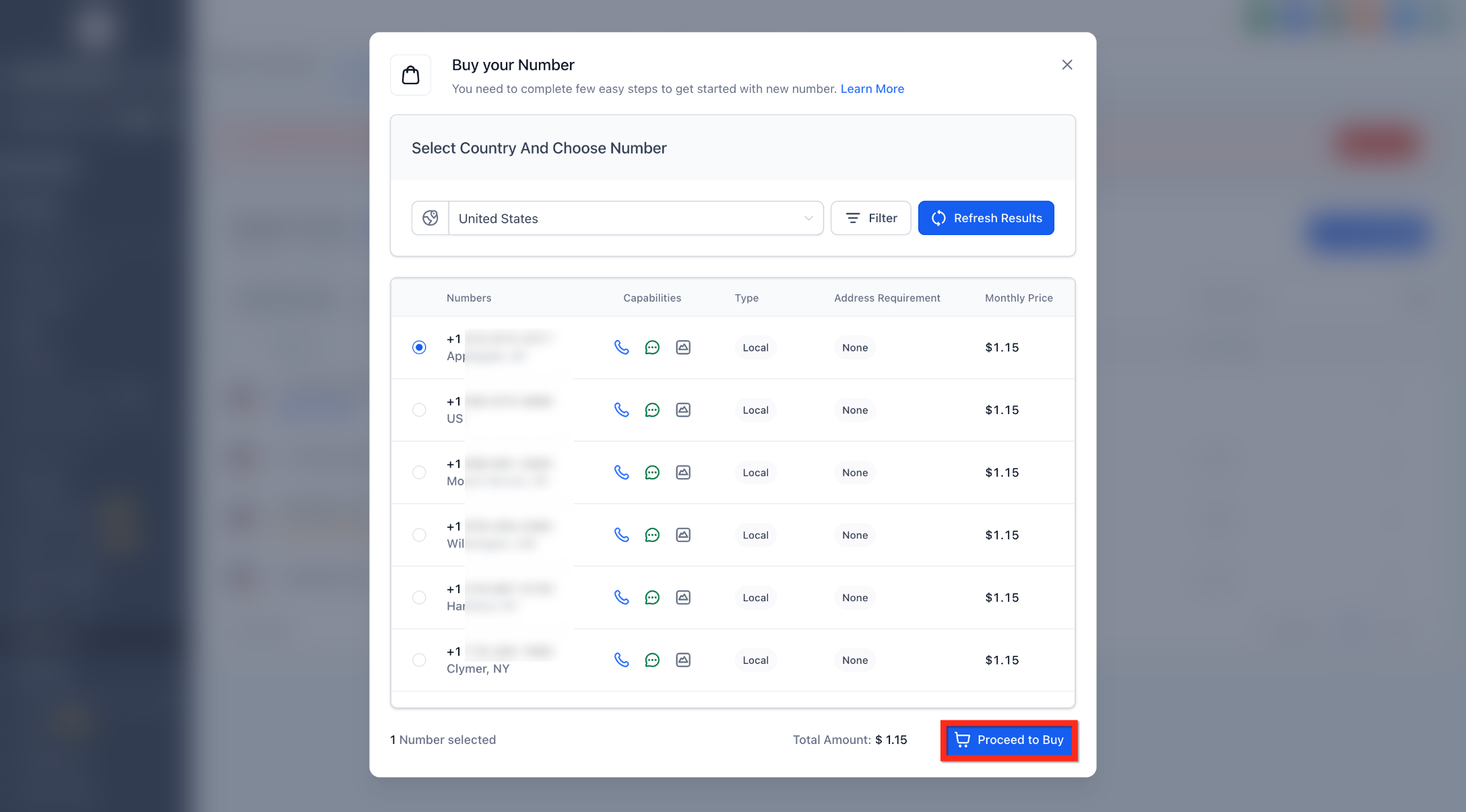
- Select an eligible +1 or +972 number and click Proceed to Buy.
- If Persona has not been completed for the account, the identity verification modal appears during the purchase.
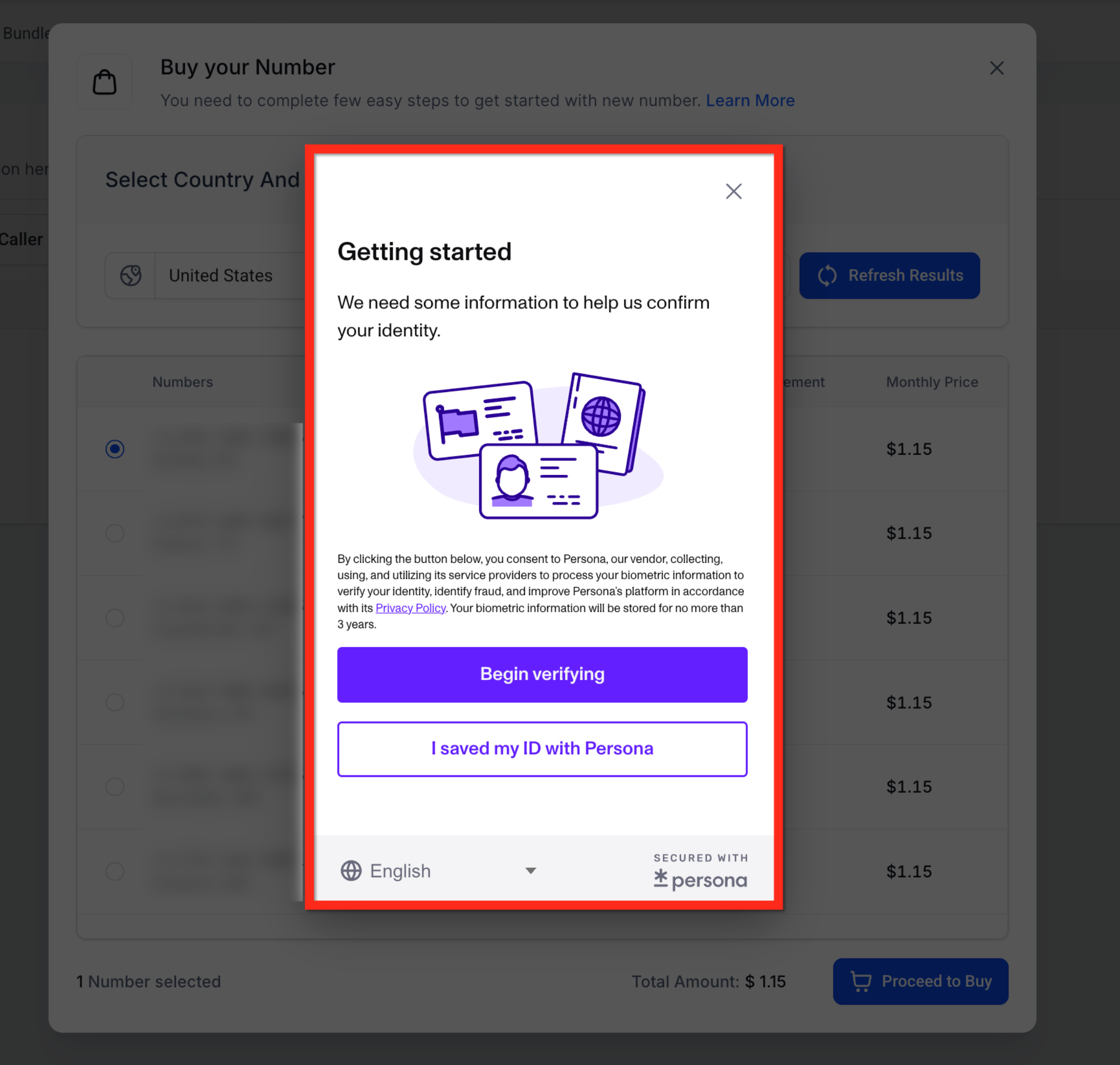
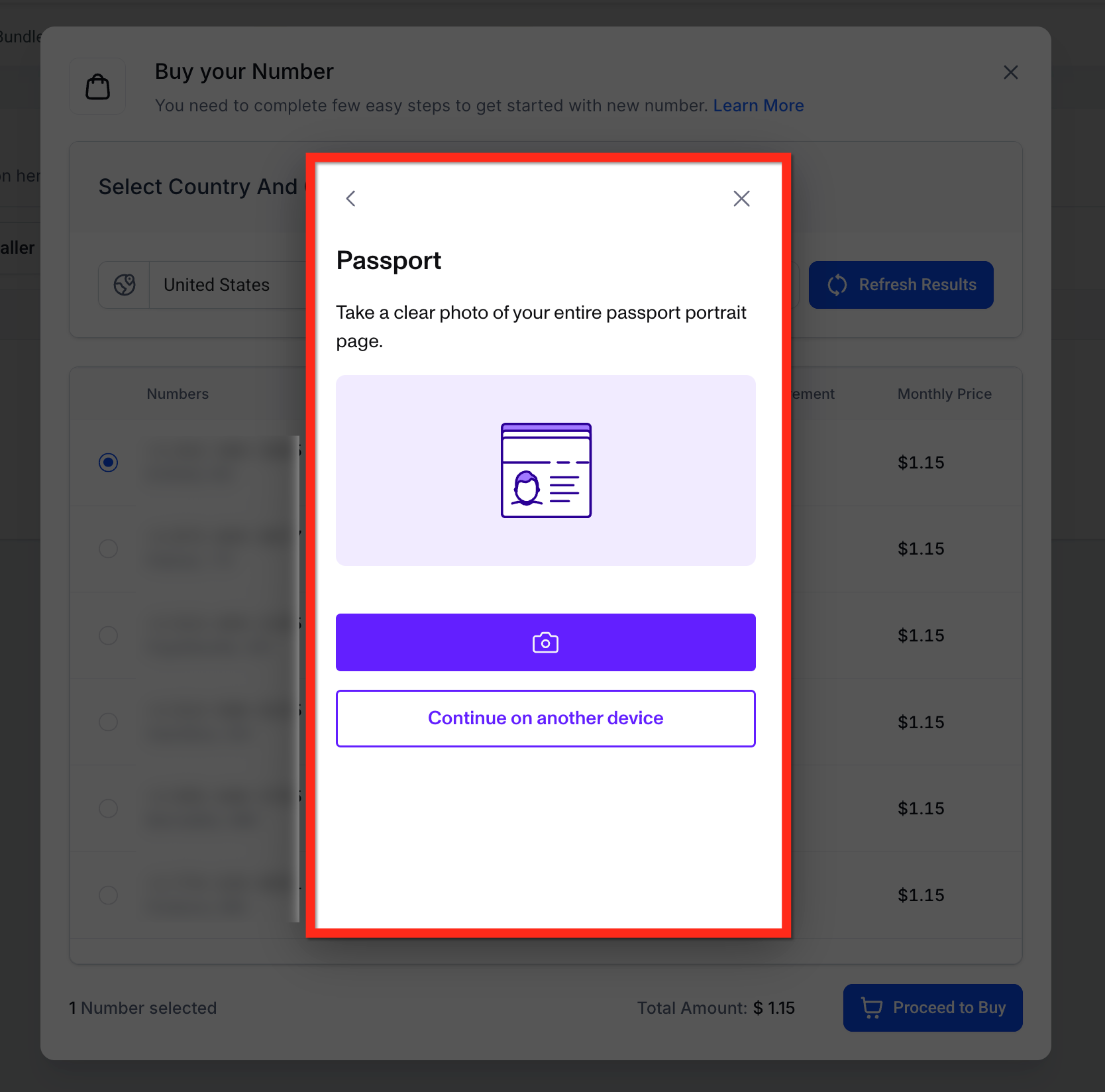
- Upload a valid government-issued ID, such as a passport or driver's license, based on the available country and identification options.
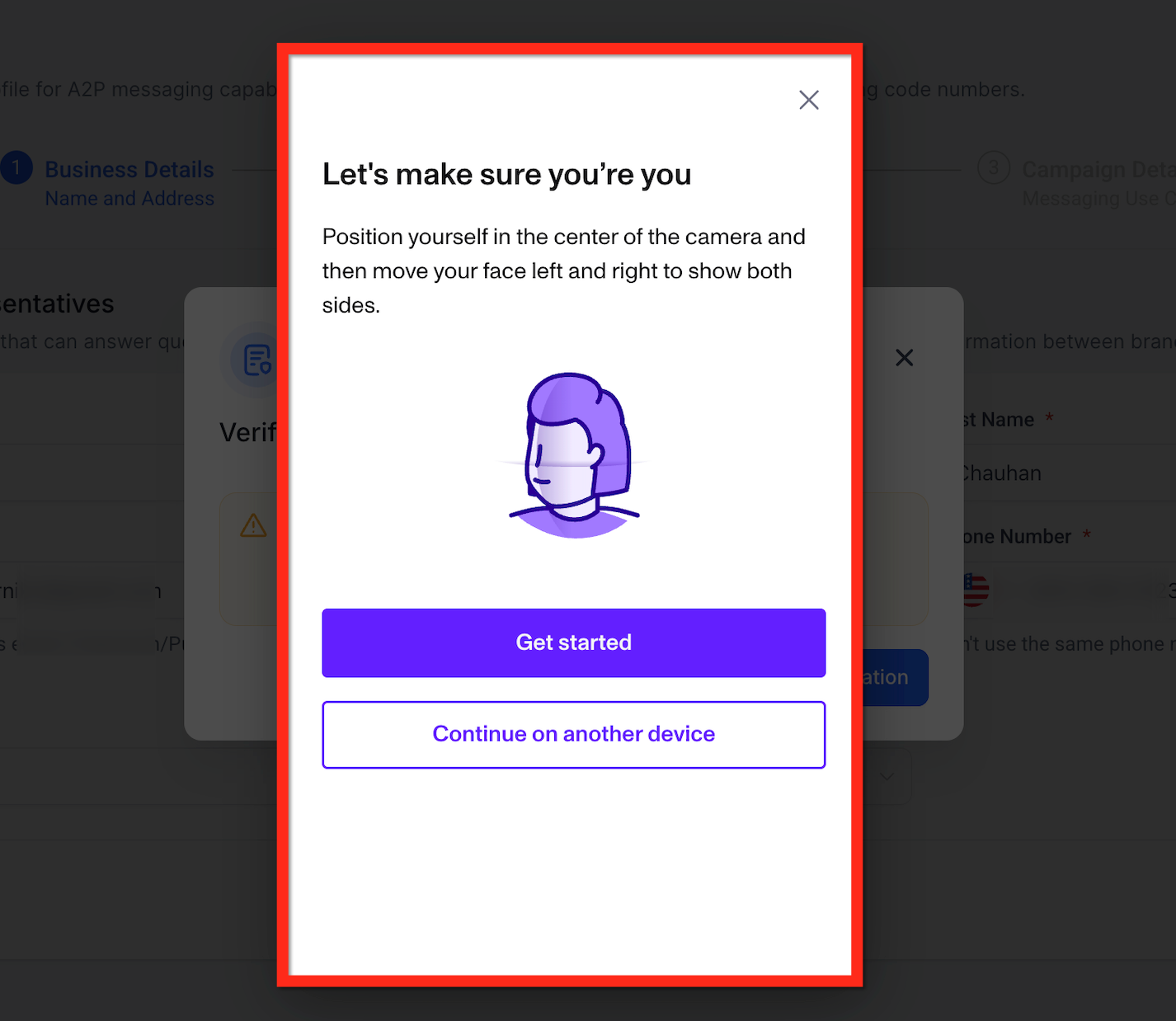
- After uploading the ID, complete the live selfie verification using a webcam or supported mobile device.
Troubleshooting Phone Number Purchase Errors
Phone-number purchases can be interrupted by an unavailable Persona prompt, an active verification session, inventory limitations, or regional compliance requirements. Checking the conditions below can help identify the issue before escalating it to Support.
Persona prompt does not appear: Refresh the page and retry the purchase. If the prompt still does not appear, contact Support.
Persona verification is already open: Avoid refreshing or leaving the verification page while the session is active. If the session remains stuck for more than 24 hours, contact Support.
Number unavailable: Refresh the available numbers or try a different area code, region, or supported number type.
Region or inventory limitation: Some numbers may not be available because of current provider inventory or regional availability.
Regulatory requirement: Some regions require an approved Regulatory Bundle or Address before a phone number can be purchased.
Contact Support when the Persona prompt still does not appear after refreshing and retrying, a Persona session remains stuck beyond 24 hours, or no suitable LC Phone number is available after adjusting your search.
Frequently Asked Questions
Q: Does the Persona selfie have to be completed on the customer's own computer?
No. The person responsible for the account must personally complete the ID and selfie verification, but they can use whichever supported device is most convenient, including a desktop with a webcam or a mobile device.
Q: After Persona, is A2P registration no longer needed?
No. Persona does not replace A2P 10DLC registration. You must still complete the applicable A2P Brand and Campaign registration separately before using eligible US long-code numbers for compliant business messaging.
Q: Does Persona replace Toll-Free Verification?
No. Persona verifies the identity associated with the account. Toll-Free Verification remains a separate messaging-compliance process when it applies to the number and messaging use case.
Q: Do I need to verify for every phone-number purchase?
No. Persona is generally completed once per account. After successful verification, eligible +1 and +972 purchases, including applicable Number Pool activity, can continue without repeating Persona.
Q: Does Persona verification cost anything?
There is no additional fee to complete Persona itself. Standard phone-number purchase, registration, and usage fees may still apply.
Q: We purchase numbers into a Number Pool. Do we need to verify again for auto-purchase?
No. After the account is verified, eligible manual Number Pool purchases and automatic replenishment can continue without repeating Persona.
Q: I started an eligible phone-number purchase, but I do not see the Persona verification prompt. What should I do?
Refresh the page and retry the purchase. If the verification prompt still does not appear, contact Support.
Need Help?
If Persona verification or an eligible LC Phone number purchase does not work as expected, gather the relevant purchase and verification details before contacting Support. Providing complete information can help identify whether the issue is related to the Persona session, number inventory, or regional requirements.
Before contacting Support, confirm:
- The account is LC Phone-managed.
- You are attempting to purchase an eligible +1 or +972 number.
- The Persona prompt has not already been completed for the account.
- You refreshed the purchase flow if the Persona prompt did not appear.
- You checked whether the selected phone number is still available.
When contacting Support, include:
- account name
- Location ID
- Country and number type
- Exact error message, if applicable
- Persona session status
- Screenshot or screen recording of the issue
- Steps already attempted