
Understanding advertising performance is essential for making informed marketing decisions. Facebook Ad Reporting provides a centralized view of campaign performance, allowing you to evaluate results, optimize spend, and improve overall return on investment.
This reporting system transforms raw campaign data into clear, actionable insights so you can quickly identify what is working, what needs improvement, and where to focus your efforts.
TABLE OF CONTENTS
- What Is Facebook Ad Reporting
- Key Metrics in Facebook Ad Reporting
- Why These Metrics Matter
- Frequently Asked Questions
- Need More Help?
- SEO Information
- Tags
- Internal Summary (Not for Publishing)
What Is Facebook Ad Reporting
Facebook Ad Reporting provides a complete overview of how your advertising campaigns are performing. It tracks performance across multiple stages of the customer journey—from impressions and clicks to leads, sales, and revenue.
By consolidating this data into a single reporting view, it becomes easier to understand how campaigns contribute to business outcomes. Instead of relying on scattered data points, you gain a clear picture of performance that supports better optimization and decision-making.
Key Metrics in Facebook Ad Reporting
Each metric in the reporting dashboard serves a specific purpose. Together, they provide a comprehensive understanding of campaign effectiveness, cost efficiency, and return on investment.
Impressions
Impressions represent the number of times your ad is displayed to users. This metric helps measure visibility and reach, giving insight into how often your campaign is being seen.
Clicks
Clicks measure how many times users interact with your ad by clicking on it. This includes clicks on links, headlines, and call-to-action buttons. A higher number of clicks generally indicates stronger engagement and interest.
Conversions
Conversions track when a user completes a desired action, such as submitting a form, making a purchase, or booking an appointment. This metric is critical for understanding how effectively your campaigns turn interest into results.
Client Spend
Client Spend represents the total cost of your campaigns, including both ad spend and any additional management fees.
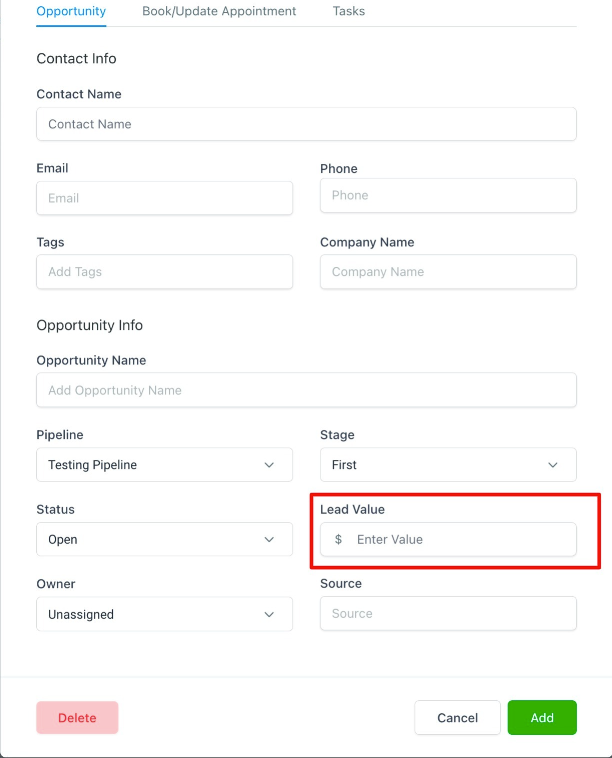
This image highlights where Client Spend is displayed in the reporting dashboard and where the settings icon is located to adjust management fees.
Only authorized users can modify this value, ensuring accurate and controlled reporting.
Average CPC (Cost per Click)
Average CPC shows how much you are paying, on average, for each click on your ads. This metric helps evaluate how efficiently your budget is being used to generate engagement.
Factors that influence CPC include audience targeting, competition, ad placement, and ad quality.
Cost per Conversion (CPA)
Cost per Conversion measures how much it costs to generate one conversion.
Formula:
Cost per Conversion = Total Ad Spend ÷ Number of Conversions
This metric helps determine whether your campaigns are cost-effective in generating meaningful actions.
Conversion Rate
Conversion Rate shows the percentage of users who take action after interacting with your ad.
Formula:
Conversion Rate = (Conversions ÷ Total Interactions) × 100
This metric helps evaluate how effectively your campaign converts engagement into results.
Revenue
Revenue represents the total value generated from successful conversions. It is typically calculated from deals or opportunities marked as completed or won.
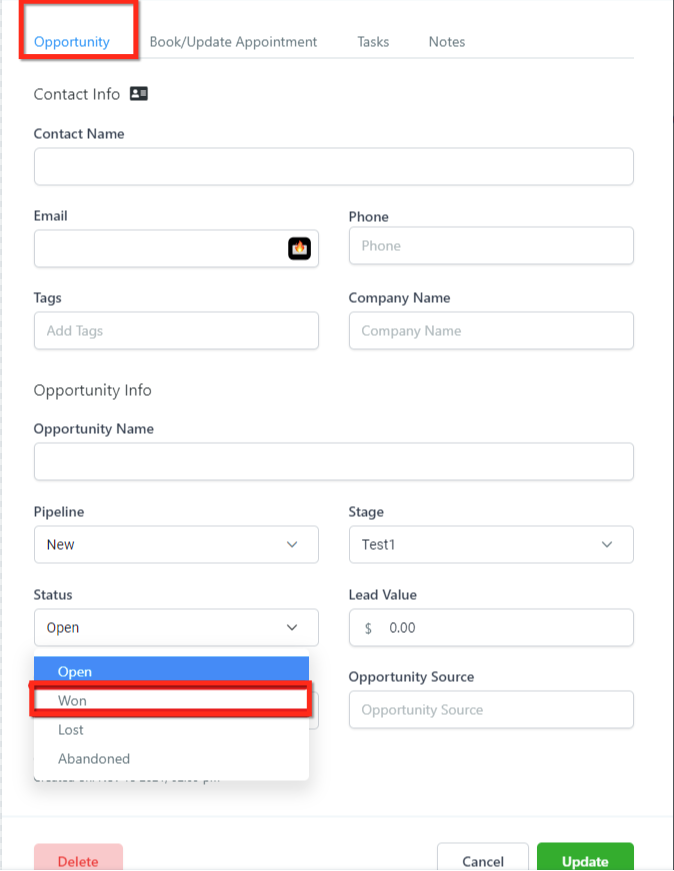
This image shows where revenue-related values are entered. Enter numeric values only, as formatting is handled automatically.
ROI (Return on Investment)
ROI measures overall profitability by comparing revenue generated to the cost of the campaign.
Formula:
ROI = (Revenue – Ad Spend) ÷ Ad Spend × 100
A positive ROI indicates profitable campaigns, while a negative ROI highlights areas needing optimization.
Sales
Sales represent completed opportunities that have successfully converted into customers. This metric confirms the final stage of the funnel.
CPS (Cost per Sale)
Cost per Sale measures how much you spend to generate a single completed sale.
Formula:
CPS = Total Campaign Cost ÷ Number of Sales
This helps evaluate how efficiently your campaigns convert leads into paying customers.
Leads
Leads represent potential customers who have shown interest in your business by taking an action such as submitting a form or initiating contact.
CPL (Cost per Lead)
Cost per Lead measures how much it costs to generate a single lead.
Formula:
CPL = Total Campaign Cost ÷ Total Leads
A lower CPL indicates more efficient lead generation.
Why These Metrics Matter
Tracking these metrics together provides a complete understanding of campaign performance. Instead of focusing on a single data point, you can evaluate how different elements—such as engagement, cost, and conversions—work together.
This allows you to allocate budget more effectively, improve campaign targeting, and make data-driven decisions that lead to better outcomes and stronger return on investment.
Frequently Asked Questions
Q: Why are some metrics missing or showing zero?
This usually indicates that your ad account is not fully connected or data has not yet synced.
Q: How often does reporting data update?
Most data updates in near real-time, though some metrics may take longer depending on processing time.
Q: Why does Client Spend appear higher than expected?
Client Spend includes both ad costs and management fees, providing a more complete view of total campaign investment.
Q: What is the difference between CPL and CPS?
CPL measures the cost to generate a lead, while CPS measures the cost to generate a completed sale.
Q: Are these metrics the same as the native ad platform?
The core data is the same, but reporting is simplified and enhanced for easier analysis and clearer insights.
Need More Help?
If you need assistance understanding your reports or optimizing campaign performance, open the Help Center or contact support for further guidance.