
Call Reporting provides a centralized view of all incoming and outgoing phone calls associated with your account. It helps track call outcomes, monitor team activity, review call recordings, and understand where calls are coming from. This report is designed to give clear visibility into daily communication performance while allowing flexibility to filter, review, and export call data as needed.
TABLE OF CONTENTS
- What Is Call Reporting?
- Navigating the Call Reporting View
- Incoming Call Insights
- Outgoing Call Insights
- Historical Call Table
- Multi-Call Recording for IVR
- Customization and Export Options
- Frequently Asked Questions
- Need Help?
What Is Call Reporting?
Call Reporting brings together call data from across your account into a single, organized report. It includes both inbound and outbound calls, visual summaries of call outcomes, and detailed records for individual calls. This allows you to evaluate responsiveness, identify trends, and review conversations without needing to piece together information from multiple areas.
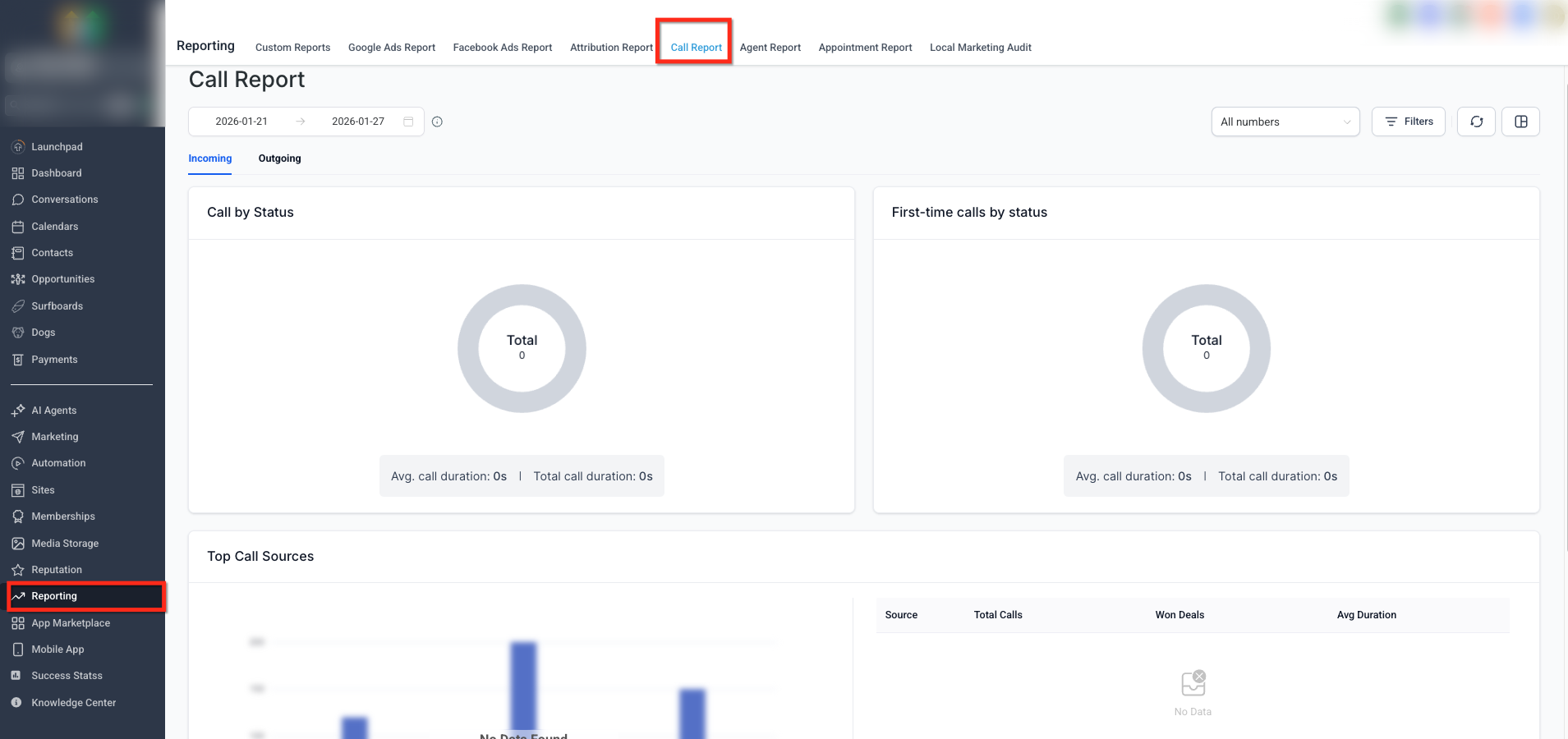
This view shows the Call Reporting page after it has been opened, including summary widgets, date range controls, and access to incoming and outgoing call data.
Navigating the Call Reporting View
The report is divided into incoming and outgoing call views and includes controls that allow results to be narrowed by time range and phone number. These tools help focus the report on the specific call activity you want to review.
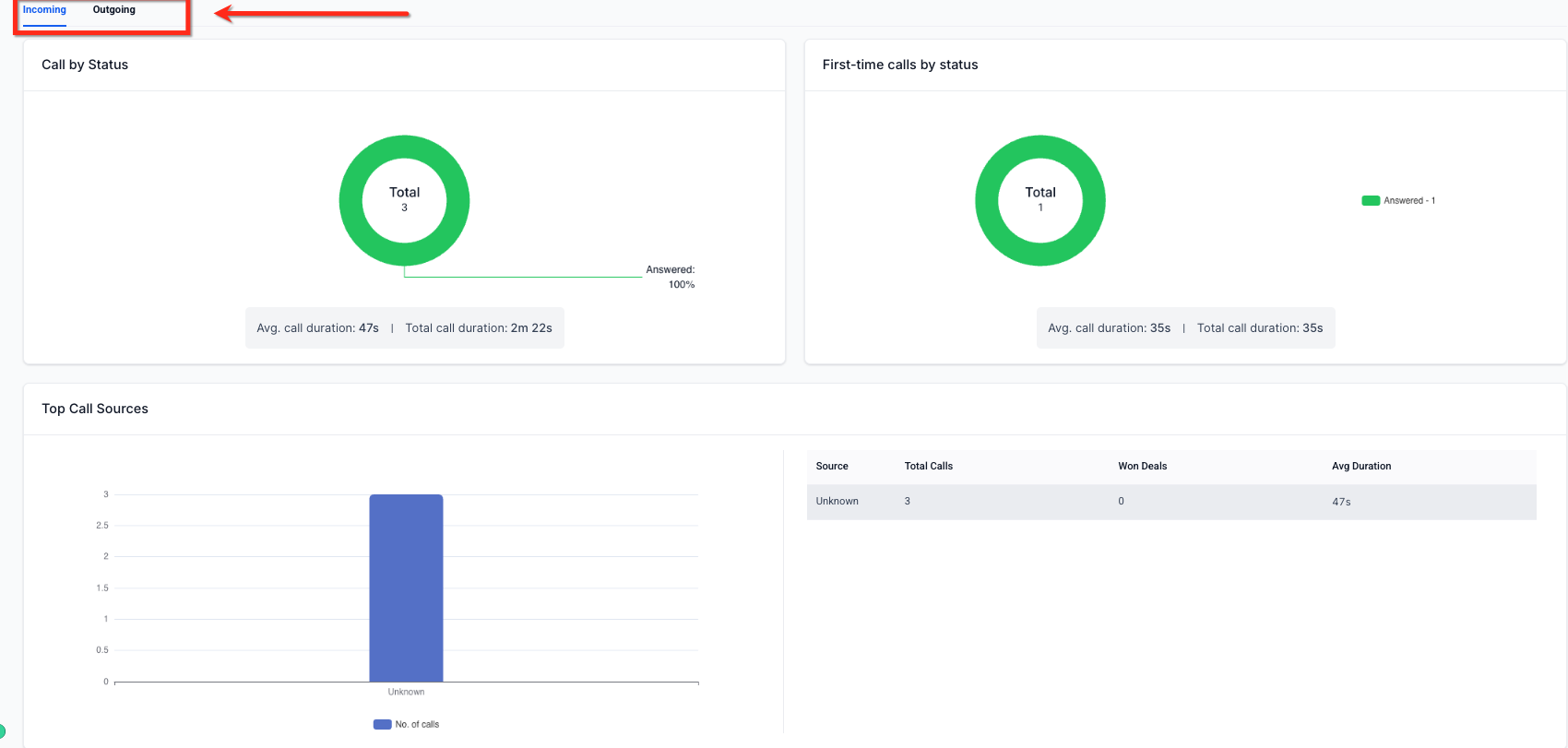
This image highlights the Incoming and Outgoing tabs, along with the date range selector and number filter used to refine which calls appear in the report.
Incoming Call Insights
Incoming call insights focus on how callers are reaching your business and how those calls are handled. Visual summaries show the distribution of answered, missed, busy, ringing, or voicemail calls. First-time call data highlights new callers and their outcomes, along with average and total call duration.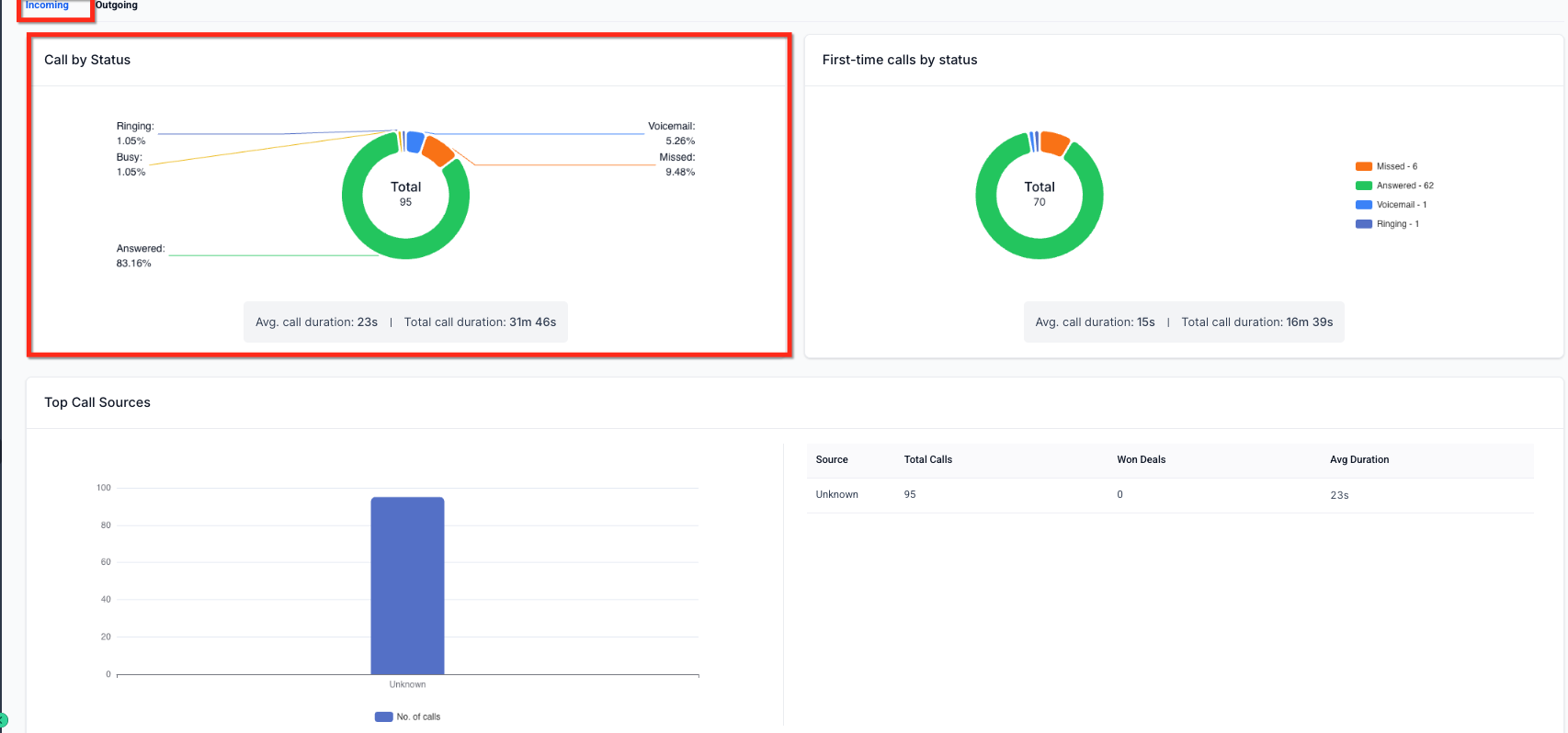
This view displays donut charts that summarize incoming call statuses and first-time caller outcomes, along with call duration metrics.
Top call sources provide additional context by showing where calls originated and how those sources perform based on call volume and duration.
Outgoing Call Insights
Outgoing call insights provide visibility into team outreach activity. Status summaries show whether outbound calls were connected, unanswered, canceled, or failed. Agent-level metrics help evaluate workload distribution, call duration, and the number of unique contacts reached.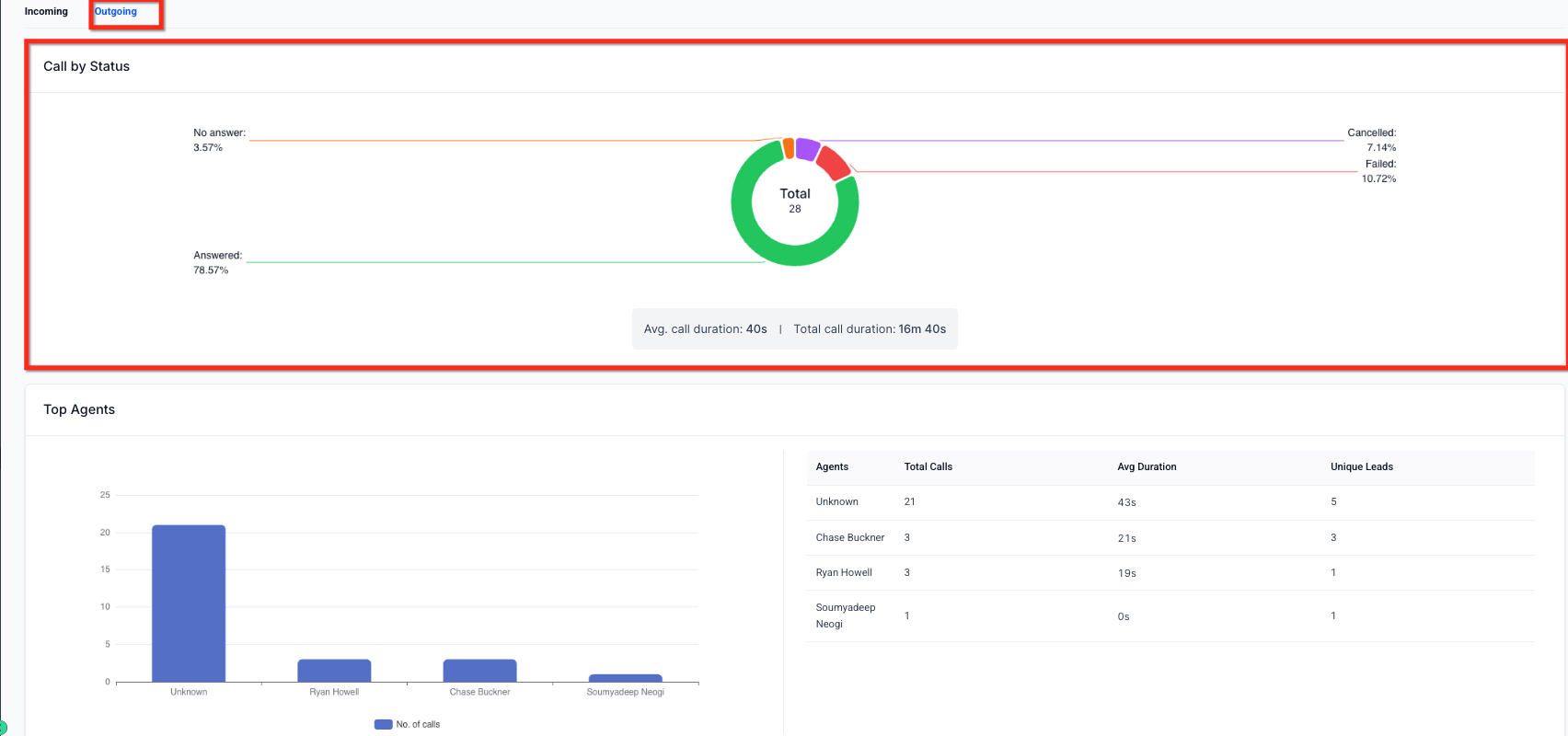
This image shows outbound call status distribution and agent performance data, including total calls and average call duration.
Historical Call Table
The historical call table lists all incoming and outgoing calls in chronological order. Each entry includes call timing, contact details, call status, duration, and access to recordings. This view is useful for reviewing individual interactions and confirming call outcomes.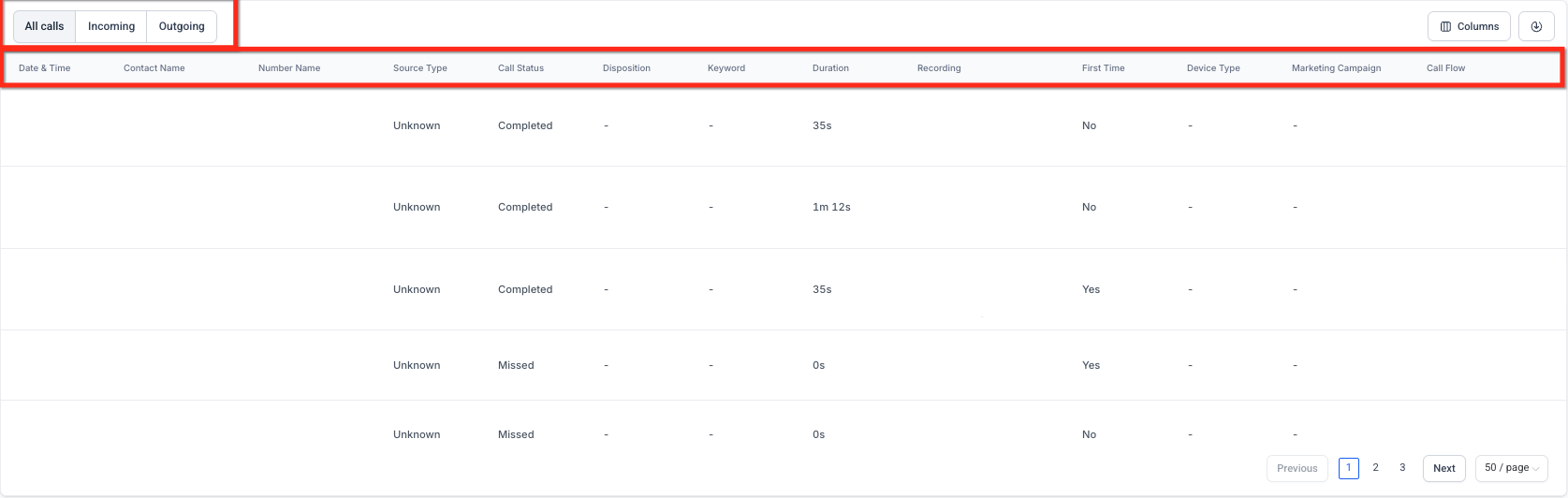
This table view shows individual call entries with playback controls, allowing specific calls to be reviewed in detail.
Multi-Call Recording for IVR
Calls that pass through automated routing or menu systems may generate multiple recordings. Each segment represents a different stage of the call experience. The table allows switching between these recordings to review each part of the interaction.

This image shows the recording selector used to choose between multiple call segments generated during routing or transfers.
Customization and Export Options
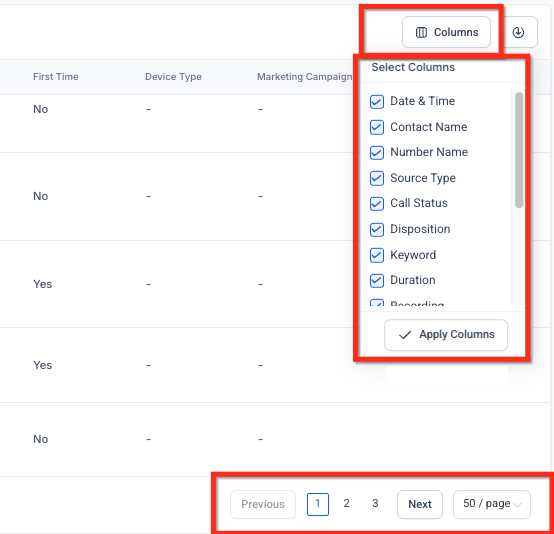
The report supports column customization, allowing you to choose which data points appear in the table. The same selection applies when exporting call data, making it easier to share or analyze information externally.
Frequently Asked Questions
Q: Can I filter calls by a specific phone number?
Yes. The report can be filtered to show all numbers or a single selected number.
Q: Can I export call data for reporting or analysis?
Yes. Call data can be exported as a CSV file, and you can choose which columns are included before exporting.
Q: Why do some calls have multiple recordings?
Calls that pass through automated routing or transfers generate separate recordings for each segment.
Q: Can I review both incoming and outgoing calls in one place?
Yes. The report includes both incoming and outgoing calls, organized by tabs within the same view.
Q: Can I customize which data appears in the call table?
Yes. Columns can be added or removed to tailor the table to your needs.
Need Help?
If you have questions about call activity, reports, or recordings, help is available directly within your account. Support resources can assist with understanding call metrics, reviewing recordings, configuring filters, or exporting data.
If additional assistance is needed, you can contact support for help troubleshooting report behavior or reviewing specific call scenarios.