
Understanding where your leads come from is essential for improving marketing performance and making better decisions. Attribution helps you identify which channels are driving results so you can focus on what works and optimize what doesn’t.
TABLE OF CONTENTS
- What is Attribution?
- First vs. Latest Attribution
- Where to Find Attribution Data
- Types of Attribution Sources
- What Actions Record Attribution?
- How Attribution is Determined
- Ad Tracking Setup (Overview)
- Troubleshooting Attribution Issues
- Frequently Asked Questions
- Need More Help?
What is Attribution?
Attribution tracks the source of each contact based on how they first and most recently interacted with your business. This allows you to:
Identify top-performing marketing channels
Measure campaign effectiveness
Discover growth opportunities
Improve conversion strategies
First vs. Latest Attribution
Each contact stores two types of attribution data to give you a complete view of their journey.
First Attribution: The first interaction a contact has with your business (e.g., submitting a form)
Latest Attribution: The most recent interaction before conversion (e.g., making a purchase)
Key Difference
First attribution remains unchanged
Latest attribution updates with every new interaction
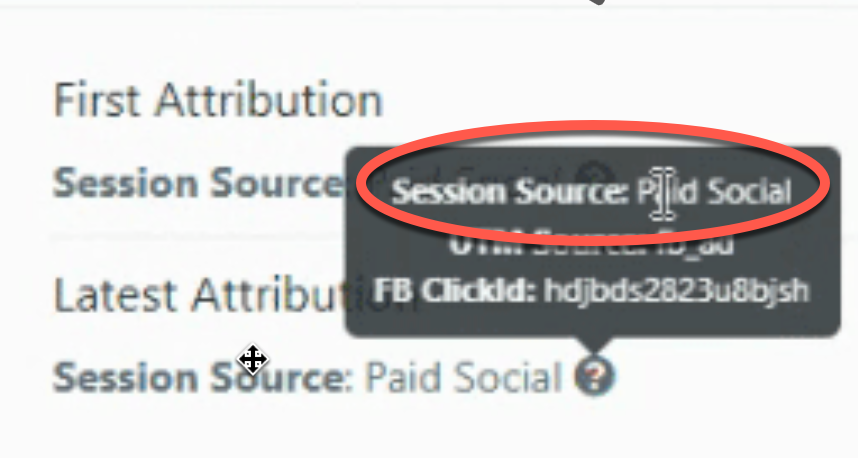
This example shows how attribution details appear when hovering over a source, including session-level tracking data such as identifiers and channel classification.
Where to Find Attribution Data
Attribution data is stored directly inside each contact record, making it easy to review and analyze lead sources.
To locate it:
Open a contact record
Navigate to the activity section
View attribution details in the bottom-right panel
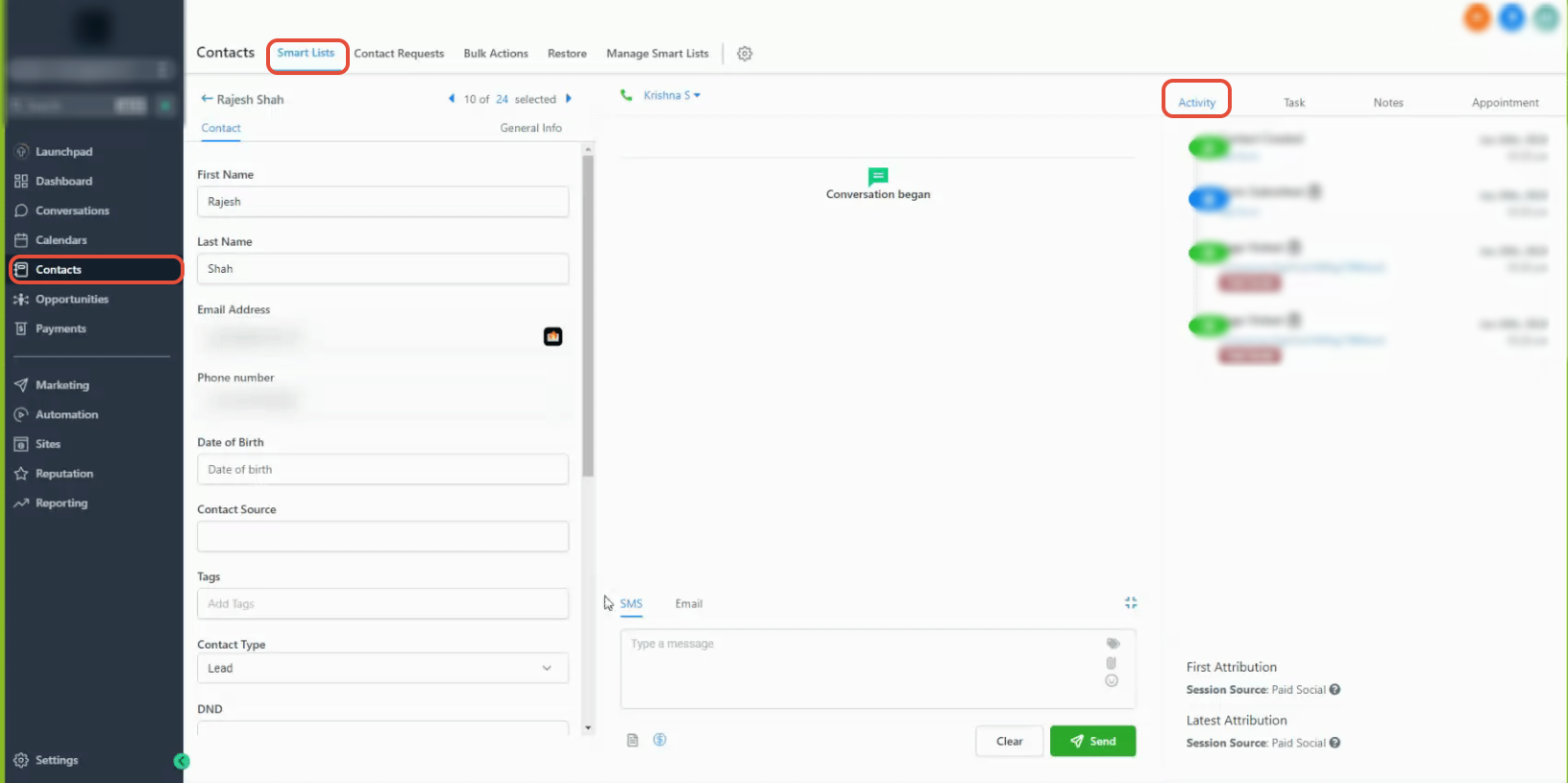
This view shows where both first and latest attribution appear within the contact profile, including the activity timeline and session source details.
This view displays both first and latest attribution sources within the contact profile.
Hover over the attribution source to see additional tracking details such as session data.
Types of Attribution Sources
Contacts are categorized into specific sources based on how they entered your system.
Paid Channels
Paid Search: Traffic from search ads
Paid Social: Traffic from paid social campaigns
Organic Channels
Organic Search: Traffic from search engines (non-paid)
Social Media: Traffic from social platforms
Other Traffic Sources
Direct Traffic: No identifiable source (e.g., typed URL)
Referrals: Traffic from external websites
Others: Calls, SMS, emails, messaging platforms
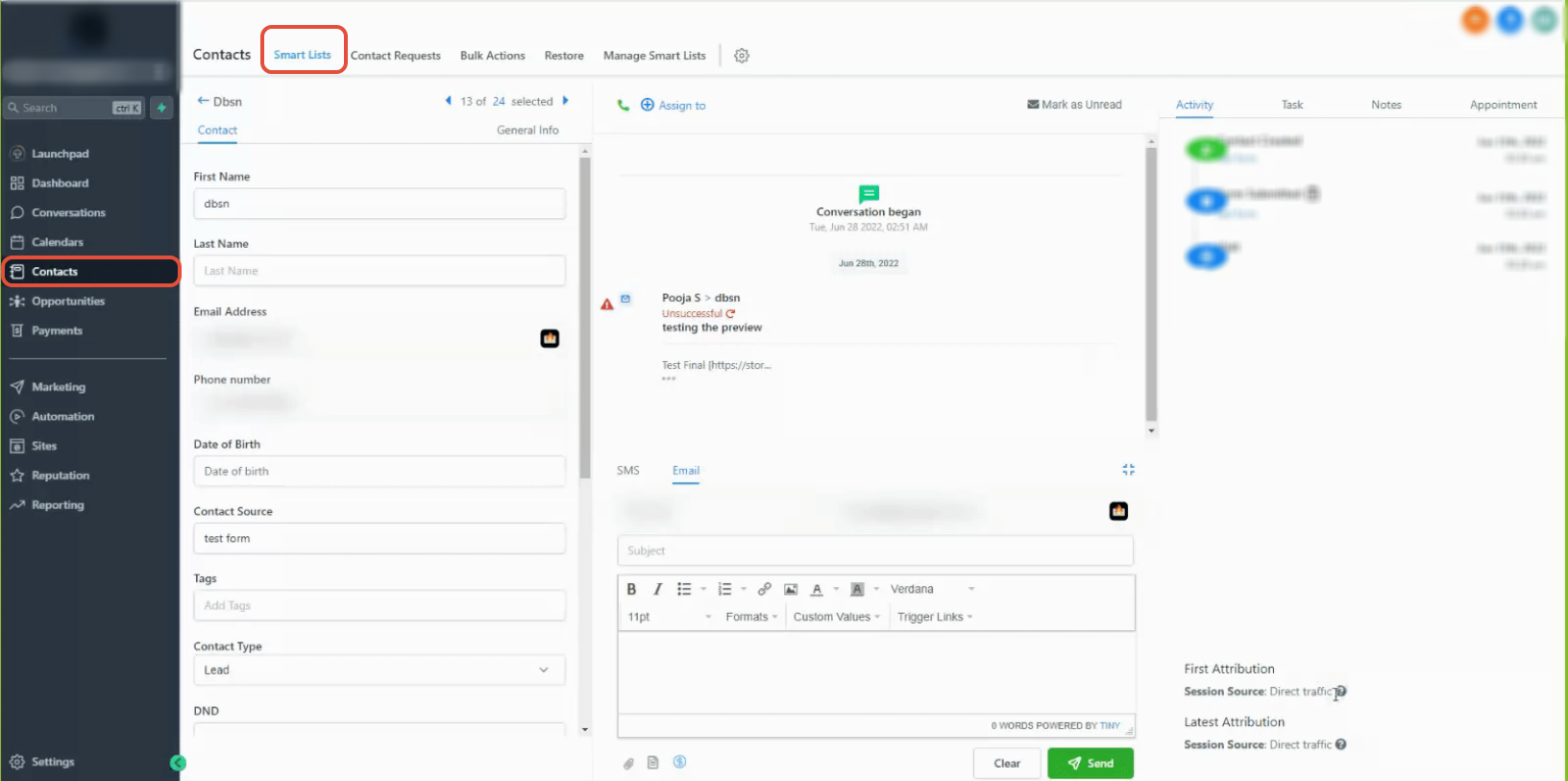
This example shows how a contact appears when attributed to direct traffic, indicating no referring source or tracking parameters were detected.
System-Based Sources
CRM UI: Contacts created manually
Third-Party: Contacts from integrations or external tools
What Actions Record Attribution?
Attribution is captured when a contact performs specific actions during a session:
Form or survey submission
Calendar booking
Chat interaction (after submitting details)
Order form submission
Important
Attribution is only recorded when these actions occur within tracked pages or forms.
How Attribution is Determined
Attribution is assigned using a structured rule system based on:
URL parameters (UTMs)
Click identifiers
Referring domains
Simplified Attribution Logic
Paid search identifiers → Paid Search
Paid social identifiers → Paid Social
Social platform referral → Social Media
Search engine referral → Organic Search
External website → Referral
No source data → Direct Traffic
Messaging or communication → Others
Manual creation → CRM UI
Integration tools → Third-Party
Ad Tracking Setup (Overview)
To accurately track paid campaigns, proper URL tagging is required.
Key Requirements
Use consistent tracking parameters
Ensure values match exactly (case-sensitive)
Apply tracking to landing page URLs
This ensures attribution data is recorded correctly and tied to the right source.
Troubleshooting Attribution Issues
If attribution data is missing or incorrect, review the following:
1. Check URL Formatting
Remove extra spaces or typos
Ensure parameters are correctly formatted
2. Keep Users on the Same Page
Attribution is captured only if submission happens on the same page
Avoid redirecting users before form submission
3. Avoid Custom Modifications
Do not alter standard tracking formats
Changes can break attribution tracking
Frequently Asked Questions
Q: Why is attribution missing for some contacts?
Attribution may not be recorded if the required action was not completed on a tracked page.
Q: Can attribution change over time?
Only the latest attribution updates. First attribution remains fixed.
Q: What does “Direct Traffic” mean?
It means no identifiable source was detected for that visit.
Q: Why is attribution showing as “Others”?
This typically includes communication channels like calls, SMS, or messages.
Q: Can I track attribution from external tools?
Yes, but those contacts will be categorized under third-party sources.
Need More Help?
If you need help understanding attribution or improving tracking accuracy, open the Help Center from your dashboard or contact support for assistance.