
Automating payment-related events helps you respond instantly to customer actions without manual effort. Subscription and Refund triggers allow you to build smarter workflows based on billing activity—such as when a subscription starts, cancels, or when a refund is processed. This ensures timely communication, better tracking, and improved customer experience.
TABLE OF CONTENTS
- What Are Subscription & Refund Triggers?
- Key Benefits
- Subscription Trigger
- Refund Trigger
- Integration Compatibility
- Frequently Asked Questions
- Need Help?
What Are Subscription & Refund Triggers?
These triggers allow workflows to start automatically based on payment-related events.
Subscription Trigger: Starts a workflow when a subscription is created, activated, cancelled, or updated.
Refund Trigger: Starts a workflow when a refund is processed, whether successful or failed.
These triggers help automate follow-ups, notifications, and internal processes tied to billing events.
Key Benefits
Automated Communication: Instantly notify customers or teams about subscription or refund events
Better Customer Experience: Send timely confirmations, updates, or follow-ups
Accurate Tracking: Monitor payment events without manual checks
Flexible Automation: Use filters and conditions to trigger workflows only when needed
Personalization: Insert dynamic values like amounts, IDs, and statuses into messages
Subscription Trigger
Subscription triggers allow workflows to react to changes in subscription lifecycle events.
Common Use Cases
Send a welcome message when a subscription starts
Notify your team when a trial converts to active
Trigger a feedback request when a subscription is cancelled
This screen shows how to start by creating or opening a workflow where the trigger will be added.
→ Click Create Workflow to begin setting up automation.
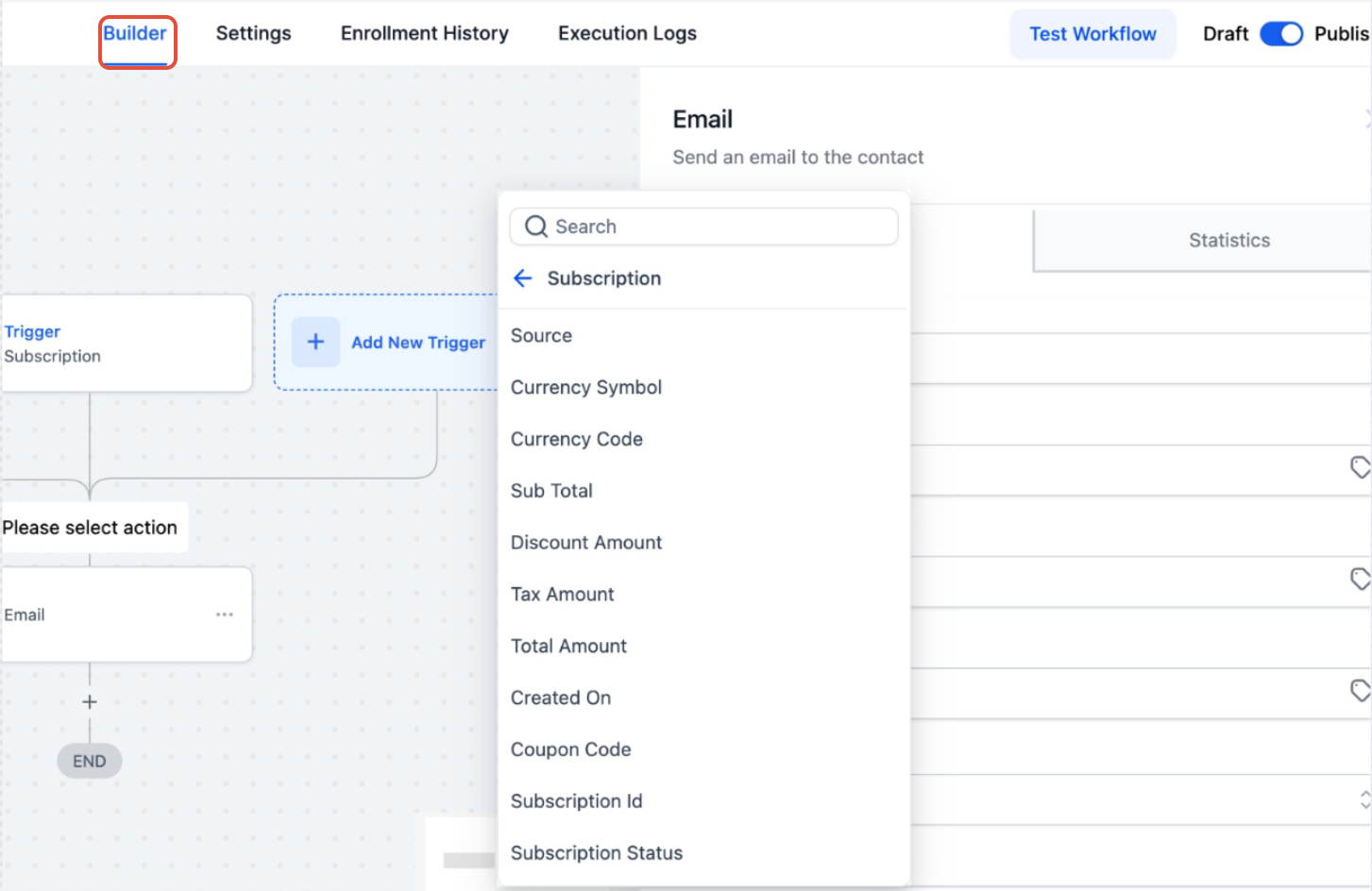
This screen shows the workflow builder with the option to add a trigger.
→ Click Add New Trigger to select a subscription-based trigger.
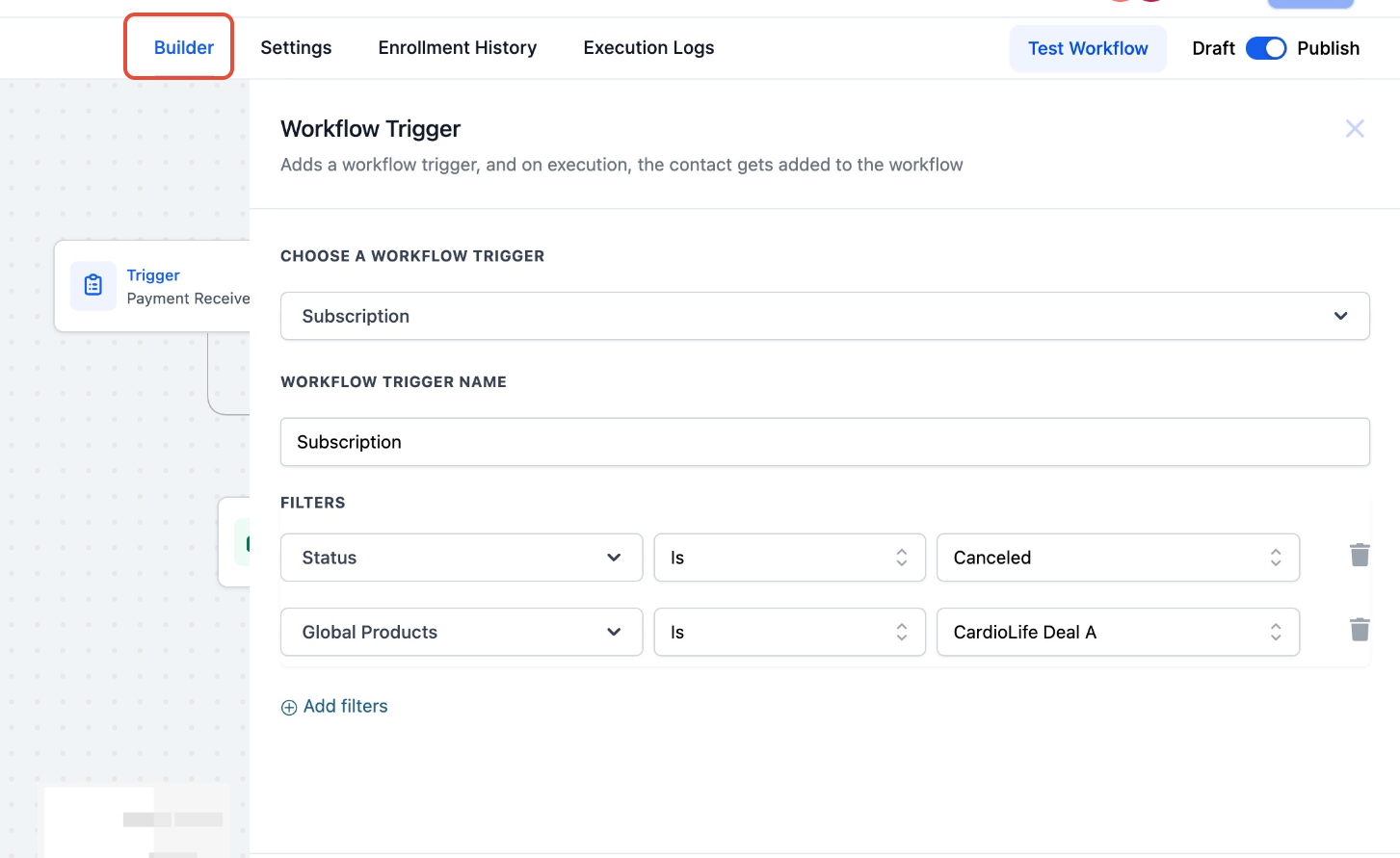
This screen shows subscription trigger configuration and filters.
→ Select conditions like Status (Active, Cancelled, Trial, etc.) or specific products to control when the workflow runs.
Additional Capabilities
Filter by subscription status (e.g., Active, Cancelled)
Filter by specific products
Use dynamic values such as:
Subscription ID
Total Amount
Discount
Tax Amount
Subscription Status
Refund Trigger
Refund triggers allow workflows to react whenever a refund is processed.
Common Use Cases
Send refund confirmation emails
Notify internal teams of refund success or failure
Trigger workflows for partial or full refunds
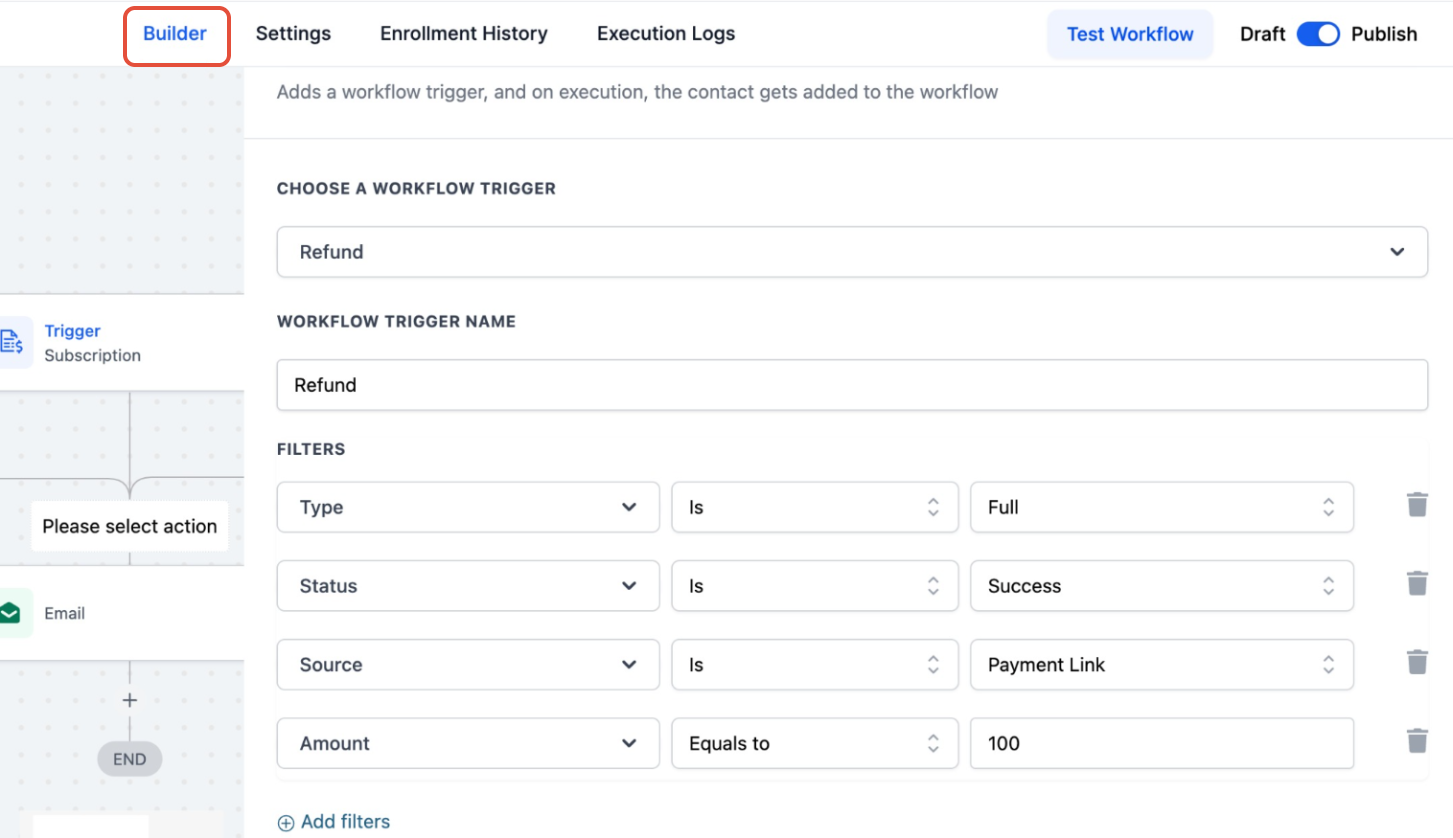
This screen shows refund trigger configuration with filters.
→ Select conditions like Refund Type (Full/Partial), Status (Success/Failed), and Source to control automation.
Additional Capabilities
Filter by refund conditions:
Refund Status (Success, Failed)
Refund Type (Full, Partial)
Refund Source (Order, Subscription, Payment Link)
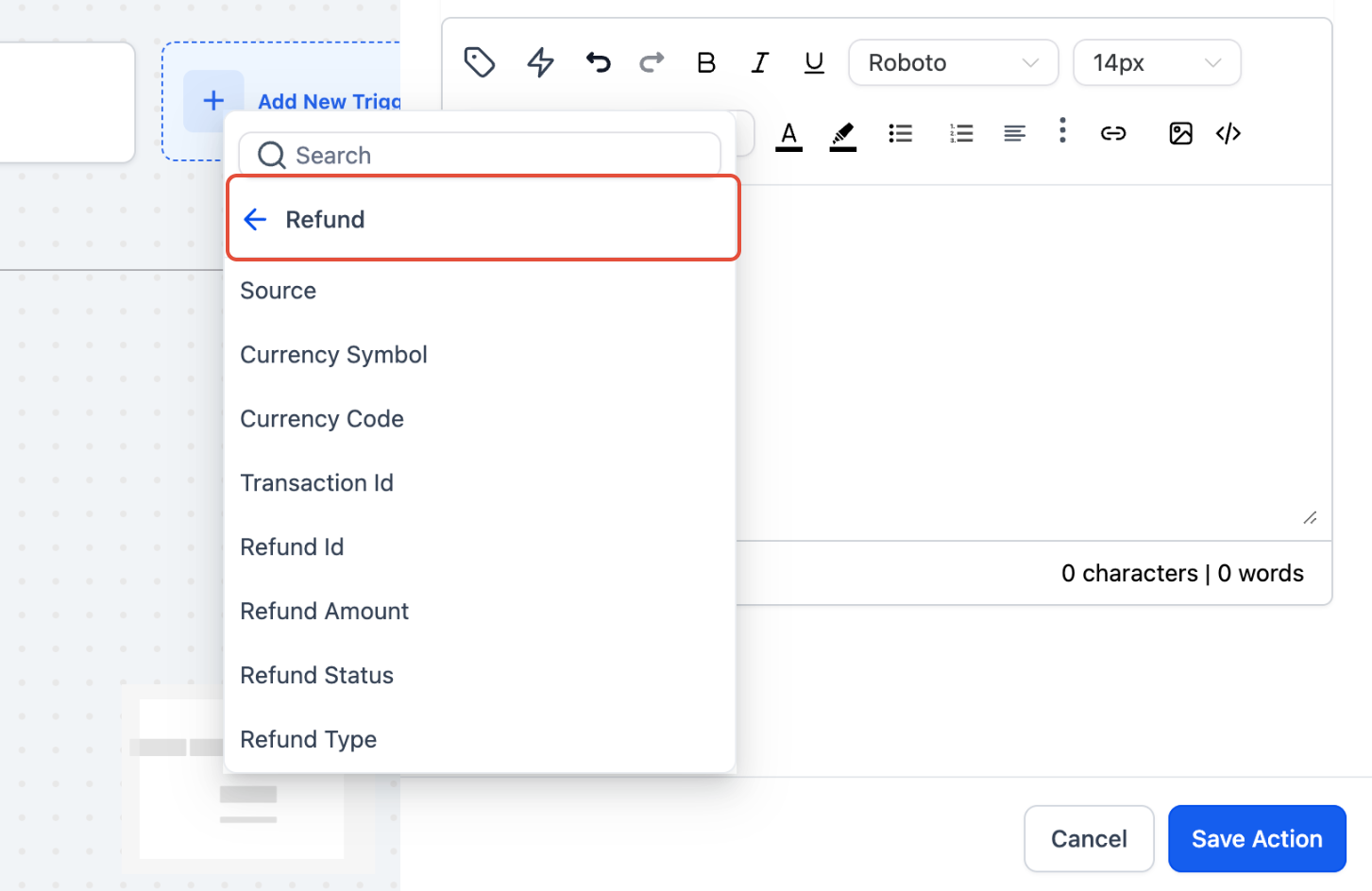
Use dynamic values such as:
Refund ID
Transaction ID
Refund Amount
Refund Status
Integration Compatibility
These triggers work with supported payment integrations.
Full support: Stripe, Authorize.net, NMI
Limited support: PayPal (subscription creation only)
Frequently Asked Questions
Q: What events can trigger these workflows?
You can trigger workflows for subscription creation, activation, cancellation, and refund events.
Q: Can I trigger workflows for failed refunds?
Yes. You can use filters to trigger workflows for both successful and failed refunds.
Q: Can I personalize messages using payment data?
Yes. You can insert dynamic values like subscription status, refund amount, and transaction ID into your workflows.
Q: Are these triggers available for all payment providers?
Most major providers are supported. Some providers may have limited functionality depending on the event type.
Need Help?
If you need assistance setting up triggers or workflows, contact support or explore additional help resources available in your account.