
Failed subscription payments can interrupt revenue and customer experience. Failed Payment Retry Settings allow you to automatically retry payments after a failure, helping recover transactions without manual effort. By configuring retry timing and behavior, you can maintain consistent billing and reduce lost revenue.
TABLE OF CONTENTS
- What is Failed Payment Retry Configuration?
- Key Benefits
- How to Configure Failed Payment Retries
- Example Scenario
- Supported Payment Providers
- Frequently Asked Questions
- Need Help?
What is Failed Payment Retry Configuration?
Failed Payment Retry Configuration allows you to define how the system should attempt payment again when a subscription charge fails. Instead of stopping after the first failure, the system retries based on your selected schedule.
This ensures customers get multiple opportunities to complete payment while keeping the process automated.
Key Benefits
Automated retries: Recover failed payments without manual follow-ups
Flexible timing: Choose retry gaps (1, 3, 5, or 7 days)
Consistent rules: Apply the same retry logic across subscriptions
Reduced revenue loss: Increase chances of successful payment collection
Control outcomes: Decide whether to cancel or keep unpaid subscriptions
How to Configure Failed Payment Retries
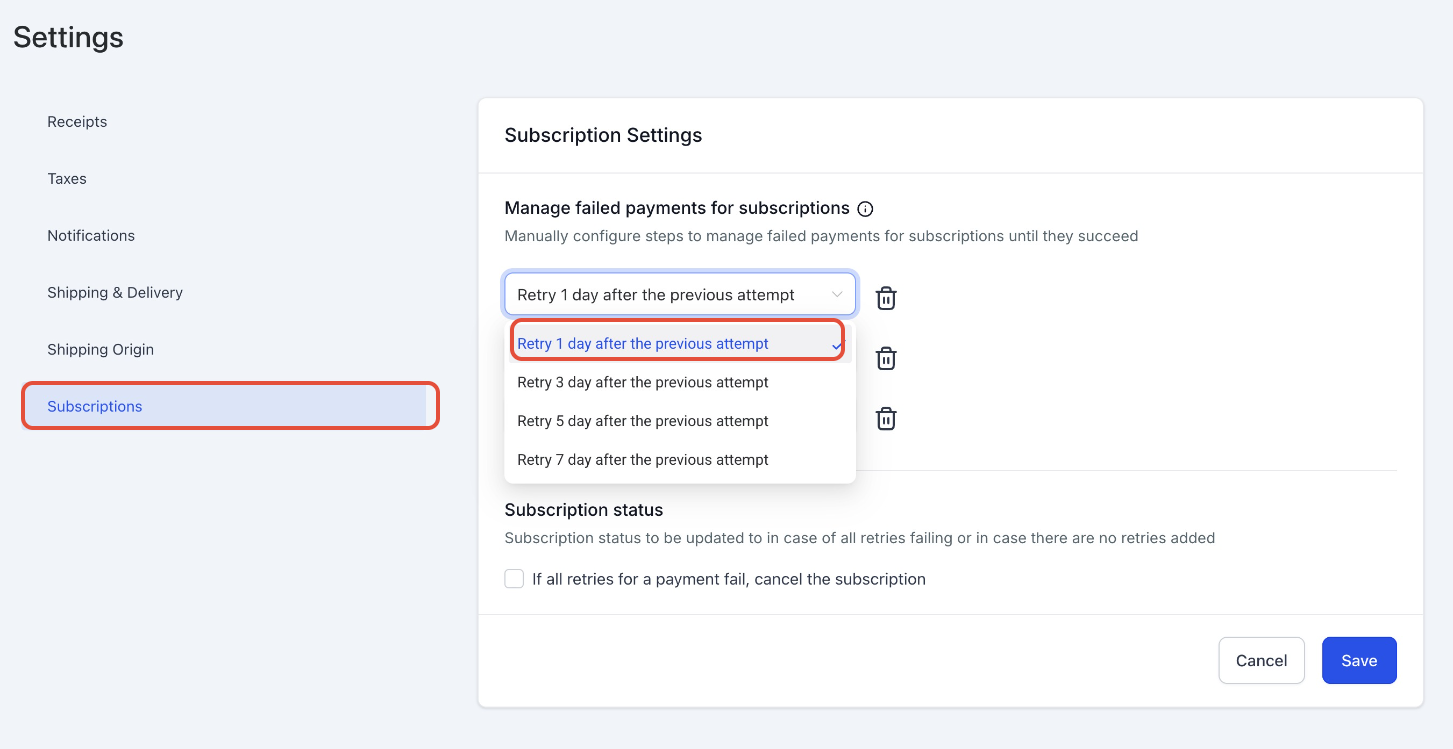
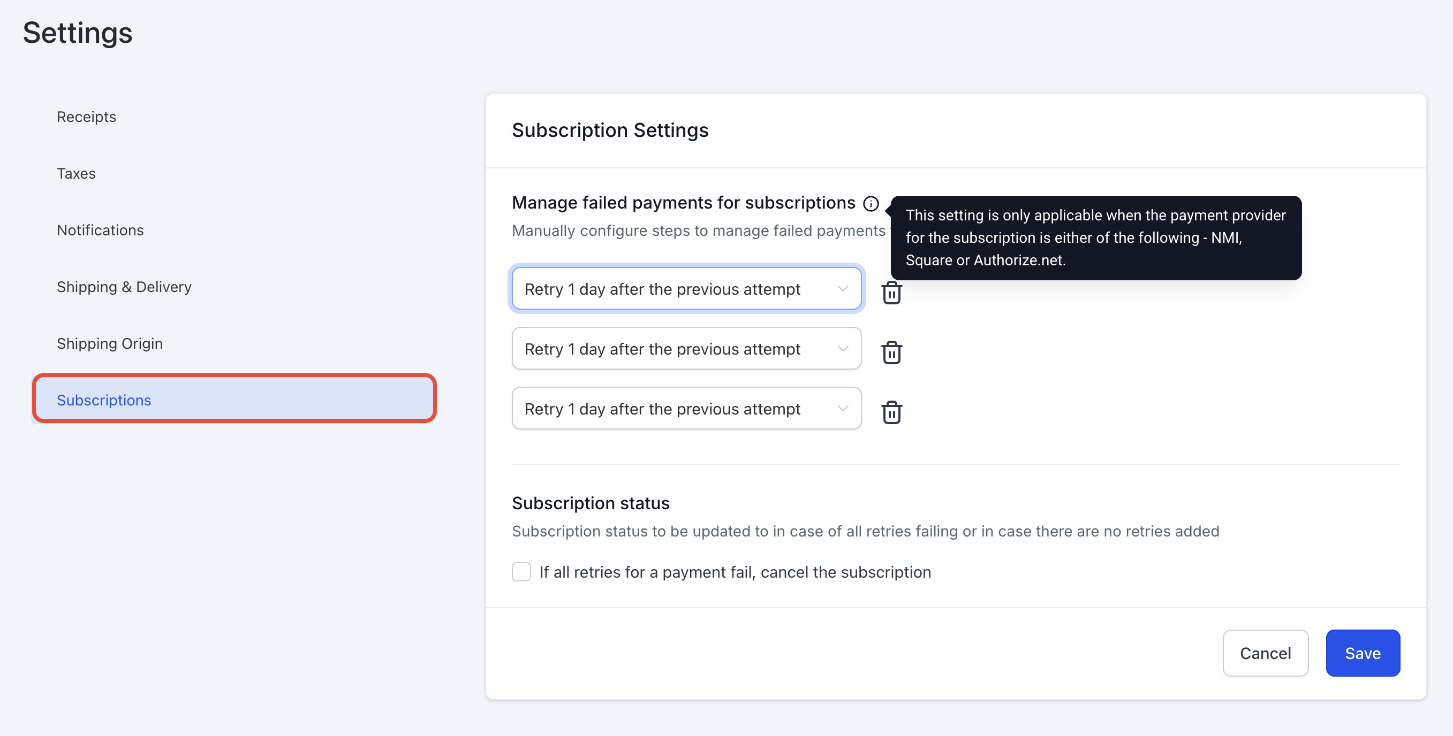
This screen shows where retry settings are managed.
→ Navigate to Payments → Settings → Subscriptions and locate “Manage failed payments for subscriptions.”
This screen shows retry timing options.
→ Select how long the system should wait before retrying (e.g., 1 day, 3 days, etc.).
→ Add multiple retries (up to 3) based on your needs.
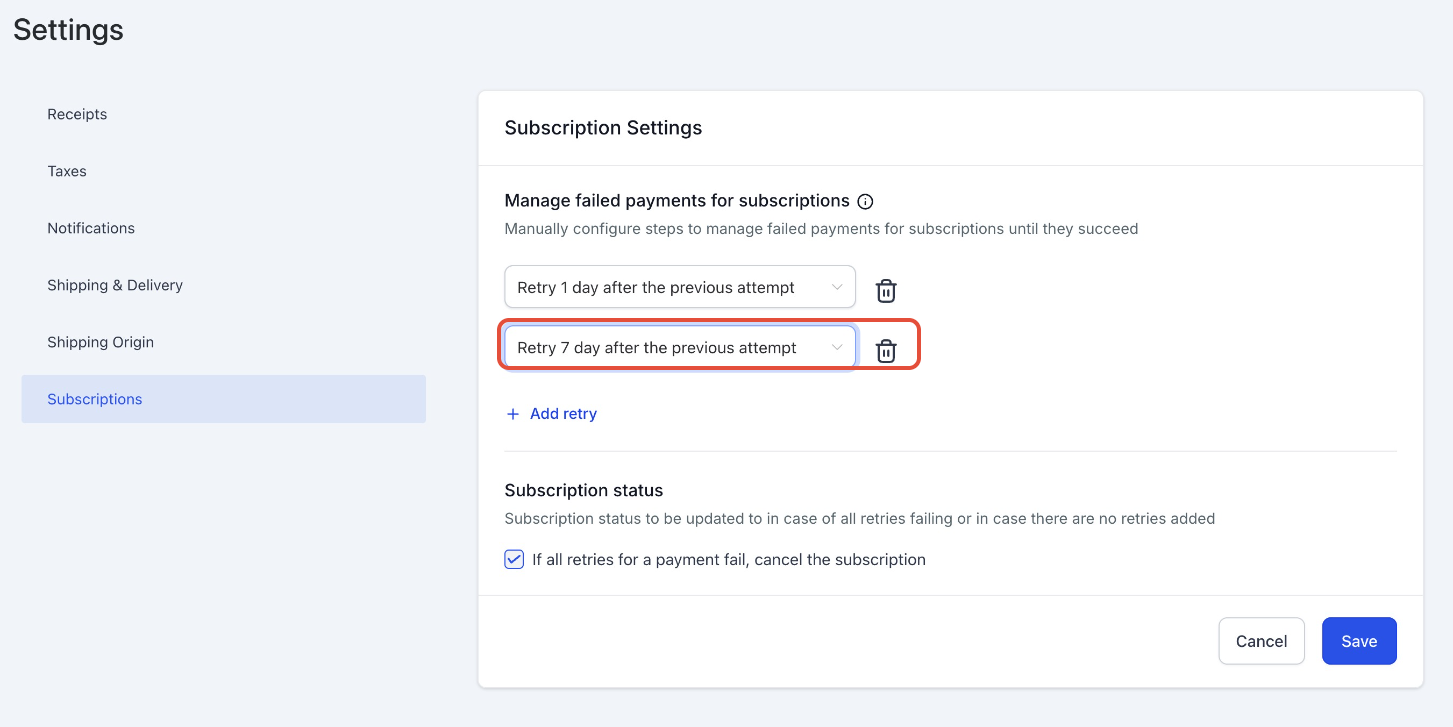
This screen shows what happens after all retries fail.
→ Enable the option to automatically cancel the subscription after all retry attempts fail, or leave it unchecked to keep it unpaid.
Example Scenario
If you configure 3 retries with a 1-day gap, the system will attempt payment daily after failure.
If you later change the retry setup (for example, reduce retries or change timing), the updated configuration applies immediately—even to subscriptions already in the retry process.
Supported Payment Providers
Failed payment retry settings are supported for:
NMI
Square
Frequently Asked Questions
Q: How many retries can I configure?
You can configure up to 3 retry attempts.
Q: Will changes apply to active subscriptions?
Yes, updates apply to both new and existing subscriptions, including those already retrying.
Q: What happens if all retries fail?
You can either keep the subscription unpaid or automatically cancel it.
Q: Can I control retry timing?
Yes, you can select predefined intervals such as 1, 3, 5, or 7 days.
Q: Do all payment providers support this feature?
This feature is available only for supported providers.
Need Help?
If you need assistance setting up retry rules or understanding how retries affect your subscriptions, contact support for guidance.