
This guide explains how to permanently remove a prospect from your prospecting dashboard. You’ll switch into the correct workspace, locate the prospect, and confirm deletion. Deleting a prospect is irreversible and removes the prospect entry and associated data tied to that entry.
TABLE OF CONTENTS
- What Deleting a Prospect Does
- Before You Delete
- Delete a Prospect
- Important Notes
- Frequently Asked Questions
- Need Help?
What Deleting a Prospect Does
Deleting a prospect permanently removes that prospect from your prospect list and deletes associated data connected to that prospect entry. This action cannot be undone.
Before You Delete
Confirm you are deleting the correct prospect. If you want to stop outreach but keep the information for reference, use a non-destructive organization method (such as internal status tracking or list organization) instead of deleting.
Delete a Prospect
Confirm you’re in the correct workspace
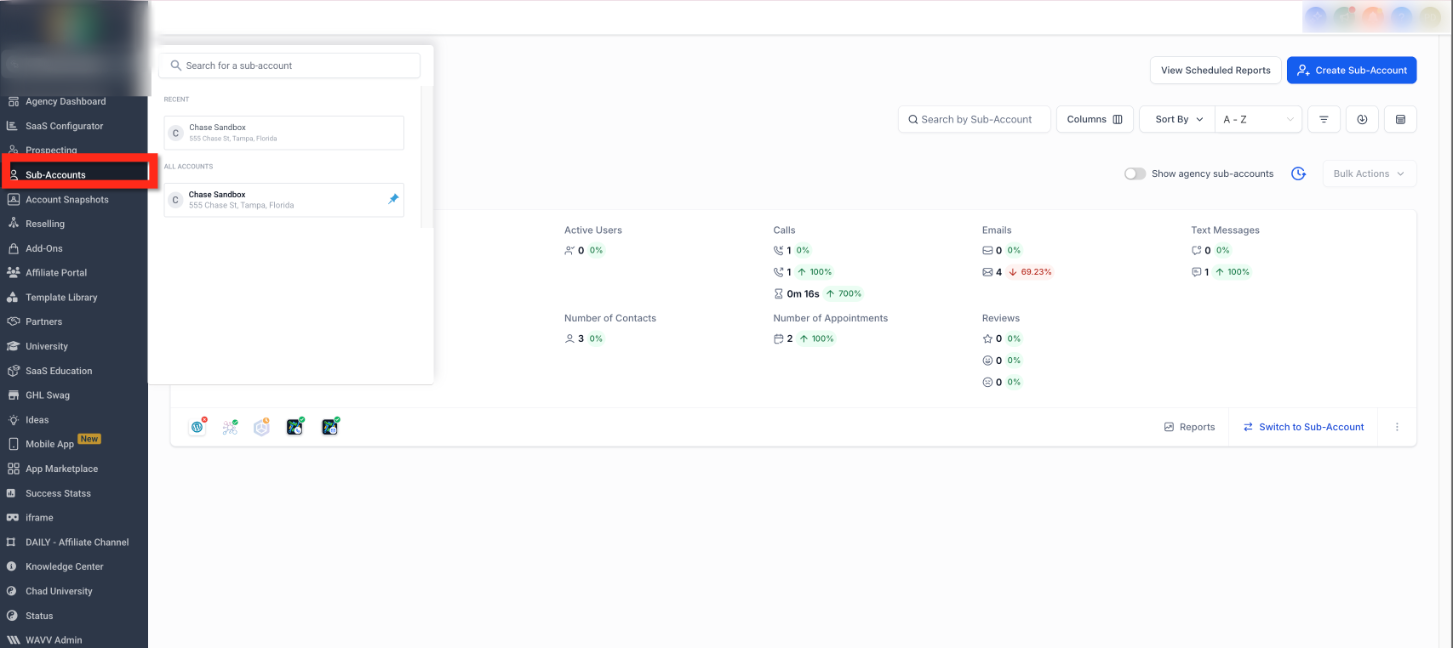
Click the account/workspace switcher (top-left area).
Select the workspace where the prospect exists so you’re working in the correct list before making changes.
Find the prospect you want to remove
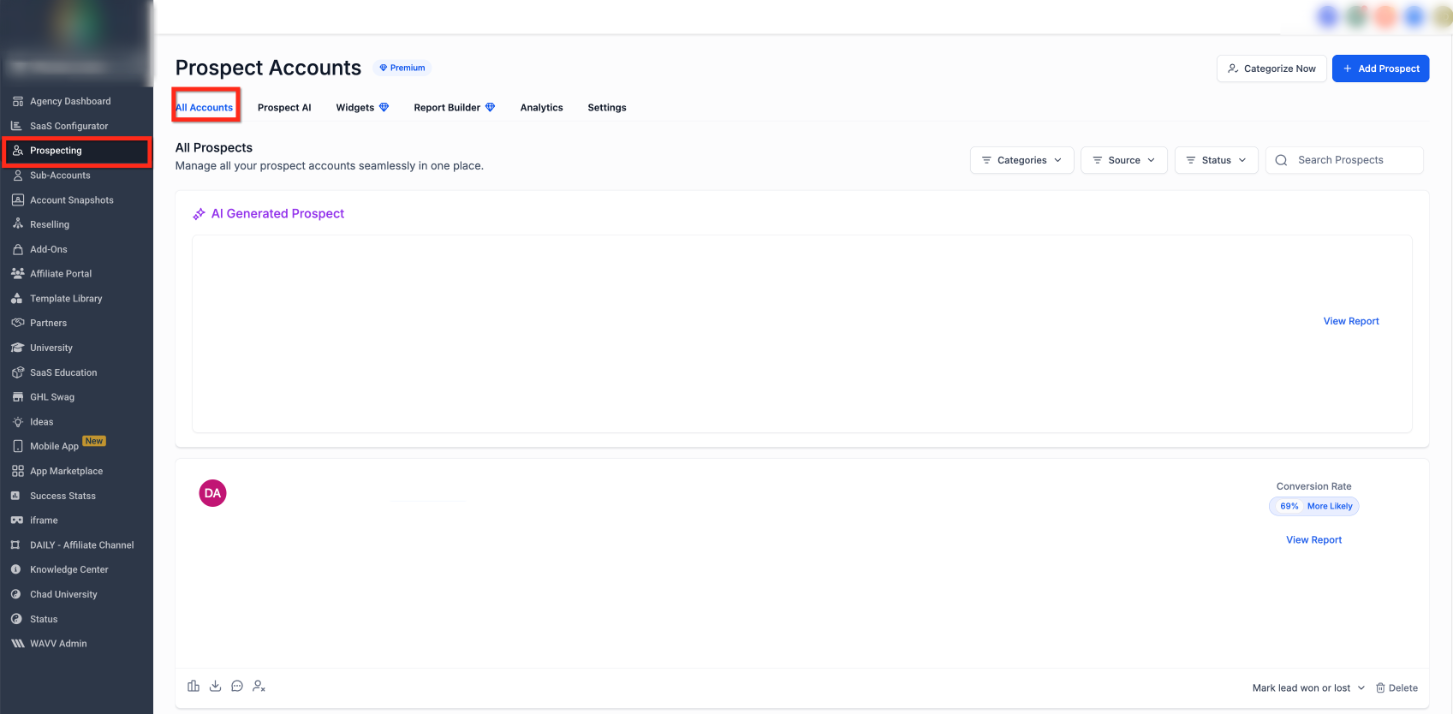
Open Prospecting from the left navigation.
Use the search bar and/or filters to locate the prospect you want to delete.
Verify the prospect details (such as name and location) to ensure you’re selecting the correct record.
Confirm and complete deletion
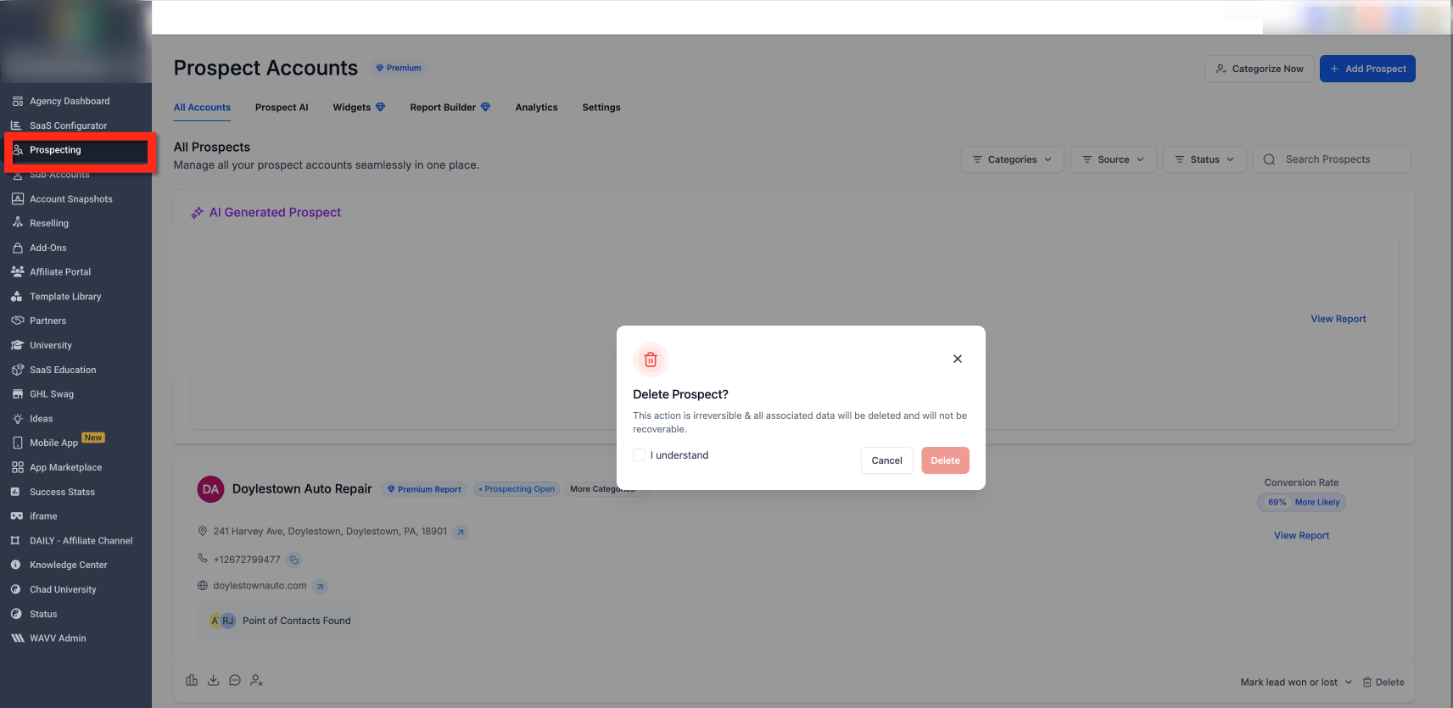
Click Delete for the prospect you want to remove.
Review the warning message in the confirmation dialog.
Select the confirmation checkbox (for example, “I understand”) if prompted.
Click the final Delete button to permanently remove the prospect.
Important Notes
Deleting a prospect cannot be undone.
After deletion, the prospect and associated data will no longer be available in the prospect list.
If you only want to exclude someone from outreach, use a non-destructive organization option instead of deleting.
Frequently Asked Questions
Q: Can I undo deleting a prospect?
No. Deletion is permanent and cannot be reversed.
Q: What information is removed when I delete a prospect?
The prospect entry is removed from your prospect list and associated data tied to that prospect entry is deleted.
Q: Why don’t I see the Delete option?
You may not have permission to delete prospects, or you may be in the wrong workspace/account. Switch to the correct workspace and try again.
Q: I deleted the wrong prospect—what can I do?
Since deletion can’t be undone, you’ll need to re-add the prospect as a new entry (if available) and recreate any needed details.
Q: The delete confirmation window appears, but nothing happens after I confirm—what should I try?
Refresh the page and try again. If it persists, try a different browser or temporarily disable browser extensions that may block dialogs or actions.
Need Help?
If you’re unable to delete a prospect or the option isn’t appearing:
Confirm you’re in the correct workspace/account before searching for the prospect.
Refresh the page and try again.
Check that your user permissions allow deleting prospects.If the confirmation dialog doesn’t complete the deletion, try a different browser or disable browser extensions that might interfere with pop-ups or page actions.