
The PDF export feature lets you download Marketing Audit Reports in a clean, professional format. This makes it easy to share insights with prospects, review findings during sales conversations, and store reports for future reference.
TABLE OF CONTENTS
- What This Feature Does
- Exporting a PDF from the Prospect List
- Exporting a PDF from Inside a Marketing Audit Report
- Key Benefits
- How to Use
- Frequently Asked Questions
- Need More Help
What This Feature Does
Marketing Audit Reports can be exported as PDF files directly from the Prospecting area. The exported PDF preserves charts, scores, and audit details exactly as shown on screen, ensuring consistent presentation across devices and when shared with clients.
Exporting a PDF from the Prospect List
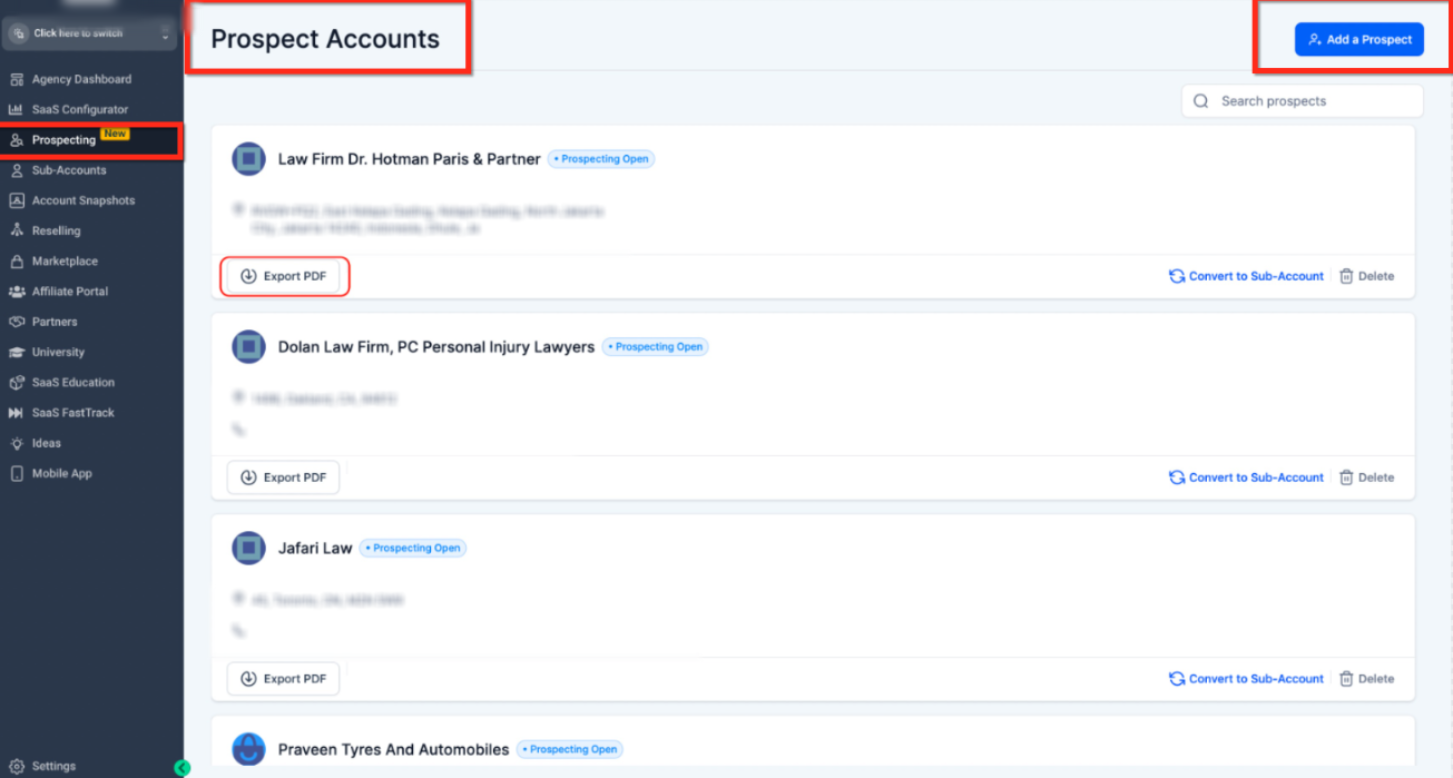
From the Prospect Accounts page, each prospect with an existing audit report includes an Export PDF button.Clicking this downloads the report instantly without opening it.
Exporting a PDF from Inside a Marketing Audit Report
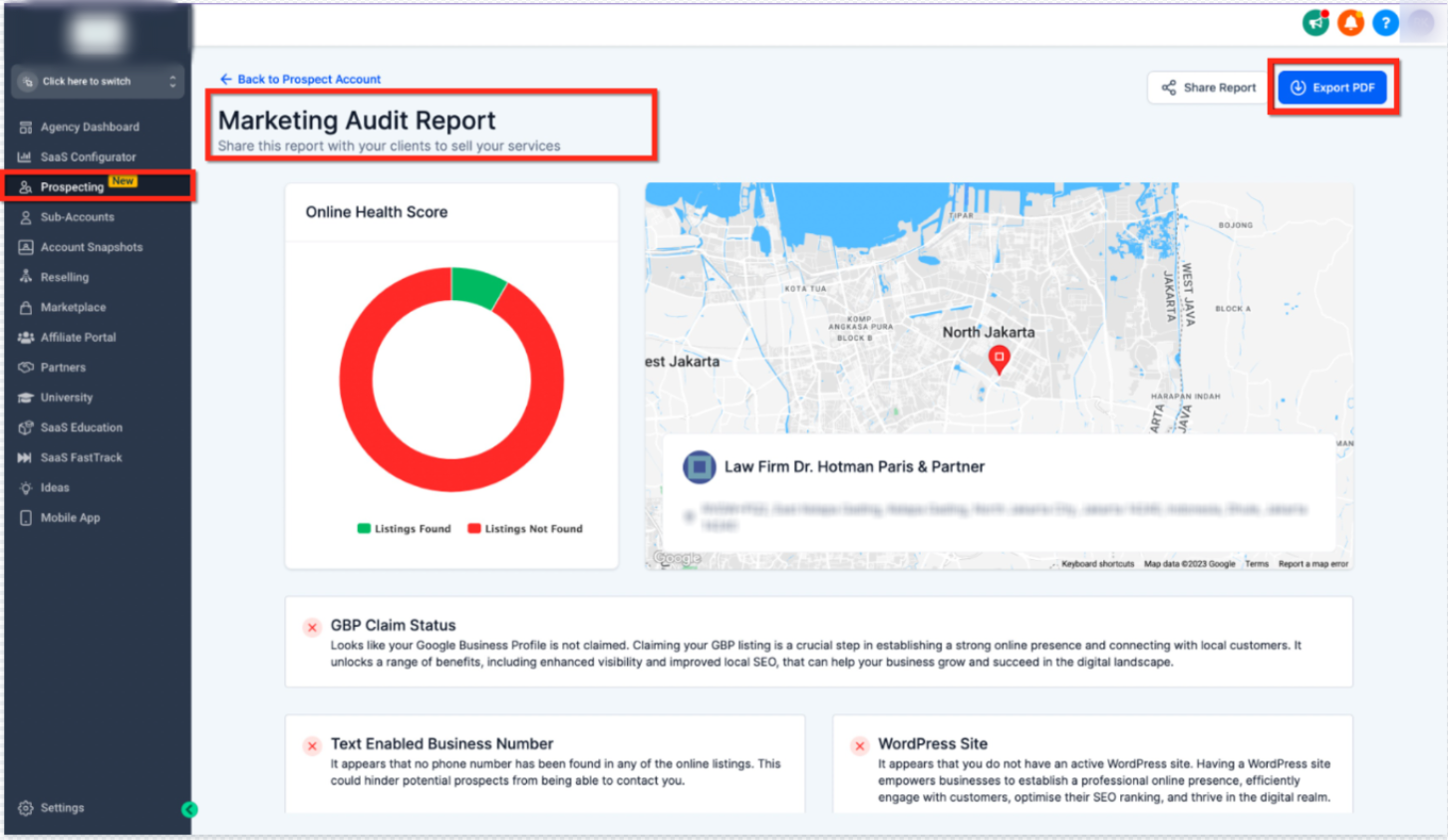
When viewing a Marketing Audit Report, the Export PDF button is available in the top-right corner. This option is useful when you want to review the audit before downloading or sharing it.
Key Benefits
Download client-ready audit reports as PDFs
Share findings easily with prospects and internal teams
Preserve layout, charts, and scores across devices
Archive reports for future reference
Reduce manual screenshots or copy-paste work
How to Use
Open Prospecting, locate the audit report, and select Export PDF.
For newly created reports, open the report and use Export PDF from the report view.
The PDF is saved to your device and ready to share.
Frequently Asked Questions
Q: What is the main advantage of exporting Marketing Audit Reports as PDF?
It allows easy sharing, presentation, and long-term storage while keeping the report format consistent.
Q: Where can I access the PDF export option?
From the Prospecting list for existing reports or inside an individual Marketing Audit Report.
Q: Can I export newly generated audit reports?
Yes. Once a report is generated, it can be exported immediately.
Q: Why is PDF recommended for audit reports?
PDFs maintain formatting across devices and are ideal for presentations and documentation.
Need More Help
Open the Help Center from your account and search for Prospecting, Marketing Audit Reports, or PDF Export to find related guides or contact Support.