
Connecting your Google account allows you to manage key Google-related features directly from one central place. Once connected, you can access tools such as business profile management, media storage, analytics, and advertising features without switching between multiple logins. This connection helps streamline daily workflows, improves visibility across tools, and ensures everything stays in sync.
TABLE OF CONTENTS
- Connecting and Managing Your Google Account
- Managing Connected Google Accounts
- Disconnecting Google Accounts
- Frequently Asked Questions
- Need More Help?
Connecting and Managing Your Google Account
To begin, navigate to the integrations area within your settings and locate the Google connection option. Selecting Connect will start a secure authorization process that allows your account to communicate safely with Google services.
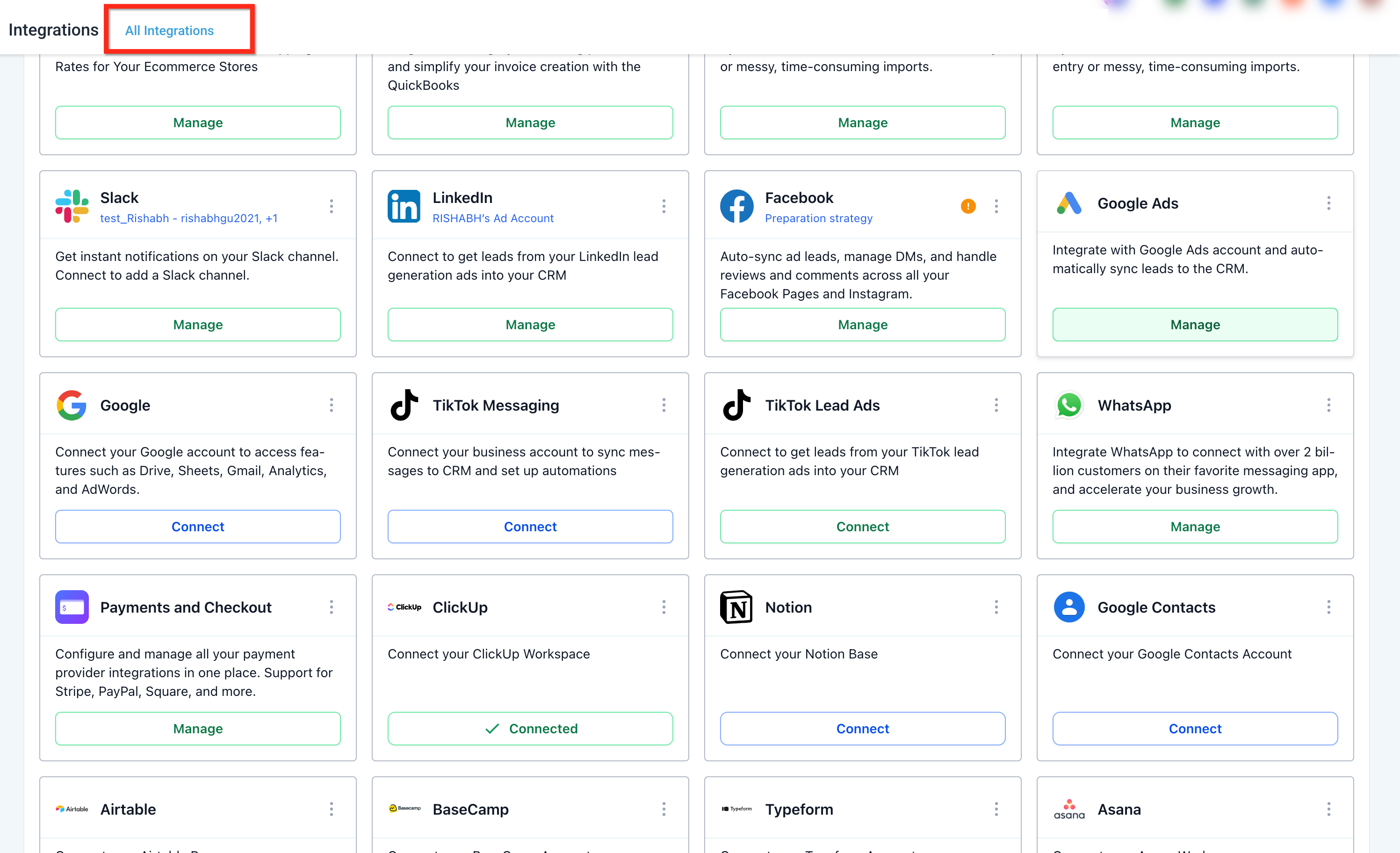
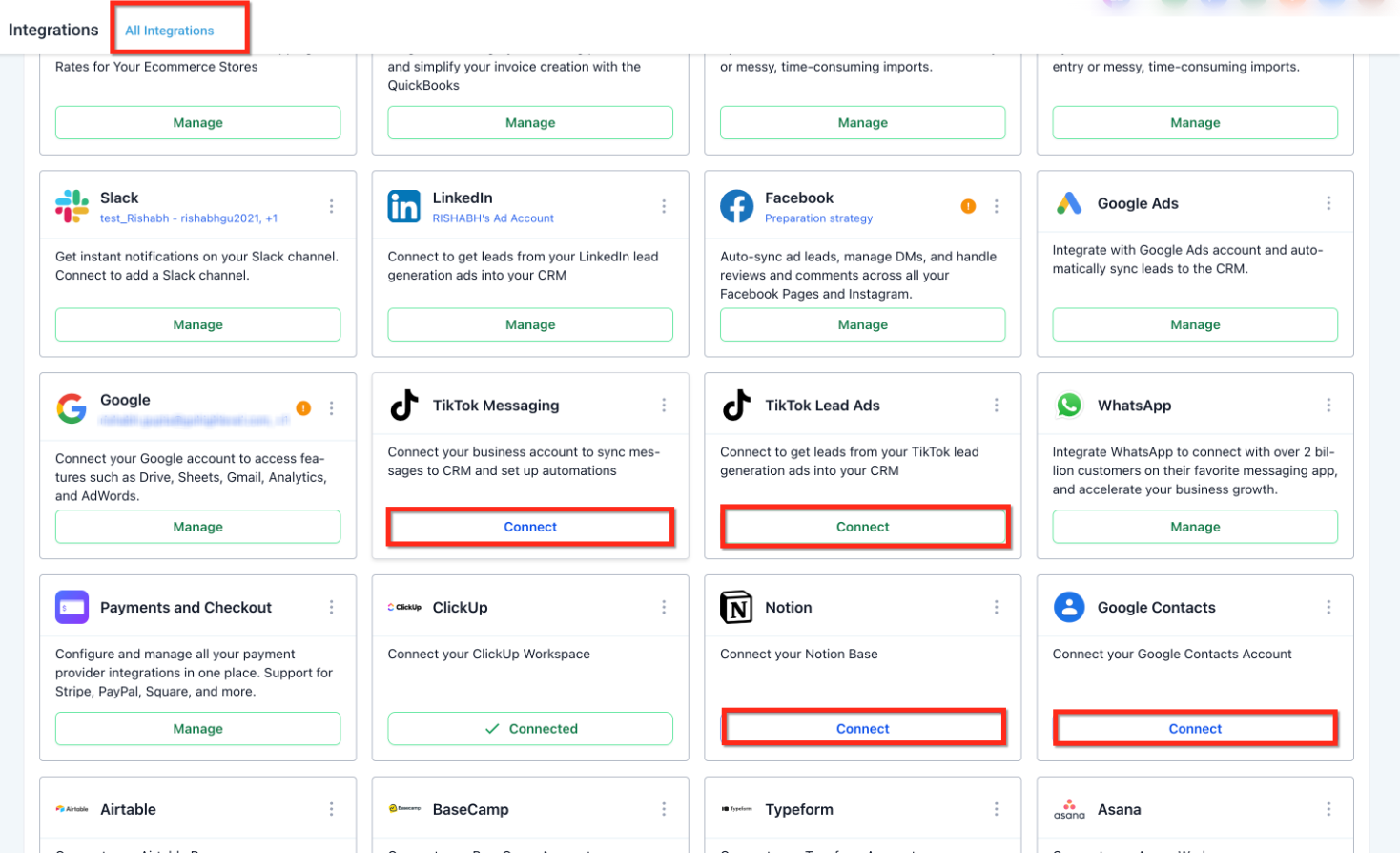
This screen shows the integrations page where available connections are listed. The Google integration card is visible here, along with a Connect button that starts the setup process.
Once you click Connect, a secure authentication window opens. You’ll be guided through signing in and approving access so the connection can function correctly.
This view shows the authorization screen where you confirm access permissions. Completing this step allows the system to securely retrieve and manage supported Google data on your behalf.
After the connection is successful, the Connect button changes to Manage, confirming that your account is now linked.
Managing Connected Google Accounts
Selecting Manage opens a dedicated account management panel. From here, you can review existing connections, add additional Google accounts, or remove individual ones as needed.
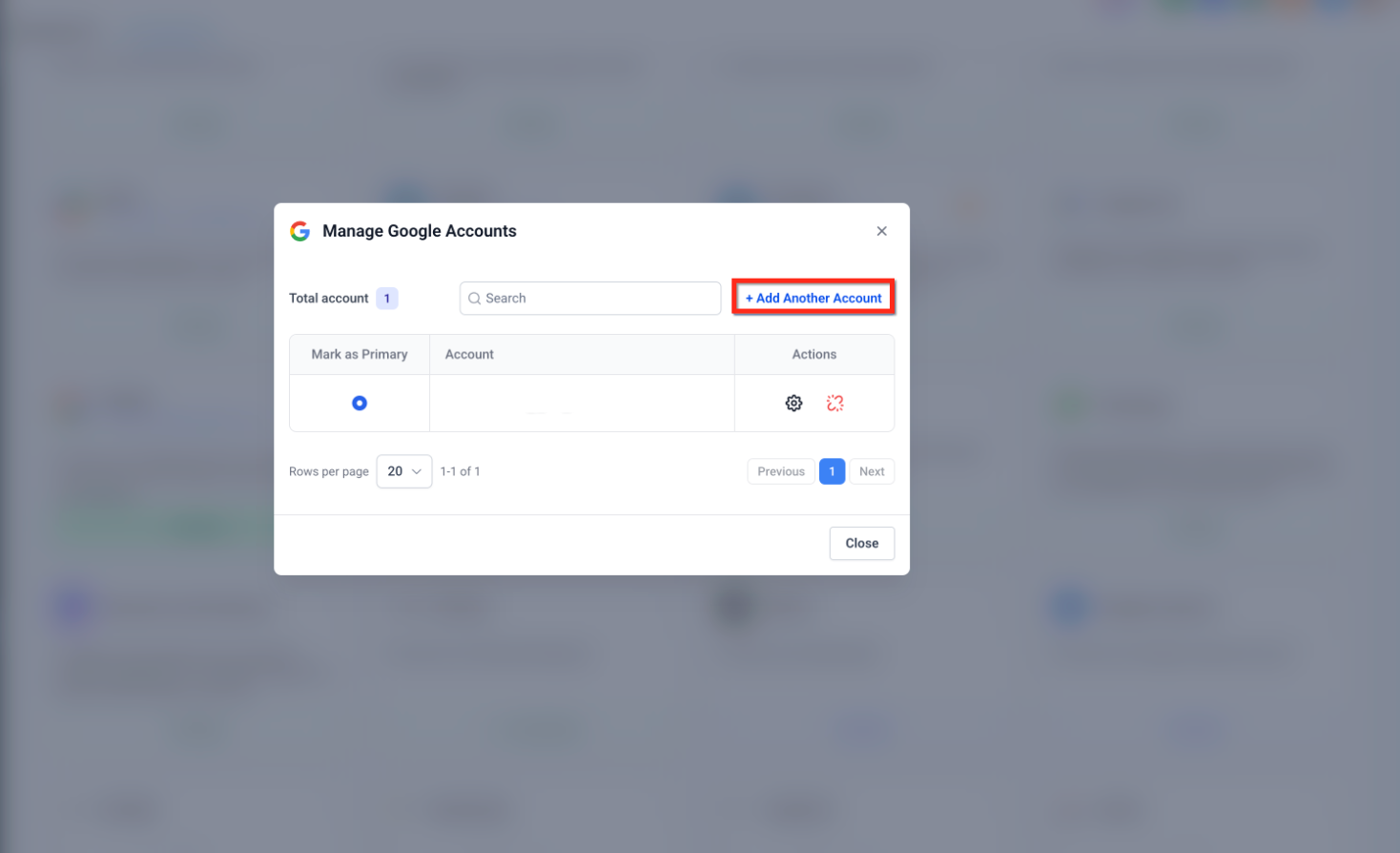
This screen displays all connected Google accounts in one place. You can mark a primary account, add another account, or remove specific connections without affecting others.
If you ever need to remove all Google connections at once, you can do so from the integration card menu.
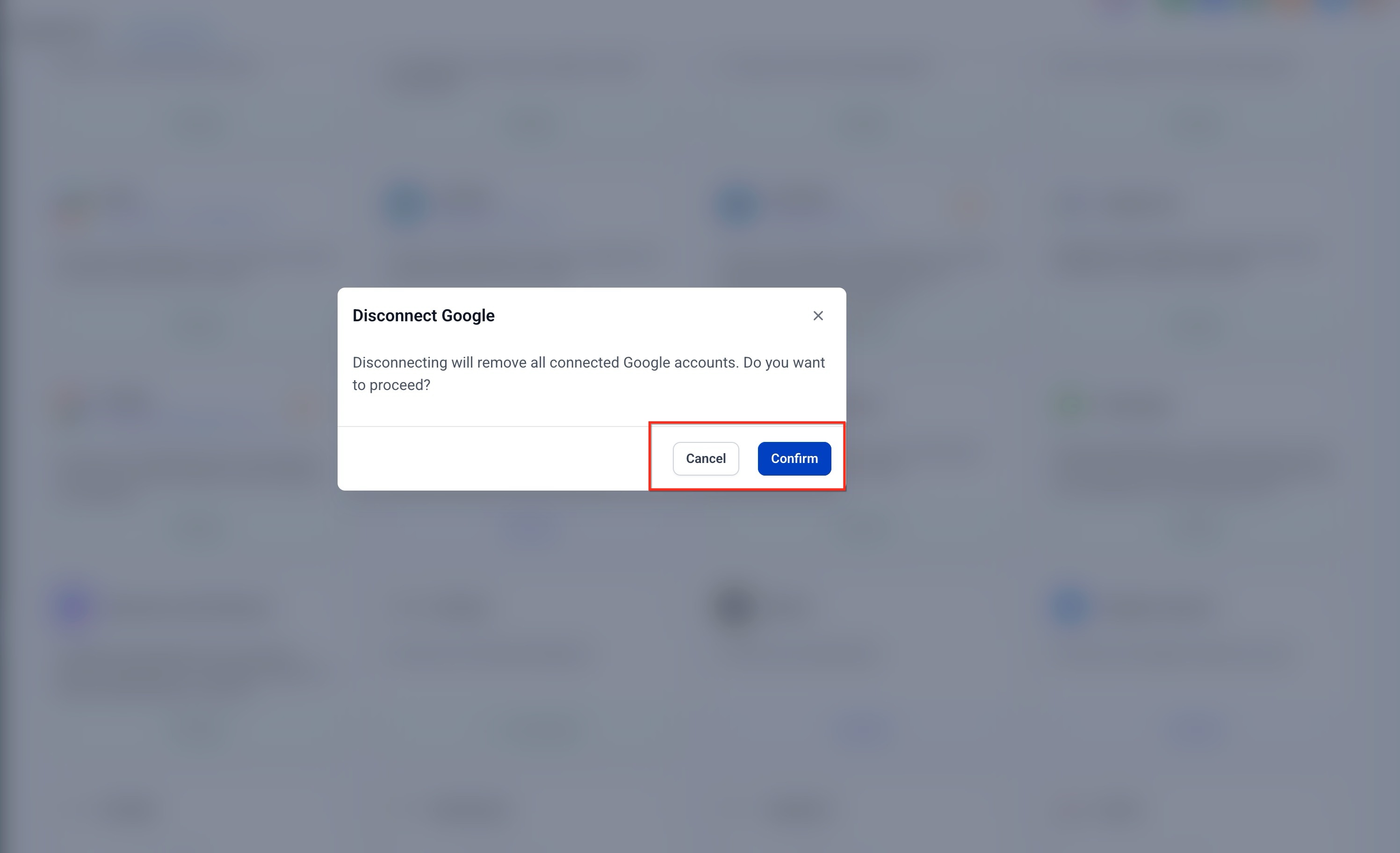
This confirmation window appears when choosing to disconnect all linked Google accounts. Confirming this action removes every connected account at the same time.
Disconnecting Google Accounts
You can disconnect Google accounts in two ways. Individual accounts can be removed from the account management panel, while all accounts can be disconnected at once using the menu on the integration card. Once disconnected, access to Google-related features will stop until a new connection is established.
Frequently Asked Questions
Q: What happens after my Google account is connected?
Once connected, supported Google features become accessible from one place, and the connection status changes from Connect to Manage.
Q: Can I connect more than one Google account?
Yes, multiple Google accounts can be connected and managed individually.
Q: How do I remove a single connected account?
You can remove individual accounts from the account management panel without disconnecting others.
Q: What does disconnecting all accounts do?
Disconnecting removes every linked Google account at once and stops access to Google-related features.
Q: Can I reconnect later if I disconnect?
Yes, you can reconnect at any time by selecting Connect again from the integrations page.
Need More Help?
If you need additional assistance with connecting, managing, or disconnecting your Google account, open the in-app help center and search for related integration articles. Support resources are available to guide you through setup, permissions, and troubleshooting.