
Internal phone numbers can be used throughout your account for business profiles, staff profiles, number pools, forwarding settings, and advanced call routing. While these configurations provide flexibility, routing a call back to the same internal phone number can create a call loop, causing calls to fail, disconnect unexpectedly, or never reach the intended recipient. This article explains what a call loop is, why call loop warnings appear, where you may encounter them, and how to safely configure your call routing.
TABLE OF CONTENTS
- Overview
- What Is a Call Loop?
- Why Your Business Phone Number Can Trigger a Warning
- Business Phone Number Call Loop Warning
- Where You May Encounter the Warning
- Preventing Call Loops
- Best Practices
- Frequently Asked Questions
- Need Help?
Overview
Call routing can involve multiple destinations, including users, forwarding numbers, ring groups, and advanced routing rules. Although internal phone numbers can be used in many of these locations, routing a call back to its original inbound number creates a circular path that prevents the call from completing successfully.
Understanding how call loops occur helps ensure callers always reach the intended destination while avoiding failed or disconnected calls.
What Is a Call Loop?
A call loop occurs when an incoming call is routed back to the same phone number or routing path that originally received it. Instead of progressing toward a final destination, the call continually repeats the same routing instructions.
Example of an Unsafe Routing Path
Customer → Business Phone Number → Internal Phone Number → Business Phone Number
Because the call returns to its starting point, the routing process repeats instead of completing.
A call loop may result in:
- Failed inbound calls
- Unexpected call disconnections
- Calls that never reach the intended recipient
- Repeated routing attempts
- Inaccurate call reporting
Why Your Business Phone Number Can Trigger a Warning
Using an internal phone number as your Business Phone Number is completely supported. Simply adding the number to your Business Profile does not create a call loop.
The warning appears because that same phone number may also be part of your inbound call routing.
For example:
- A customer calls your Business Phone Number.
- The call follows your configured routing.
- One routing destination forwards the call to another internal phone number.
- That phone number eventually routes the call back to the original Business Phone Number.
- The system receives the call as a new inbound call and starts the routing process again.
Important: The Business Phone Number itself is not the issue. The complete routing path determines whether a call loop exists.
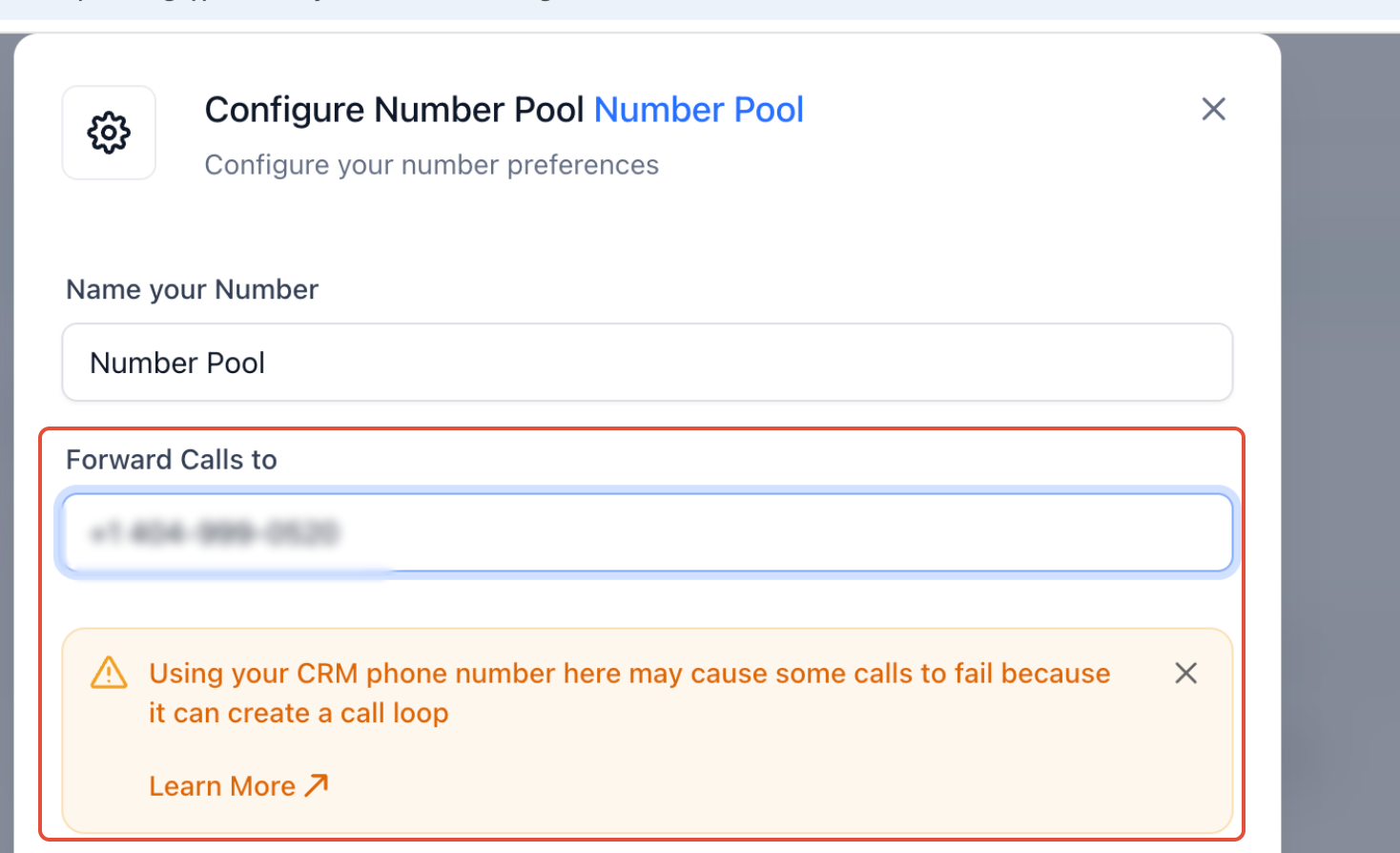
Business Phone Number Call Loop Warning
This warning appears when an internal phone number entered as the Business Phone Number could participate in a routing configuration that creates a call loop.
Where You May Encounter the Warning
Call loop warnings can appear anywhere an internal phone number is used as a routing destination. Reviewing the complete routing path before saving helps prevent unintended routing behavior.
Number Pool Forwarding
A Number Pool can forward incoming calls to another destination. If that destination eventually routes calls back into the Number Pool or one of its source numbers, a call loop may occur.
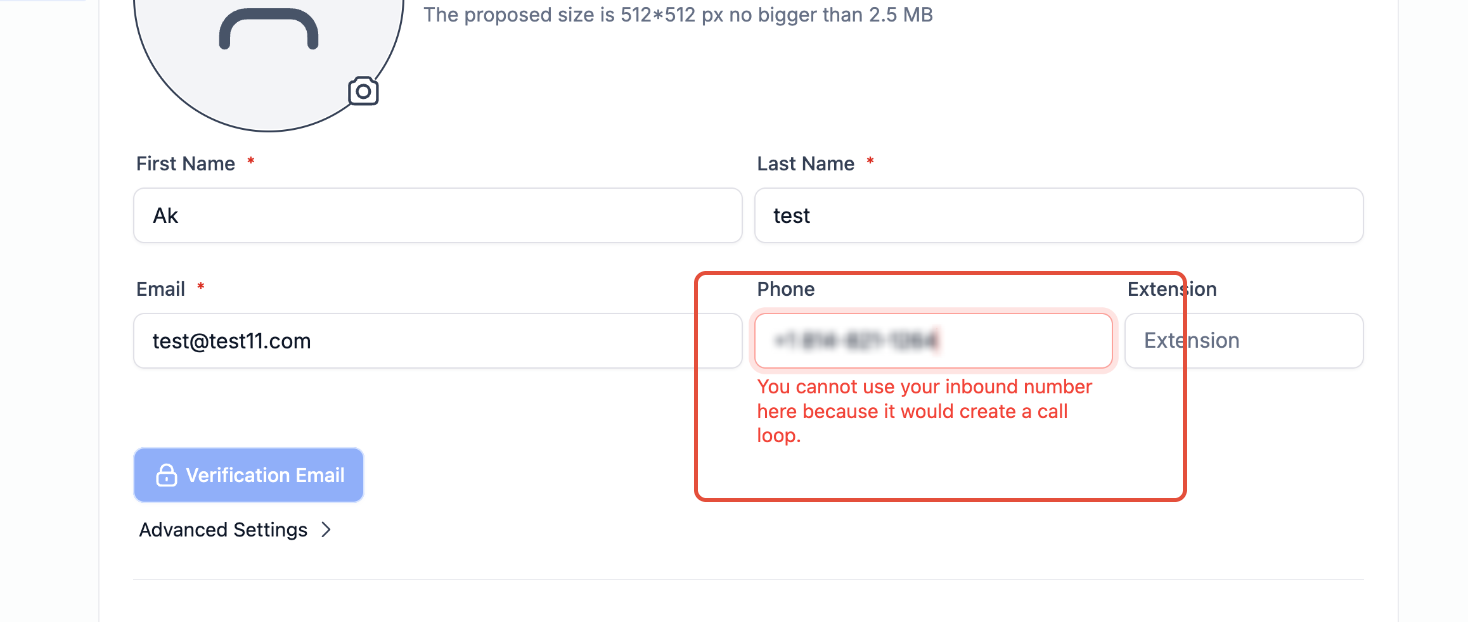
This warning indicates that forwarding calls to another internal phone number could cause calls to re-enter the same routing flow.
Staff Profile Phone Number
A staff member’s phone number should generally be an external mobile phone, landline, or external VoIP number.
Using an inbound phone number in a staff profile may immediately create a routing loop, so this configuration may be blocked.
Staff Profile Phone Number Validation
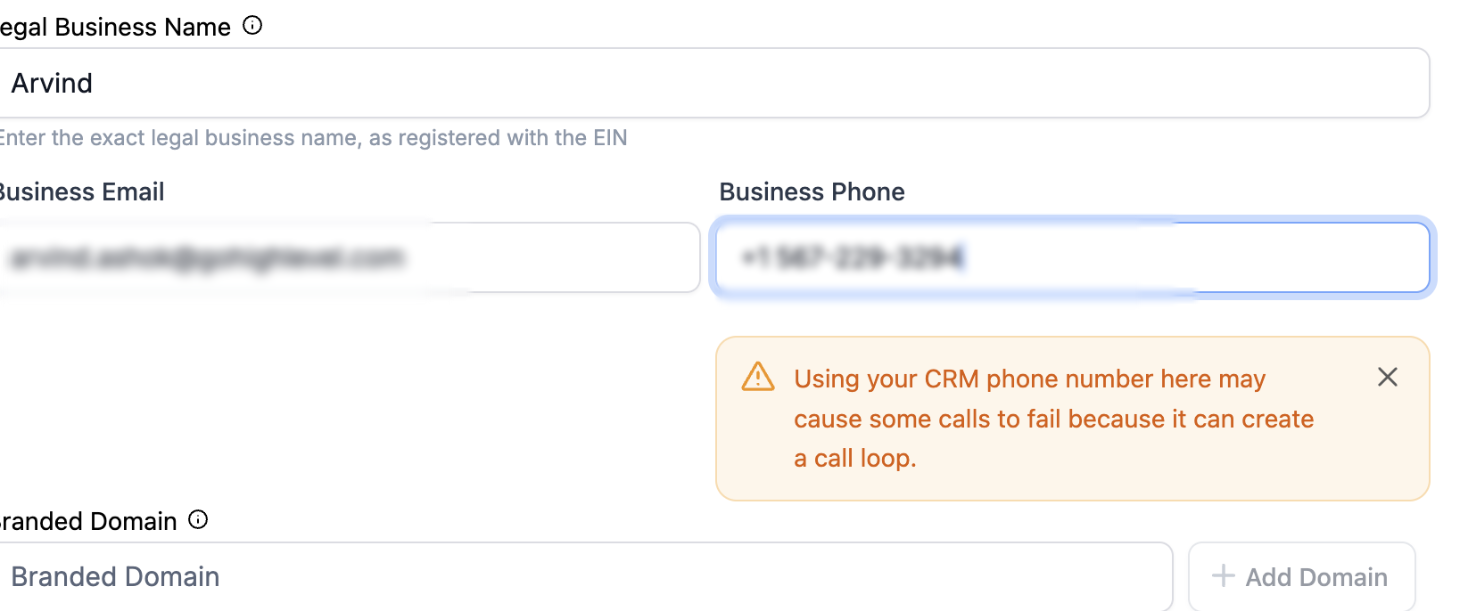
This message appears when an inbound phone number cannot be used because it would immediately create a routing loop.
Phone Number Routing
When configuring routing priorities, the system checks whether the selected destination could eventually send the call back to the original inbound number.
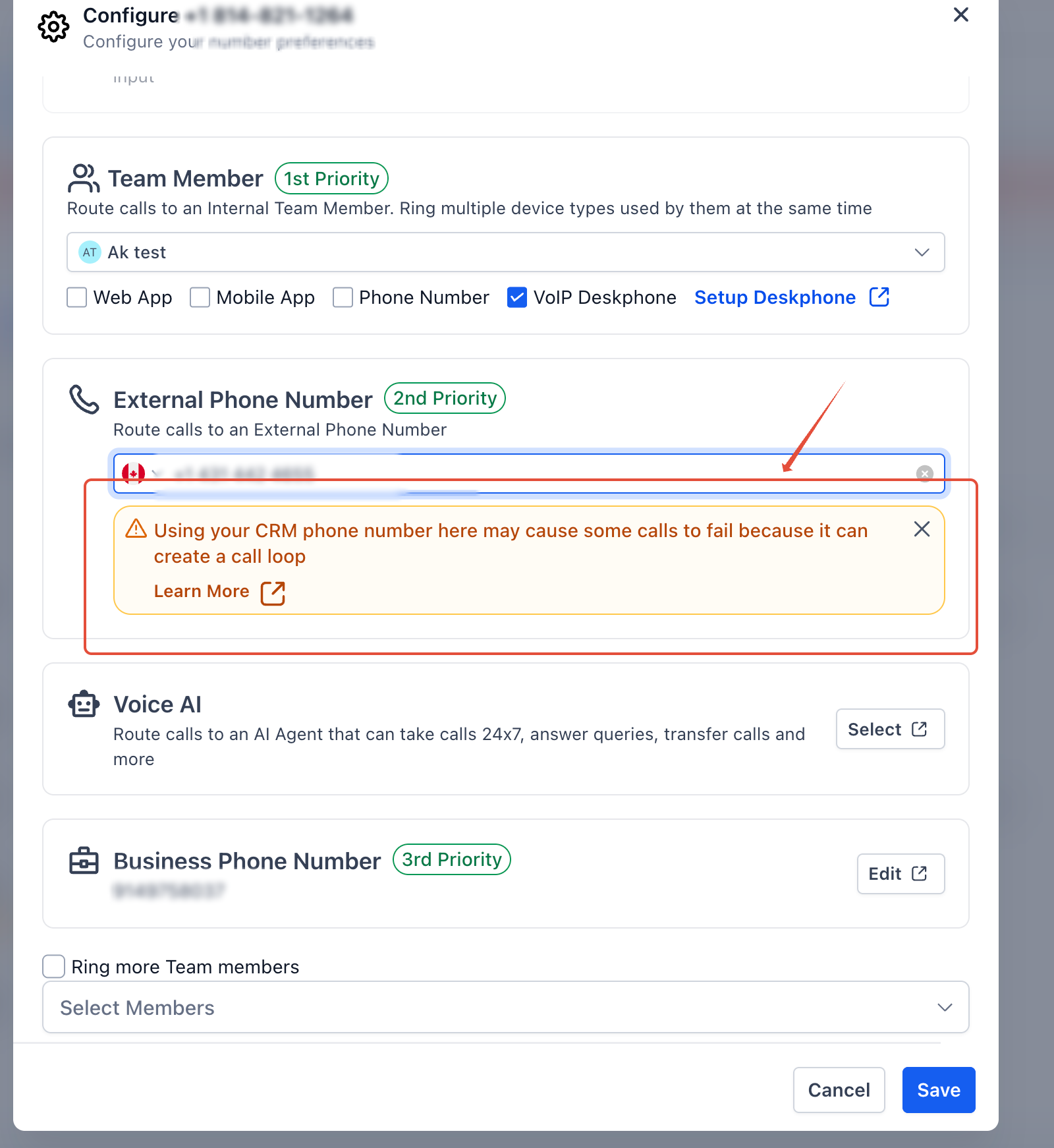
This warning reminds you to review the entire routing path before saving your configuration.
Preventing Call Loops
The safest routing configuration gives every call a clear path to a final destination without returning to an earlier routing step.
Before saving your configuration:
- Identify which phone number receives the inbound call first.
- Review every routing destination, including users, forwarding numbers, IVRs, workflows, Voice AI, ring groups, and backup routing.
- Confirm that no routing step returns the call to the original inbound number.
- Use external mobile phones, landlines, or external VoIP numbers whenever possible.
- Place a test call from an external phone after making changes to verify the routing behaves as expected.
A successful call flow always ends at its intended destination and never returns to where it started.
Best Practices
Following these recommendations helps prevent routing issues and improves call reliability.
- Use external phone numbers whenever possible.
- Never forward a phone number back to itself.
- Review Business and Staff Profile phone numbers after updating routing.
- Verify IVRs, forwarding rules, workflows, and backup destinations.
- Test every routing change before using it in production.
- Review call logs after configuration changes to identify unexpected routing behavior.
- Document complex routing paths for easier troubleshooting.
Frequently Asked Questions
Q: Can I use an internal phone number as a routing destination?
Yes. Internal phone numbers can be used in supported routing scenarios as long as they do not route calls back to the original inbound number.
Q: Why can’t I save an inbound phone number in a Staff Profile?
The Staff Profile phone field is intended to identify where that user receives calls. Using an inbound phone number could immediately create a call loop, so the configuration may be blocked.
Q: Is using an internal phone number as my Business Phone Number a problem?
No. Simply using an internal phone number as your Business Phone Number does not create a call loop. A loop only occurs when the routing configuration eventually sends calls back to that same number.
Q: What is the safest forwarding destination?
An external mobile phone, landline, or external VoIP number is generally the safest option because it removes the call from the original routing path.
Q: Can a call loop happen indirectly?
Yes. A call may pass through several routing steps before eventually returning to the original inbound number. Always review the complete routing path—not just the next destination.
Q: How can I verify my routing doesn’t contain a call loop?
Review the entire routing path, place test calls from an external phone, and monitor call logs for failed calls, repeated routing attempts, or unexpected disconnections.
Need Help?
If calls fail, disconnect unexpectedly, or never reach their intended destination, review the complete routing path before making additional changes.
Confirm that:
- No routing step returns the call to the original inbound number.
- Business and Staff Profile phone numbers are configured appropriately.
- IVRs, forwarding rules, workflows, Voice AI, and backup routing do not create circular call paths.
- External forwarding numbers are active and reachable.
- Test calls complete successfully from an external phone.
If the issue continues, collect screenshots of your routing configuration, forwarding settings, Business Profile, Staff Profile, and relevant call logs before contacting Support.