
Spam calls can overwhelm your team, inflate call volume, and waste time. This guide walks through practical steps you can take to reduce inbound spam calls using built in tools and call routing strategies.
Before you start
Your account already blocks hidden or private caller ID calls.
Spam callers often spoof local numbers, so blocking individual numbers alone is not reliable.
The most effective approach is layering detection plus friction for suspicious callers.
Step 1: Turn on Number Intelligence
Number Intelligence helps identify likely spam and nuisance callers using phone number reputation data.
What it does
Detects suspicious numbers before you answer
Can help your team quickly recognize spam patterns
Reduces time wasted on repeat spam callers
How to set it up
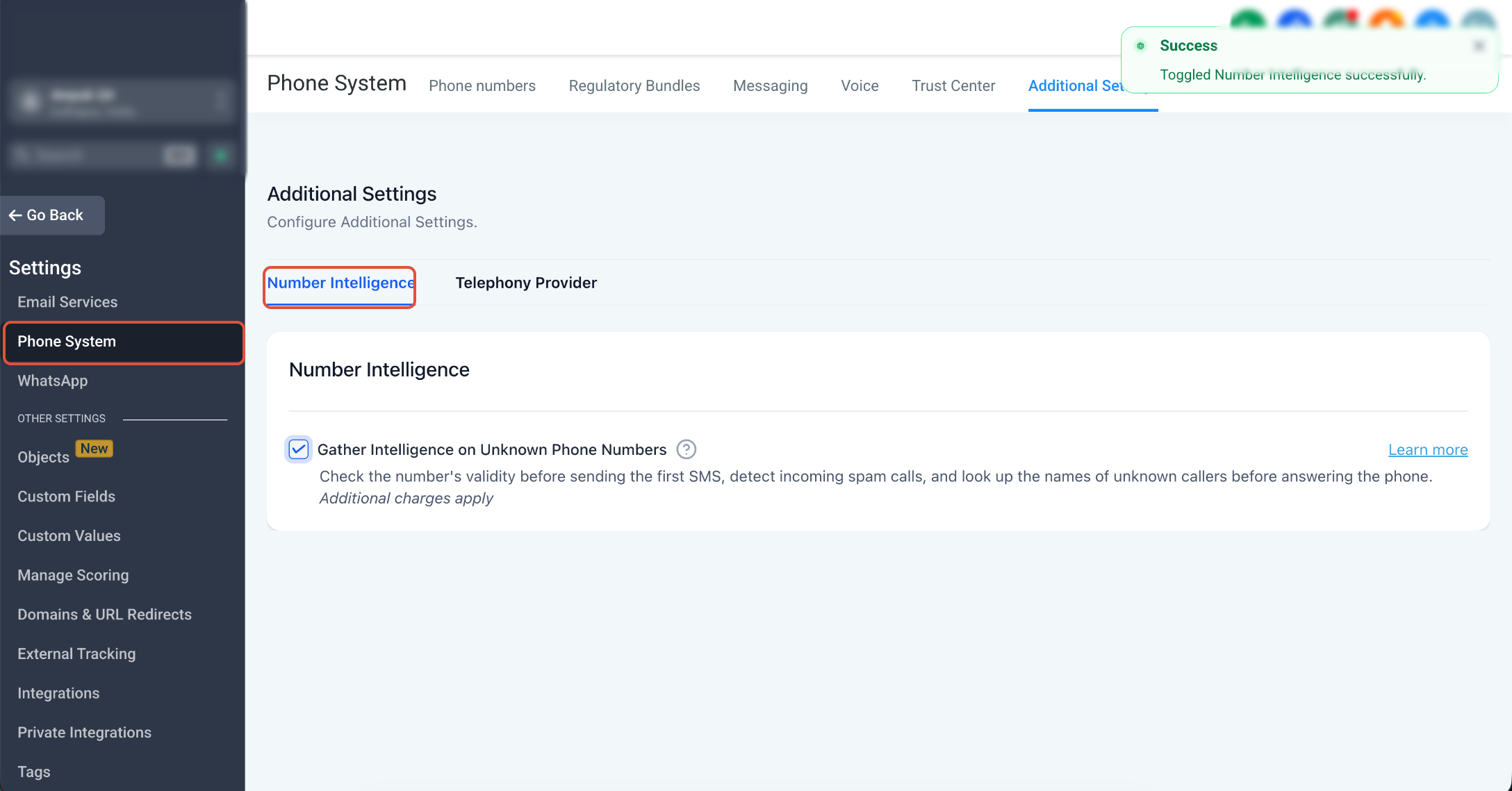
Under Sub-account Settings > Phone System > Additional Settings > Number Intelligence, toggle it on.
Step 2: Quarantine repeat spam numbers using a “Spam call” disposition plus inbound DND
If Number Intelligence helps but spam is still getting through, the next move is to make spam handling consistent and automated.
The idea:
Your agent marks the call as spam using a custom call disposition.
A workflow automatically enables inbound DND for that contact so future calls from that number do not ring your team.
2A: Create a custom disposition called “Spam call”
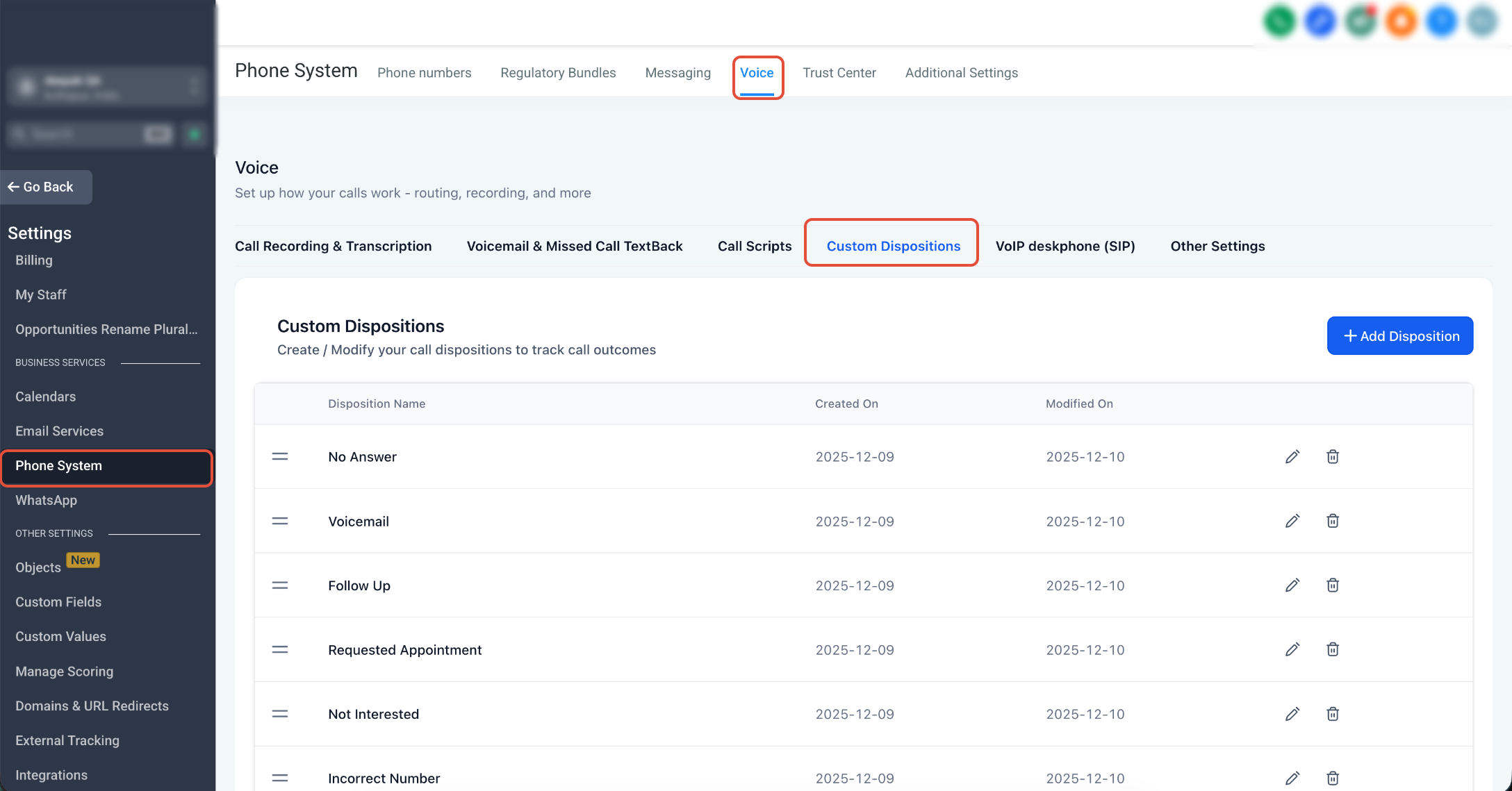
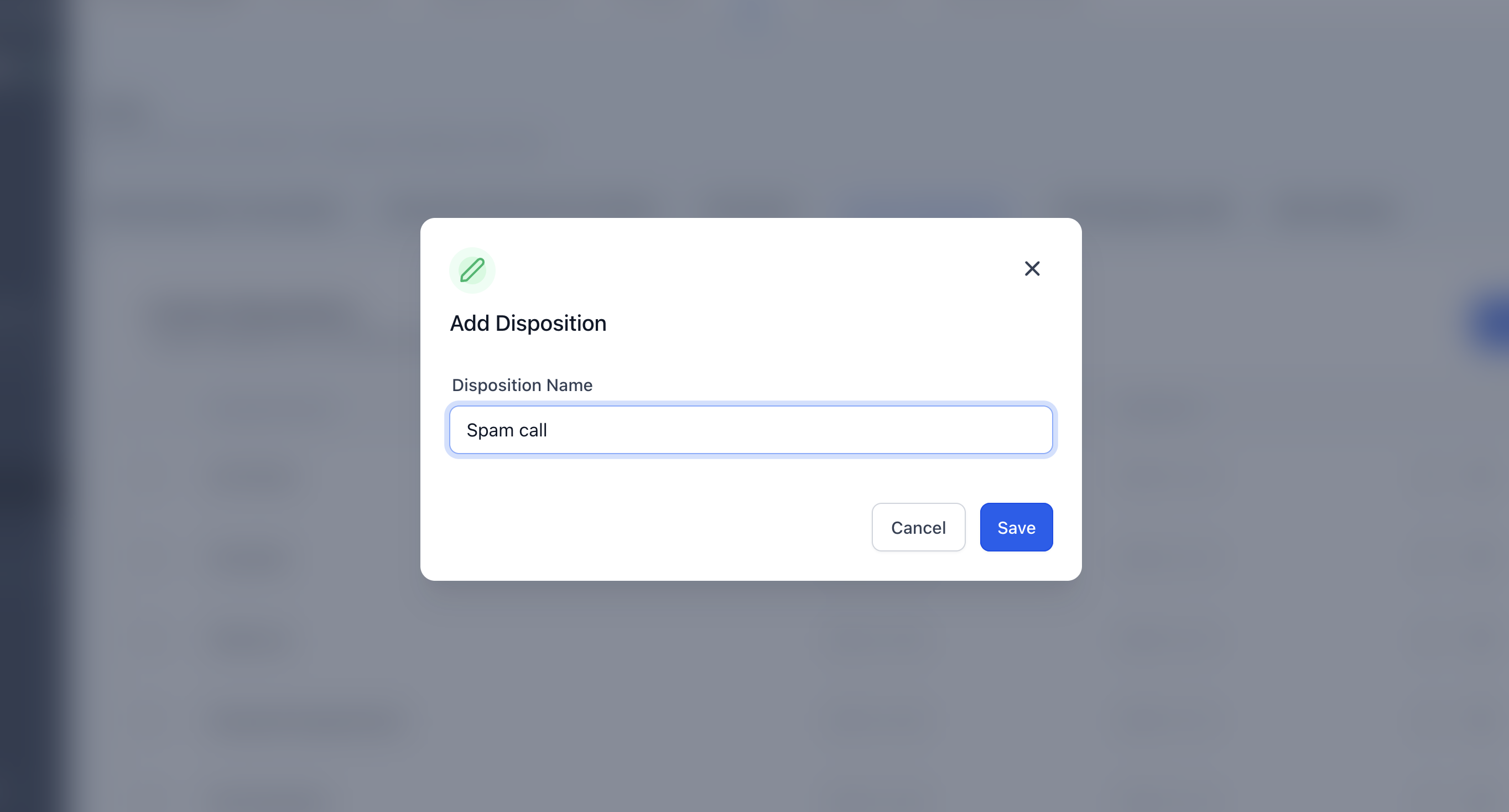
Under Sub-account Settings > Phone System > Voice > Custom Dispositions, Add Disposition. Use a simple, consistent name like:
Spam call
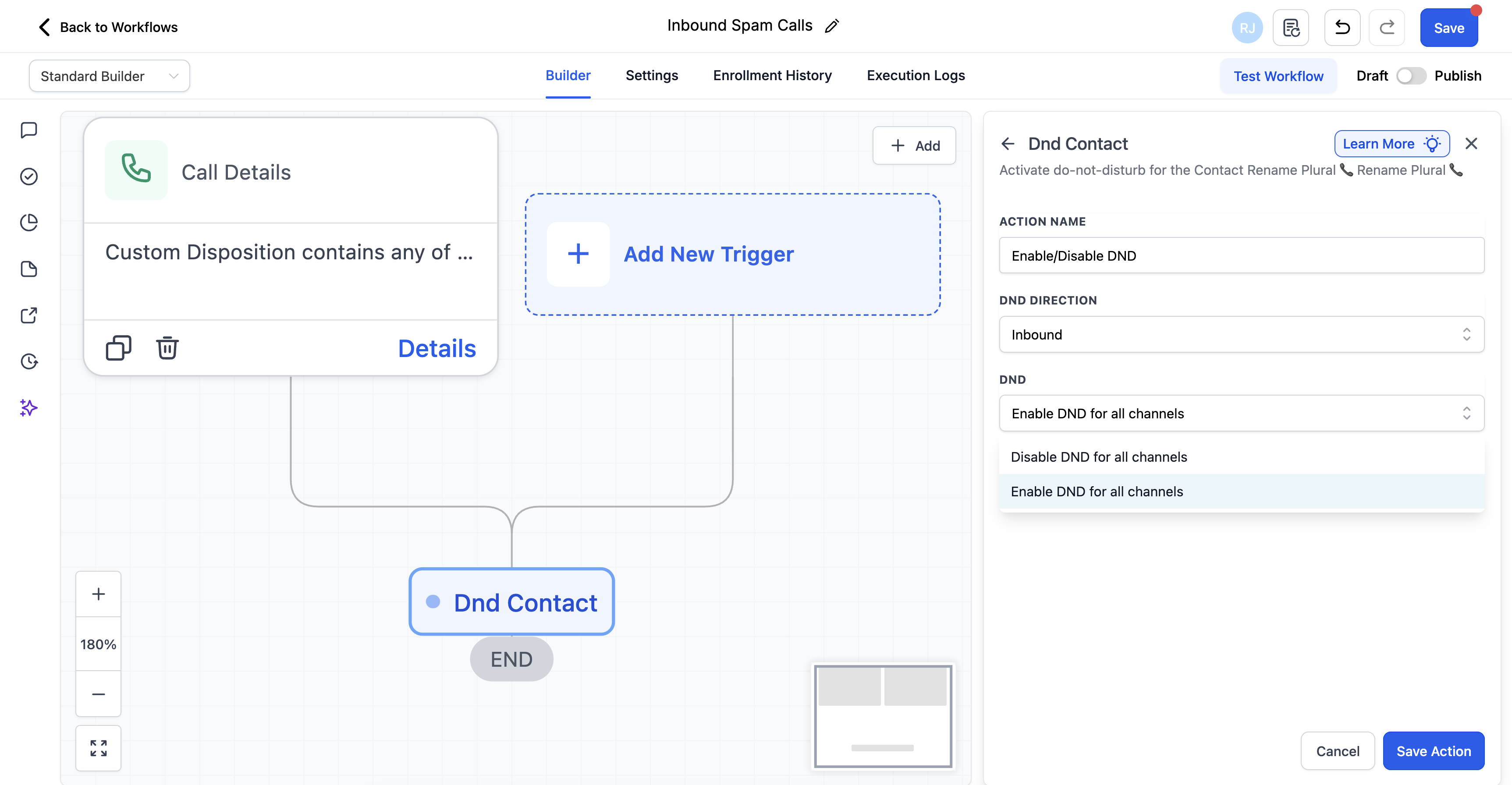
2B: Trigger a workflow when “Spam call” is selected
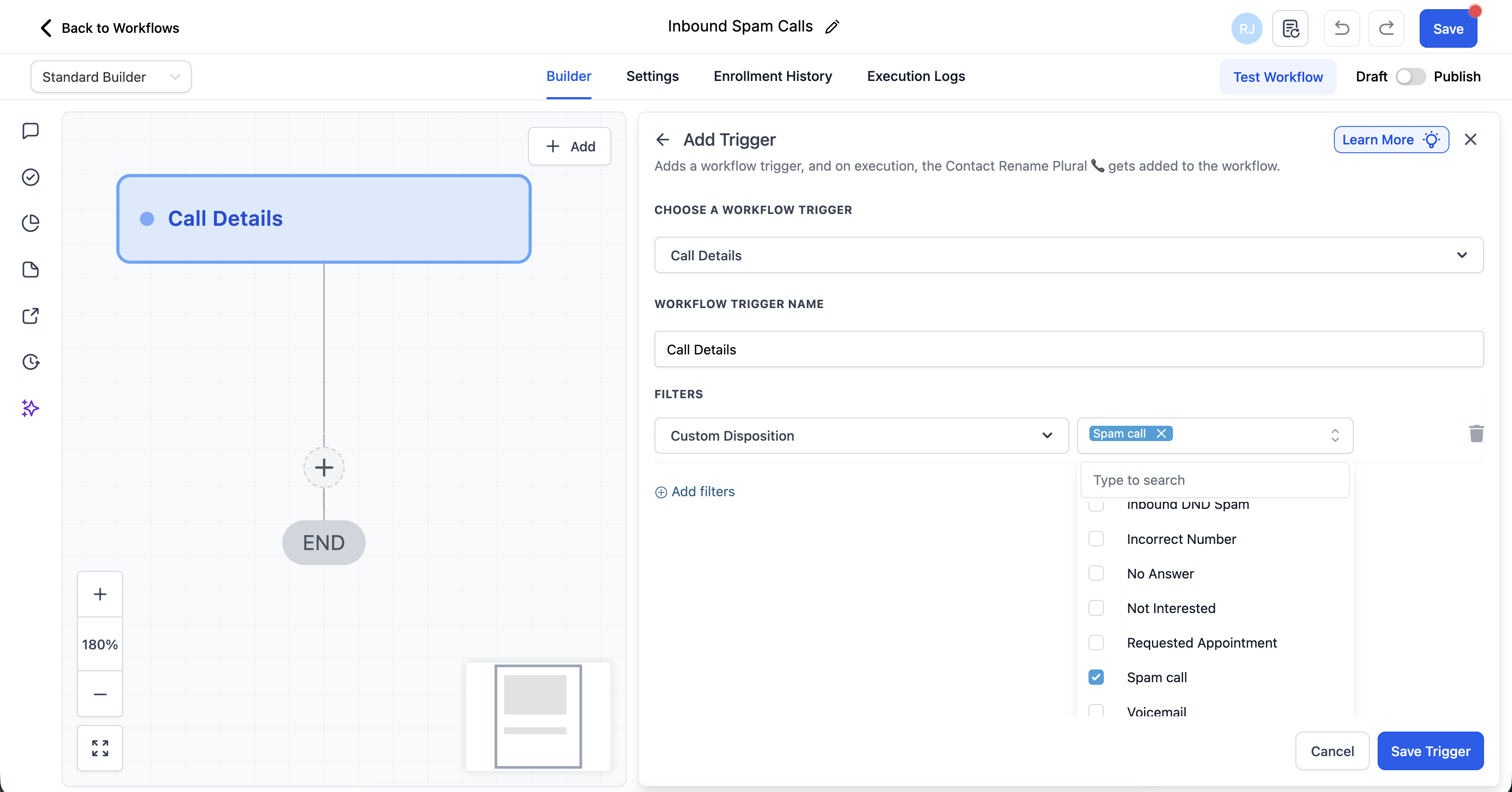
Under Automations/Workflows, Create Workflow from scratch. In your workflow:
Trigger: Call Details
Filters: Call disposition is “Spam call”
Action: Enable/Disable DND. Choose DND Direction as "Inbound" and "Enable DND for all channels"
Step 3: Add IVR screening to stop robocalls and discourage human spam
IVR is one of the most effective spam filters because many robocalls cannot navigate menus. Even human spam callers often quit when they have to press keys and wait.
Recommended IVR approach
Keep it simple: “Press 1 to connect” is usually enough.
Avoid long menus. Long menus hurt real customers more than they hurt spam.
If you serve existing customers, offer a second option like “Press 2 if you are an existing client.”
Where IVR fits
Best for numbers published publicly on ads, directories, and landing pages
Best when spam volume is high and the team is losing time daily
Not ideal for high urgency businesses where every second matters
Suggested setup order
Enable Number Intelligence.
If spam still wastes meaningful time, add “Spam call” disposition plus workflow based inbound DND.
If spam remains heavy on public facing numbers, add IVR screening.
What to expect
You will not eliminate spoofed spam completely.
You will reduce how often spam reaches your team and how much time it consumes.
Better solutions are in the works.
Need Help?
If spam calls are still reaching your team after enabling spam-reduction tools, first review Number Intelligence, call dispositions, workflow automation, and any IVR screening you have configured.
Verify that:
- Number Intelligence is enabled for the account.
- Suspicious calls are being identified consistently before or after agents answer.
- A dedicated Spam call disposition exists and is available to users.
- Team members are selecting the Spam call disposition when appropriate.
- The workflow uses the Call Details trigger with the correct custom disposition filter.
- The workflow is published and uses the exact disposition name.
- The workflow enables inbound DND for contacts identified as repeat spam callers.
- The affected contact actually has inbound DND enabled after the workflow runs.
- Legitimate contacts are not being incorrectly placed on inbound DND.
- IVR screening is configured correctly if you use it to add an extra step before calls reach your team.
- The IVR prompt is short and easy for legitimate callers to complete.
- Public-facing phone numbers use additional screening when spam volume is especially high.
- You are not relying only on manually blocking individual phone numbers, since spam callers may spoof or rotate numbers.
If known spam numbers continue to ring after being marked, review the workflow execution history and confirm the inbound DND action completed successfully.
If the issue continues, collect the affected caller number, Number Intelligence result, selected disposition, workflow execution details, DND status, IVR configuration if applicable, and screenshots of the unexpected call behavior before contacting support.