
Learn why Meta declines WhatsApp Business display names, how to choose a compliant replacement, where to update the name in Meta WhatsApp Manager, what happens after submission, and what to check if the new name is declined again.
Meta controls WhatsApp Business display name review and approval. Changing the name inside Meta WhatsApp Manager submits the updated name for Meta's applicable confirmation or review process. A compliant name should accurately represent the business and follow WhatsApp's Business and Commerce policies.
2. Key Benefits of Resolving a Declined Display Name
3. Why WhatsApp Display Names Are Declined
4. How to Fix a Declined Display Name
5. WhatsApp Business Display Name Guidelines
6. How to Change Your Display Name
7. What Happens After Submission?
8. Important Limits and Notes
9. Frequently Asked Questions
10. Need Help?
What Does a Declined WhatsApp Display Name Mean?
A WhatsApp Business display name is the business-facing name associated with a phone number on the WhatsApp Business Platform. When the display name shows a Declined or rejected status, Meta determined that the submitted name did not meet the applicable display name requirements.
The best way to resolve the issue is to identify why the original name may not comply, update it so it clearly represents the business, and resubmit the new name through Meta WhatsApp Manager.
Key Benefits of Resolving a Declined Display Name
A compliant display name makes it easier for customers to recognize the business and reduces the likelihood of repeated review issues when the name is submitted to Meta.
- Clear Business Identity: Use a name customers can easily associate with the business, product, service, or department.
- Fewer Resubmissions: Following Meta's naming rules helps reduce repeated display name declines.
- Consistent Branding: Align the WhatsApp display name with the business identity and supporting business assets.
- Better Customer Recognition: An approved display name can help customers identify who they are communicating with on WhatsApp.
Why WhatsApp Display Names Are Declined
Meta evaluates display names against WhatsApp Business and Commerce policies and checks whether the submitted name appropriately represents the business. A name that is vague, misleading, restricted, or disconnected from the business identity is more likely to be declined.
Common reasons include:
- The display name is too generic, such as a broad product category.
- The name is only a geographic location.
- The name does not clearly match or relate to the business identity.
- The name uses terms such as Official or Verified that imply WhatsApp verification.
- The name includes Meta product names such as WhatsApp, Facebook, or Messenger.
- The display name includes restricted or prohibited products or services.
- The name contains unnecessary slogans, emojis, capitalization, or stylized characters.
- The submitted name does not have a strong association with the business or its supporting business assets.
How to Fix a Declined Display Name
Before resubmitting, simplify the display name and make its connection to the business as clear as possible. A straightforward brand or business name is generally easier to validate than promotional or heavily stylized wording.
- Compare the name with your business identity. Confirm the proposed display name clearly relates to the business, product, service, or department.
- Remove unnecessary wording. Avoid slogans, promotional phrases, emojis, excessive capitalization, or decorative characters.
- Avoid verification language. Remove terms such as Official or Verified unless specifically supported by Meta's process.
- Check restricted content. Do not include prohibited or restricted products or services in the display name.
- Keep one-word brands intact. Do not add artificial spaces within a one-word brand name.
- Resubmit the corrected name. Use Meta WhatsApp Manager to edit the affected phone number's display name.
Example: If the legal business name is Owner Connector Solutions Ltd, names such as Owner Connector or OwnerConnector Solutions clearly preserve the business association. A variation such as OwnerConnector Official may be declined because it implies verification.
WhatsApp Business Display Name Guidelines
A compliant display name should make the business relationship obvious without creating confusion about verification, affiliation, or the products and services being represented.
| Recommended | Avoid |
|---|---|
| Clearly represent the business, product, service, or department. | Generic terms such as Fashion. |
| Use a name associated with the business identity. | Geographic-only names such as New York. |
| Use a relevant business-linked name for test or demo accounts. | Terms such as Official or Verified that imply verification. |
| Keep the naming clear, recognizable, and professional. | Meta product names such as WhatsApp, Facebook, or Messenger. |
| Follow applicable WhatsApp Business and Commerce policies. | Restricted or prohibited products and services in the display name. |
How to Change Your Display Name
Regular WhatsApp Business accounts can update their display name directly from Meta WhatsApp Manager. Review the corrected name before submitting it so another review cycle is not triggered by an avoidable naming issue.
Step 1: Open Meta WhatsApp Manager
Sign in to Meta Business Manager, select the appropriate business, and open WhatsApp Manager.
Step 2: Select the Phone Number
Open Phone numbers and select the WhatsApp Business phone number whose display name needs to be changed.
Step 3: Edit the Display Name
Open the phone number's profile details and locate the current Display name. Select Edit or the available edit control for the name.
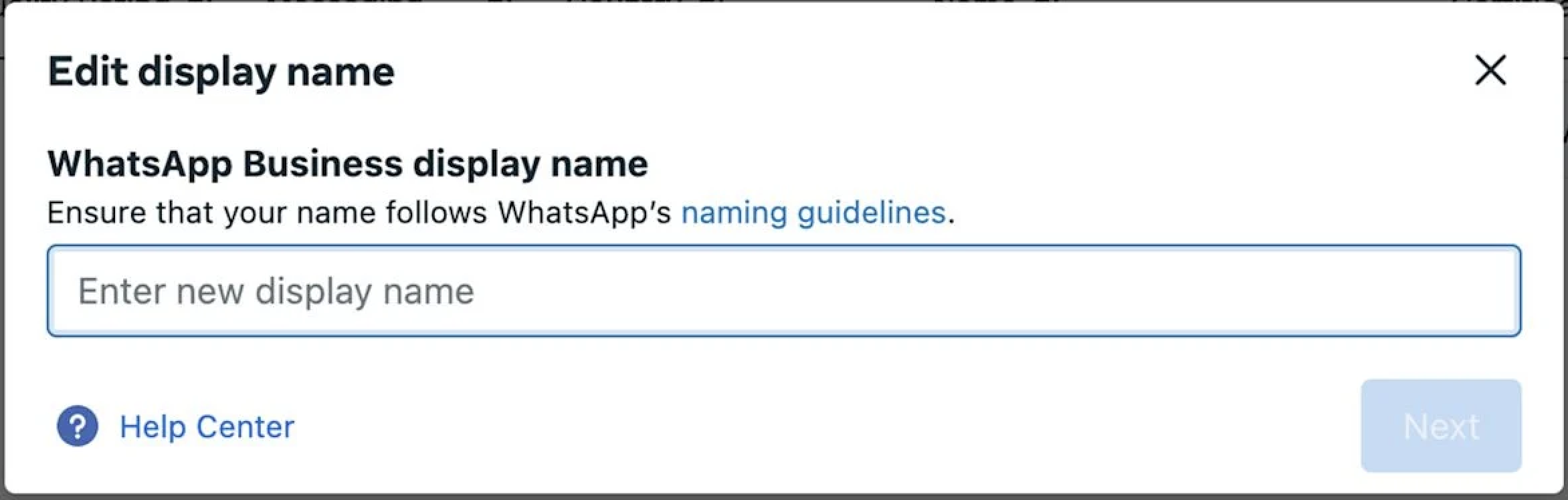
Step 4: Enter the New Display Name
Enter the corrected WhatsApp Business display name. Confirm that it follows the naming guidelines and clearly represents the business before continuing.
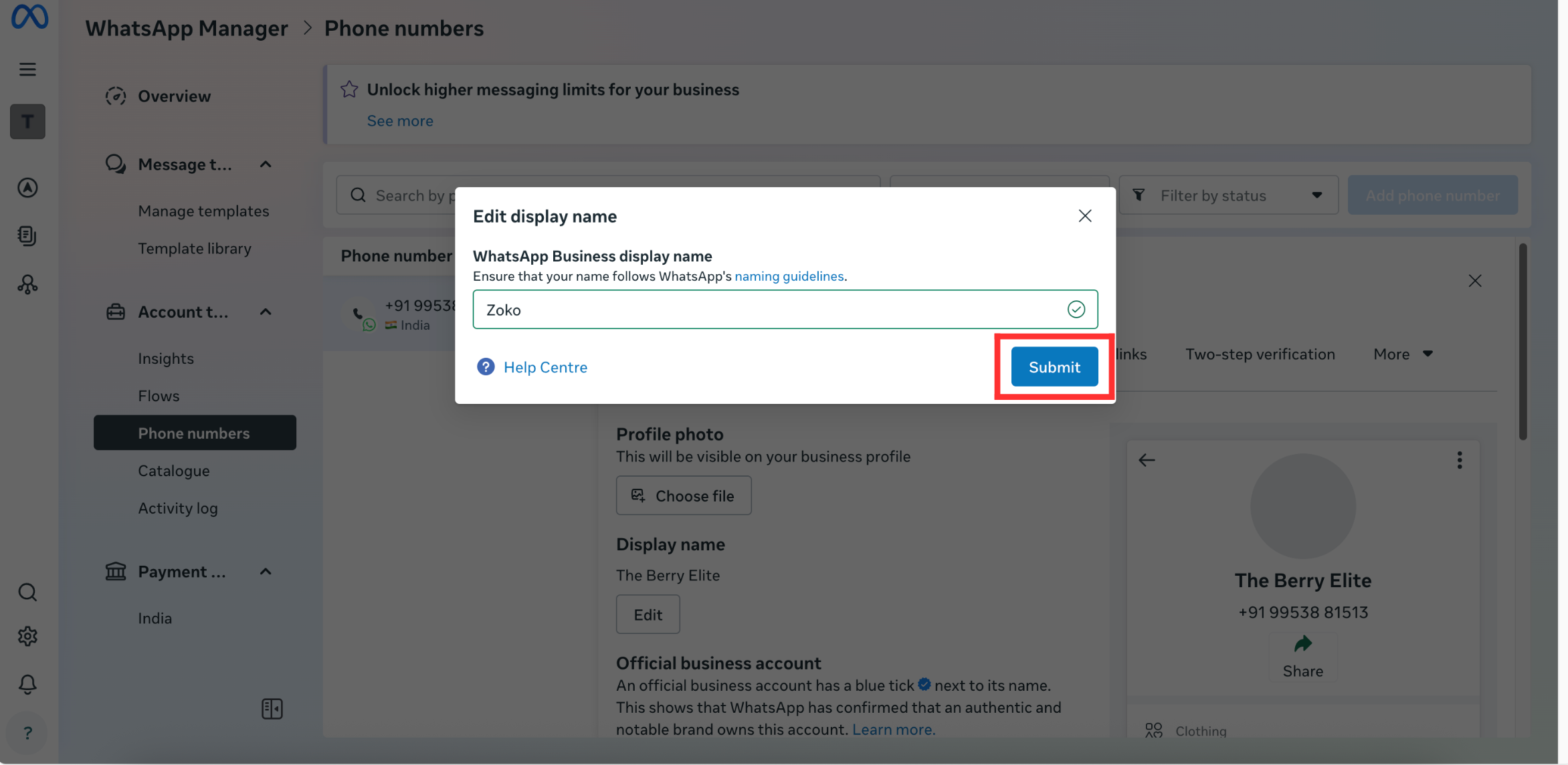
Step 5: Submit the New Name
Use the confirmation button shown in Meta WhatsApp Manager, such as Next or Submit, to send the updated display name for the applicable confirmation or review process.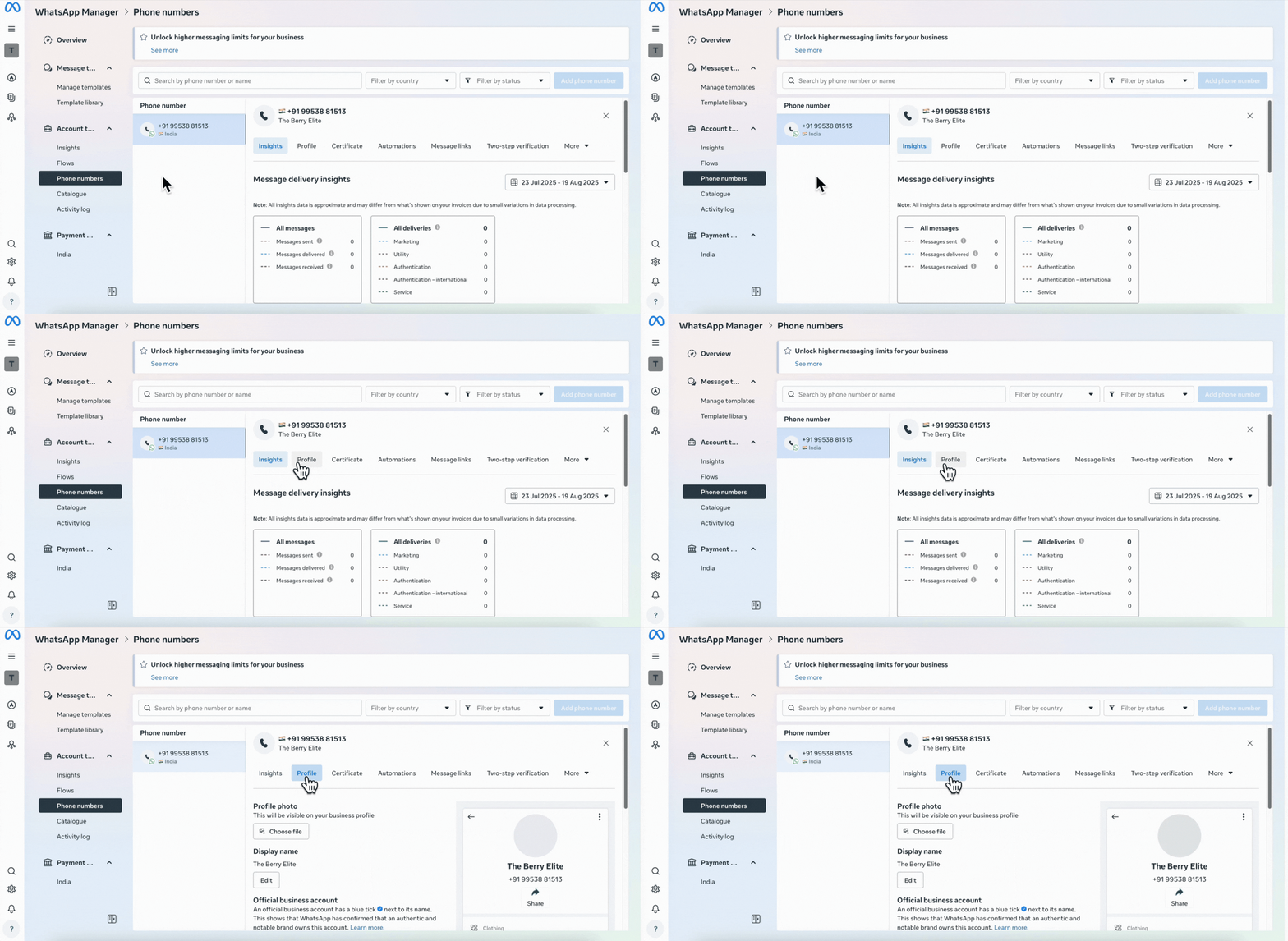
Official Business Accounts: Official Business Accounts follow a different display-name change process. Contact Meta Direct Support instead of using the regular self-service display-name workflow.
What Happens After Submission?
Meta determines the confirmation or review outcome after the new display name is submitted. The status you see can depend on the business verification state and the type of account being updated.
- Pending Review: A submitted name may display a pending status while Meta reviews it.
- Approved or Confirmed: Once accepted, the updated name can proceed through the applicable registration process.
- Declined: Review the naming requirements again, correct the name, and resubmit it.
- Review Time: Approval can occur within minutes or hours, although some reviews may take longer.
Important Limits and Notes
Display-name changes have their own limits and lifecycle rules. Knowing these before resubmitting helps prevent unnecessary delays or repeated changes.
- Change Limit: A business can change its display name up to 10 times within a 30-day period.
- New Cycle: After 30 days, a new change cycle begins with the same limit.
- Certificate Validity: A new display-name certificate is valid for 14 days. If it expires, the display name must be resubmitted.
- Platform Access: Display-name approval is not required simply to begin using the WhatsApp Business Platform. Approval is still necessary when you want the approved display name shown instead of the phone number.
Frequently Asked Questions
Need Help?
If the new display name is declined again, compare it with the business's legal name, brand, website, and other supporting business assets. Remove generic wording, promotional language, emojis, unnecessary capitalization, verification terms, and unrelated product or service wording.
If the name remains under review, allow Meta time to complete the review before submitting another change. Repeated edits can make troubleshooting more difficult and count toward the display-name change limit.
If you are updating an Official Business Account or the display name continues to be declined after the naming requirements have been reviewed, contact the appropriate account administrator or support team for additional assistance.