
WhatsApp Marketing Messages Lite (MM Lite)
Smarter delivery. Better engagement. Zero disruption to your existing setup.
In today's fast-moving digital landscape, reaching customers on WhatsApp isn't just about sending messages — it's about sending the right message, at the right time, to the right person.
That's exactly where Marketing Messages Lite (MM Lite) comes in.
If you're using LeadConnector for WhatsApp automation and campaigns, MM Lite is the upgrade that takes your marketing from basic broadcasting to intelligent, performance-driven messaging.
What is WhatsApp Marketing Messages Lite (MM Lite)?
MM Lite is Meta's next-generation delivery engine for WhatsApp marketing messages.
Unlike traditional messaging via Cloud API, MM Lite uses advanced optimization algorithms to ensure your messages are delivered more effectively — prioritizing users who are most likely to engage.
In simple terms:
Instead of sending messages to everyone blindly, MM Lite intelligently decides who should receive your message first.
Why MM Lite Matters for Your Business
Meta introduced stricter messaging limits to reduce spam and improve user experience on WhatsApp. That means:
- You can't just blast messages anymore
- Delivery depends on quality, engagement, and timing
MM Lite is built to help you win in this new system.
Key Benefits of MM Lite (For LeadConnector Users)
More Messages Delivered — Without Extra Effort
One of the biggest advantages of MM Lite is improved delivery. Businesses switching from traditional WhatsApp Cloud API are seeing:
- 9% higher delivery rates
- More messages actually reaching customers' inboxes — because Meta uses advanced delivery optimization to send to users more likely to engage. More delivery = more opportunities to convert.
Smarter Messaging, Better Customer Experience
Instead of sending the same message to everyone at once, MM Lite helps you control how frequently users are contacted:
- Prevents over-messaging
- Reduces user fatigue
- Improves overall engagement — this shift from bulk to controlled, relevant communication leads to a better customer experience and stronger brand perception.
Quick & Hassle-Free Upgrade
Worried about switching? Don't be. With MM Lite:
- Your existing templates remain unchanged
- Your automations and workflows continue running
- Your reporting stays intact — the upgrade takes just a few minutes with no disruption to your campaigns.
Timely Messaging with TTL (Time-to-Live)
Ever sent an offer that expired before customers even saw it? MM Lite solves this with TTL (Time-to-Live):
- Messages are only delivered within a defined time window
- Expired or irrelevant messages are automatically stopped
Works Alongside Your Existing Setup
MM Lite is not a replacement — it's an enhancement. You can continue using:
- WhatsApp Cloud API for conversations, support, and automation
- MM Lite for one-way marketing campaigns
Pre-requisites to Upgrade to MM Lite
Before you begin the upgrade, make sure you have the following in place:
- Access to your Facebook Business Manager account
- The Business Manager must be linked to your WhatsApp Business API
This access is essential because the MM Lite upgrade requires permissions at the business account level.
How to Upgrade to MM Lite in LeadConnector
Upgrading is quick and doesn't disrupt your existing campaigns. Follow these steps:
Access Your Sub-Account
- Log in to your subaccount
- Navigate to Settings → WhatsApp
Enable MM Lite
- On the dashboard, you'll see a banner prompting you to enable MM Lite
- Click "Enable MM Lite" to begin the process
Redirect to WhatsApp Account Page
- You'll be redirected to your WhatsApp account interface
- Go to the "Request" tab
Review the Request
- Click on "Review Request"
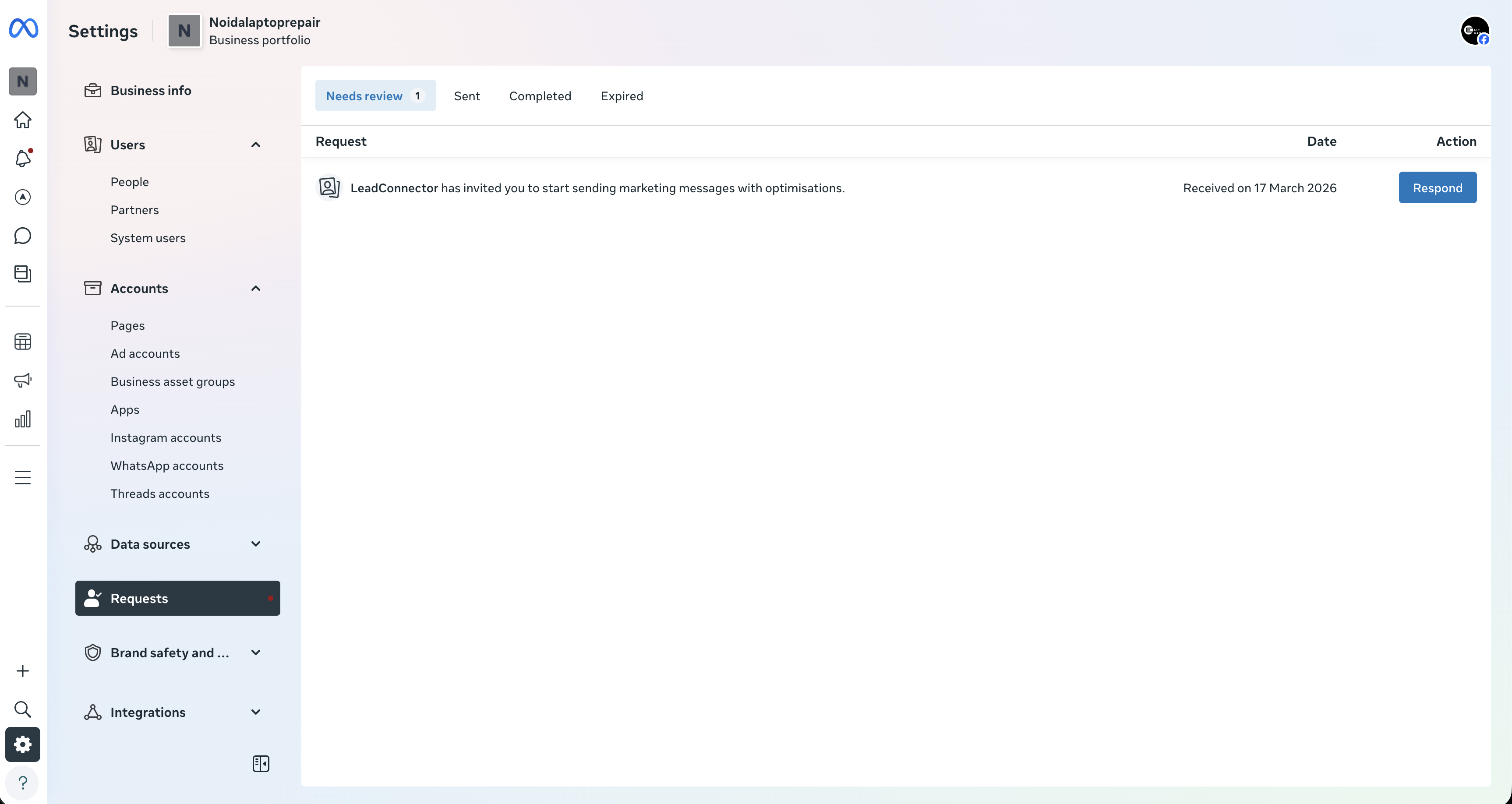
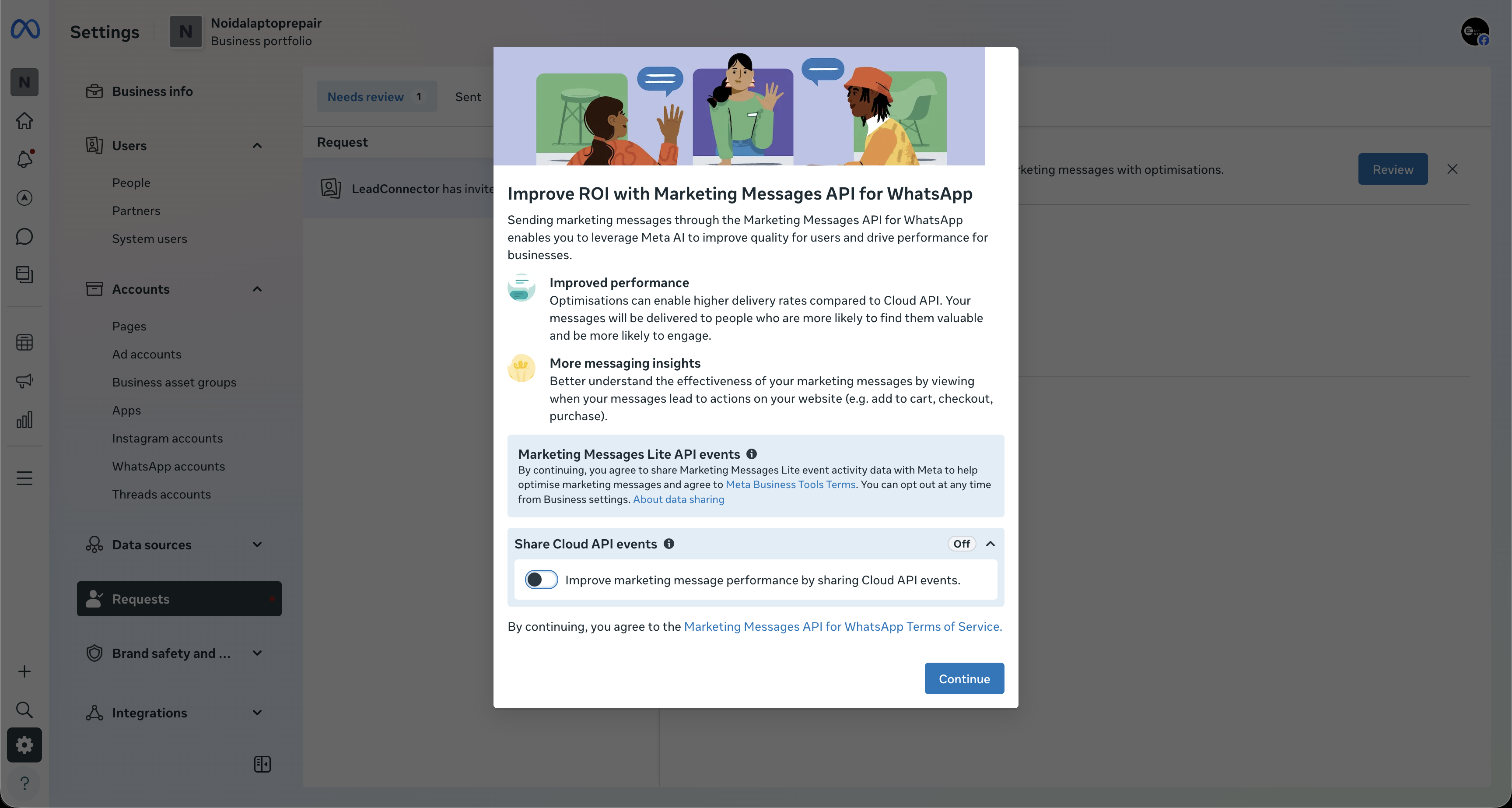
- You'll see a prompt related to improving ROI with Marketing Messages API
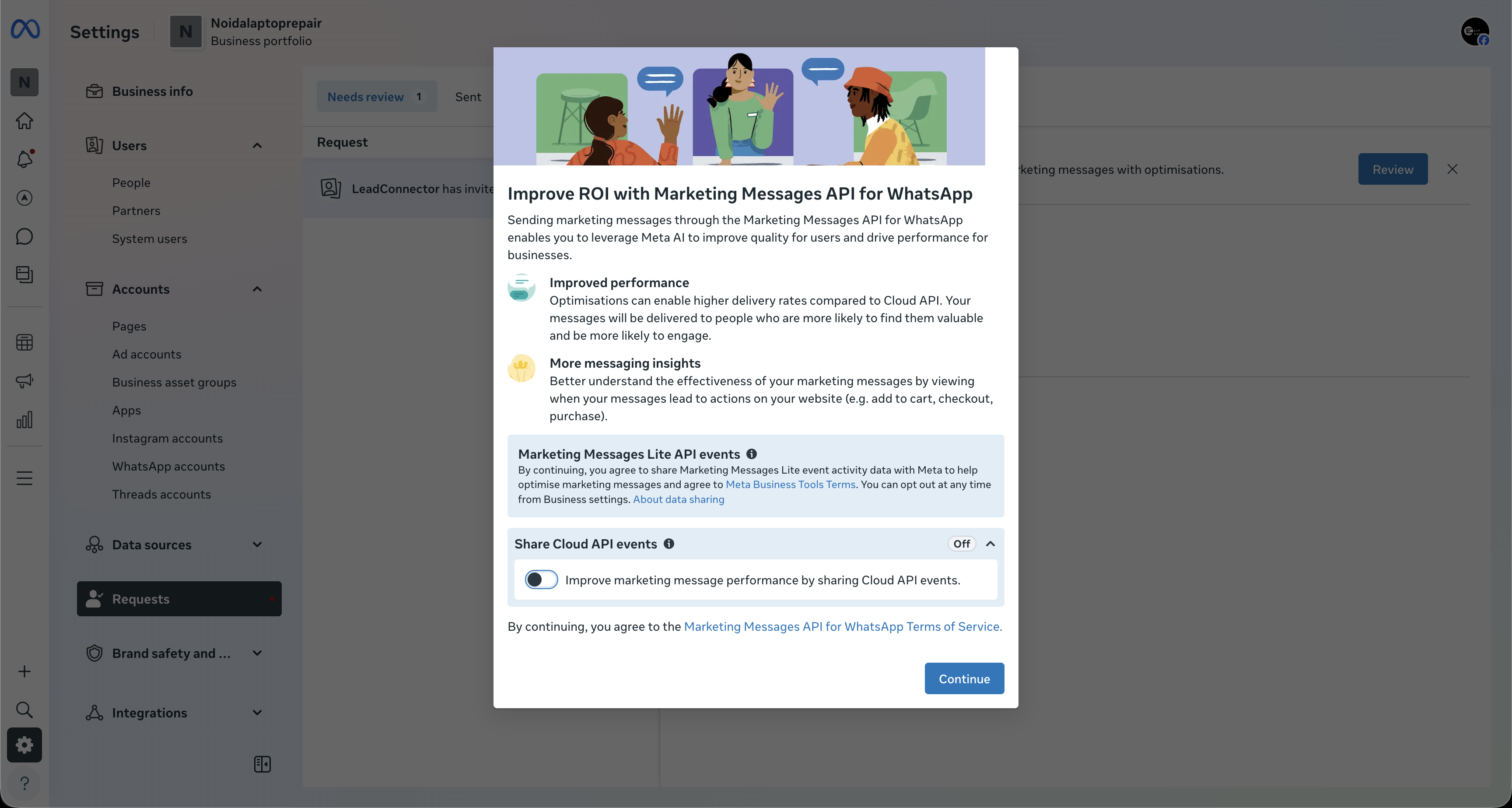
- Click "Continue"
Approve Access
- A new screen will display: "Review LeadConnector's access request"
- Click "Finish" to approve
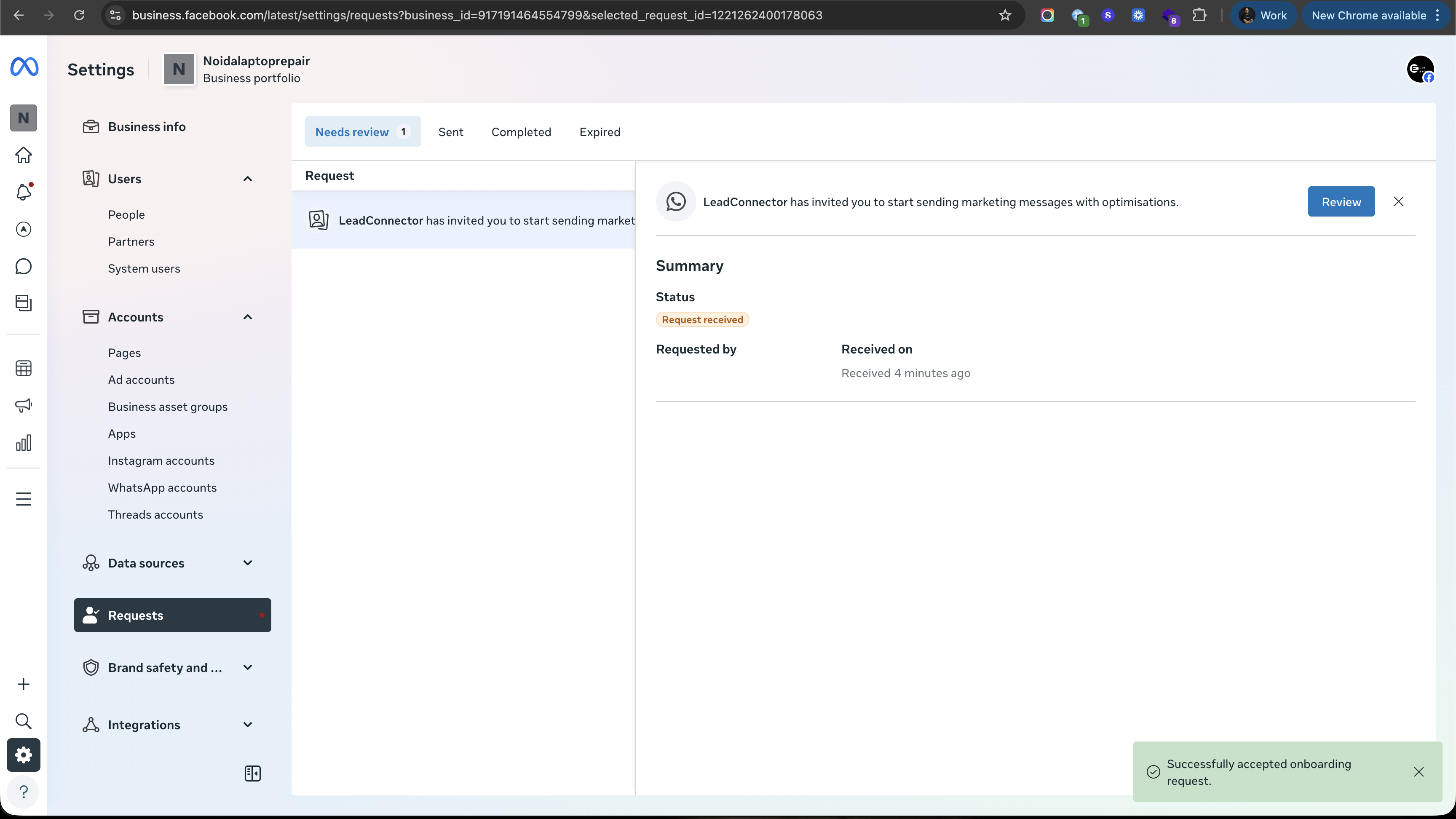
Once completed:
- MM Lite will be successfully enabled for your account
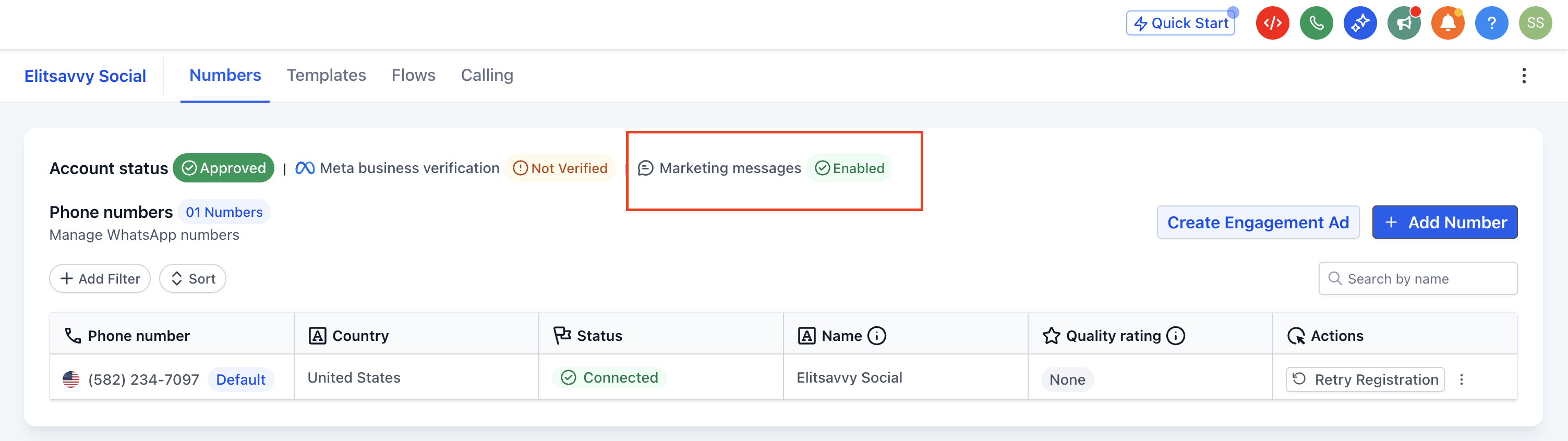
- Your existing templates, workflows, and campaigns will continue to work without interruption
What Happens Next?
After activation:
- Your marketing messages will start using optimized delivery logic
- Campaign performance may gradually improve as the system learns and adapts
- You can continue running campaigns as usual — just with better efficiency
Frequently Asked Questions (FAQs)
1. What is Marketing Messages Lite (MM Lite)?
MM Lite is an upgraded messaging system by Meta that improves how WhatsApp marketing messages are delivered. It uses intelligent optimization to ensure your messages reach users who are more likely to engage.
2. How is MM Lite different from the WhatsApp Cloud API?
The traditional Cloud API sends messages in bulk without optimization. MM Lite, on the other hand:
- Prioritizes high-engagement users
- Optimizes delivery timing
- Improves overall campaign performance
3. Will upgrading to MM Lite affect my existing campaigns?
No. When you upgrade via LeadConnector:
- Your templates remain unchanged
- Automations continue running
- Campaigns are not disrupted
4. Do I need technical knowledge to enable MM Lite?
Not at all. The upgrade process is simple and can be completed in a few clicks. No coding or API changes are required from your end.
5. Can I still use WhatsApp for customer support after upgrading?
Yes. MM Lite is specifically for marketing messages. You can continue using the Cloud API for:
- Customer conversations
- Support queries
- Transactional messages
6. Will MM Lite improve my message delivery rates?
Most businesses see noticeable improvements. Depending on use case and audience quality, delivery rates can increase significantly, along with better open and click rates.
7. What is Time-to-Live (TTL) and why is it important?
TTL ensures your messages are delivered within a defined time window. If the message becomes irrelevant (e.g., an expired offer), it won't be delivered — helping maintain a better customer experience.
8. How does MM Lite prevent spamming users?
MM Lite allows better control over message frequency and uses engagement signals to optimize delivery. This reduces over-messaging and ensures users receive more relevant content.
9. Do I need access to Facebook Business Manager for the upgrade?
Yes. Access to Facebook Business Manager is required to approve permissions and complete the upgrade process.
10. Can I track conversions and campaign performance with MM Lite?
Yes. MM Lite integrates with tools like Meta Pixel and Conversions API, allowing you to:
- Track conversions
- Measure ROI
- Optimize future campaigns
11. Is MM Lite suitable for all types of messages?
MM Lite is designed for marketing use cases such as:
- Promotions
- Offers
- Campaign broadcasts
For transactional or service messages, you should continue using standard WhatsApp messaging.
12. How long does it take to see results after enabling MM Lite?
Results can start appearing within a few campaigns. As the system gathers engagement data, delivery and performance continue to improve over time.
13. Does MM Lite API support all types of marketing messaging (1:1, bulk, and workflows)?
Yes. The MM Lite API is designed to support all types of marketing messaging in one place, including:
- 1:1 marketing conversations (personalized offers, direct outreach)
- Bulk campaigns (broadcast promotions, announcements)
- Workflow-based automation (drip campaigns, follow-ups, lead nurturing)
This means you don't need separate systems — MM Lite allows you to run manual, bulk, and automated marketing campaigns seamlessly from a single setup.