
AI-Powered A2P Compliance Validation helps you catch common compliance issues before submitting your A2P 10DLC campaign for carrier review. During campaign setup, the system reviews your opt-in form, Privacy Policy, and Terms of Service to help you identify missing disclosures, incomplete legal language, and other common gaps earlier in the submission process. This can reduce avoidable rejections, shorten resubmission cycles, and improve the overall A2P submission experience.
For general information on A2P 10DLC, see: A2P 10DLC Brand Approval Best Practices
TABLE OF CONTENTS
- What is AI-Powered A2P Compliance Validation?
- Key Benefits of AI-Powered A2P Compliance Validation
- Supported Opt-In Methods
- What Is Reviewed
- How to Read the Compliance Review Results
- How to Use the Compliance Review
- Frequently Asked Questions
What is AI-Powered A2P Compliance Validation?
AI-Powered A2P Compliance Validation is a pre-submission review built into the A2P campaign flow. It automatically scans your submitted opt-in form URL, reviews the linked Privacy Policy and Terms of Service pages, and checks them against common compliance requirements tied to industry and carrier expectations. This helps you identify issues before your application reaches carriers, so you can make updates earlier and submit with more confidence.
This review is designed to reduce common causes of rejection, but it does not guarantee carrier approval. Final approval decisions still depend on your campaign use case, message content, carrier-specific rules, and other review factors.
Key Benefits of AI-Powered A2P Compliance Validation
- Earlier Issue Detection: Common compliance gaps are identified before your A2P application is submitted to carriers.
- Fewer Avoidable Rejections: Missing disclosures, incomplete legal pages, and opt-in form issues can be addressed sooner.
- Clearer Next Steps: Line-by-line review results make it easier to understand what may need to be updated.
- Better Submission Confidence: You can review results and decide whether to resolve flagged items before moving forward.
Supported Opt-In Methods
At this time, AI-Powered A2P Compliance Validation supports:
- Website Form
- Facebook Lead Form
Additional opt-in methods may be supported in the future.
What Is Reviewed
The compliance review checks three areas so you can quickly identify where a problem exists:
- Opt-in Form
- Privacy Policy
- Terms of Service
Each section shows a pass count and an itemized review of the criteria checked.
Opt-in Form Review
Your opt-in form is one of the most important parts of A2P compliance because it shows how contacts give consent to receive messages. Missing consent language, unclear disclosures, or required checkboxes can increase the risk of rejection.
Privacy Policy Review
Your Privacy Policy explains what information you collect and how it is handled. A complete and accessible Privacy Policy helps reviewers understand how customer data is collected, used, stored, and disclosed.
Terms of Service Review
Your Terms of Service should clearly explain your SMS program and key customer-facing terms. Missing program details, opt-out instructions, or required disclaimers can create compliance concerns during review.
How to Read the Compliance Review Results
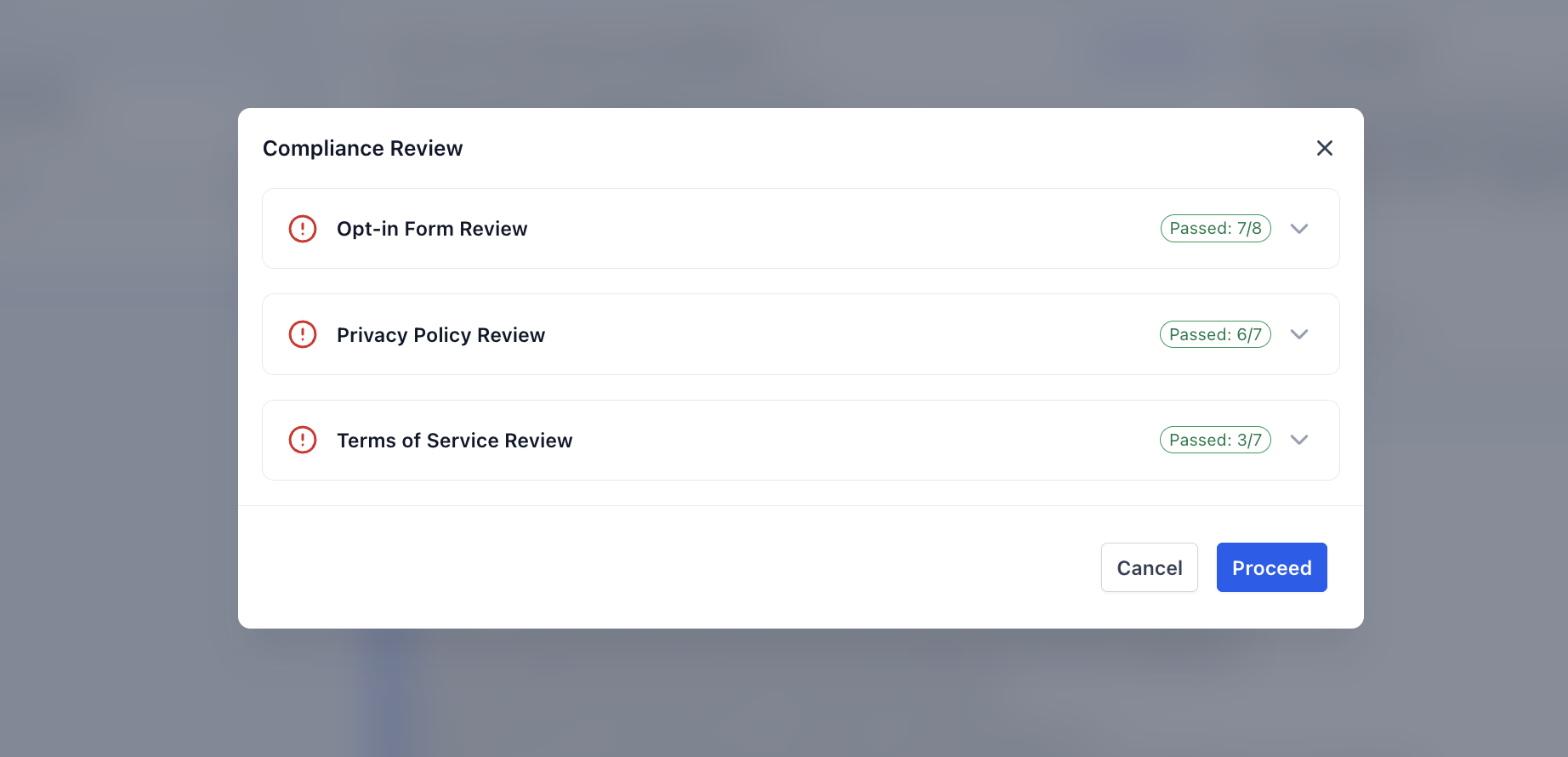
The review results help you quickly see how much of each section meets the current validation criteria, making it easier to prioritize what to fix before continuing.
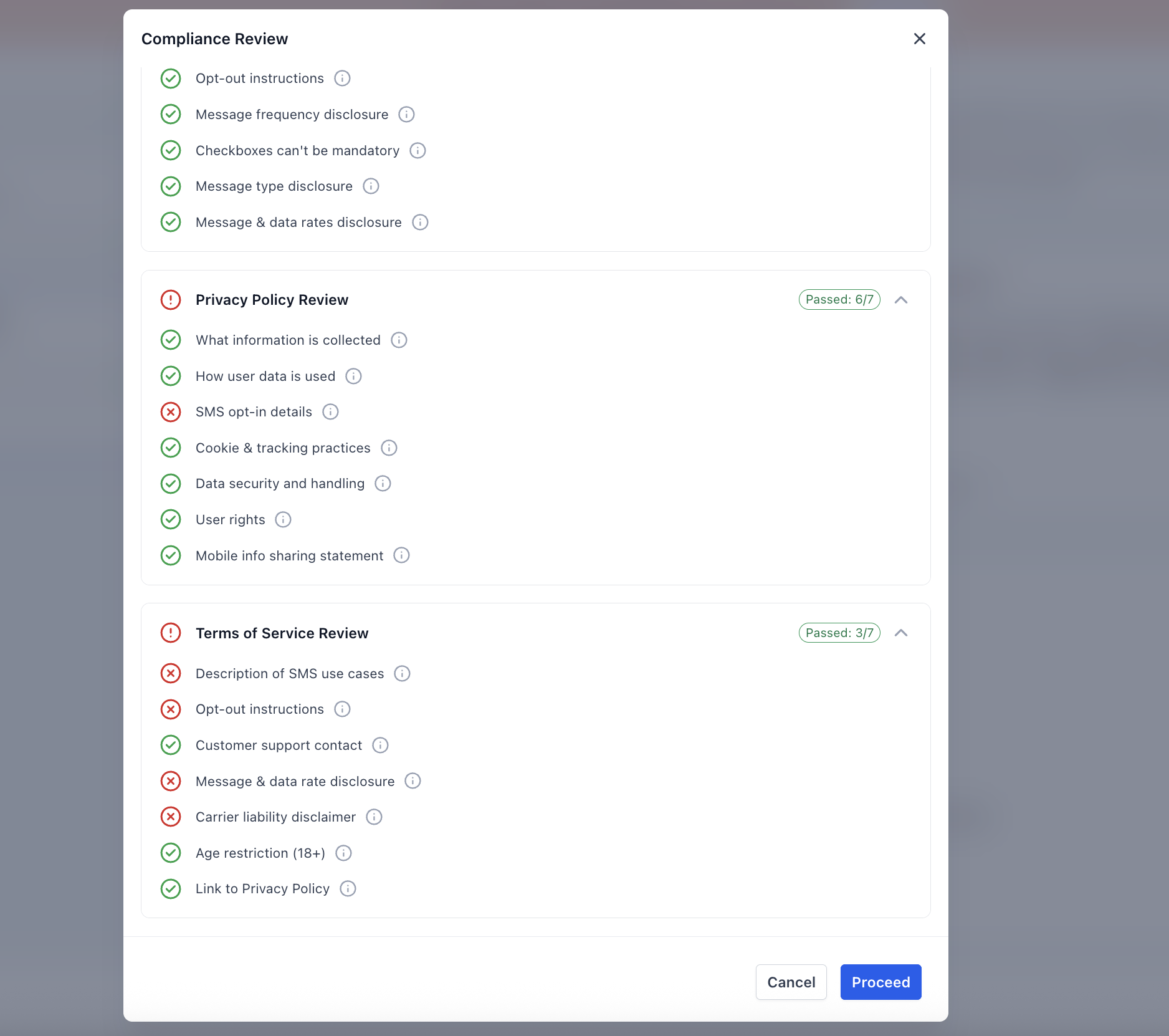
Inside the Compliance Review modal, you will see:
- Separate sections for Opt-in Form, Privacy Policy, and Terms of Service
- A pass count for each section (for example, Passed: 7/8)
- Line-by-line checks showing which items passed and which items were flagged
- Tooltips that provide additional guidance on what a flagged item means
What Happens If Issues Are Flagged
A flagged result does not automatically mean your campaign will be rejected, but it does mean there may be a compliance issue worth reviewing before submission. If issues are flagged:
- Review each failed item in the relevant section.
- Use tooltip guidance to understand what may be missing or unclear.
- Update your opt-in form, Privacy Policy, or Terms of Service as needed.
- Return to the submission flow and continue once your updates are ready.
If you choose not to fix issues immediately, you can still proceed after the review is complete. However, continuing with flagged items may increase the likelihood of rejection.
How to Use the Compliance Review
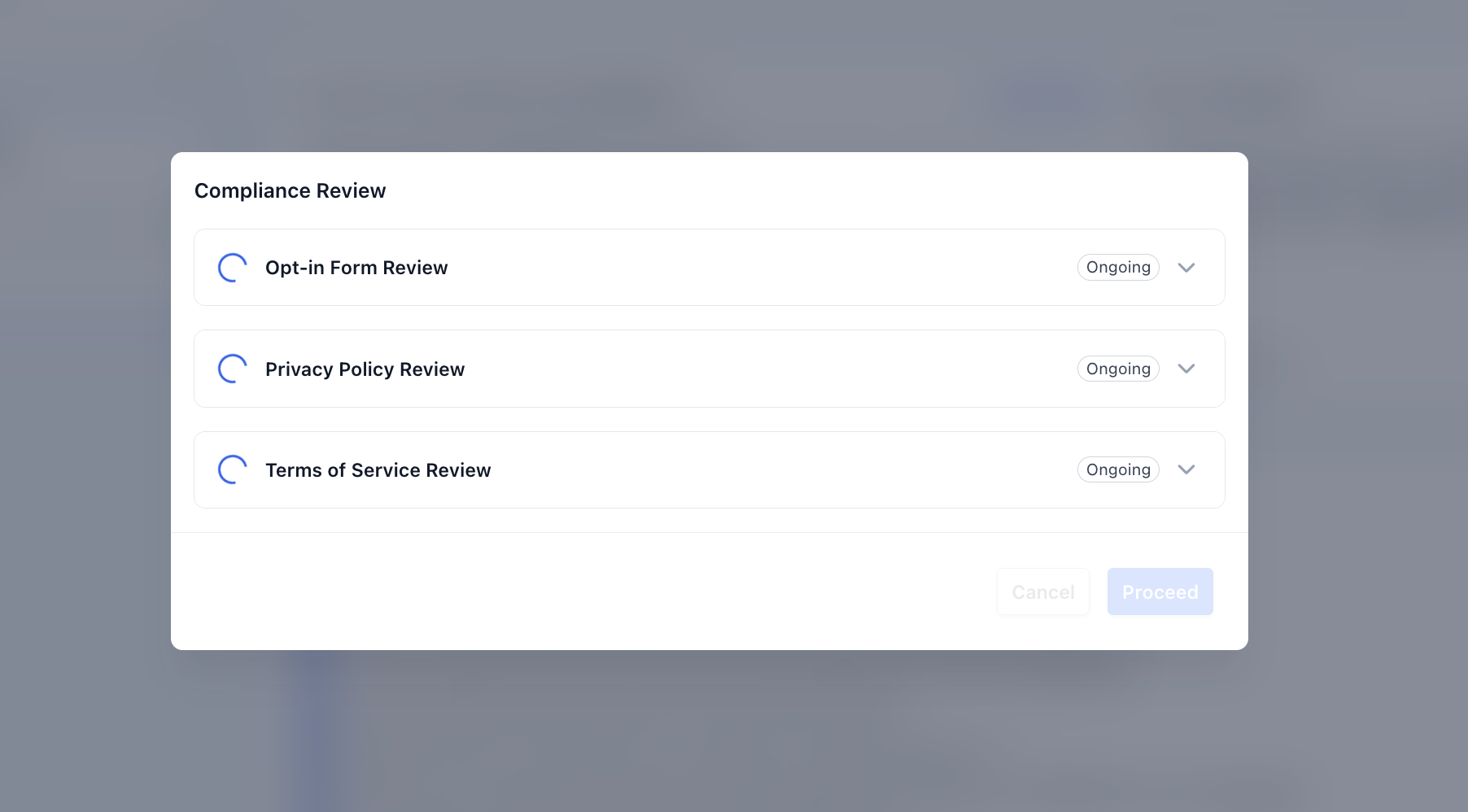
Because the review runs automatically, you do not need to start it manually or leave the A2P campaign flow.
Here is how it works:
- Enter your A2P campaign details as usual. Make sure you use a supported opt-in method (Website Form or Facebook Lead Form).
- Add your opt-in form URL in the campaign submission flow. Make sure your URL is publicly accessible.
- Before you submit the application, the system scans the opt-in form URL and reviews the linked Privacy Policy and Terms of Service pages. The Compliance Review modal opens automatically.
- The system displays the results for each section.
- Review any flagged items and decide whether to:
- Go back and update the form or legal pages
- Proceed with submission despite the warnings
Frequently Asked Questions
Q: Does passing all compliance checks guarantee A2P approval?
No. Passing all checks can help reduce common rejection risks, but carriers still make the final approval decision.
Q: Can I still submit my campaign if some items are flagged?
Yes. After the review finishes, you can choose to go back and fix the issues or proceed with submission.
Q: When does the compliance review run?
The review runs before you review and submit your A2P application in the campaign flow. It starts automatically as part of the submission process.
Q: What should I do if a flagged item appears to already be on my page?
Review the wording, placement, and visibility of the content on the page. If needed, update the page to make the required information clearer and easier to detect.
Need Help?
If the AI-powered A2P compliance review is flagging items unexpectedly, not loading correctly, or showing issues that you believe have already been fixed, first review the opt-in form, Privacy Policy, Terms of Service, and the URLs submitted with the campaign.
Verify that:
- You are using a supported opt-in method, such as a Website Form or Facebook Lead Form.
- The opt-in form URL is correct and publicly accessible.
- The opt-in page loads without a login, password, or access restriction.
- The Privacy Policy is linked from the opt-in flow and can be opened publicly.
- The Terms of Service is linked from the opt-in flow and can be opened publicly.
- Required consent language is clearly visible on the opt-in form.
- SMS disclosures are easy to detect and not hidden in small text, pop-ups, or expandable sections.
- Consent checkboxes are not pre-selected.
- The business name, messaging purpose, STOP instructions, HELP information, and message frequency disclosures are present where required.
- The Privacy Policy clearly explains how customer information is handled.
- The Terms of Service includes the required SMS program details and opt-out information.
- Recent edits to the form or legal pages have been published before rerunning the submission flow.
- The campaign uses the latest public versions of the URLs you updated.
- Any flagged item was reviewed individually rather than relying only on the overall pass count.
If a requirement is present but still flagged, review its wording, placement, and visibility. Making the disclosure clearer and easier to detect may resolve the issue.
If the issue continues, collect the opt-in form URL, Privacy Policy URL, Terms of Service URL, campaign use case, screenshots of the compliance review results, and the specific items being flagged before contacting support.