
Accurate reporting is essential for understanding campaign performance and making informed decisions. When tracking is not configured correctly, it can lead to missing data, duplicate entries, or incorrect attribution.
This guide walks through the most common issues and how to fix them to ensure reliable reporting.
TABLE OF CONTENTS
- Overview
- Check Integration Connection
- Validate UTM Tracking Setup
- Ensure Unique Naming Structure
- Frequently Asked Questions
- Need Help?
Overview
Reporting issues are typically caused by one of the following:
Incorrect integration setup
Misconfigured tracking templates
Duplicate naming across campaigns, ad groups, or ads
Fixing these ensures your reporting data is accurate and actionable.
Check Integration Connection
A properly connected integration is required for reporting to function correctly.
What to Verify
The integration is active and connected
The correct email account is used
The connected user has Admin-level permissions
Verify Integration Connection
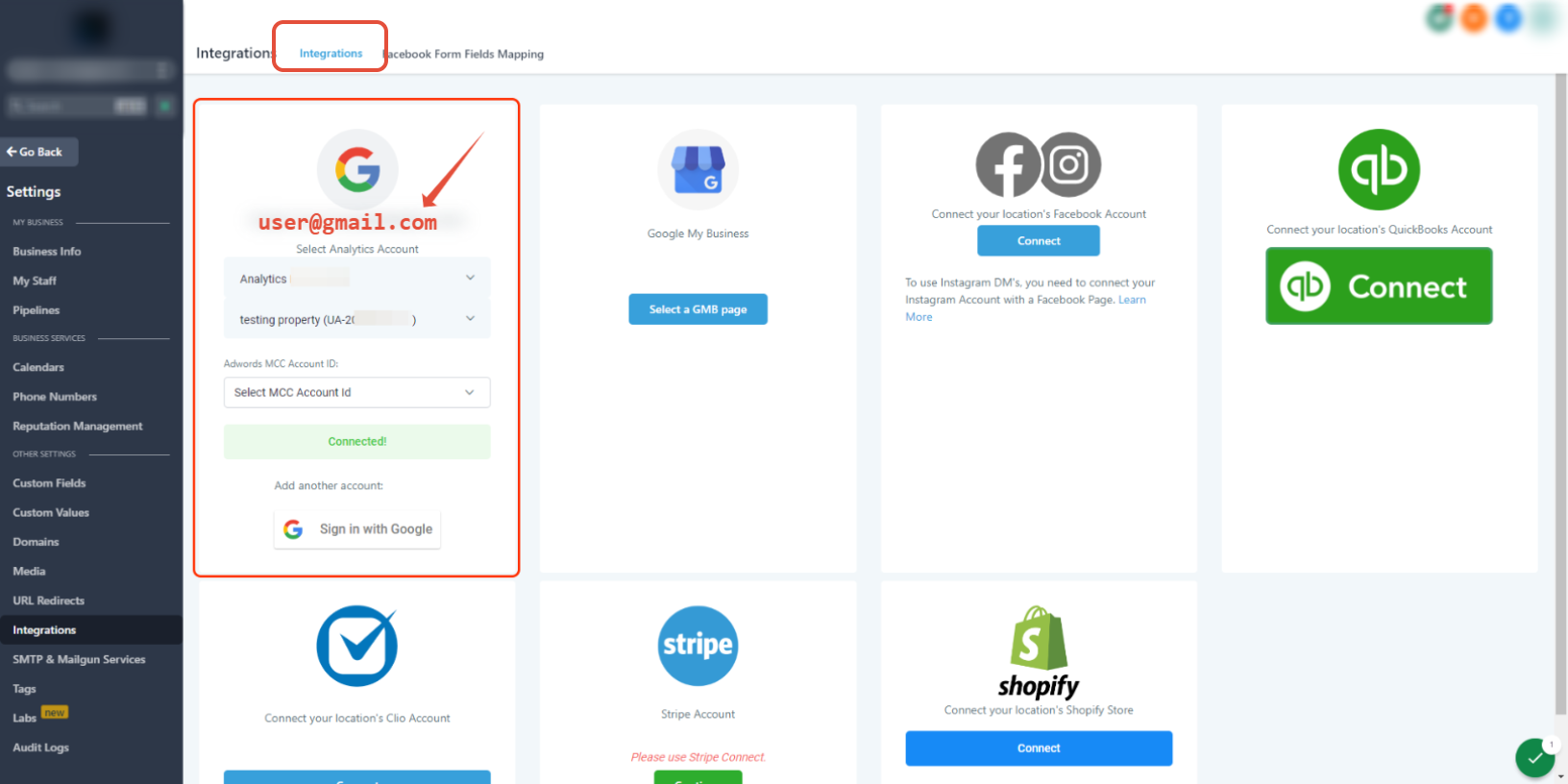
This image shows the integrations section where your account connection and email are displayed.
Confirm that the correct email is connected and that the integration status shows as active.
Important Notes
The connected email must match the one associated with your ad account
The user must have User or Admin access, not manager-only access
Incorrect permissions can prevent data from syncing properly
Confirm User Permissions
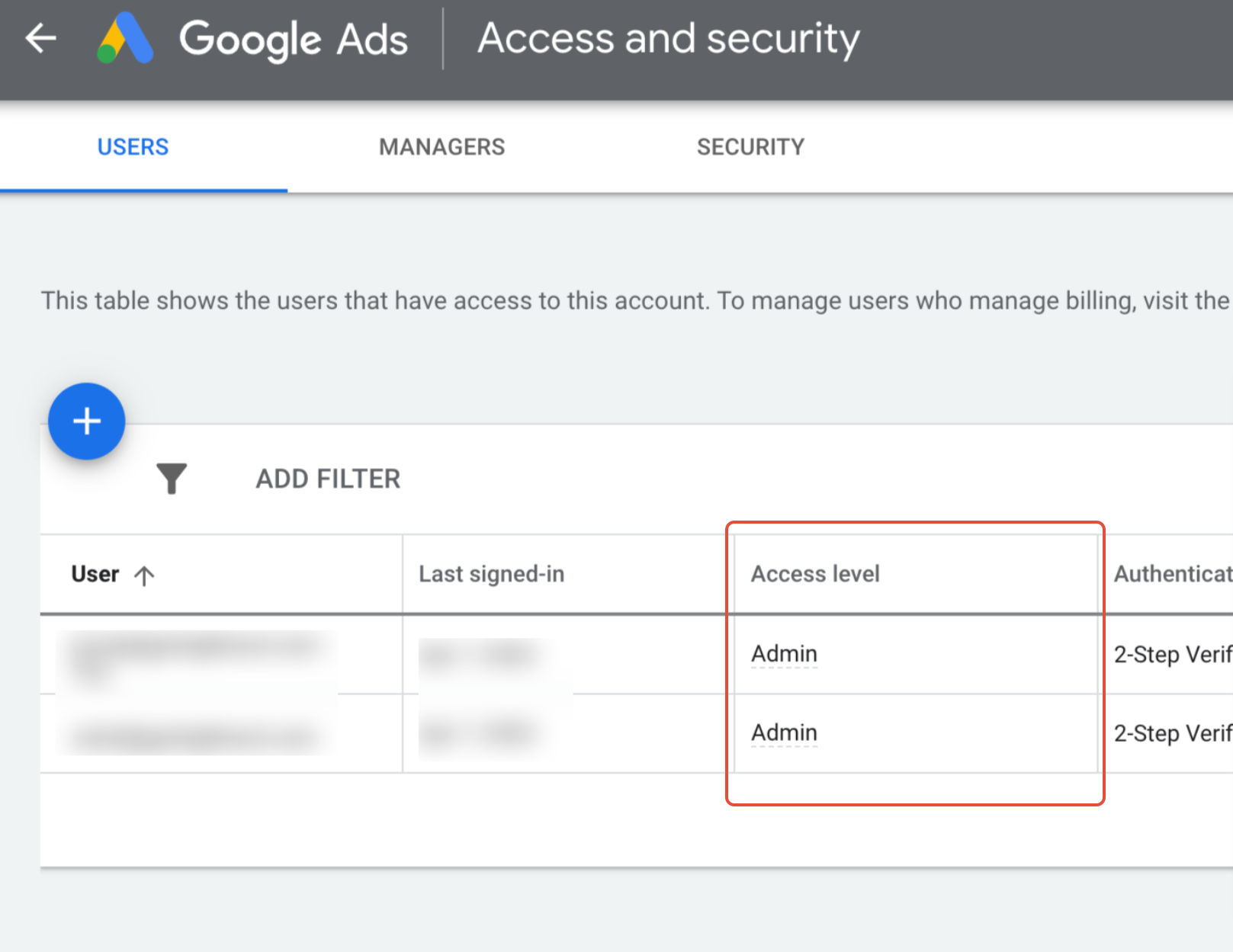
This image shows the user access levels inside your ad account.
Ensure the connected user has Admin access to allow proper data tracking and reporting.
Validate UTM Tracking Setup
Tracking templates are required to capture attribution data correctly.
Key Rule
Tracking templates should only be applied in one location:
Account level
Campaign level
Ad level
If applied in multiple places, the system follows this hierarchy:
Account → Campaign → Ad
Best Practices
Use only one tracking template location
Avoid duplicate or conflicting templates
Do not modify standard tracking structures
Important
UTM parameters are case-sensitive and must match exactly:
No extra spaces
No incorrect capitalization
No formatting changes
Even small errors can break attribution tracking.
Ensure Unique Naming Structure
Duplicate naming is a common cause of reporting issues.
Incorrect Setup (What to Avoid)
Using identical names across ads or ad groups:
Same ad name used multiple times
Repeating identical naming structures
This can lead to:
Duplicate reporting entries
Confusing attribution
Inaccurate performance data
Correct Setup (Recommended)
Use unique naming at every level:
Campaign
Ad Group
Ad
Example
Campaign: Winter Shoes
Ad Group: Sport Shoes York
Ad: Nike Shoes 1.1 York Logo
Each item should be clearly distinguishable.
Important Note on Renaming
If you rename campaigns, ad groups, or ads:
Existing tracking parameters do not update
Data continues attributing to old values
Best Practice
Create new campaigns instead of renaming existing ones to maintain accurate tracking.
Frequently Asked Questions
Q: Why is my reporting data missing?
This is usually caused by incorrect integration setup, missing permissions, or improperly configured tracking templates.
Q: Why am I seeing duplicate entries?
Duplicate campaign, ad group, or ad names can cause repeated reporting data.
Q: Can I apply tracking templates in multiple places?
No. Tracking should only be applied in one location to avoid conflicts.
Q: Does renaming campaigns fix tracking issues?
No. Existing tracking parameters remain unchanged. Creating new campaigns is recommended.
Q: Why is case sensitivity important in tracking?
Tracking parameters must match exactly. Even small differences can prevent attribution from being recorded.
Need Help?
If you are still experiencing reporting issues, open the Help Center or contact support for further assistance.