
Client Spend settings allow you to include management fees directly within your reporting. This ensures your total advertising cost reflects both ad spend and service fees, giving you more accurate financial visibility.
TABLE OF CONTENTS
- What is Client Spend
- Who Can Access This Setting
- How Client Spend is Calculated
- How to Add a Management Fee
- Frequently Asked Questions
- Need Help?
What is Client Spend
Client Spend represents the total cost of advertising, including any additional management fees applied.
This helps you:
Accurately track total marketing costs
Include service fees in reporting
Maintain consistent financial insights
Who Can Access This Setting
Client Spend settings are only visible to users with the appropriate permissions, such as:
Admin users
Authorized account users
This ensures only the right users can modify cost calculations.
How Client Spend is Calculated
Client Spend is calculated as:
Client Spend = Ad Spend + Management Fee
The management fee is added on top of your ad spend and reflected across all cost-related metrics.
How to Add a Management Fee
Follow these steps to configure your Client Spend markup:
Locate the Client Spend Section
Navigate to your reporting dashboard and find the Client Spend card.
Client Spend Overview & Settings Access
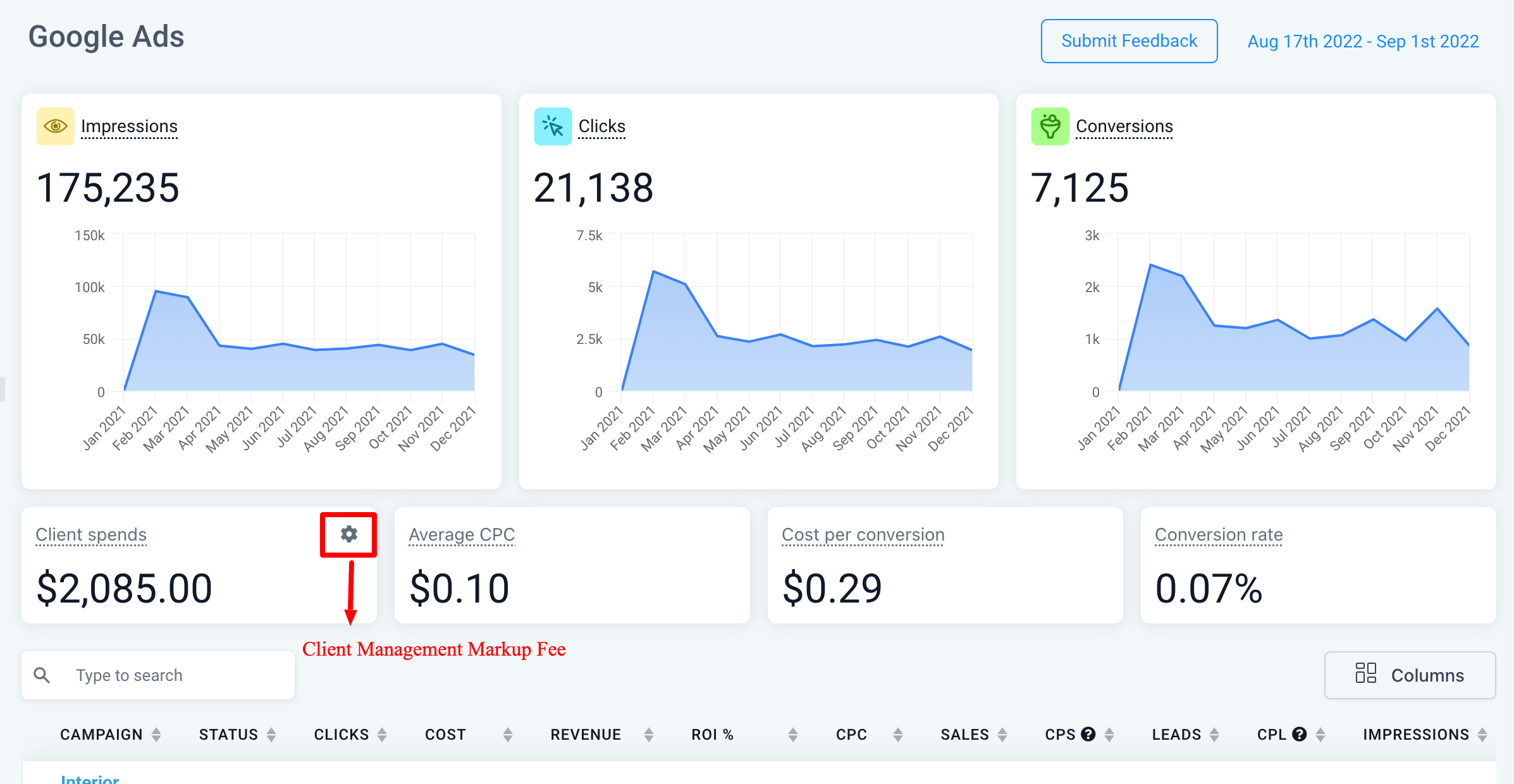
This image shows the reporting dashboard with the Client Spend section highlighted.
Click the settings (gear) icon next to Client Spend to begin configuring your management fee.
Open the Settings Panel
Clicking the gear icon will open the management fee configuration modal.
Access Settings from Client Spend Card
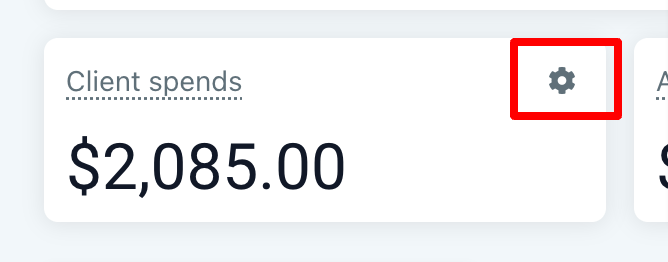
This image highlights the exact location of the settings icon on the Client Spend card.
Use this icon to open the configuration window.
Enter Management Fee
In the settings modal:
Enter your management fee percentage
Review how it will be applied to reporting
Management Fee Configuration Modal
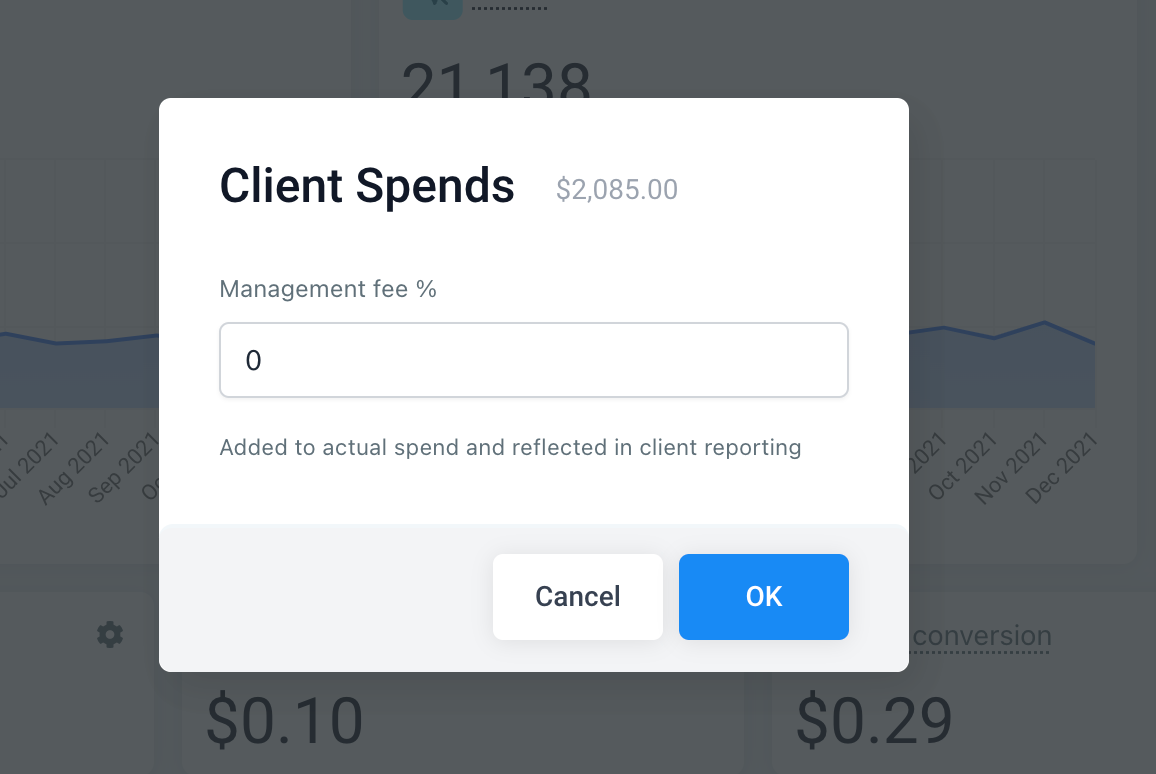
This image shows the configuration window where you input the management fee percentage.
Enter your value and click OK to save changes.
Save and Apply
Once saved:
The fee is automatically applied
All cost-related metrics will reflect the updated Client Spend
Frequently Asked Questions
Q: Who can edit Client Spend settings?
Only users with the appropriate permissions (such as admins) can modify these settings.
Q: How is the management fee applied?
It is added as a percentage on top of the ad spend and reflected in reporting metrics.
Q: Can I change the management fee later?
Yes, you can update or remove the fee at any time using the same settings.
Q: Does this affect reporting data?
Yes, it updates how total cost metrics are calculated and displayed.
Need Help?
If you need assistance configuring Client Spend or understanding how it impacts your reporting, open the Help Center or contact support.