
Tracking offline conversions is essential for understanding the true impact of your advertising efforts. While many interactions happen online, important outcomes—such as qualified leads, booked appointments, or closed deals—often occur outside of your website. Setting up offline conversion actions ensures these results are captured, attributed correctly, and used to improve campaign performance.
TABLE OF CONTENTS
- What Are Conversion Actions
- Key Benefits
- Prerequisites
- How to Set Up Offline Conversion Actions
- Frequently Asked Questions
- Need Help?
What Are Conversion Actions
Conversion actions define the outcomes you want to measure from your campaigns. These can include actions like form submissions, purchases, phone calls, or offline events such as deals marked as won. By clearly defining these actions, you create a reliable system for measuring success and guiding optimization.
Offline conversion actions are especially valuable because they connect real-world outcomes back to your campaigns. Instead of relying only on clicks or form fills, you gain visibility into what actually drives revenue and meaningful business results.
Key Benefits
Configuring conversion actions correctly improves both the quality of your data and the effectiveness of your campaigns. When your system is set up properly, your campaigns receive clearer signals about what matters most.
This leads to more accurate optimization, better reporting, and stronger decision-making. You can distinguish between high-value actions and low-impact activity, reduce noise in your data, and ensure your campaigns are aligned with real business goals rather than surface-level metrics.
Prerequisites
Before setting up offline conversion tracking, it is important to ensure your account and strategy are prepared. You should have access to the correct account, a clear understanding of your conversion goals, and a defined structure for how those goals will be categorized.
It is also important to decide whether the conversion action will be used for campaign optimization. In addition, you should understand how tracking identifiers (such as click-based IDs) will be used later to match offline events back to campaign interactions.
How to Set Up Offline Conversion Actions
The following process walks through how to configure offline conversion actions directly within your advertising platform. This setup ensures your campaigns can accurately measure and optimize based on real outcomes.
Access Your Account and Begin Setup
Start by signing in to your ads account or creating one if needed. Once inside, navigate to the conversions section and begin creating a new conversion action.
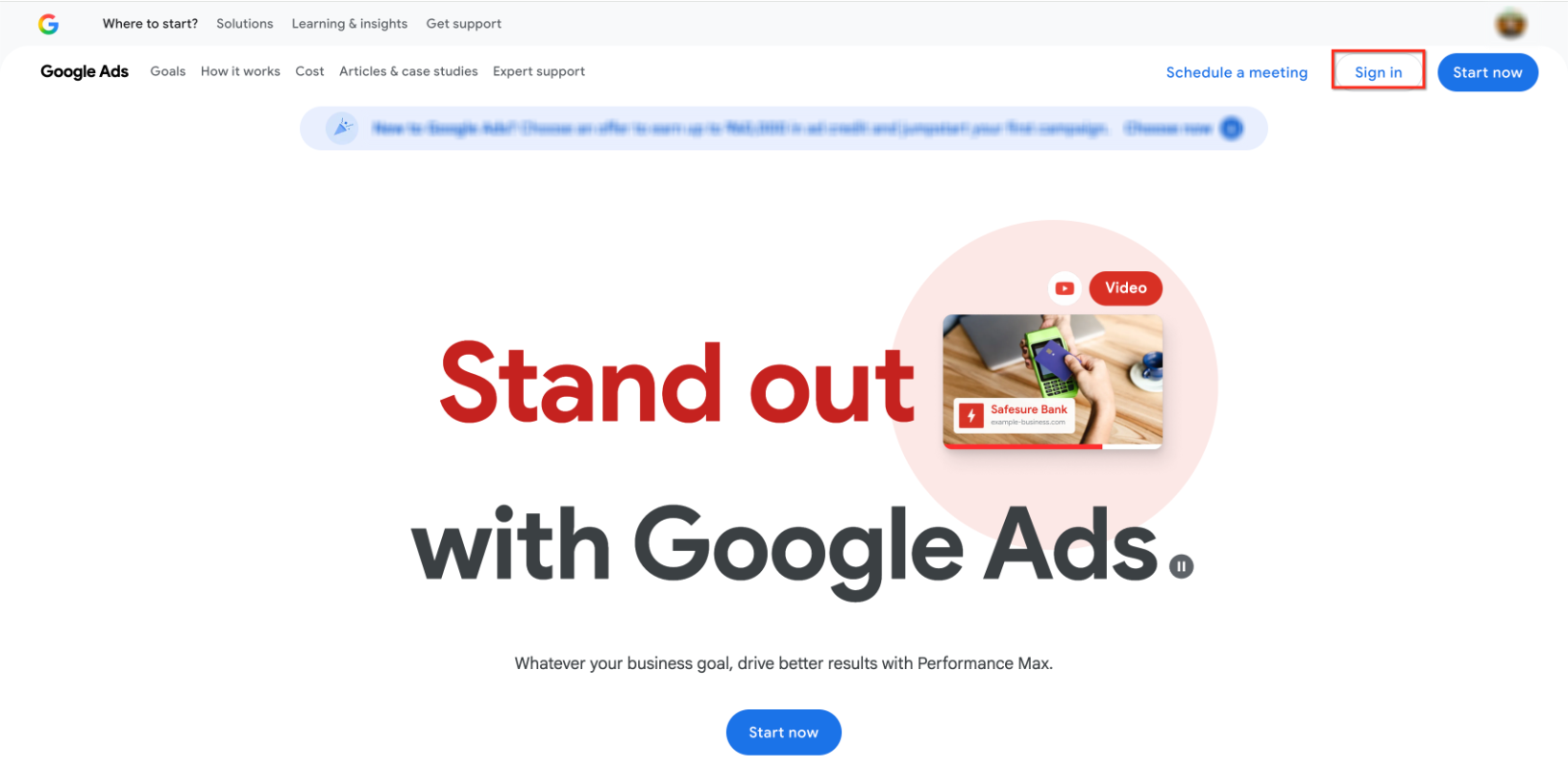
This screen shows where to access your account. Click Sign In or Start now to proceed.
Navigate to Conversion Setup
From your account dashboard, locate the conversion setup area and begin the process of creating a new conversion action.
This view highlights where to initiate the creation of a new conversion.
Choose Conversion Source
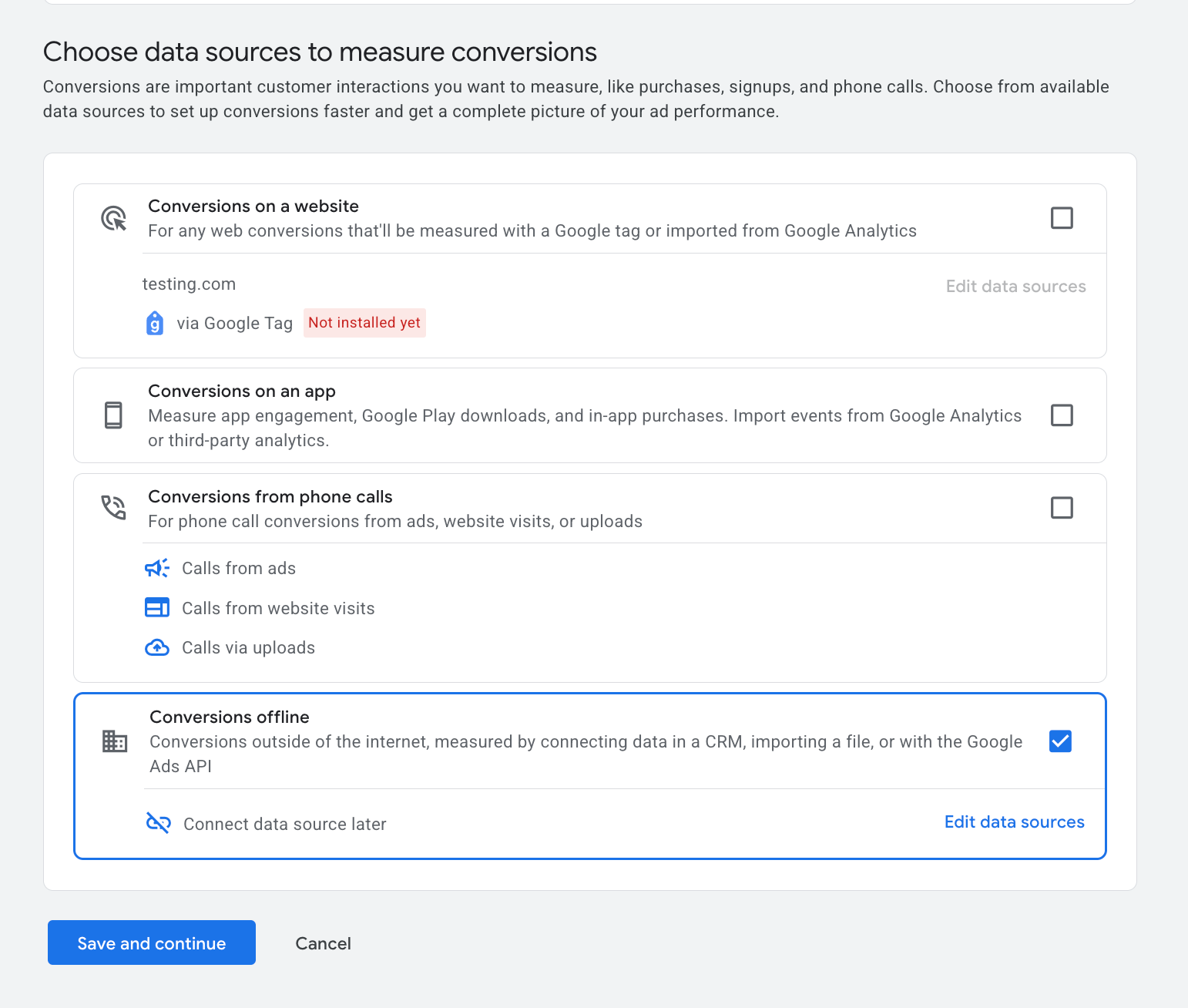
You will be prompted to select how conversions should be measured. For offline tracking, choose the option that allows conversions to be recorded outside of the website.
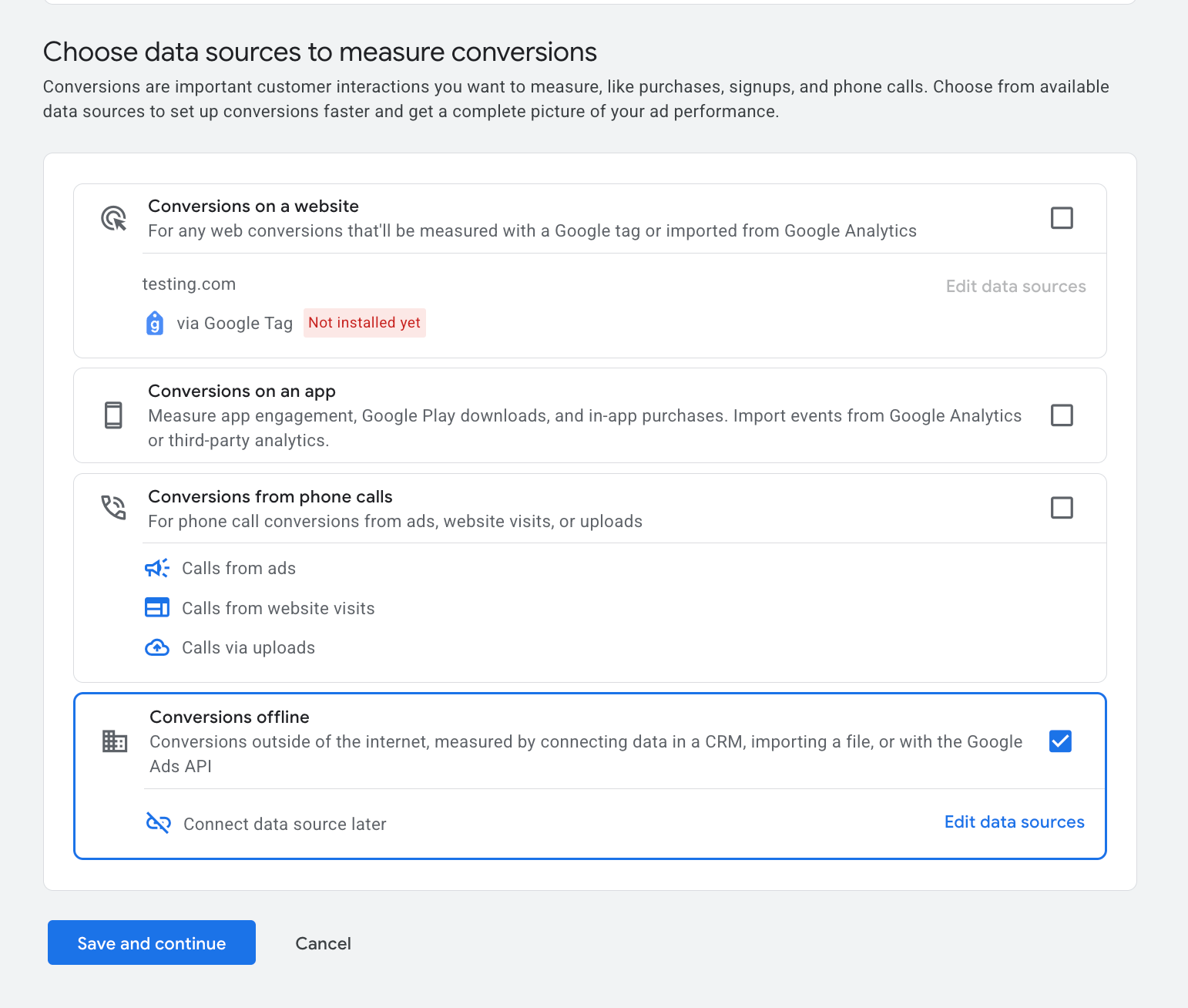
This screen shows available data sources. Select the offline conversion option to proceed.
Configure Data Source
At this stage, you can connect or configure your data source. If you are not ready to connect data immediately, you can proceed and configure it later.
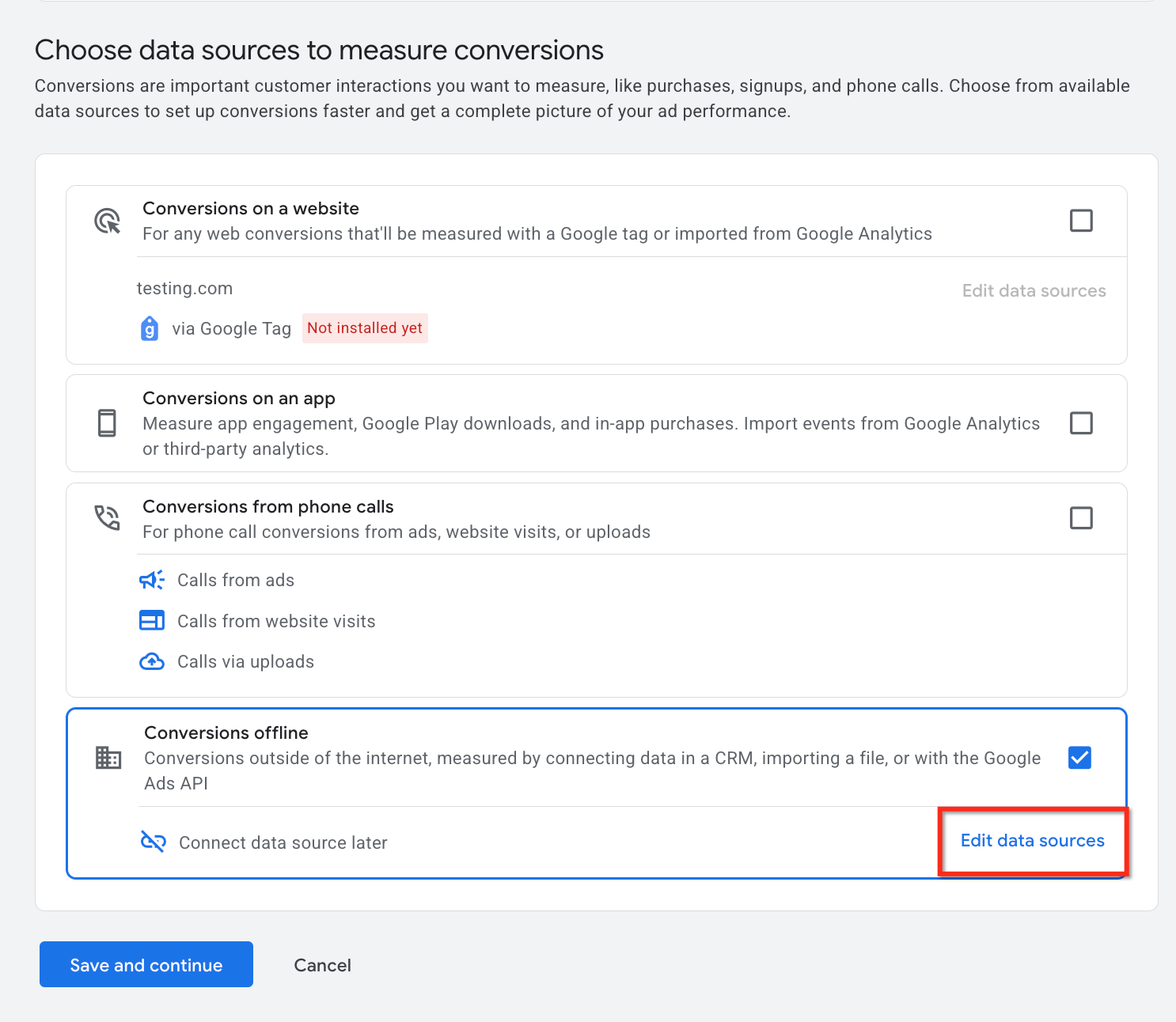
This image highlights the option to edit or defer data source configuration.
Select Conversion Category
Next, choose the category that best represents the action you want to track. This step ensures your conversions are properly organized and reported.
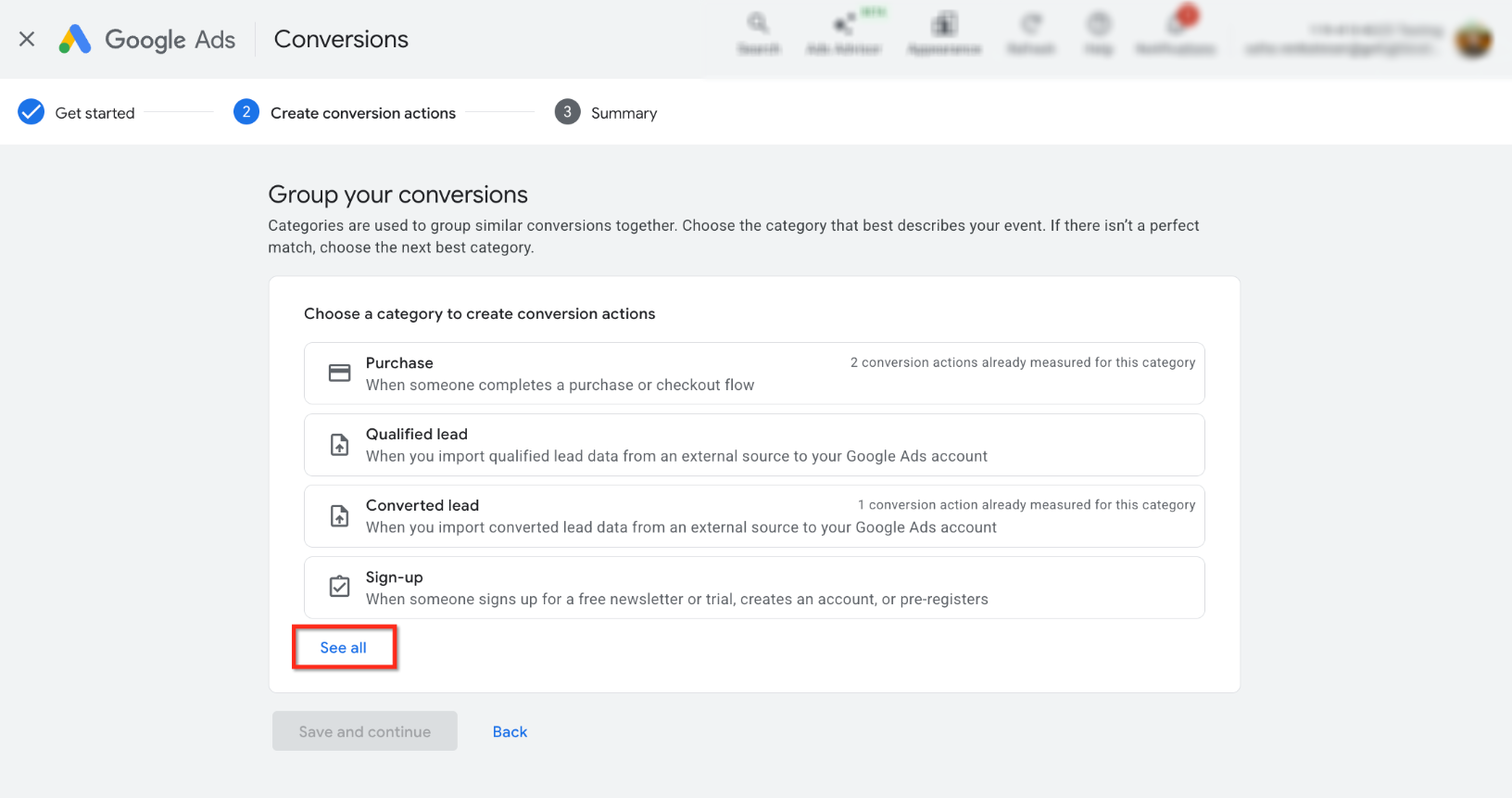
Click See all to explore all available conversion categories and select the most appropriate one.
Define Conversion Details
You will then configure the core settings of your conversion action. This includes naming the conversion, assigning a value, and determining how conversions should be counted.
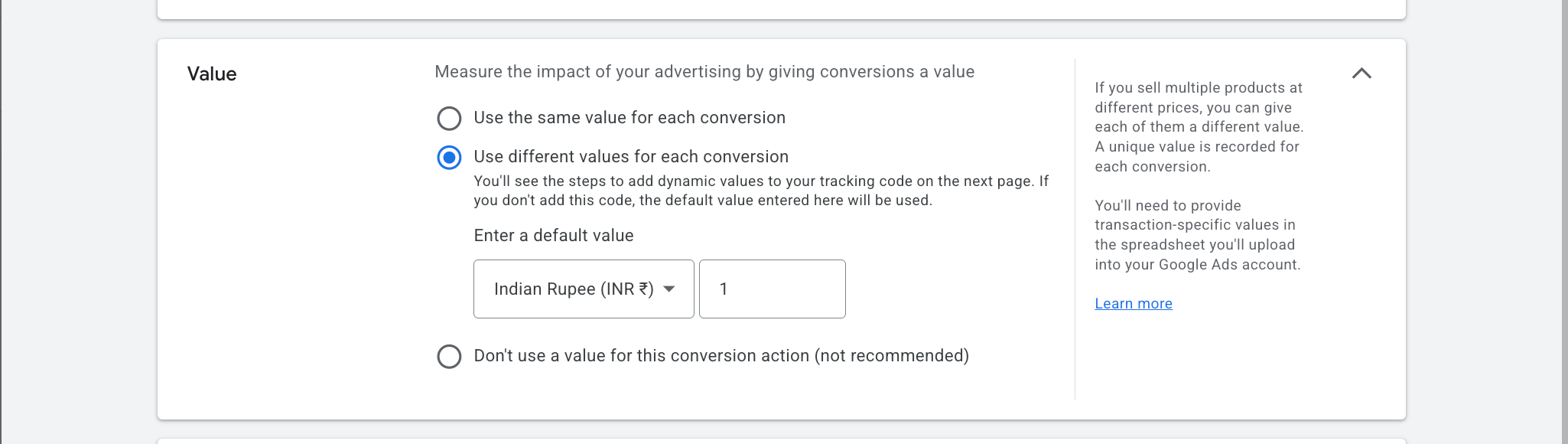
This screen shows value configuration options. Choose whether to assign fixed, variable, or no value to your conversions.
Set Attribution and Conversion Windows
To ensure accurate tracking, define how long conversions should be tracked after an interaction and how credit should be assigned across touchpoints.
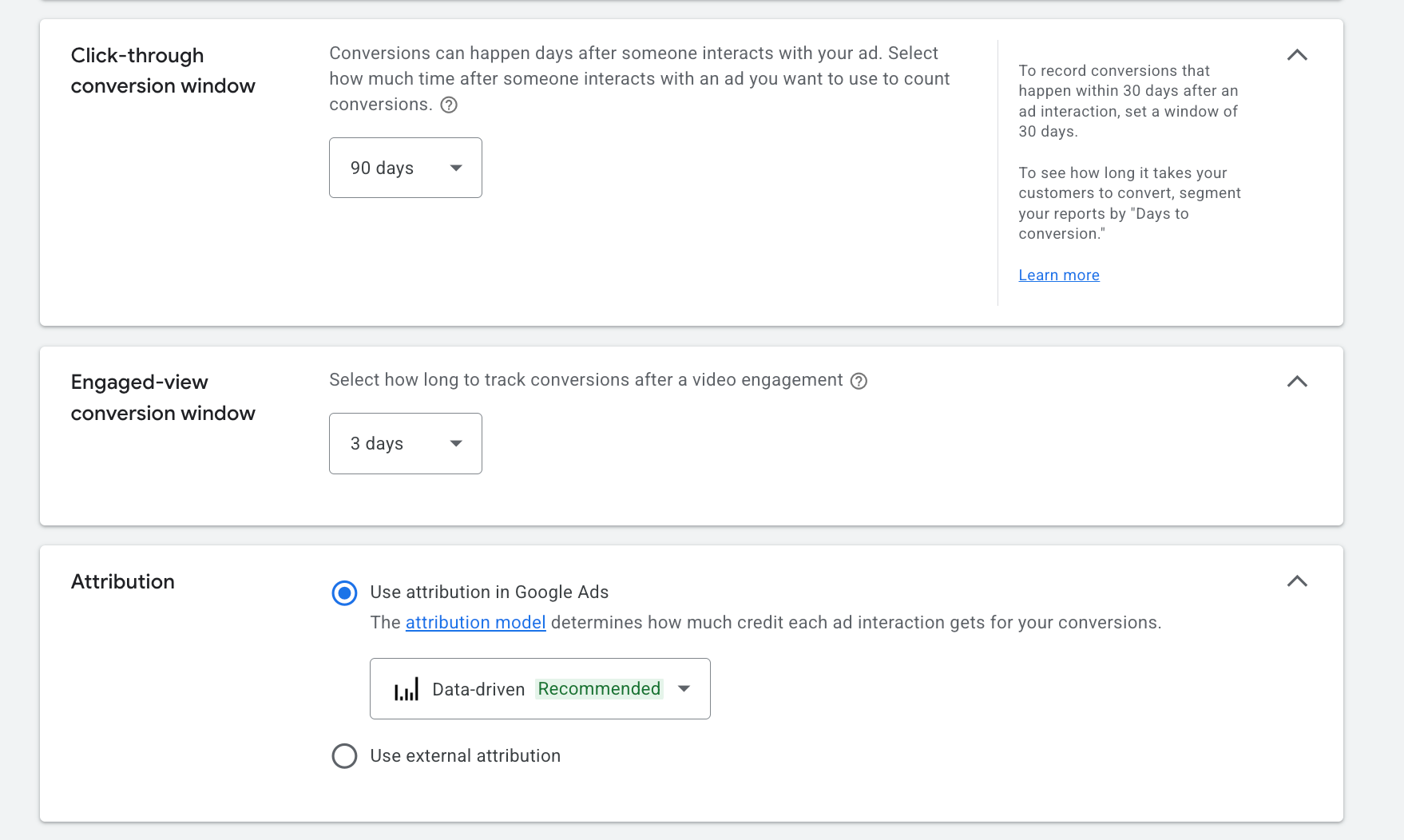
Select your preferred attribution model and conversion windows based on your business needs.
Create the Conversion Action
Once all settings are configured, create the conversion action and confirm your selections.
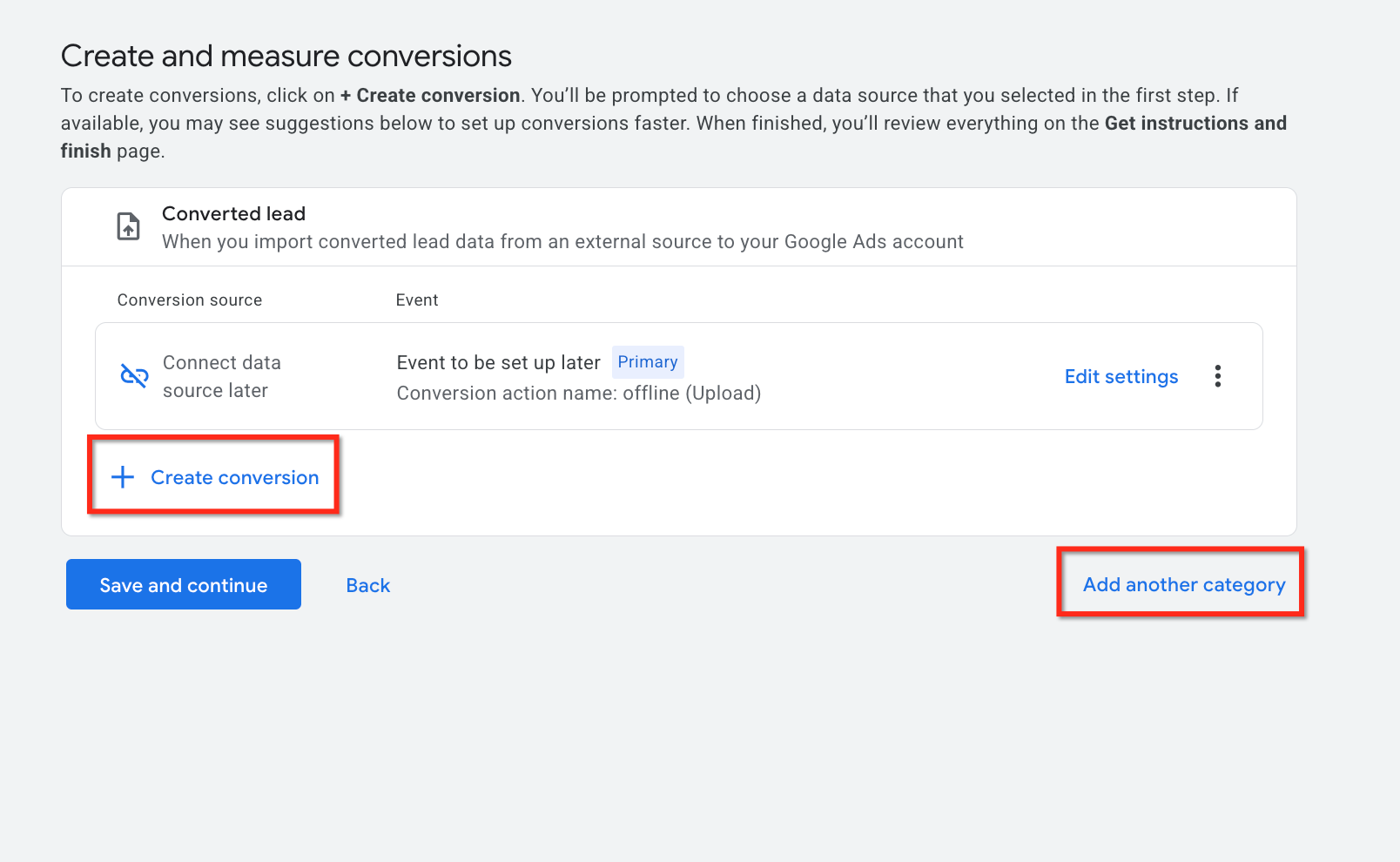
This screen shows the option to finalize your conversion setup or add additional categories.
Finish Setup
Complete the process and review your configuration to ensure everything is set up correctly.
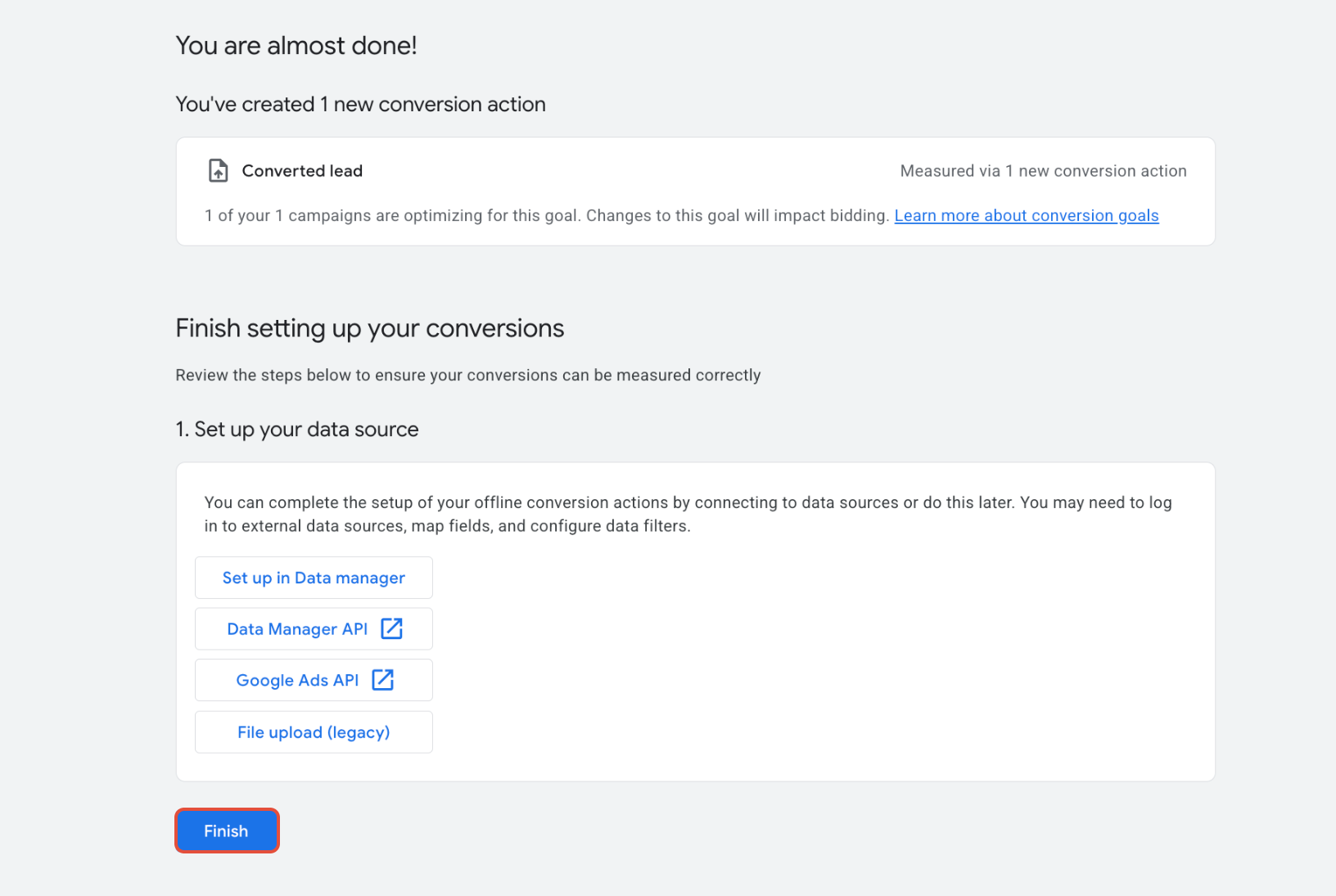
Click Finish to complete the setup and activate your conversion action.
Frequently Asked Questions
Q: Should I choose “Every” or “One” for counting conversions?
Use One for lead generation to avoid duplication, and Every for revenue-based actions like purchases.
Q: How long does it take for conversions to appear?
Conversion data may take several hours to up to 48 hours to appear in reports.
Q: Do I need tracking identifiers?
Yes, identifiers are required to match conversions accurately with campaign interactions.
Q: Can I edit conversion settings later?
Yes, most settings can be updated after the conversion action is created.
Q: Why are conversions not showing?
This is usually caused by missing identifiers, incorrect setup, or normal reporting delays.
Need Help?
If you need assistance configuring offline conversion tracking or validating your setup, open the Help Center or contact support for further guidance.