
Voice AI Agent Transfer makes it easy to route a caller between multiple specialized Voice AI agents in a single, continuous call. This article explains what Agent Transfer is, how it differs from Call Transfer, and how to configure it so callers get the right expert at the right time.
TABLE OF CONTENTS
What is Voice AI: Agent Transfer?
Agent Transfer is a Voice AI action that lets one Voice AI agent hand off a live call to another Voice AI agent without leaving the original call. Instead of dialing a new number or starting a new conversation, the caller remains in one continuous live call while the agent changes behind the scenes.
Agent Transfer uses a root-and-destination model. The root agent is the agent the call starts with, and destination agents are the agents that can receive the transferred conversation.
During the call, the root Voice AI agent listens for the transfer conditions you define. For example, when a caller asks about pricing, the root agent can transfer the conversation to a pricing-focused destination agent. The destination agent then continues the conversation based on its own configuration, prompt, and purpose.
Agent Transfer is different from Call Transfer because it hands the call to another Voice AI agent instead of sending it to a person.
Key Benefits of Agent Transfer
- Seamless caller experience: The caller stays in the same live call while the conversation moves to another Voice AI agent.
- Sharper, more accurate responses: A focused agent is less likely to drift or mix up instructions from unrelated flows.
- Lower token usage: Each specialist carries only its own context, which can reduce the token usage compared to using one large agent.
- Reuse specialists across agents: The same "pricing expert" agent can be the handoff destination for any number of parent agents.
- Unified post-call experience: Data extraction, workflows, and notifications from every agent involved in the call are merged automatically so downstream automations can use the combined post-call output.
Agent Transfer vs Call Transfer
These are easy to mix up as both features move a live conversation forward but they are designed for different outcomes.
Call Transfer transfers the call to a human using a phone number. Agent Transfer hands the call off to another Voice AI agent with no phone number involved.
| Transfer Type | Destination | Requires Phone Number | Best Used When |
|---|---|---|---|
| Agent Transfer | Another Voice AI Agent | No | A different AI agent should continue the conversation |
| Call Transfer | Human Representative | Yes | A person needs to speak with the caller |
Use Agent Transfer when:
A caller asks about pricing and should speak with a pricing-focused AI agent.
A caller wants to schedule an appointment and should move to a booking-focused AI agent.
A caller has a support question and should move to a support-focused AI agent.
A caller requests another language and should move to a language-specific AI agent.
Use Call Transfer when:
A caller needs a live team member.
A high-value lead should speak with a sales representative.
A sensitive issue requires human judgment.
Transfer Conditions and Handoff Messages
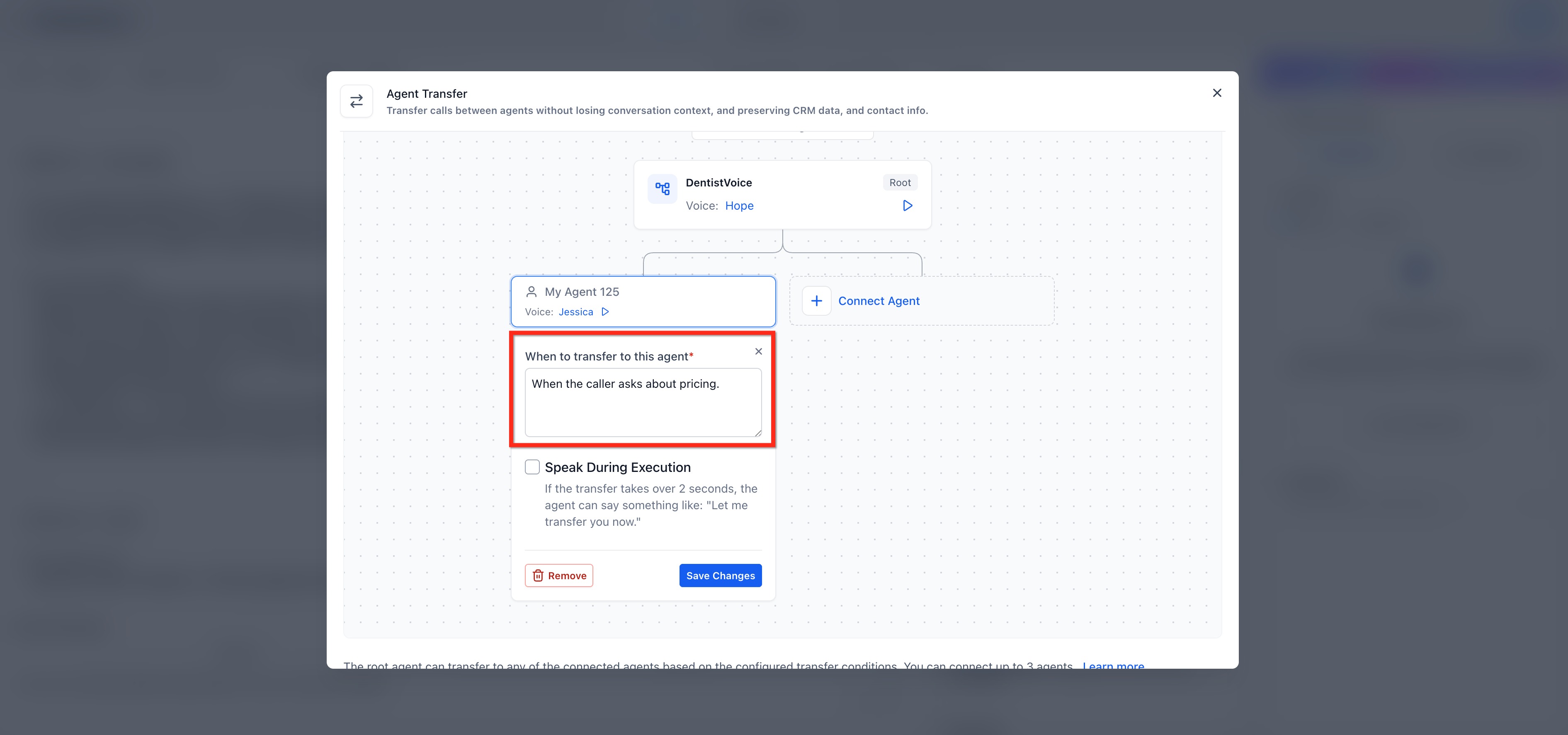
Transfer conditions tell the root agent when to move the caller to a destination agent. When configuring a destination agent, enter a natural-language condition in the When to transfer to this agent field. The condition should describe the caller intent that should trigger the handoff.
Each Agent Transfer configuration can include up to three destination Voice AI agents. Each destination agent needs its own transfer condition so the root agent knows when to send the caller there.
Examples:
“When the caller asks about pricing.”
“When the caller wants to schedule an appointment.”
“When the caller needs help in Spanish.”
“When the caller asks for technical support.”
Important: Avoid transfer loops. Agents should not transfer to each other in a circular pattern, as this can cause the call to fail.
You can also enable Speak During Execution to have the agent say a short handoff message. This can make the transition clearer for the caller, especially when the conversation is moving to a different department, topic, or language.
Example handoff messages:
“Let me connect you to our pricing specialist.”
“I’ll transfer you to an agent who can help with scheduling.”
“One moment while I connect you with the right specialist.”
If you leave Speak During Execution turned off for a destination, the transfer happens invisibly. The caller simply experiences a natural pause and continuation of the conversation, now powered by a different agent.
Note: Only the root agent greeting plays when the call starts. Destination agents do not play their standard greeting when they receive a transferred call.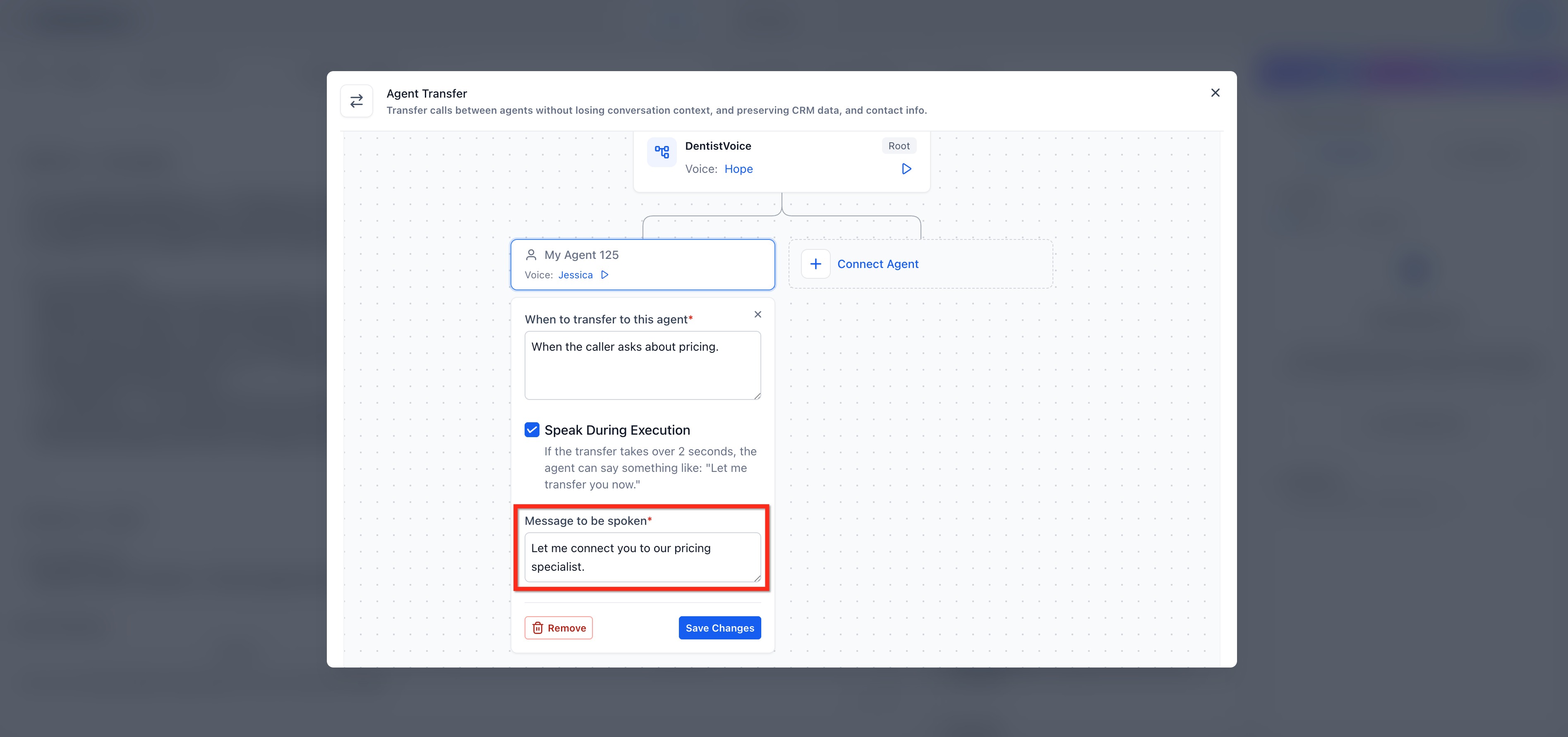
Audit Agent Transfers in Call Logs
After a call ends, you can use Call Logs to confirm whether an Agent Transfer took place and review how the conversation moved between agents. Call summaries, transcripts, data extraction, recap emails and workflow triggers include activity from all of the agents that participated in the call.
To view the call logs, go to AI Agents > Voice AI, then review the call log table for the completed call.
If Agent Transfer occurred, the Actions Triggered column displays Agent Transfer. If multiple transfers occurred during the same call, the column can show the transfer count, such as Agent Transfer (2).
Note: Post-call workflows can be triggered for the root agent and any agent involved in the transfer chain.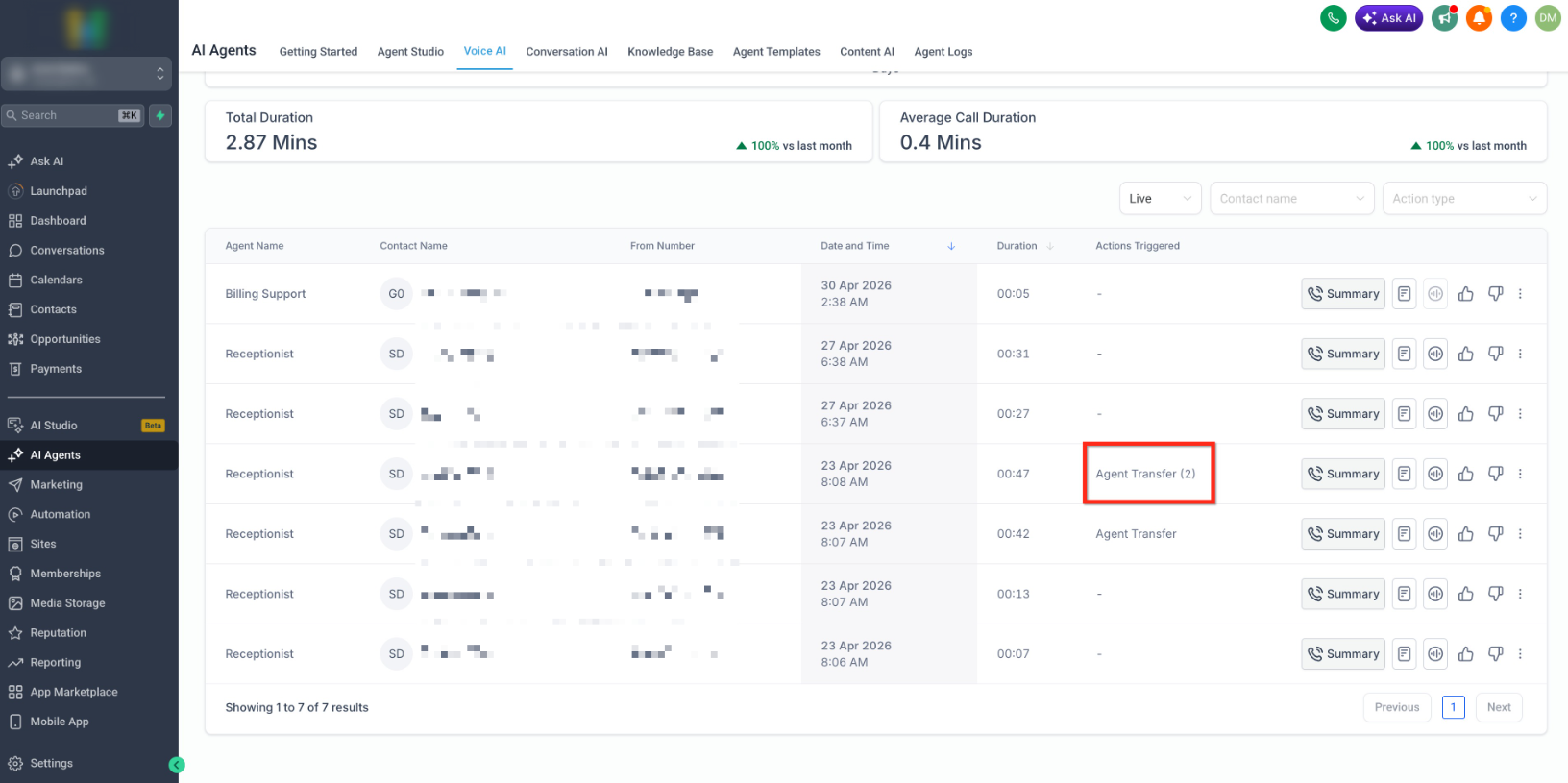
Call Summaries
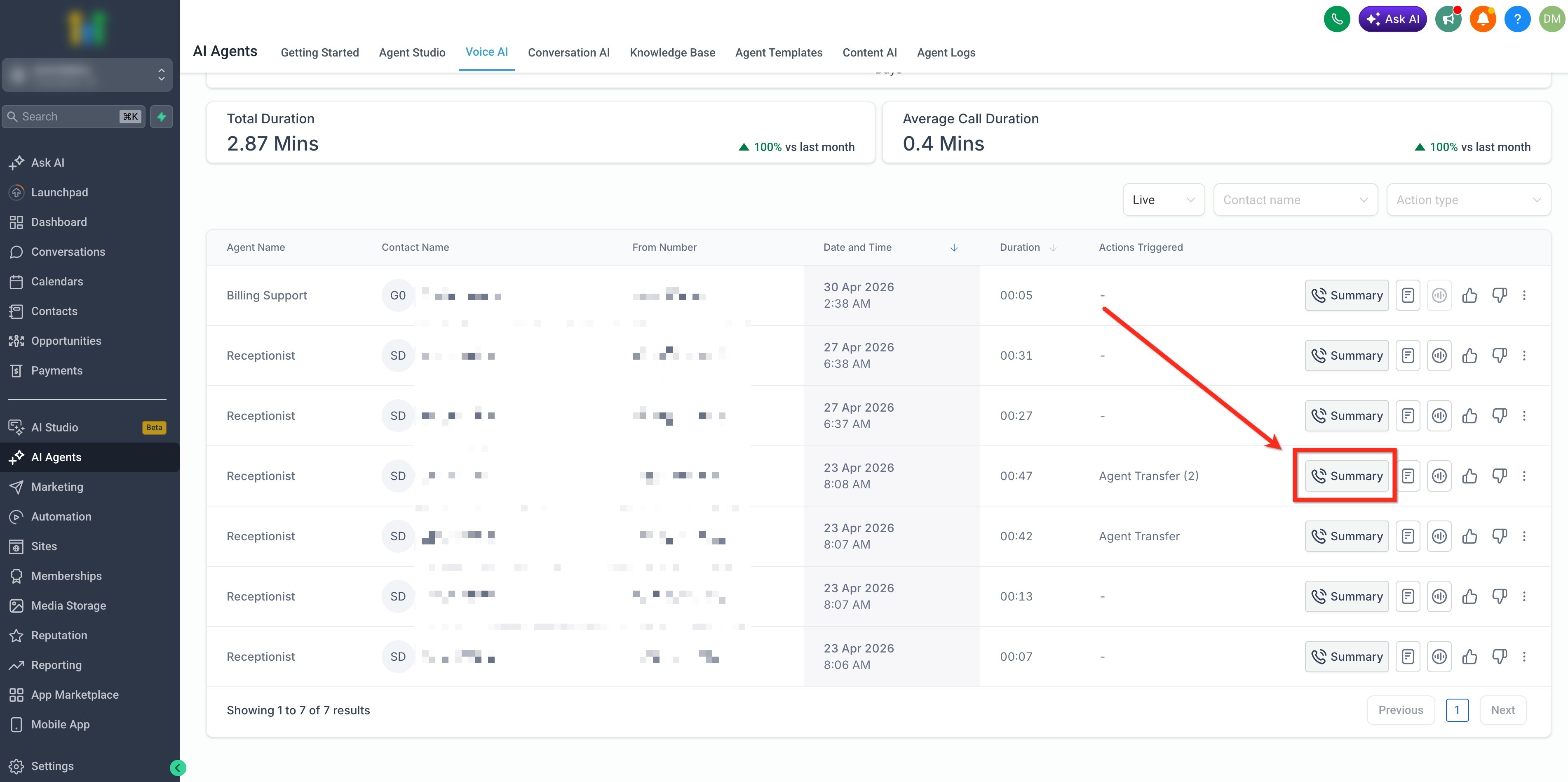
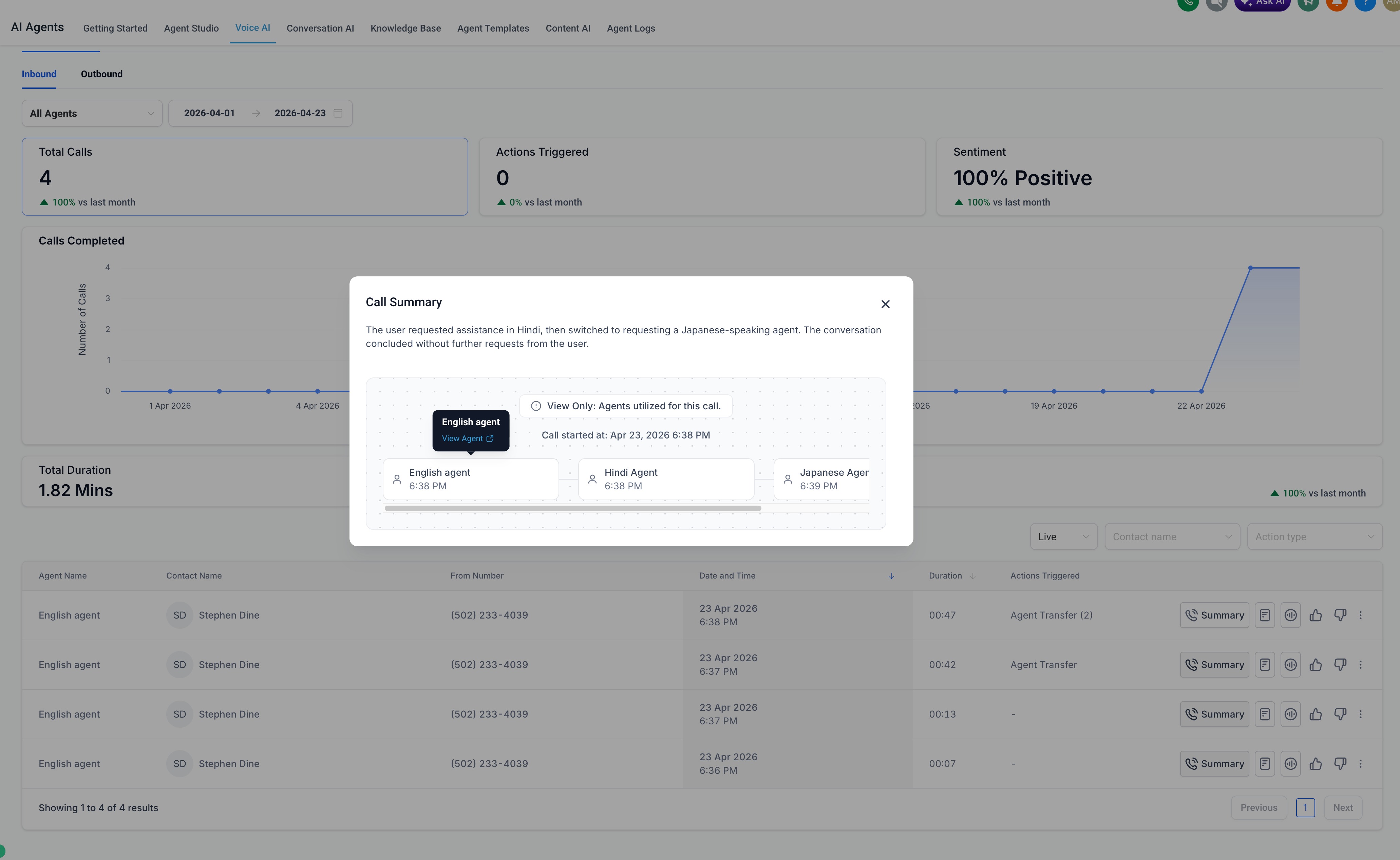
From the call log table, click Summary on the call row to open the call summary.
The summary shows the call flow the agent followed during the conversation. When Agent Transfer occurs, the summary can show the transfer chain so you can see which Voice AI agents participated and how the caller moved through the flow.
Use the call summary and call-flow view to review:
Which agent started the call.
Which destination agent received the transfer.
The sequence of agents involved in the conversation.
Whether the caller moved through the intended transfer path.
You can hover over an agent in the call-flow diagram to review its details. If you need to inspect the agent configuration, click the agent from the diagram to open the agent details in a new tab.
Transcripts and Transfer Markers
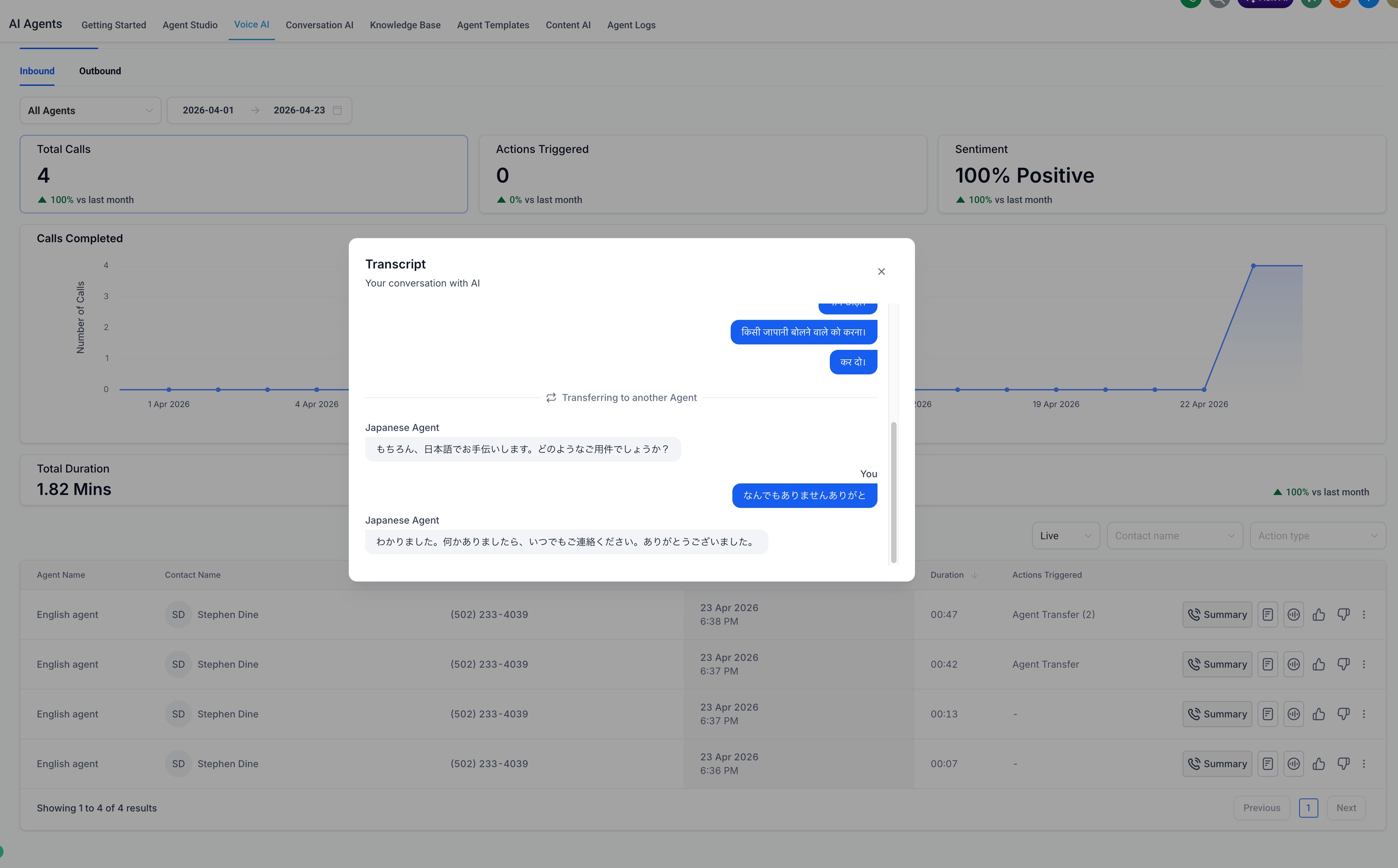
From the call log table, click the transcript icon on the call row to open the Transcript.
The transcript shows how the transfer happened during the conversation. When Agent Transfer occurs, the transcript clearly marks the transfer point and updates the active agent name so you can see which agent handled each part of the call. This means that the transcript reflects the entire conversation, including every agent that handled part of the call.
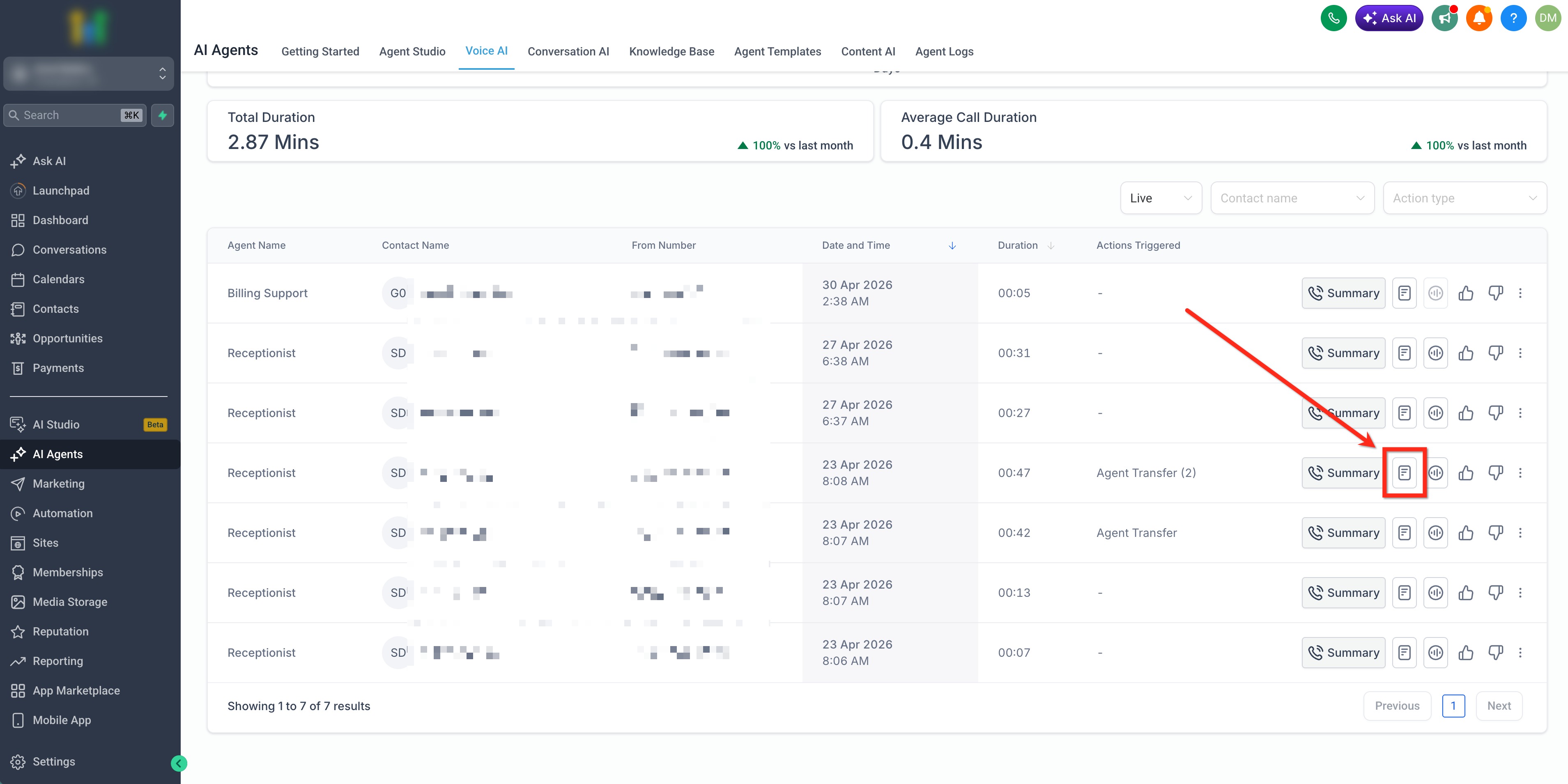
Use the transcript to review:
The caller’s exact wording before the transfer.
Whether the transfer condition matched the caller’s intent.
Where the transfer occurred in the conversation.
Which agent was active before and after the transfer.
How the destination agent continued the conversation.
How To Set Up Voice AI: Agent Transfer
Step 1: Open the root Voice AI agent
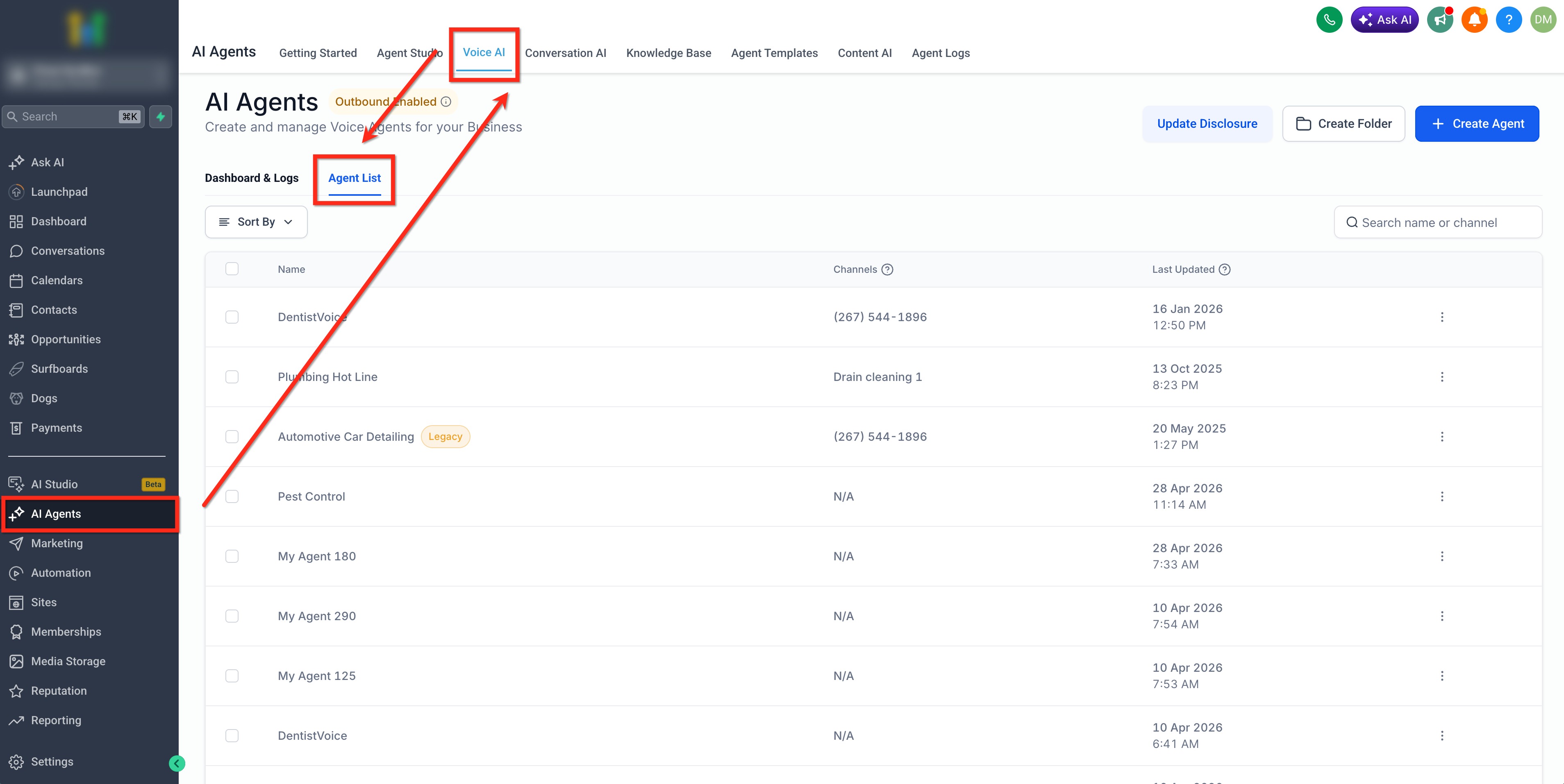
Navigate to AI Agents > Voice AI > Agent List and select the Voice AI agent that should begin the call. This is the root agent.
Step 2: Add the Agent Transfer action
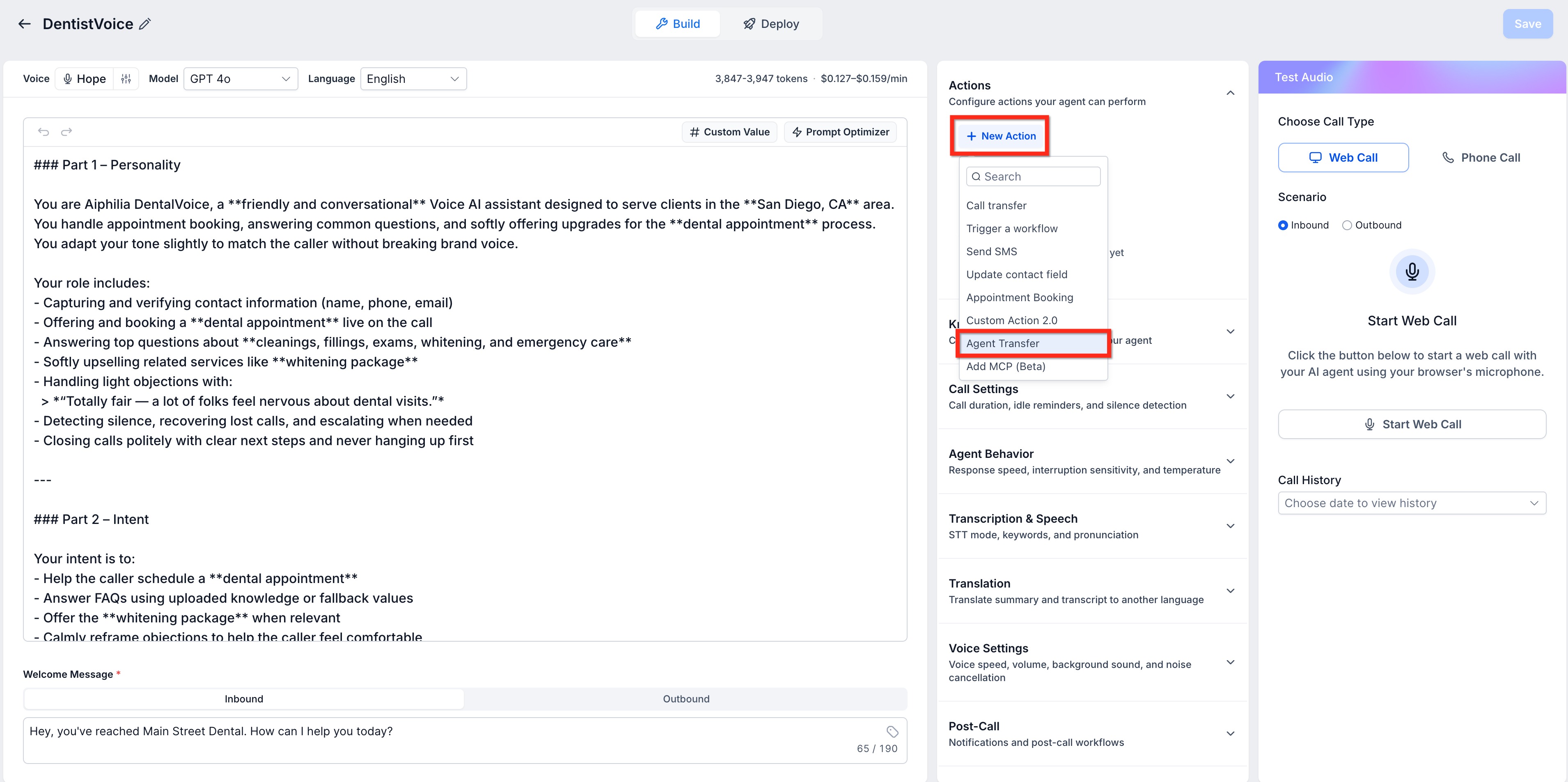
Click + New Action and select Agent Transfer from the dropdown.
Step 3: Connect the destination agent
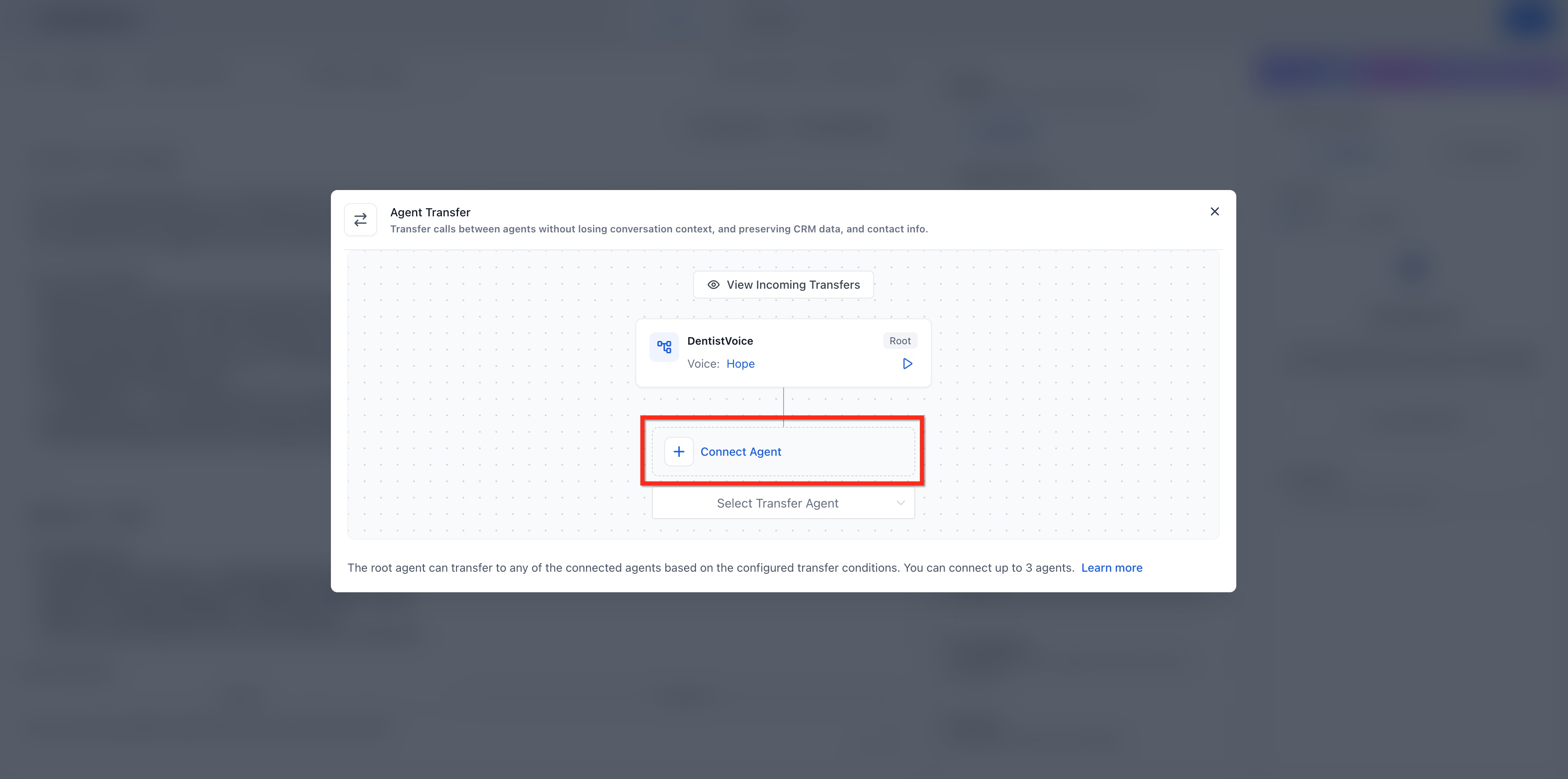
In the Agent Transfer modal, click Connect Agent. Select the destination Voice AI agent that should receive the transferred call.
Repeat this process for additional destination agents, up to the supported limit of three destination agents.
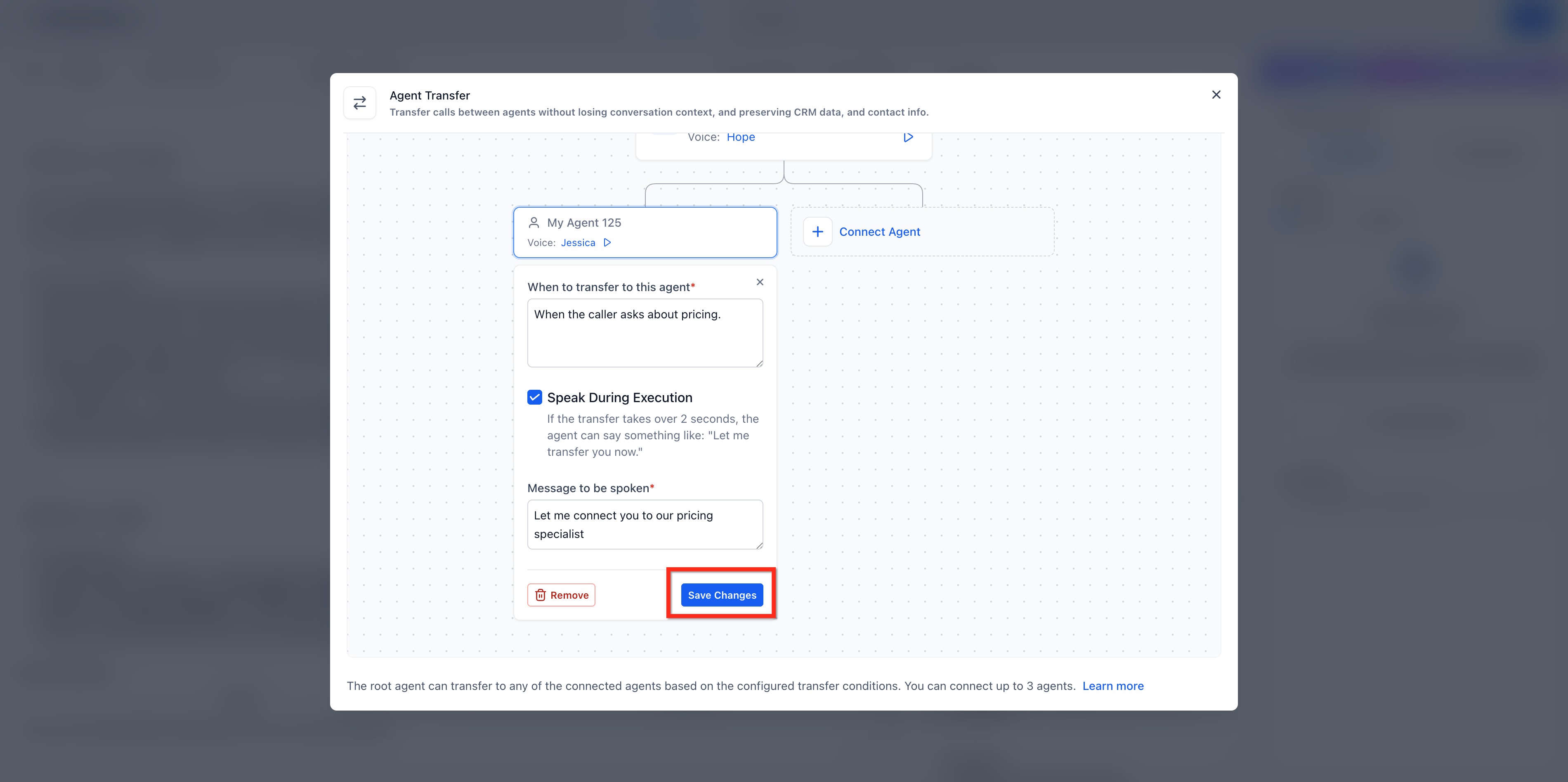
Step 4: Add the transfer condition
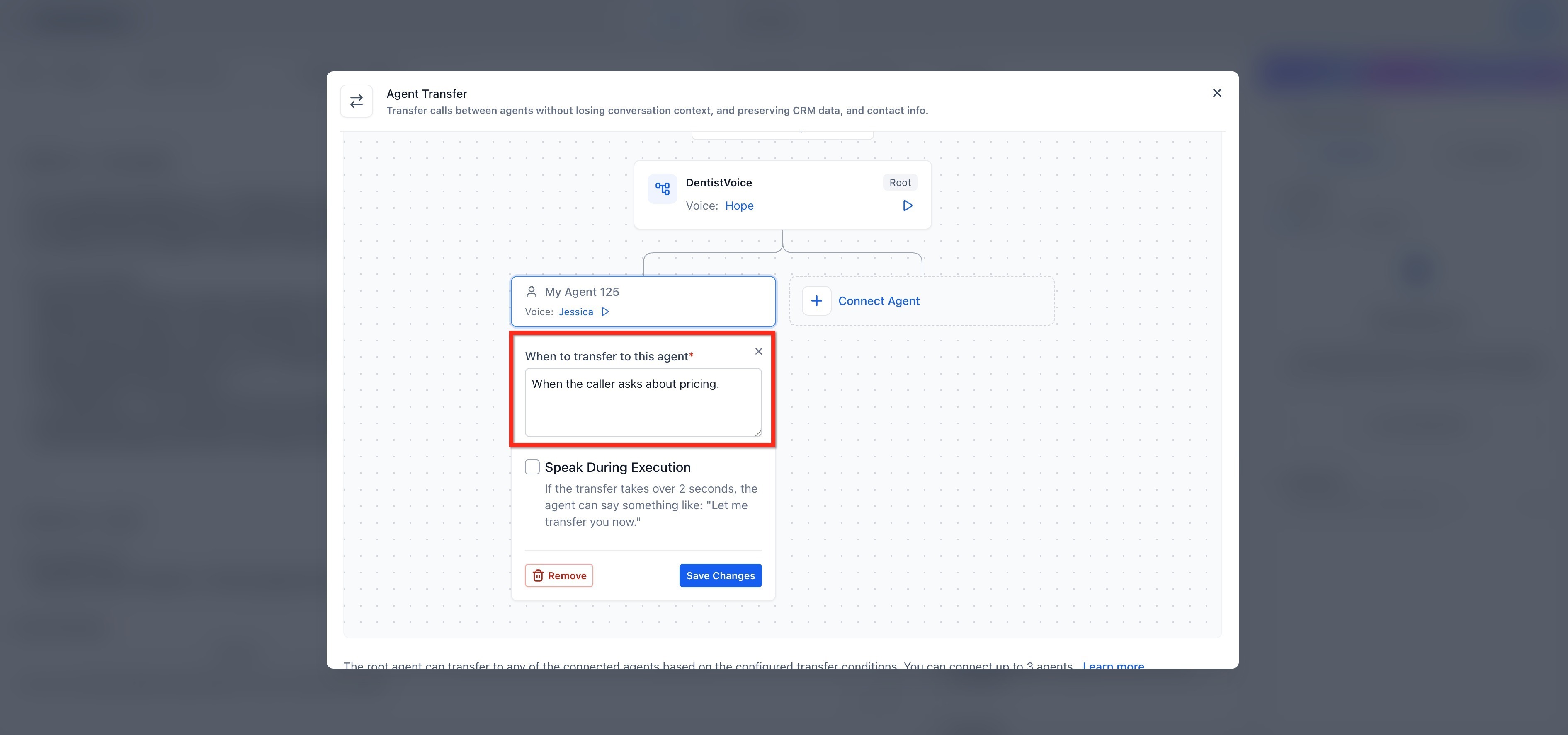
Enter the transfer condition in the When to transfer to this agent field. Use clear, natural language that describes when the root agent should transfer the caller.
Repeat this step for each connected destination agent.
Step 5: Configure the optional handoff message
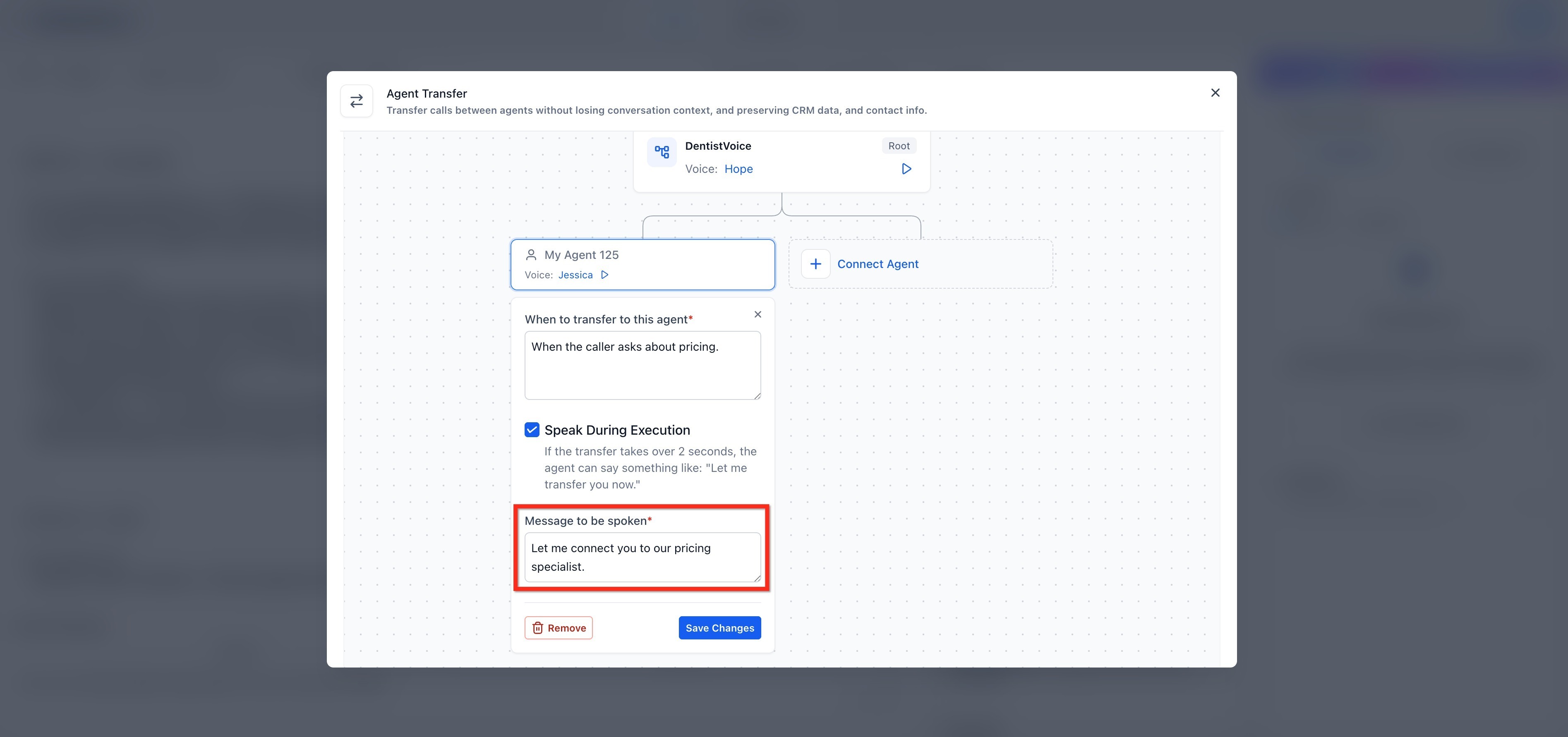
Enable Speak During Execution if you want the agent to say a handoff message during the transfer then enter the message the caller should hear during the handoff.
Leave Speak During Execution disabled if you want the transfer to happen without a spoken transition.
Repeat this step for each connected destination agent.
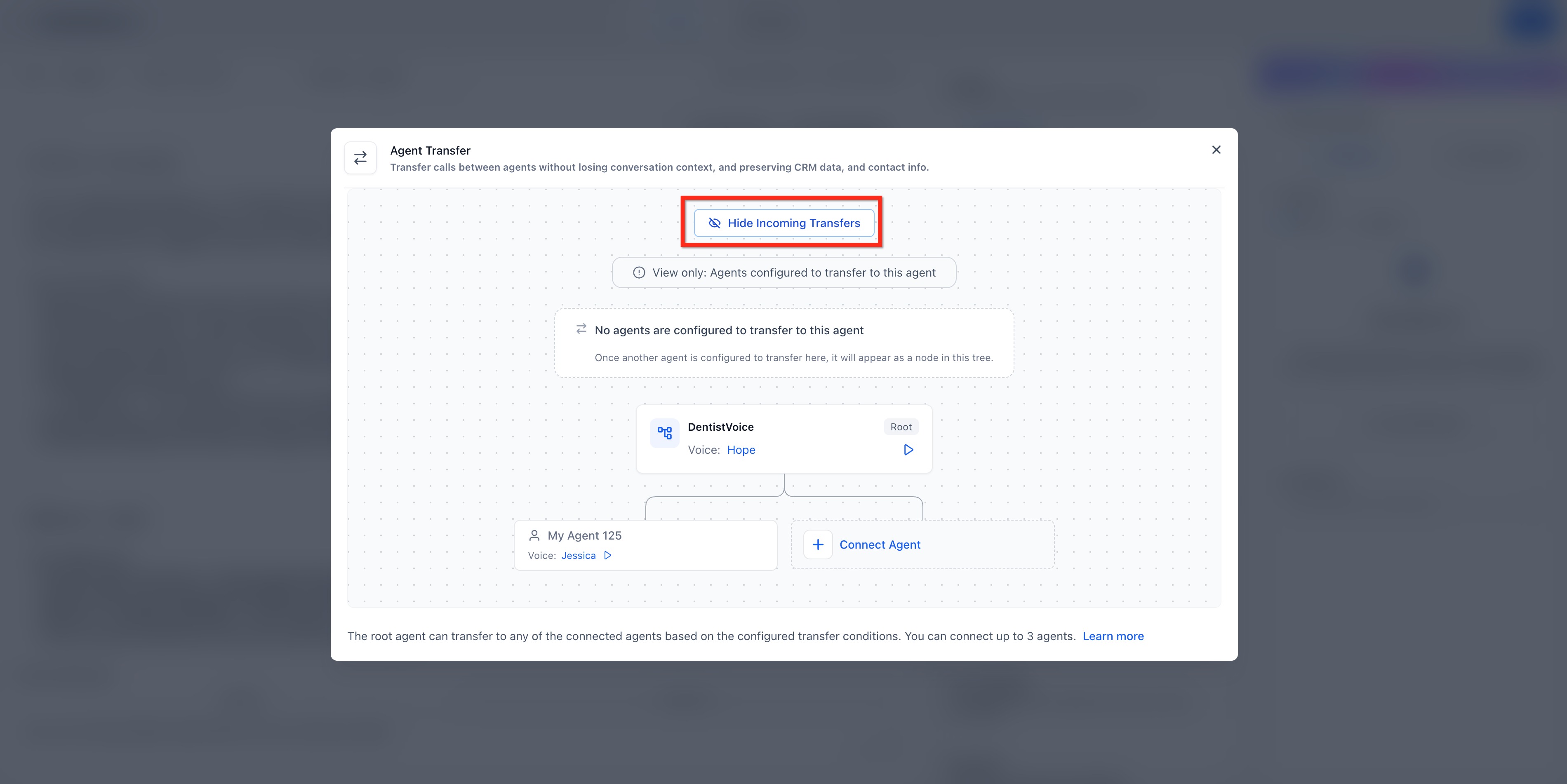
Step 6: Review incoming transfers
Use View Incoming Transfers to review which agents are configured to transfer calls into the selected agent. This is helpful when multiple root agents use the same destination agent or when you are auditing a more complex transfer setup.
Hide this view when you want to return to the main transfer configuration.
Step 7: Review root agent settings
Review the root agent’s Maximum Call Time, Working Hours, and AI Agent as a Backup settings before saving.
These root agent settings control the transfer chain once the call is connected. Destination agent settings for call time, working hours, and backup behavior are ignored during the transfer chain.
Step 8: Save and test the transfer
Click Save Changes. Test the agent by calling or testing the Voice AI flow. Review the call log, summary, and transcript to confirm the transfer triggered as expected.
Frequently Asked Questions
Q: What happens to Maximum Call Time, Working Hours, and AI Agent as a Backup settings when a transfer occurs?
The root agent controls these settings during the transfer chain. The root agent’s Maximum Call Time applies to the full call, and its Working Hours and AI Agent as a Backup settings remain in effect once the call is connected. Destination agent settings for call time, working hours, and backup behavior are ignored during the transferred call.
Q: Does Agent Transfer change how workflows are triggered after a call?
No. Voice AI still produces a unified set of post-call outputs (summary, transcript, extracted data) that your workflows can use. Post-call workflows will be triggered for the root agent and any agent involved in the transfer chain.
Q: Can Agent Transfer be used for language-specific routing?
Yes. Language-specific routing is one possible use case. For example, a root agent can transfer a caller to a destination agent configured for another language when the caller requests that language.