
Ask AI supports richer, more structured responses that help you move from prompt to action faster. Instead of receiving only plain-text answers, Ask AI can display execution-ready outputs such as tables, charts, to-do lists, guided questions, approvals, media artifacts, web search cards, and visual Mermaid diagrams. These response types make it easier to review information, plan initiatives, map automations, and collaborate with your team directly inside the app.
TABLE OF CONTENTS
- What are Ask AI Artifacts and Mermaid Diagram Rendering?
- Key Benefits of Ask AI Artifacts and Mermaid Diagrams
- Ask AI Artifact Types
- Mermaid Diagram Rendering in Ask AI
- Full-Screen Diagram View and Diagram Controls
- Structured Outputs for Campaigns, Automations, and Operations
- How To Use Ask AI Artifacts and Mermaid Diagrams
- Best Practices for Prompting Ask AI
- Frequently Asked Questions
What are Ask AI Artifacts and Mermaid Diagram Rendering?
Ask AI artifacts are structured response formats that organize AI-generated information into more useful layouts, such as tables, charts, to-do lists, and visual cards.
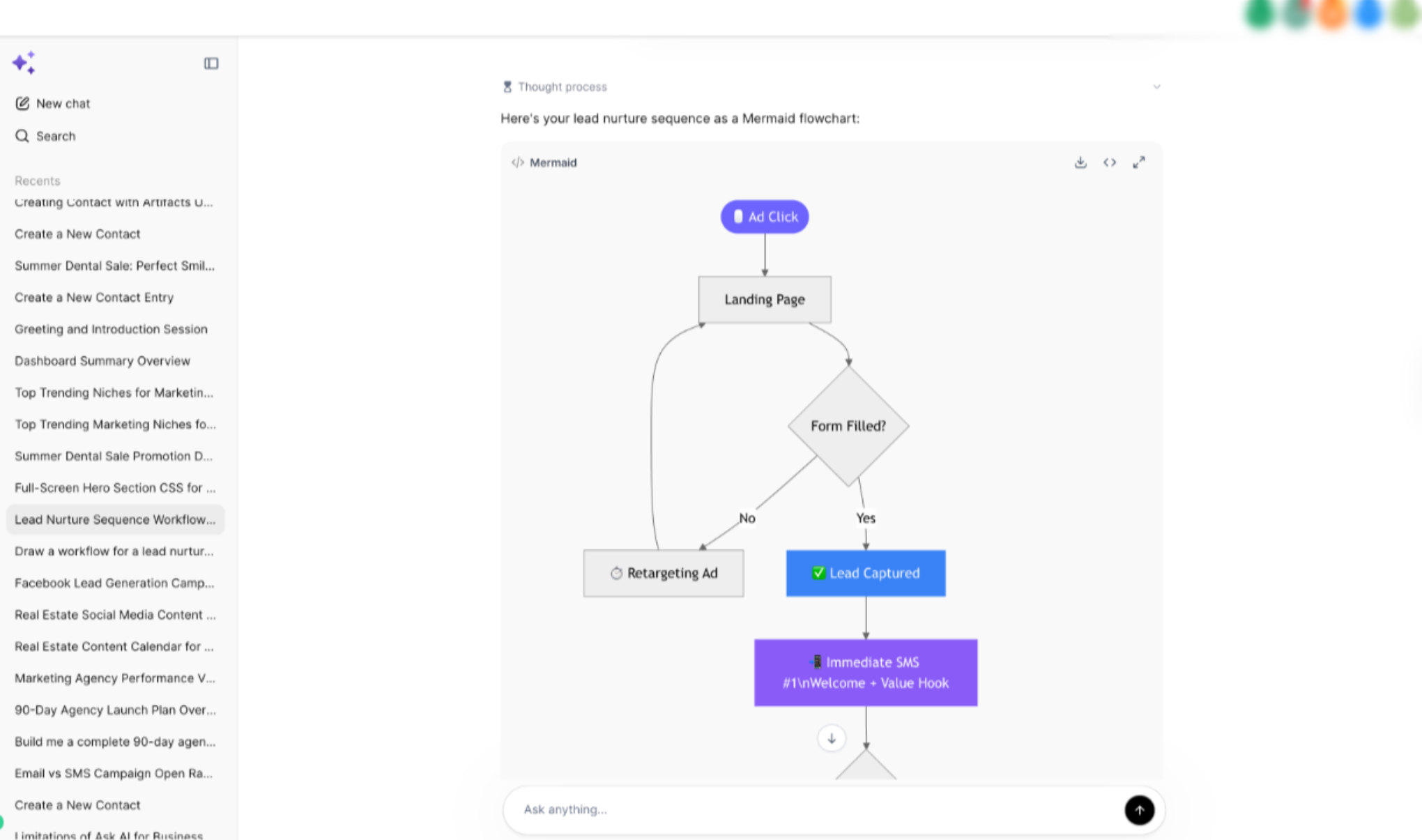
Mermaid diagram rendering allows Ask AI to turn Mermaid syntax into visual diagrams directly inside the chat, making complex workflows easier to understand.
Ask AI can provide richer response types when the prompt or conversation benefits from a structured format. For example, a campaign review may be returned as a ranked table, an onboarding plan may appear as a to-do list, and an
automation flow may render as a visual Mermaid diagram.
Key Benefits of Ask AI Artifacts and Mermaid Diagrams
Structured Ask AI responses help reduce manual formatting and make AI-generated answers easier to understand, share, and act on. These enhancements are especially useful when managing campaigns, automations, and internal processes.
- Faster Planning: Move from a prompt to a clear plan, table, checklist, or diagram without manually reformatting the response.
- Better Readability: Review structured information in cleaner layouts, making long or complex answers easier to scan.
- Improved Collaboration: Share clearer outputs with team members when reviewing strategy, tasks, workflows, or recommendations.
- More Actionable Responses: Use to-do lists, approvals, guided questions, and ranked tables to identify next steps faster.
- Visual Workflow Mapping: Generate Mermaid diagrams for automations, lead lifecycles, campaign flows, and decision paths.
- Reduced Manual Cleanup: Spend less time copying AI responses into separate documents, spreadsheets, or diagram tools.
Ask AI Artifact Types
Ask AI artifacts help present responses in the format that best fits the information being generated. Instead of relying only on paragraphs, Ask AI can organize content into structured outputs that are easier to review and use.
Important: Artifacts are designed to make Ask AI responses easier to act on. They do not always mean an action has been completed automatically. Some actions may still require confirmation, supported capabilities, or the correct access level.Mermaid Diagram Rendering in Ask AI
Mermaid diagrams help turn process descriptions into visual diagrams. This is useful when mapping automations, lead journeys, campaign flows, decision trees, or operational processes that are easier to understand visually than in paragraph form.
When Ask AI generates Mermaid syntax, the diagram can render directly in the chat as a visual diagram. This makes it easier to review flowcharts and process maps without needing to copy the syntax into another tool.
Full-Screen Diagram View and Diagram Controls
Large diagrams can be difficult to review inside a standard chat view. Full-screen diagram support gives you more space to inspect complex Mermaid diagrams and better understand each step in the flow.
When viewing a Mermaid diagram, available controls may include full-screen viewing, pan, zoom, and toolbar options.
Structured Outputs for Campaigns, Automations, and Operations
Structured outputs help turn Ask AI responses into practical work products. By asking for a specific format, you can guide Ask AI to return the response as a table, checklist, diagram, or summary that better fits the task.
How To Use Ask AI Artifacts and Mermaid Diagrams
Ask AI artifacts and Mermaid diagram rendering are designed to work directly inside the Ask AI experience. Proper prompting helps Ask AI understand whether you want a table, chart, to-do list, approval checklist, or diagram.
To use Ask AI artifacts and Mermaid diagrams:
- Open Ask AI in your account.
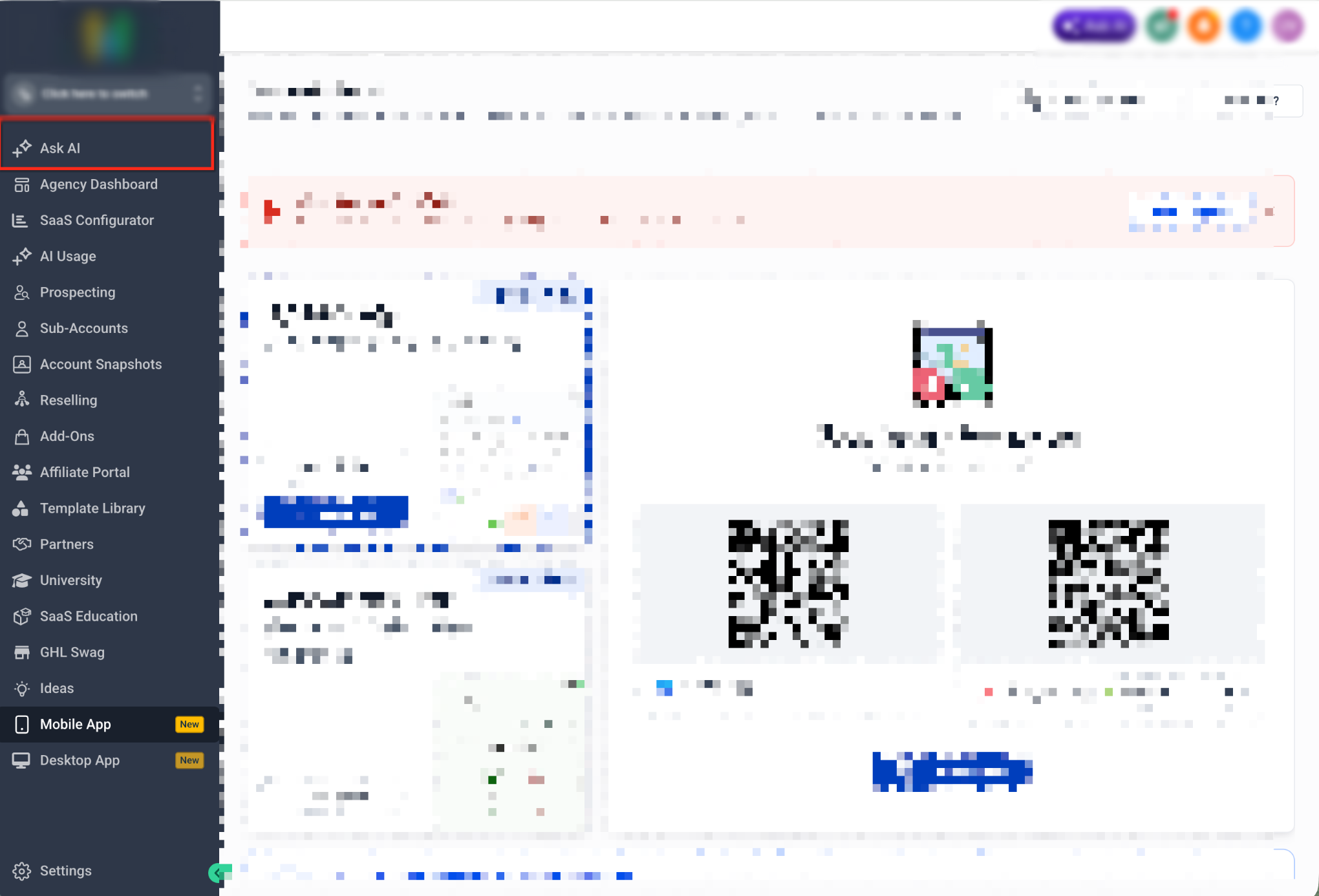
- Enter a prompt that describes the task you want to complete.
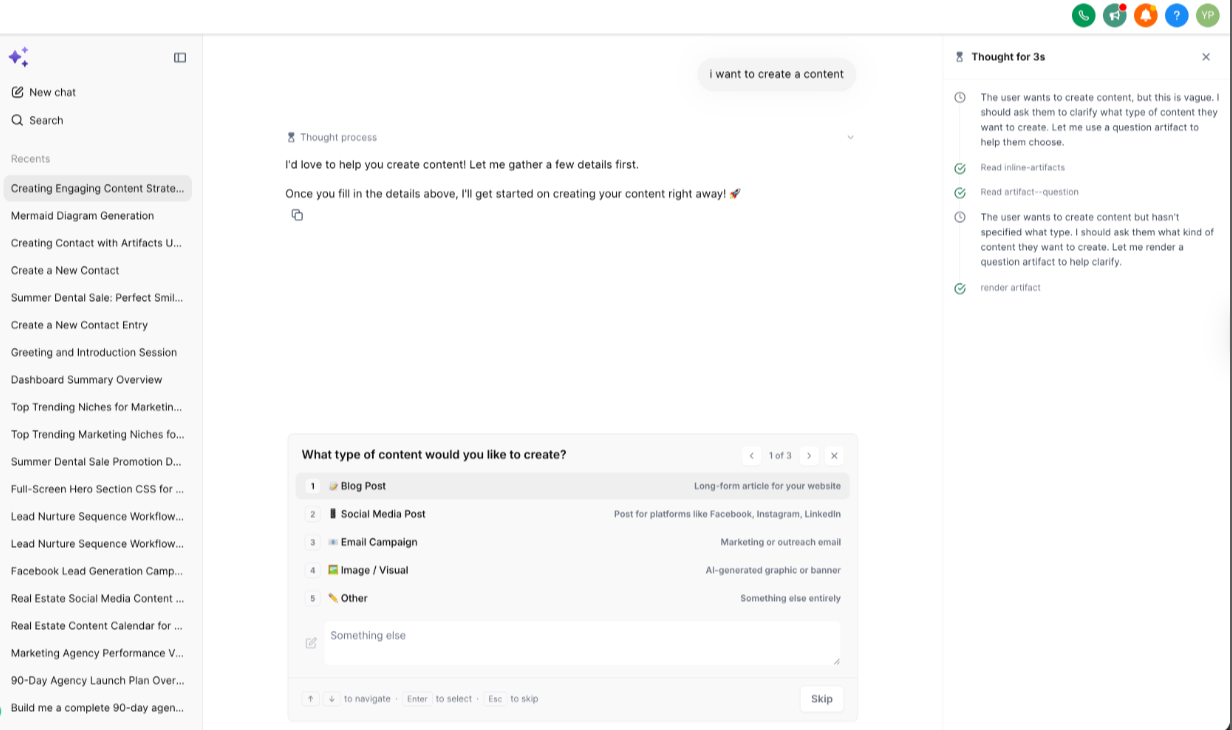
- Include the output format you prefer, such as table, chart, to-do list, approval checklist, or Mermaid diagram.
- Add relevant context, such as campaign goals, pipeline stages, lead sources, automation steps, or requirements.
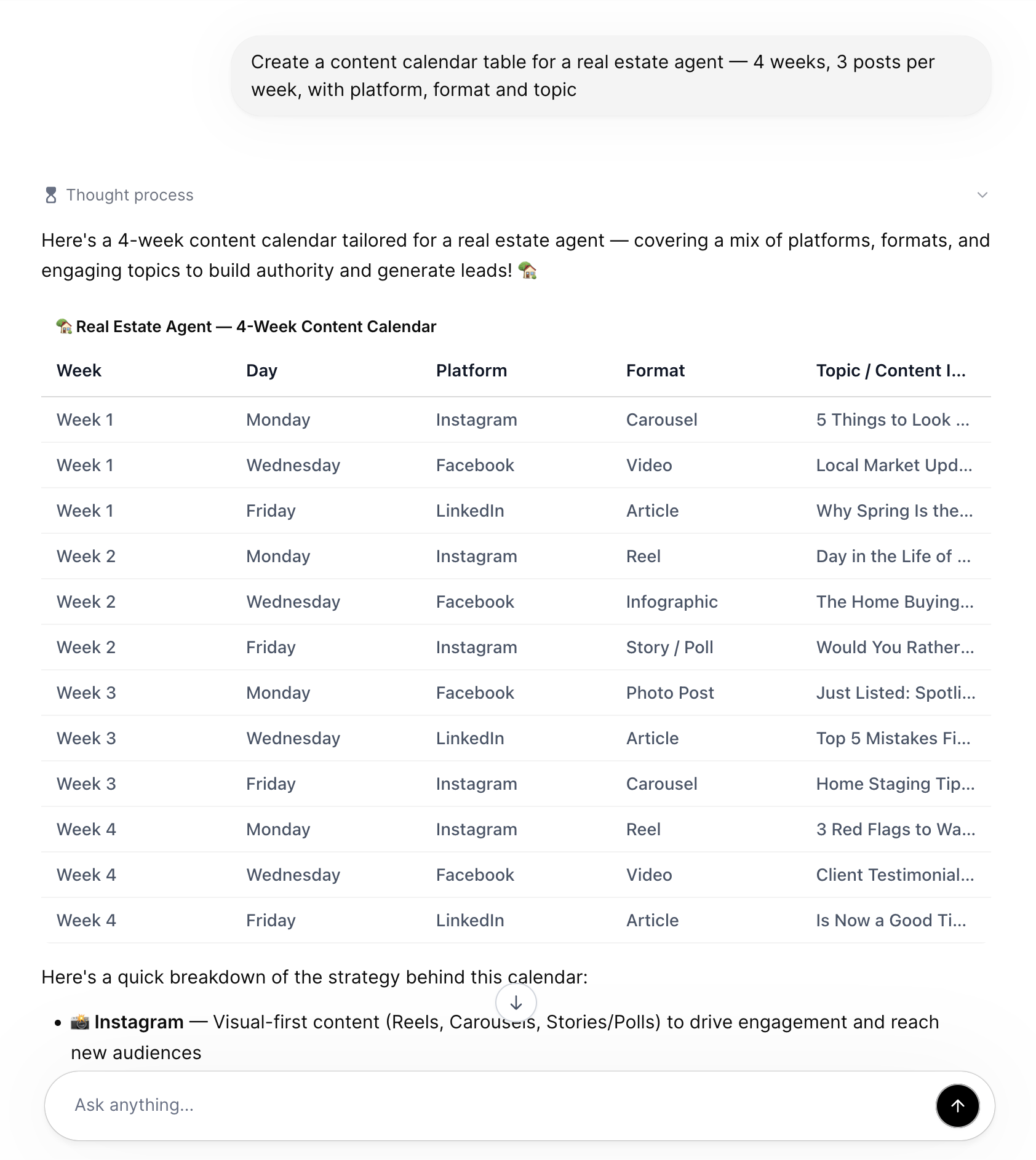
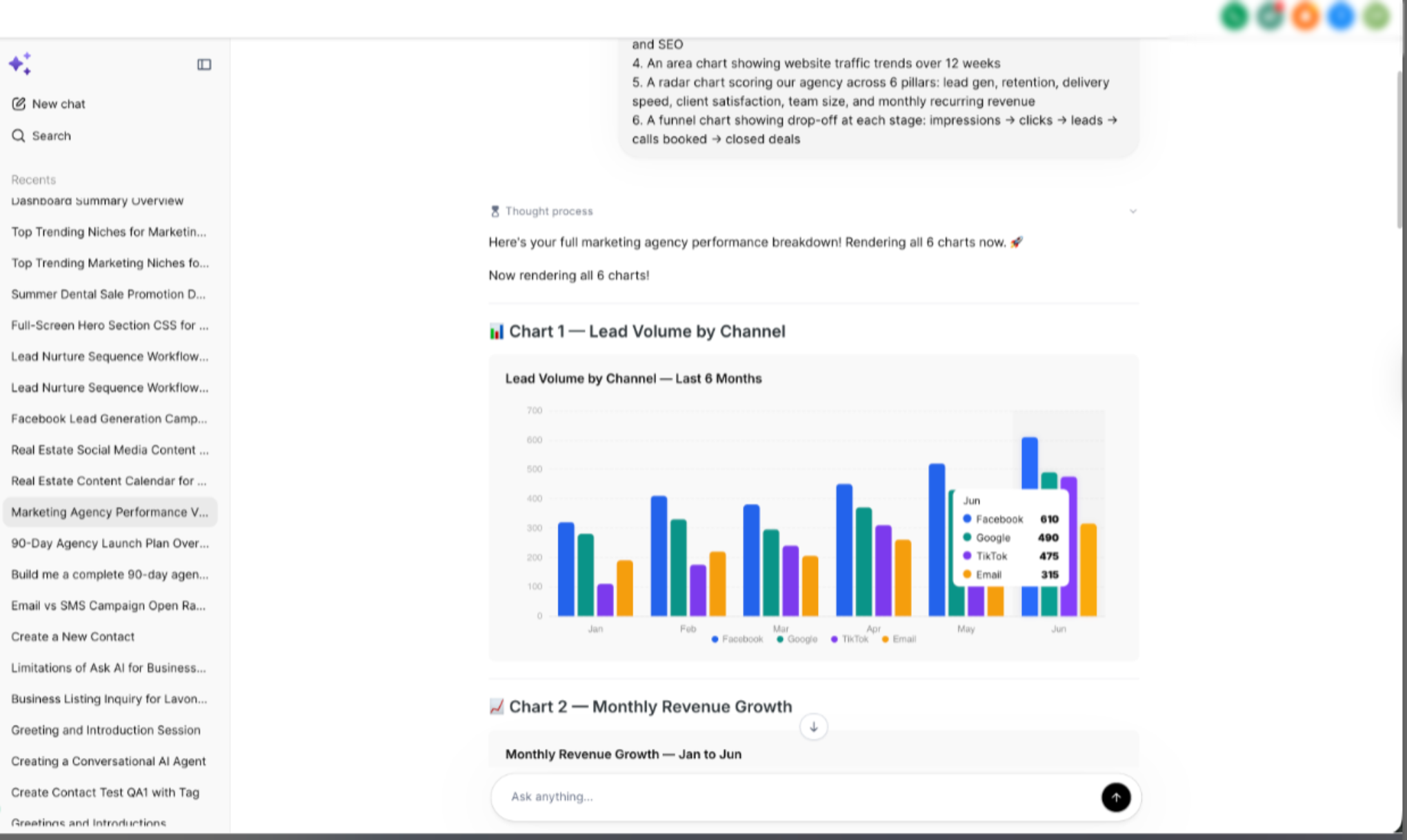
- Review the structured response returned by Ask AI.
- Use any available artifact controls to inspect, copy, approve, or continue working with the response.
- For Mermaid diagrams, open the diagram in full-screen view when you need more space to review the flow.
- Continue the conversation with follow-up prompts to refine the output.
Example Setup Prompt:
Create a Mermaid flowchart for a missed-call text-back automation. Include branches for new lead, existing contact, booked appointment, no response after 10 minutes, and manual follow-up needed.
Example Structured Output Prompt:
Review the following campaign data and return a table with lead source, CPL, close rate, recommended budget change, and reason.
Best Practices for Prompting Ask AI
Clear prompts help Ask AI return more useful structured outputs. The more specific your request is, the easier it is for Ask AI to choose the right artifact type and format the response in a way your team can use.
- Ask for the exact format you want, such as “ranked table,” “to-do list,” “chart,” or “Mermaid flowchart.”
- Include the business goal behind the request.
- Provide relevant data, steps, or examples when available.
- Ask for recommendations, not just summaries.
- Include decision criteria when you want Ask AI to rank or compare options.
- Ask for follow-up questions if you are missing important details.
Frequently Asked Questions
Q: Do I need to ask Ask AI for a specific artifact type?
A: Ask AI may choose a structured format when it fits the prompt, but you can get better results by asking directly for the format you want, such as a table, chart, to-do list, or Mermaid diagram.
Q: What are Mermaid diagrams used for?
A: Mermaid diagrams are useful for visually mapping workflows, automations, campaign flows, lead lifecycles, decision trees, and SOPs.
Q: Can Mermaid diagrams open in full-screen view?
A: Yes. Mermaid diagrams can be viewed in a full-screen experience for better readability, especially when the diagram is large or includes several branches.
Q: What do pan and zoom controls do?
A: Pan and zoom controls help you move around and inspect larger diagrams more easily.
Q: Do artifacts automatically complete actions?
A: Not always. Artifacts help organize and present AI responses. Some Ask AI actions may require confirmation, supported capabilities, or proper access before changes are made.
Q: Can Ask AI create tables and charts from my data?
A: Ask AI can structure information into tables or charts when the needed data is available in the conversation or through supported capabilities. Provide the data or context in your prompt when possible.
Need Help?
If Ask AI is not returning the structured output you expected, first review the prompt and confirm that the requested format and supporting context are clear.
Verify that:
- You asked for a specific output type, such as a table, chart, to-do list, approval checklist, or Mermaid diagram.
- The prompt includes enough context for Ask AI to understand the goal.
- Any required campaign, workflow, lead, or operational details are included.
- The data needed to build the response is available in the conversation or supported source.
- Mermaid requests clearly describe the steps, branches, or decisions that should appear.
- The diagram has been opened in full-screen view when the flow is too large to review comfortably.
- Follow-up prompts are being used to refine incomplete or unclear outputs.
- Any action that requires confirmation or additional access has been reviewed before assuming it was completed.
If a structured response does not render correctly, try simplifying the prompt, requesting the format again, or breaking a complex request into smaller parts.
If the issue continues, capture the original prompt, the response that was generated, the expected artifact type, and any displayed error before contacting support.