
Voice calling is easier to try because you can place outbound calls using a phone number you already own. This lets you start calling leads and customers without first setting up a new phone number inside the platform.
TABLE OF CONTENTS
- What Is Calling With Your Existing Phone Number?
- Key Benefits
- When to Use This Option
- Existing Number vs. Platform-Managed Number
- Important Limitations and Expectations
- How to Set Up Calling With Your Existing Phone Number
- Frequently Asked Questions
What Is Calling With Your Existing Phone Number?
Calling with your existing phone number lets you place outbound voice calls from the platform without first purchasing or adding a new phone number. It’s designed to help you test outbound calling with less setup before you decide on a longer-term phone setup (such as adding a managed number or moving an existing number into the platform).
Key Benefits
Using an existing number helps you start voice conversations quickly and reduces initial setup steps.
- Lower Setup Friction: Try outbound calling without adding a new phone number first.
- Faster Testing: Start calling sooner using a number you already own.
- Flexible Next Steps: Test outbound calling first, then decide later whether you want a managed number or to move a number into the platform.
When to Use This Option
Use your existing number when you want to quickly try outbound voice calling and you already have a trusted business number you’d like to use as your caller ID.
Use this option when:
- You want to try voice calling before adding a new managed number.
- You do not currently have a phone number set up inside the platform.
- You already own a business phone number you want to use for outbound calls.
- You want a low-effort way to test calling workflows with leads or customers.
Note: This is not the same as moving a number into the platform. Moving a number changes where the number is managed; this option focuses on placing outbound calls using a number you already own.Existing Number vs. Platform-Managed Number
Understanding the difference helps you choose the right setup.
| Option | Best for | Notes |
|---|---|---|
| Existing owned number | Trying outbound voice calling quickly | Does not require adding a new managed number first |
| Platform-managed phone number | Broader phone setup inside the platform | Useful for routing, configuration options, and other phone features |
| Moved (ported) number | Managing an existing business number inside the platform | Useful when you want the platform to manage the number directly |
Important Limitations and Expectations
This feature is designed to reduce the barrier to trying voice calling. Keep these expectations in mind:
- You can place outbound voice calls without first adding a new managed number.
- The platform supports placing outbound voice calls using a number you already own.
- Using an existing number for outbound calling is different from moving that number into the platform.
- If you need broader phone system functionality, you may still need to add a managed number or move a number into the platform later.
How to Set Up Calling With Your Existing Phone Number
Follow these steps to place a voice call using an existing phone number:
- Log in to the platform and open the correct account.
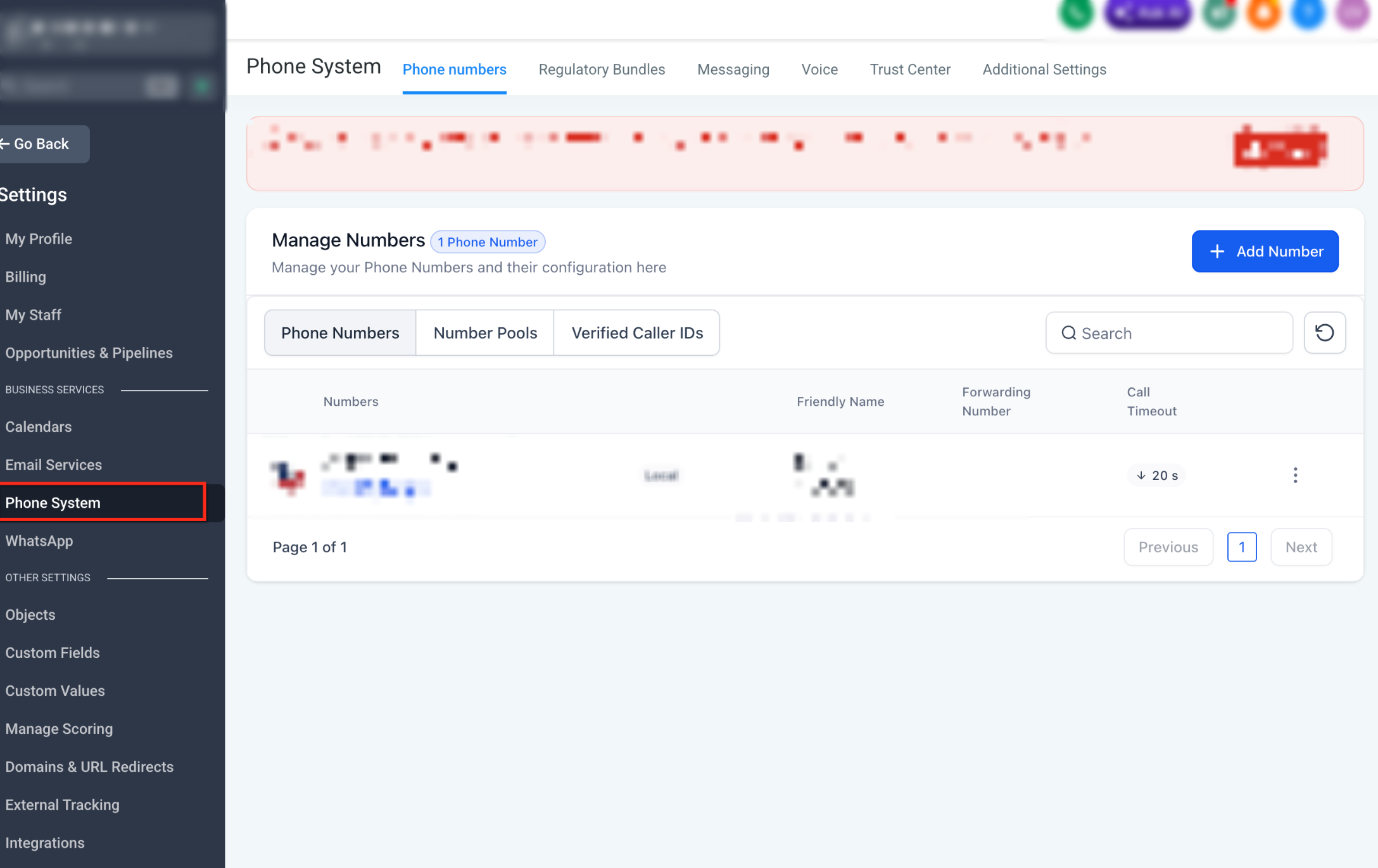
- Go to Settings, then open the Phone System (where outbound calling is configured).
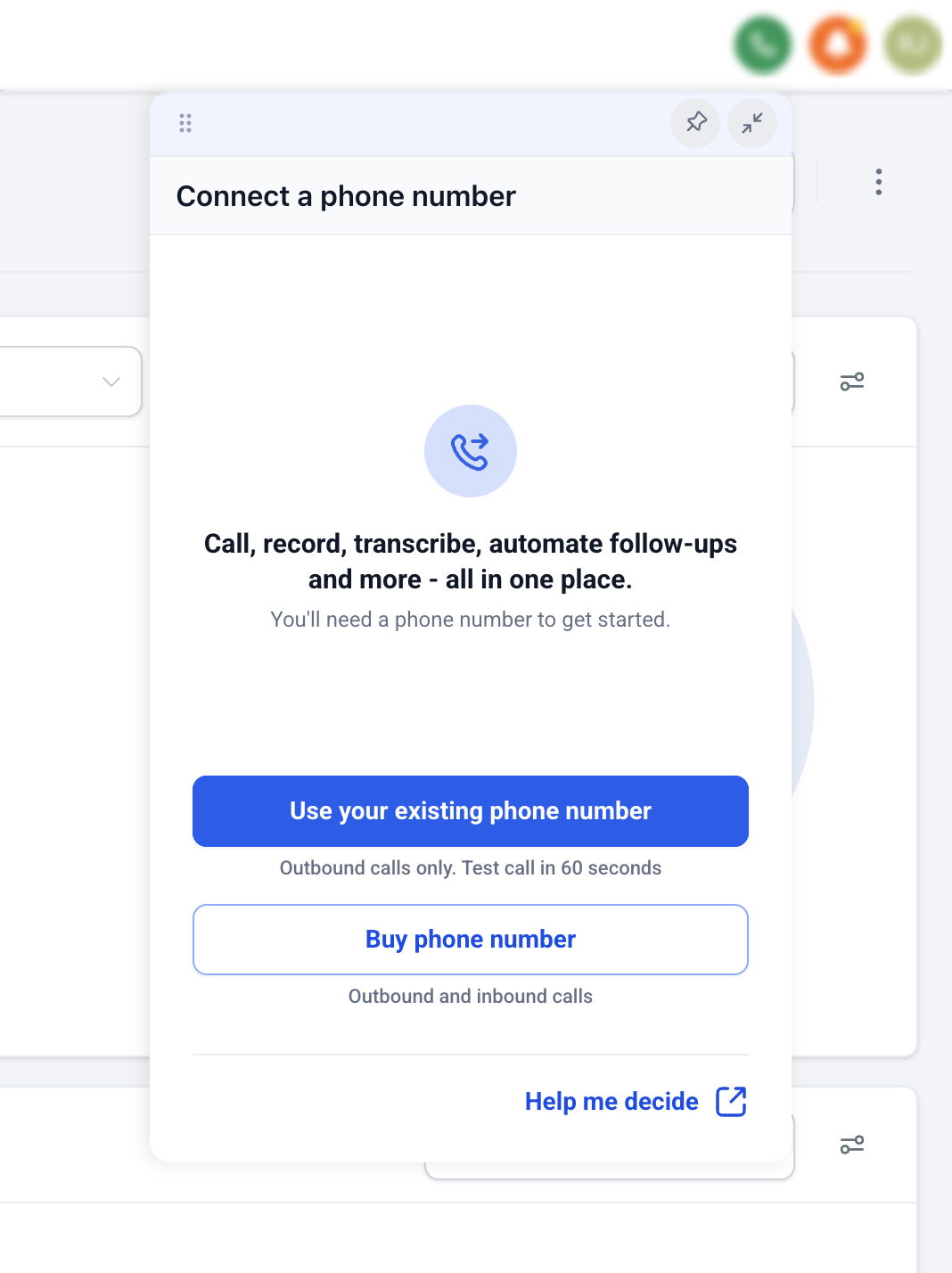
- Choose the option to use an existing phone number (if prompted).
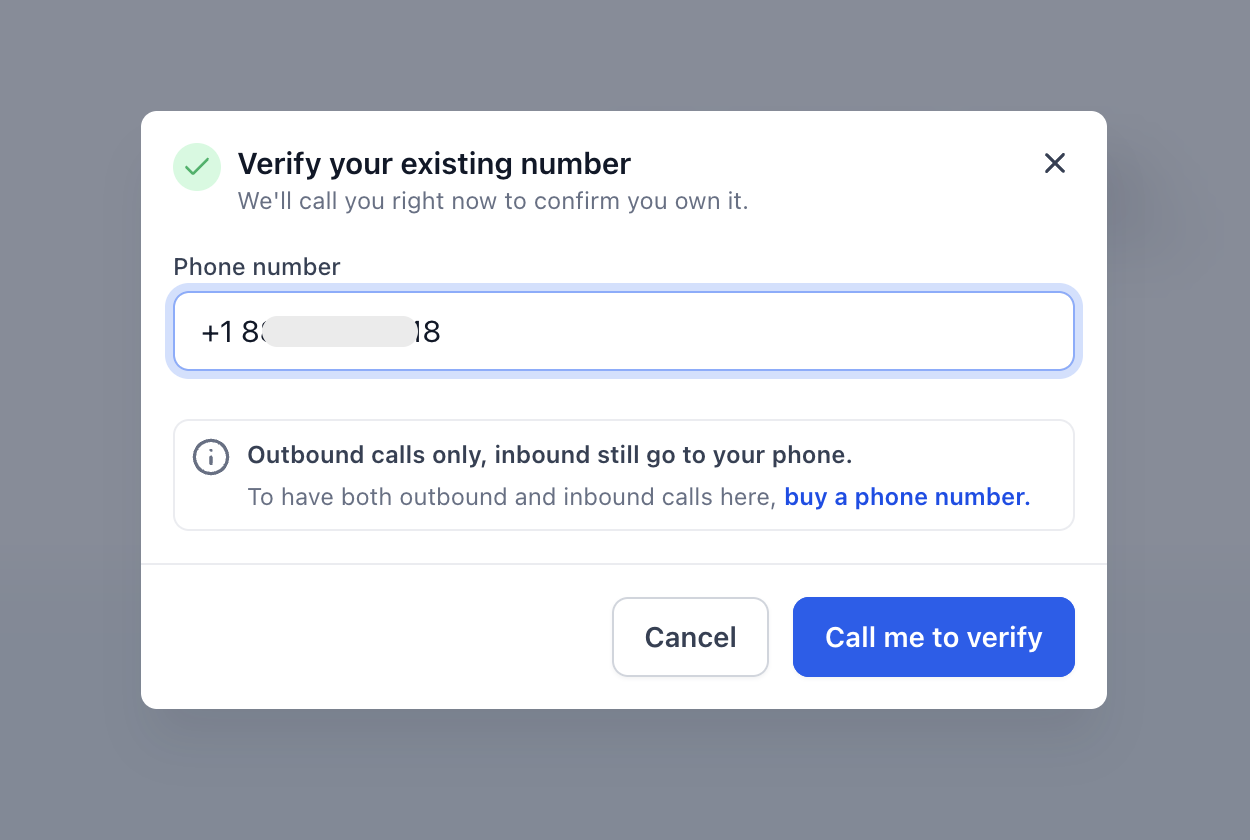
- Enter or select the phone number you already own.
- Complete the verification steps shown on-screen.
- If a verification call is required, answer the call and enter the provided verification code.
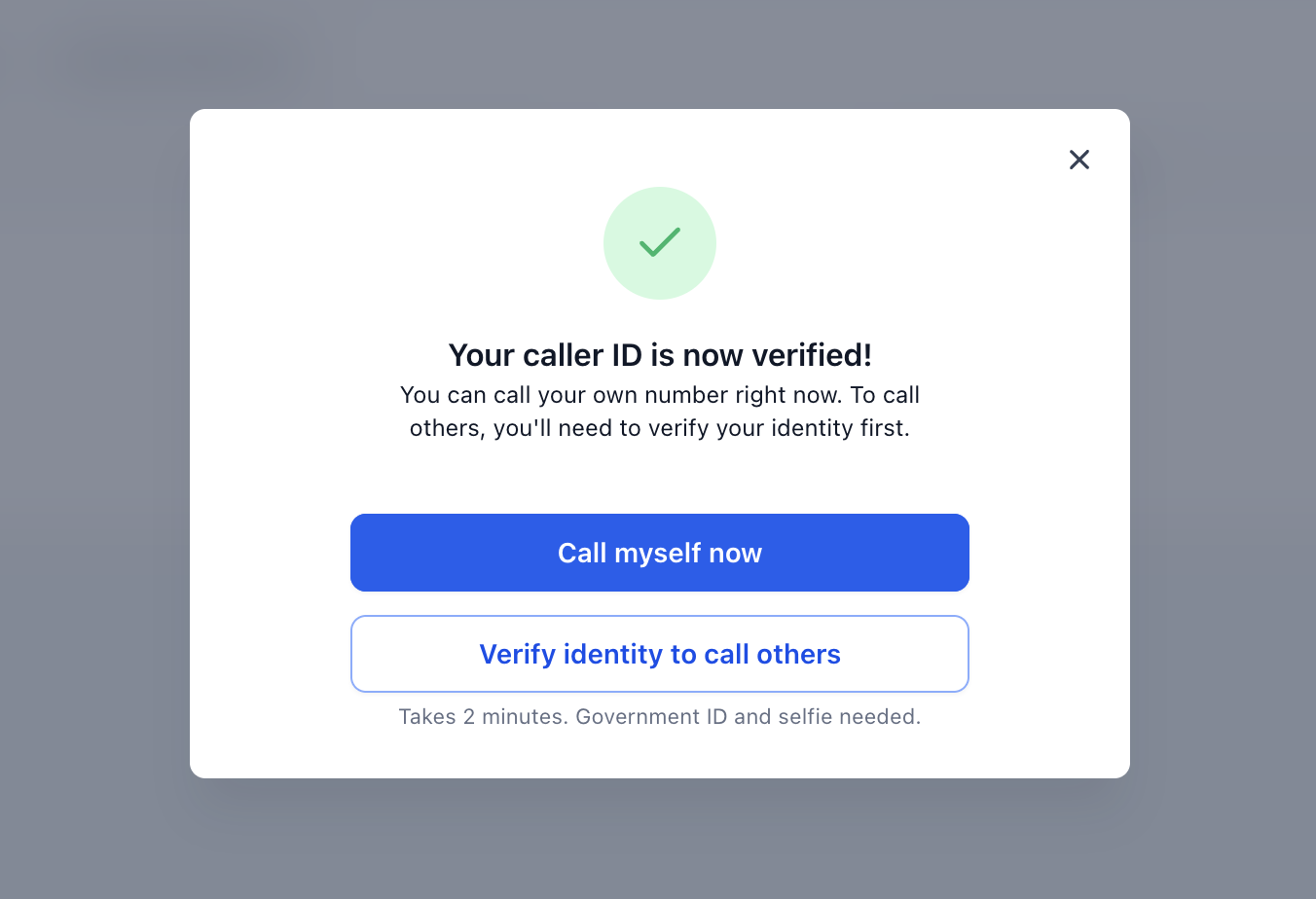
- If a verification call is required, answer the call and enter the provided verification code.
- Open the dialer.
- If you see a Calling From (caller ID) dropdown, select your existing number.
- Enter the contact’s phone number or select a contact.
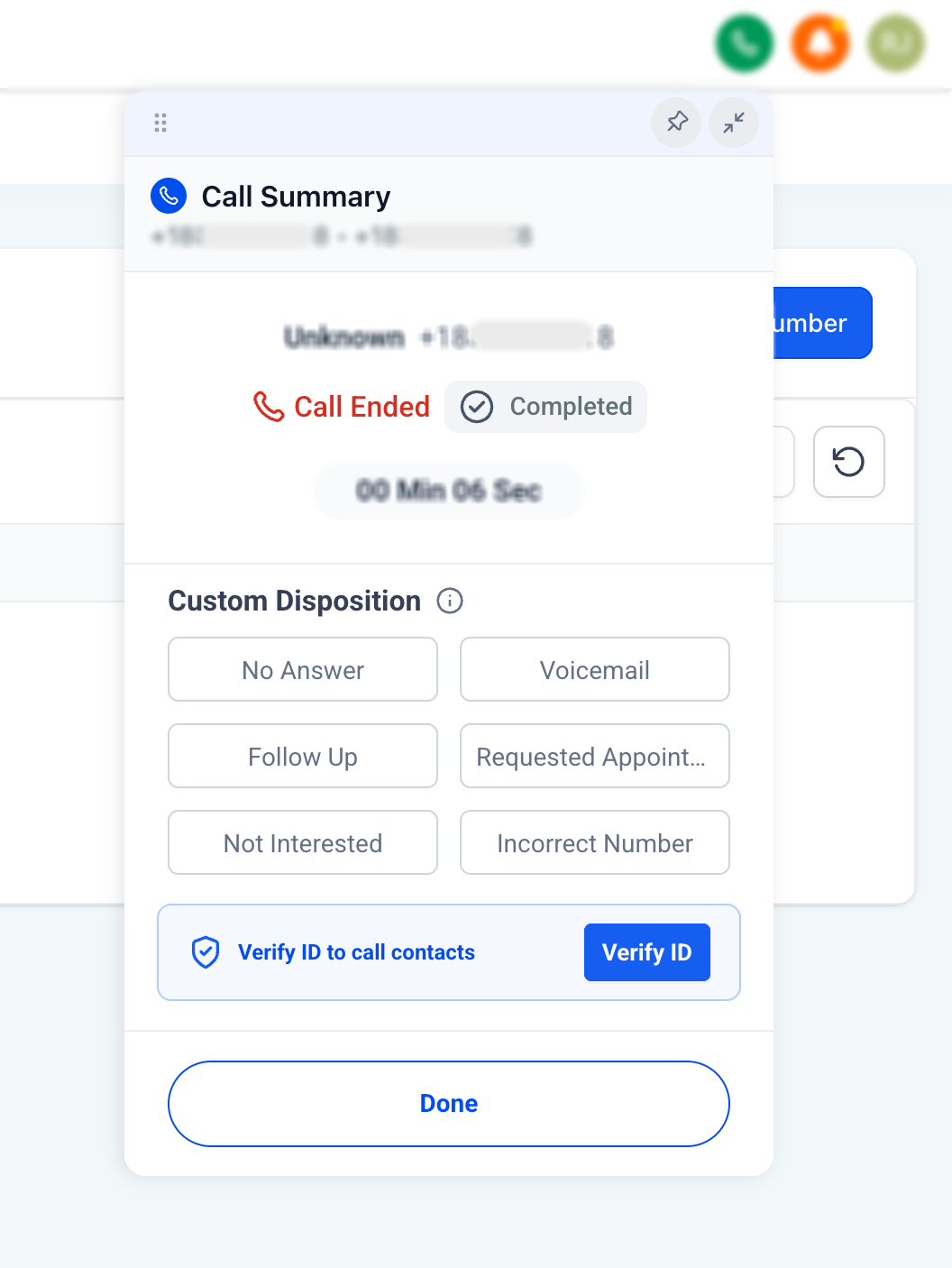
- Place the call.
Usage and Billing Notes

Outbound voice calls may be subject to usage tracking and billing rules tied to your phone configuration. For the most accurate details, review the billing and usage information available inside your platform settings.
Frequently Asked Questions
Q: Do I need to add a new managed number before making voice calls?
A: No. You can place voice calls using a phone number you already own.
Q: Can I use any phone number I own?
A: You can add and verify a number you own using the options shown during setup. If a number can’t be verified, the platform will indicate that during the flow.
Q: Is this the same as verifying a caller ID?
A: It relies on confirming you own the number (for example, via a verification call/code), but the source article does not explicitly state it uses the exact same flow in all cases.
Q: Can I receive inbound calls in the platform using my existing number?
A: The source article confirms placing outbound voice calls. It does not confirm inbound calling support for an existing owned number.
Q: Can I send SMS from my existing number?
A: The source article mentions voice calling only and does not confirm SMS support using an existing owned number.
Q: Is using my existing number the same as moving it into the platform?
A: No. This option lets you place outbound calls using the number; moving a number changes where the number is managed.
Q: Can I add a managed number or move a number later?
A: Yes. Testing calling with your existing number does not prevent you from setting up a fuller phone configuration later.
Need Help?
If you cannot verify your existing phone number or place outbound calls using it, first review the phone number, verification status, and caller ID selection.
Verify that:
- You are working in the correct account.
- The phone number is one you currently own and control.
- The number can receive the verification call when required.
- The verification code is entered correctly before it expires.
- The number appears as an available caller ID after verification.
- The correct number is selected in the Calling From dropdown before placing the call.
- The contact or destination phone number is entered correctly.
- The number is being used for outbound voice calling only.
- You are not expecting inbound calls or SMS to be handled through the existing number.
- The existing number has not been confused with a managed or ported phone number.
- Any required calling permissions or destination restrictions have been reviewed.
- The browser or device being used for calling has the required microphone permissions enabled.
- The number has been reverified if ownership or configuration recently changed.
If the number verifies successfully but calls still fail, review the exact error message and confirm the destination is supported for outbound calling.
If the issue continues, collect the existing phone number, verification status, destination number, caller ID selection, call date and time, error message, and screenshots of the phone number and dialer settings before contacting support.