
Opportunity Score helps you review campaign readiness in Ad Manager before publishing. Available for Meta, Google, and LinkedIn campaigns, it checks applicable setup areas, highlights recommended improvements, and helps you prioritize updates that may improve campaign readiness.
Use Opportunity Score as a pre-launch review tool to catch setup gaps before sending your campaign for publishing. Recommendations are tailored to the selected advertising platform and campaign configuration, so the guidance you see may vary by platform, objective, campaign type, ad format, and applicable settings.
TABLE OF CONTENTS
- What is Opportunity Score?
- Key Benefits of Opportunity Score
- Opportunity Score Panel
- Platform-Aware Recommendations
- Opportunity Score Recommendation Categories
- What to Fix First
- How To Review and Improve Opportunity Score
- Frequently Asked Questions
- Related Articles
What is Opportunity Score?
Opportunity Score is a campaign-readiness tool in Ad Manager that helps you review important parts of your campaign before launch. It gives you a 0–100 score, a band label, and specific recommendations so you can identify setup areas that may need attention before publishing.
Opportunity Score is available for Meta, Google, and LinkedIn campaigns. It evaluates only the campaign settings that apply to the selected platform, objective, campaign type, ad format, and configuration. This means two campaigns may receive different recommendation categories even when they are created in the same Ad Manager.
A higher score generally means fewer visible setup gaps were detected, while a lower score means there are recommended areas to review before publishing. Opportunity Score does not automatically edit, publish, or guarantee results for your campaign.
Key Benefits of Opportunity Score
- Cross-platform review: Review campaign readiness for Meta, Google, and LinkedIn campaigns from the Review screen.
- Clear readiness score: View a 0–100 score and band label, such as Low, Medium, or High.
- Platform-aware guidance: Receive recommendations based on the selected advertising platform and the settings that apply to the campaign.
- Actionable recommendations: See suggested improvements for applicable setup areas such as audience, budget, creative, tracking, and keywords.
- Prioritized fixes: Use the “What to fix first” list to focus on recommendations that may have the highest impact on campaign readiness.
- Faster navigation: Click recommendations or Fix links to return to the related section of the campaign builder.
- Better setup confidence: Reduce missed setup issues before launching your campaign.
Opportunity Score Panel
The Opportunity Score panel gives you a detailed view of campaign readiness before publishing. Use this panel to review the overall score, category-level feedback, recommendation impact, and prioritized updates from one place.
The panel may include:
- Overall Opportunity Score from 0–100
- Band label, such as Low, Medium, or High
- Category cards for applicable setup areas such as Audience, Budget, Creative, Tracking, and Keywords
- Category-level scores or statuses
- Recommendation text explaining what may need attention
- Impact labels such as Low impact, Medium impact, or High impact
- Links that guide you back to the relevant campaign setup area
- A “What to fix first” list with prioritized recommendations
Platform-Aware Recommendations
Advertising platforms use different campaign structures and requirements. Opportunity Score adjusts its checks to the selected platform and campaign configuration so recommendations remain relevant instead of applying the same checklist to every campaign.
| Platform | Areas Opportunity Score May Review | How Recommendations Are Applied |
|---|---|---|
| Only settings relevant to the selected Google campaign type and configuration are evaluated. For example, the Keywords category appears only when keyword configuration applies. | |
| Recommendations adapt to the selected LinkedIn objective, ad format, and campaign configuration, so different campaigns may display different categories. | |
| Meta |
| Meta uses the same pre-publish Opportunity Score workflow while evaluating settings relevant to the selected Meta campaign configuration. |
Note: Not every campaign displays the same recommendation categories. Opportunity Score considers only the settings that apply to the selected platform, objective, campaign type, ad format, and configuration.
Opportunity Score Recommendation Categories
Opportunity Score groups recommendations by campaign setup area so you can quickly understand what needs review. Categories are displayed only when they are applicable to the selected platform and campaign configuration.
Audience
Audience recommendations help you review whether your targeting may be too broad, too narrow, or missing important targeting details. Available audience settings depend on the advertising platform and campaign configuration.
Common audience recommendations may include:
- Refining broad targeting
- Reviewing location targeting
- Adding or adjusting applicable interests or audience characteristics
- Checking exclusions
- Reviewing retargeting or similar audience settings when supported
- Confirming the audience matches the campaign goal
Budget
Budget recommendations help you identify whether your selected budget may limit campaign delivery or optimization. A budget that may be restrictive for the selected campaign configuration can be highlighted before launch.
Common budget recommendations may include:
- Increasing a daily or lifetime budget
- Reviewing whether the budget matches the audience or campaign configuration
- Confirming the campaign has enough budget to support meaningful delivery
- Checking budget settings before publishing
Creative
Creative recommendations help you review the ad content and assets before publishing. The creative elements evaluated depend on the selected platform, campaign objective, and ad format.
Common creative recommendations may include:
- Reviewing incomplete or potentially limiting ad copy
- Adding or updating media or creative assets
- Checking destination links
- Confirming the call-to-action matches the campaign goal
- Reviewing applicable headlines, descriptions, or other ad assets
- Previewing the ad before launch
Tracking
Tracking recommendations help you review conversion-related setup when it applies to the campaign. This can help identify missing or potentially limiting measurement settings before publishing.
Common tracking recommendations may include:
- Reviewing conversion setup
- Confirming destination or event tracking details
- Checking tracking-related warnings before publishing
Keywords
Keyword recommendations are available for applicable Google campaign types and help you review whether the selected keyword setup could be refined before launch. The Keywords category appears only when keyword configuration is relevant to the campaign.
Keyword recommendations may include:
- Refining selected keywords
- Reviewing keyword match types when applicable
- Adding negative keywords when appropriate
- Reviewing keyword configuration against the campaign goal
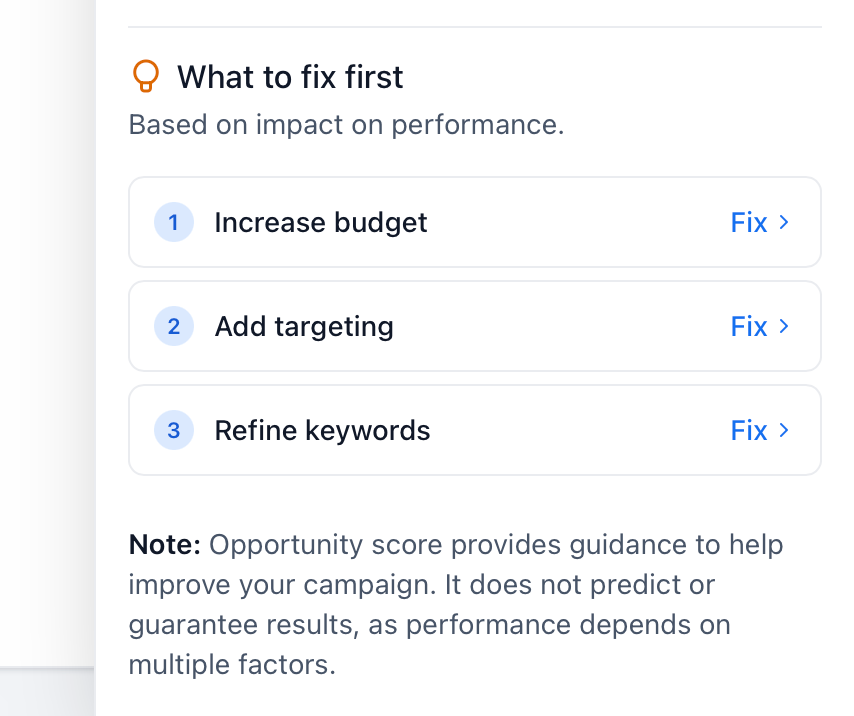
What to Fix First
The “What to fix first” area helps you prioritize recommended updates instead of reviewing every setup field manually. Recommendations are ordered based on their potential impact on campaign readiness, allowing you to focus on higher-priority items first.
Use this area as a pre-publishing checklist. Each applicable item includes a Fix action that takes you back to the related section of the campaign builder so you can review the setting more quickly.
Example prioritized fixes may include:
- Increase budget
- Refine audience targeting
- Refine keywords for an applicable Google campaign
- Review creative
- Check tracking setup
How To Review and Improve Opportunity Score
Reviewing Opportunity Score before publishing helps you catch setup gaps while the campaign is still editable. Completing the relevant campaign setup first gives Opportunity Score more information to evaluate and can produce more useful recommendations.
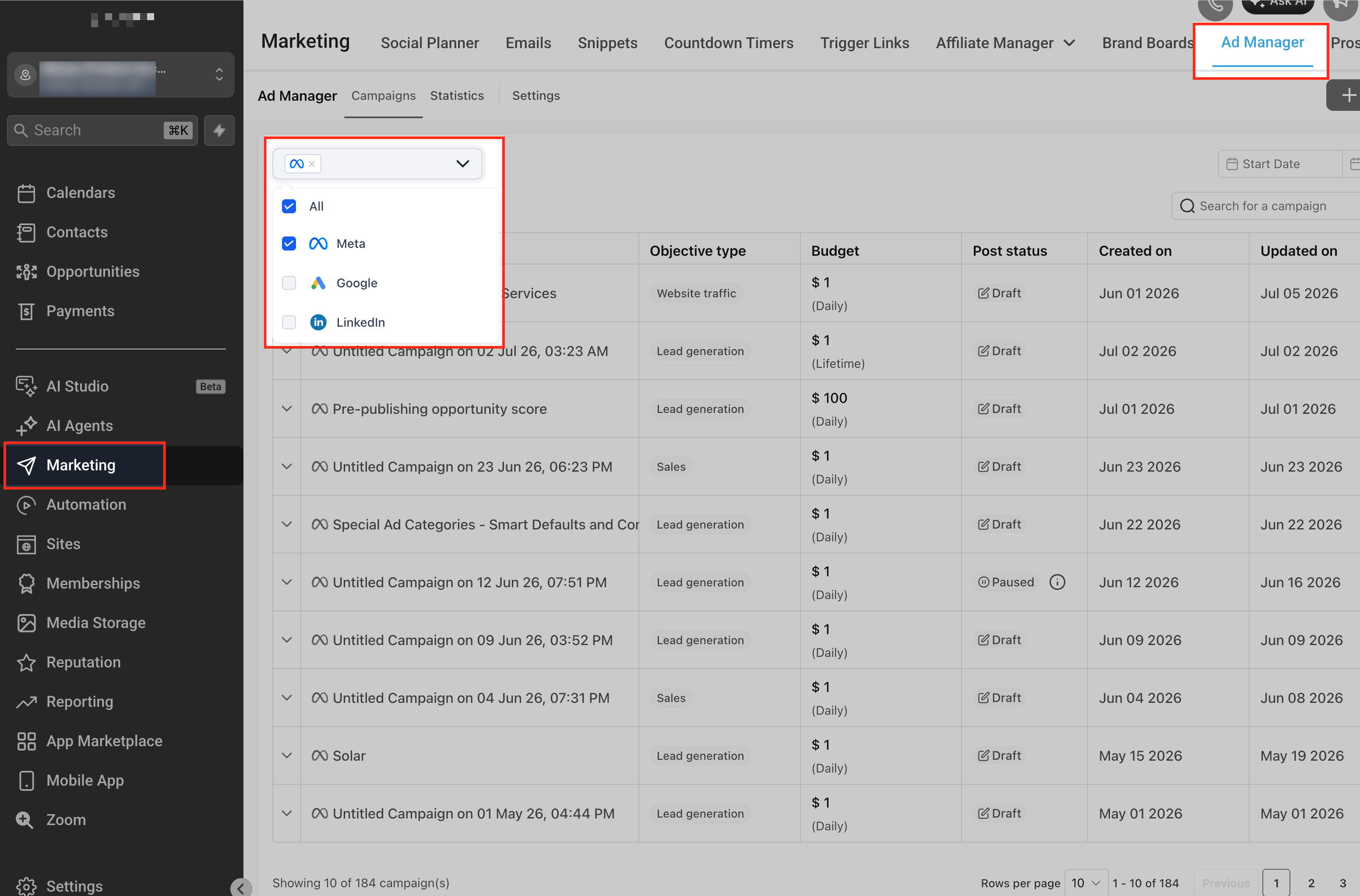
Go to Marketing > Ad Manager
Open Marketing, then select Ad Manager. This is where you can create, edit, review, and publish supported advertising campaigns.
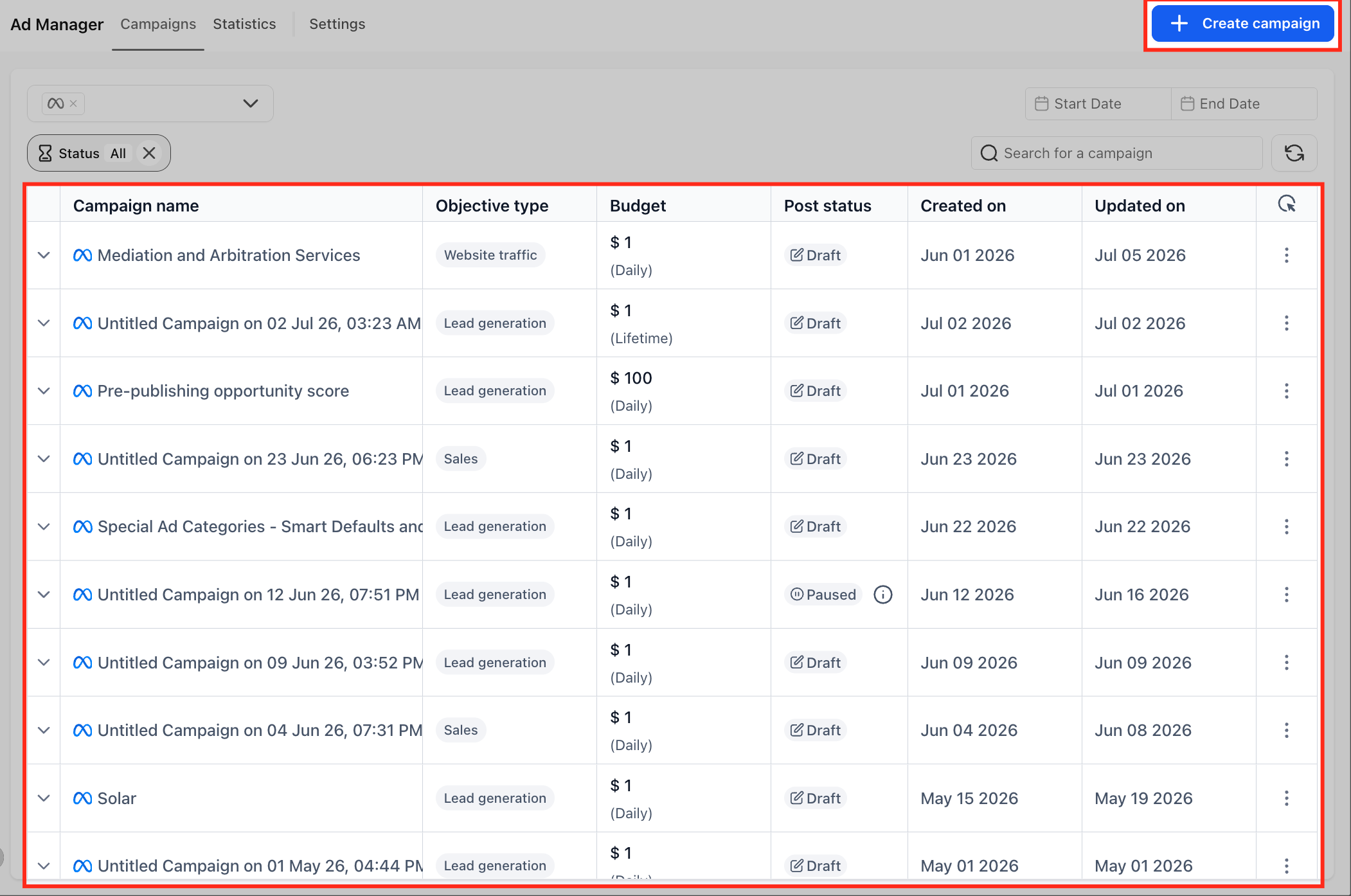
Create a new campaign or open an existing draft
Start a new Meta, Google, or LinkedIn campaign, or open an eligible campaign draft that has not been published yet. Opportunity Score is available on the Review screen before publishing.
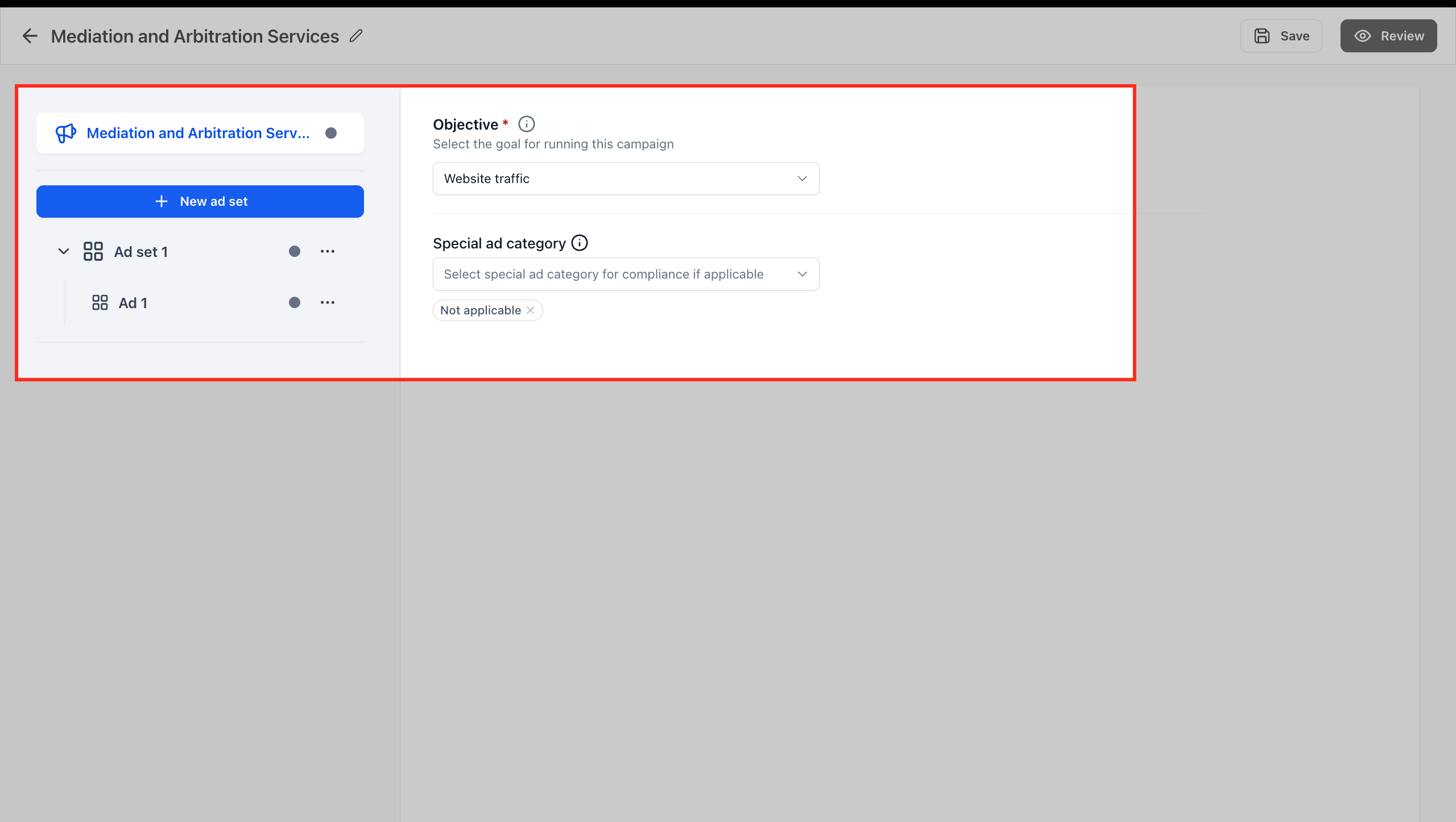
Complete the campaign setup steps
Fill out the required campaign details before reviewing the score. Depending on the platform and campaign configuration, this may include audience, budget, creative, tracking, keywords, destination URLs, language, placements, bidding, lead-gen settings, or other applicable fields.
Completing the applicable setup first helps Opportunity Score provide more relevant recommendations because only settings that apply to the selected campaign are evaluated.
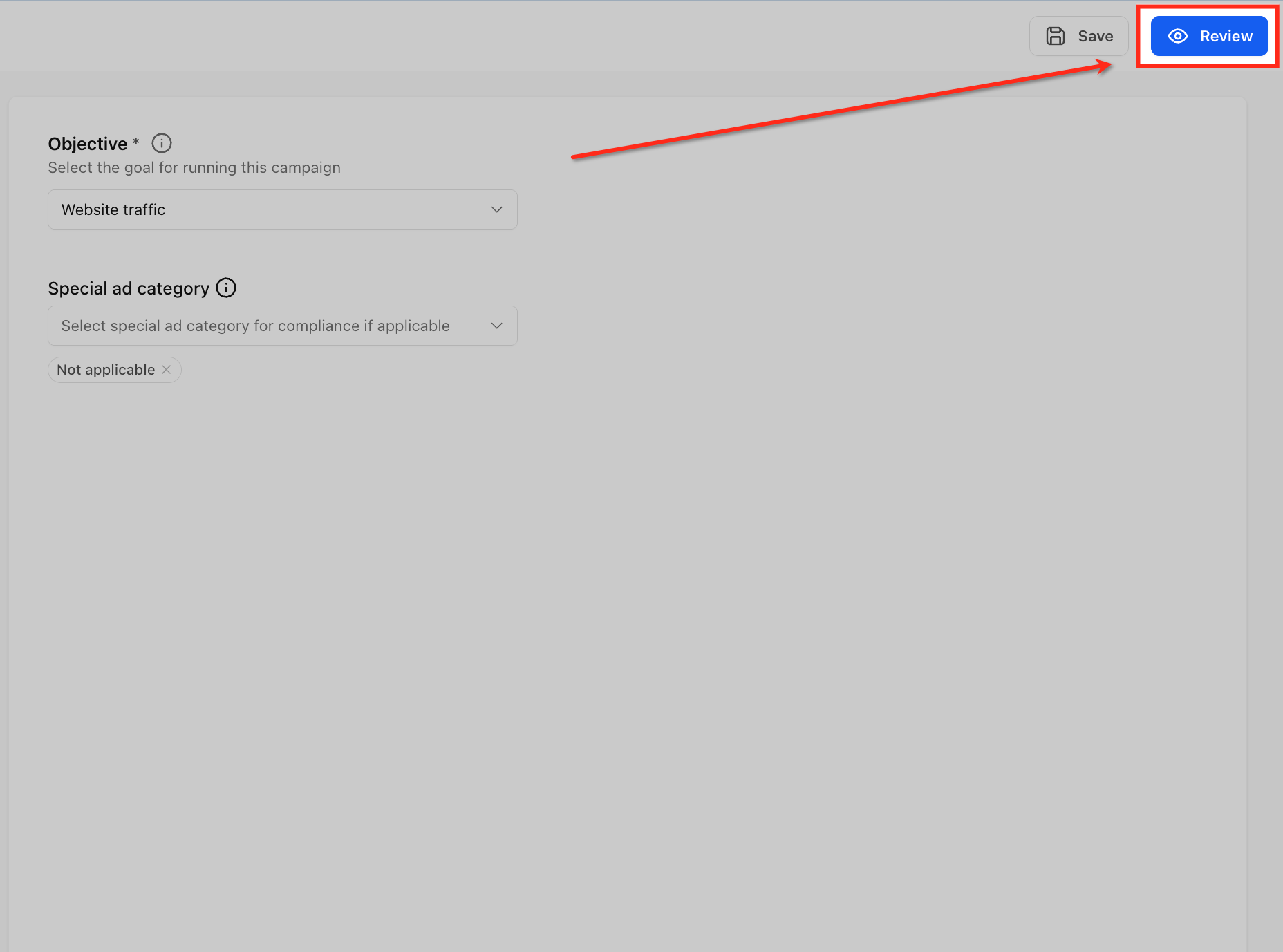
Go to the Review screen
Open the Review screen after completing the campaign setup. Opportunity Score appears before publishing so you can check campaign readiness while the campaign is still editable.
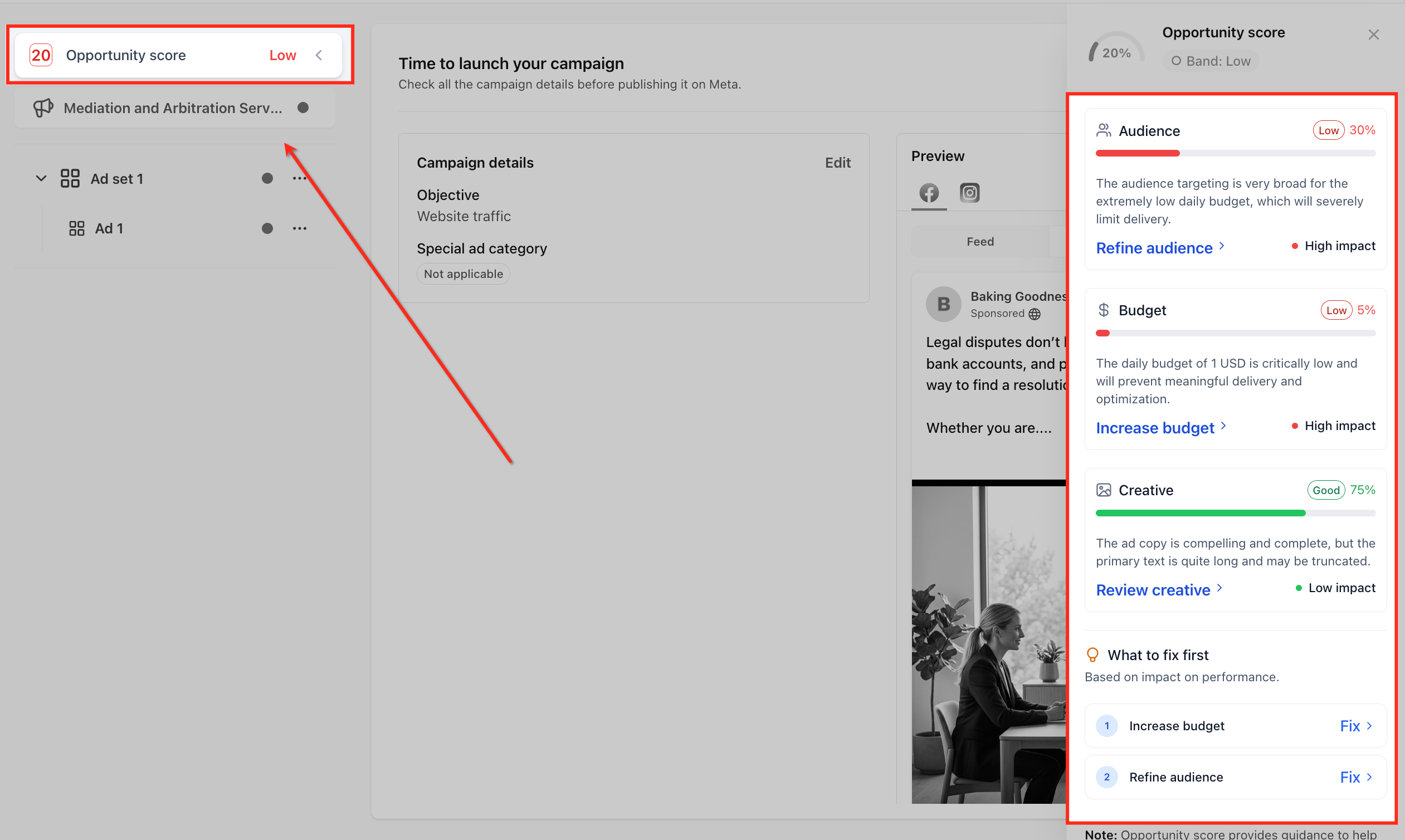
Open the Opportunity Score panel
Click the Opportunity Score area to open the score panel. The panel gives you a closer look at the overall score, score band, applicable category feedback, recommendation impact, and suggested improvements.
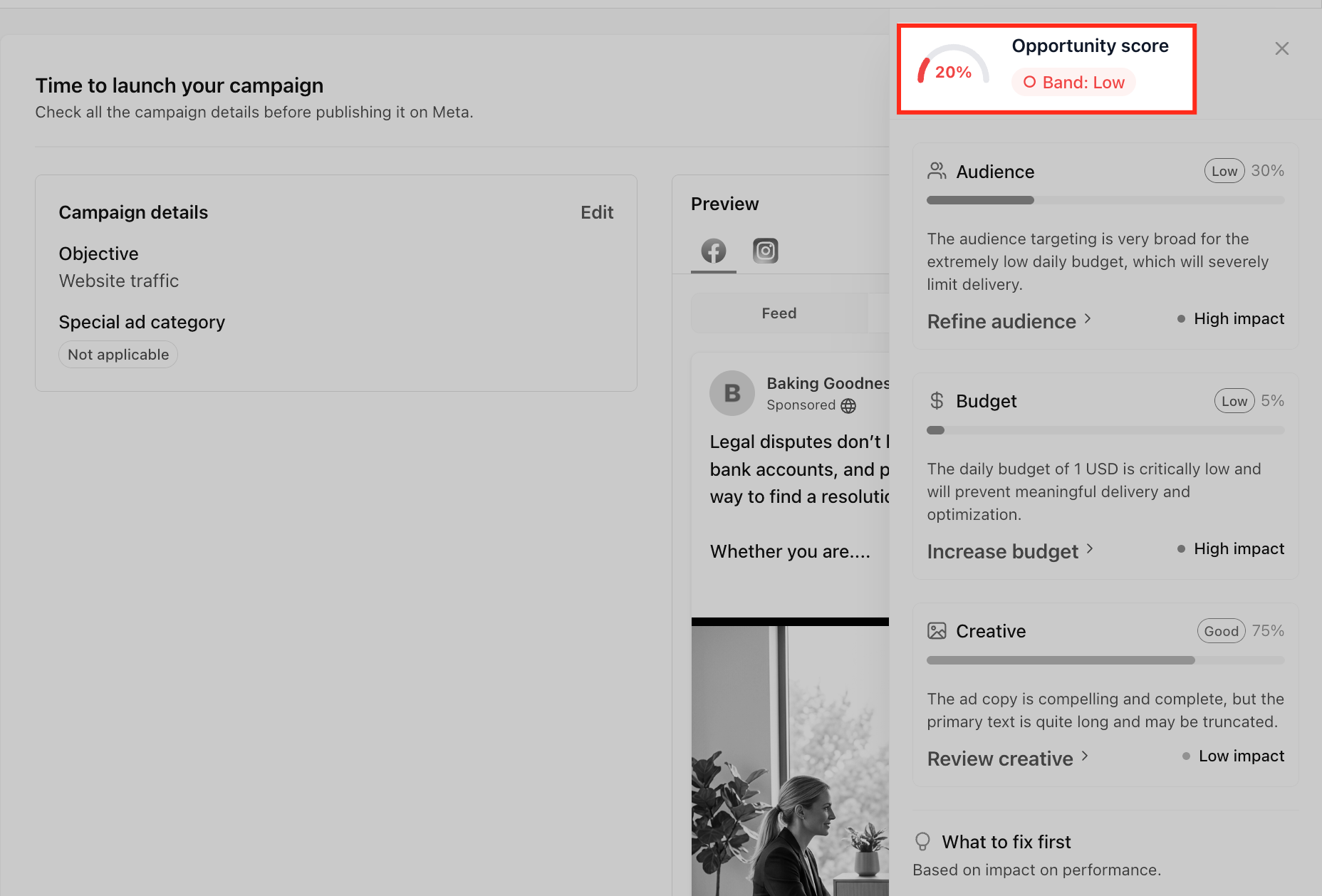
Review the overall score and band label
Check the 0–100 score and band label, such as Low, Medium, or High. The score gives you a quick snapshot of campaign readiness based on the applicable setup areas reviewed by Opportunity Score.
A lower score does not prevent publishing, but it means there may be setup recommendations worth reviewing before launch.
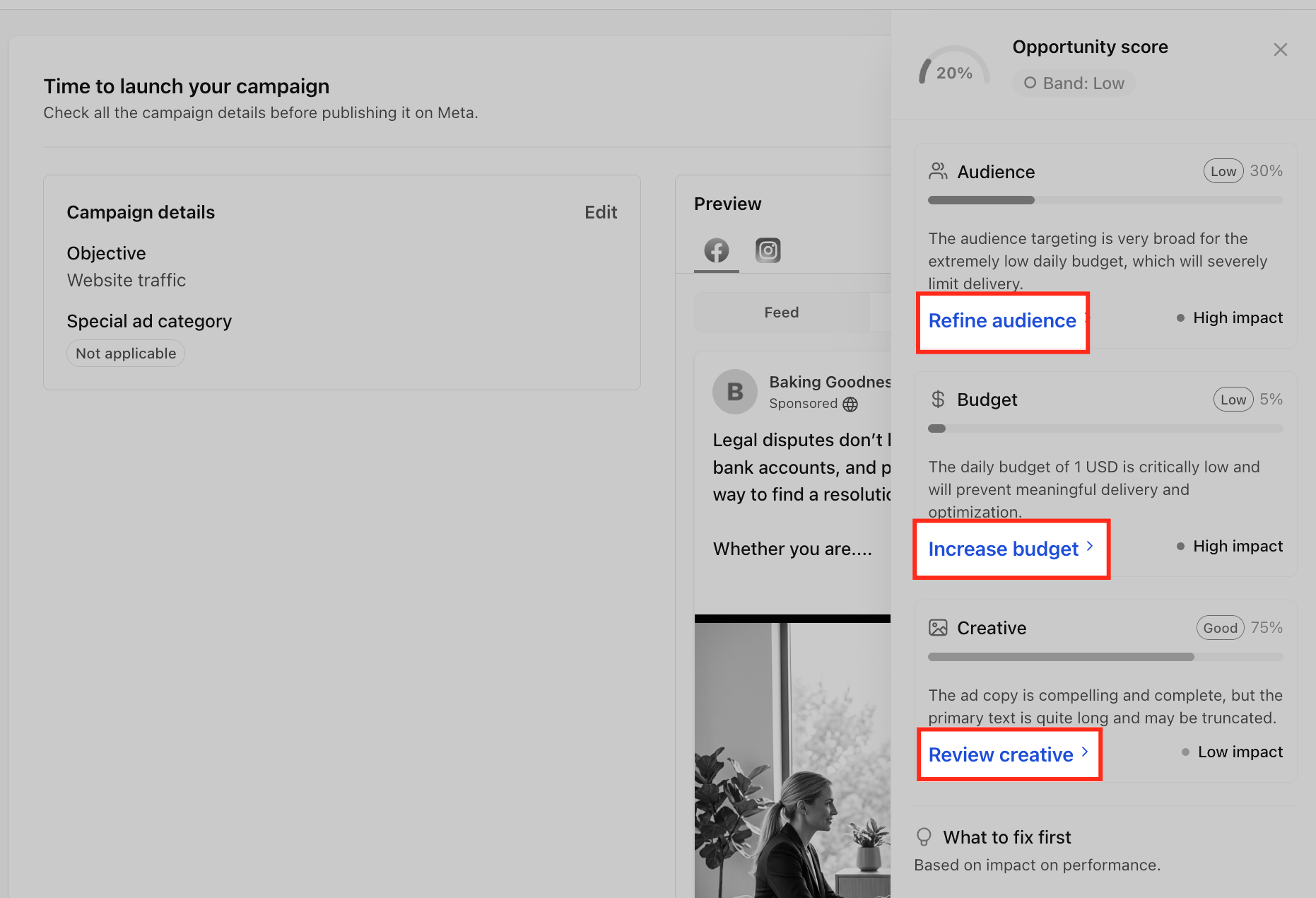
Review recommendation categories
Look through the category cards in the panel. Depending on the campaign, Opportunity Score may display areas such as Audience, Budget, Creative, Tracking, and Keywords.
Not every campaign will show the same categories. Opportunity Score displays only the recommendations relevant to the selected platform, objective, campaign type, ad format, and applicable settings.
Check impact labels
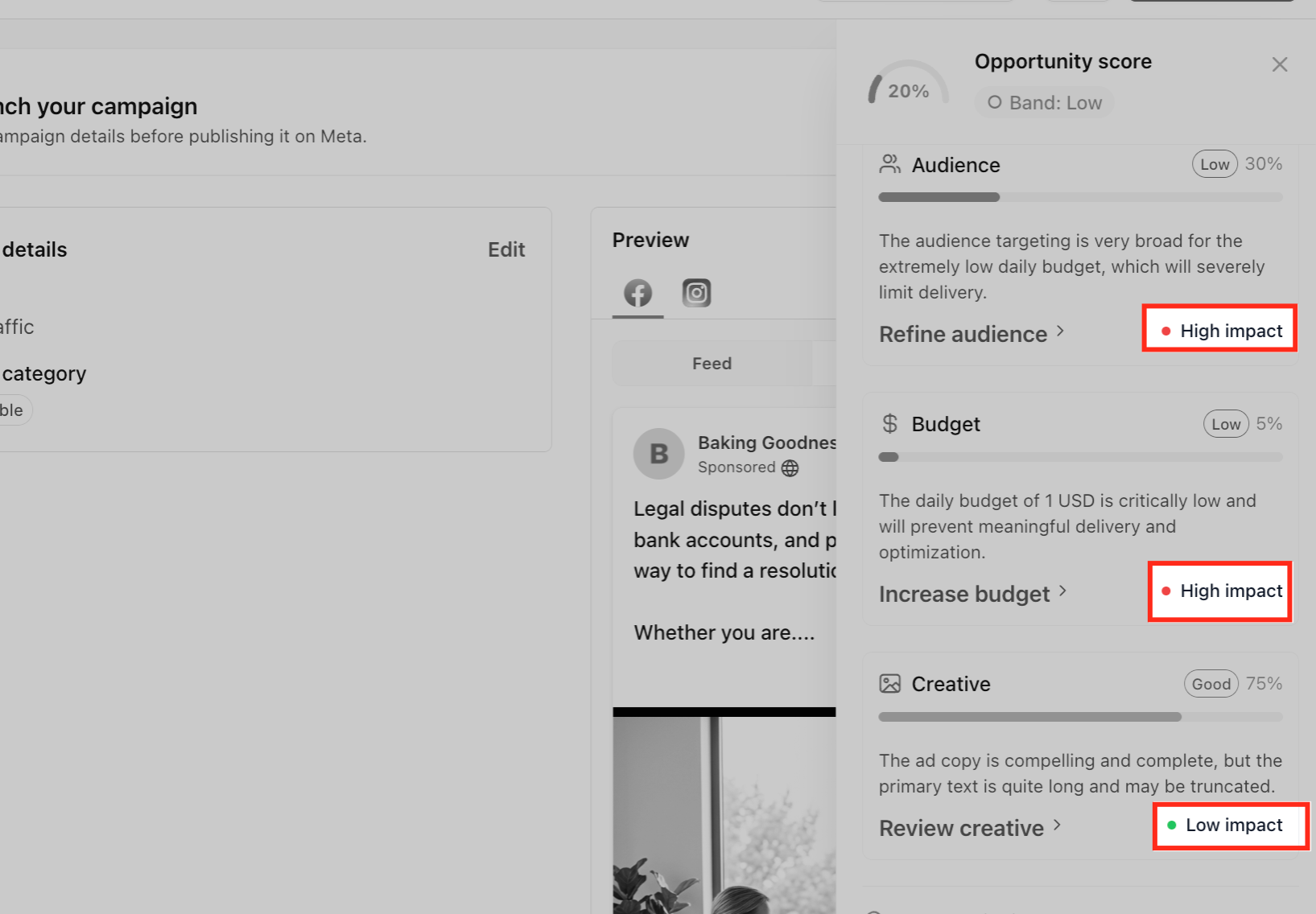
Review the impact labels attached to recommendations, such as Low impact, Medium impact, or High impact. Impact labels help you decide which updates may matter most for campaign readiness.
Prioritize higher-impact items first when you are short on time or reviewing multiple recommendations.
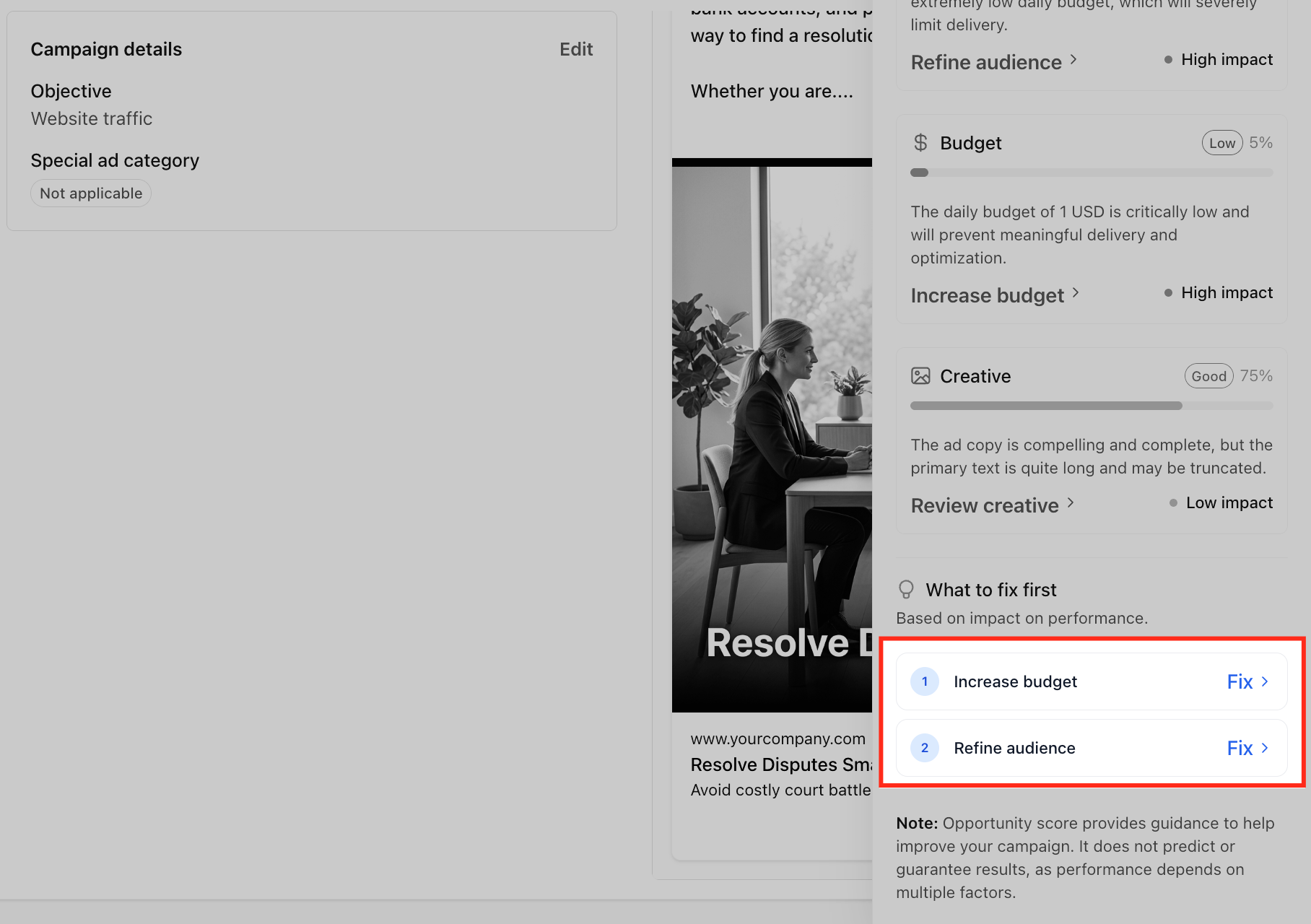
Review the What to fix first list
Use the What to fix first list as a prioritized checklist. This area highlights recommended updates based on their potential impact on campaign readiness.
Items vary by campaign and may include increasing budget, refining audience targeting, refining Google keywords, reviewing creative, or checking tracking setup.
Click a recommendation or Fix link
Click a recommendation or Fix action to return to the related section of the campaign builder. This helps you move directly from the recommendation to the setup area that may need attention.
Make the suggested update
Review the related setup area and decide whether to apply the recommendation. Recommendations are guidance, not automatic changes, so use your campaign goal and business context before changing campaign settings.
Return to the Review screen
After making updates, return to the Review screen. Opportunity Score may update based on the changes made to the campaign setup.
Review the updated Opportunity Score
Check the score, band label, category feedback, and recommendations again. Continue making updates if needed, or move forward if the campaign setup looks ready.
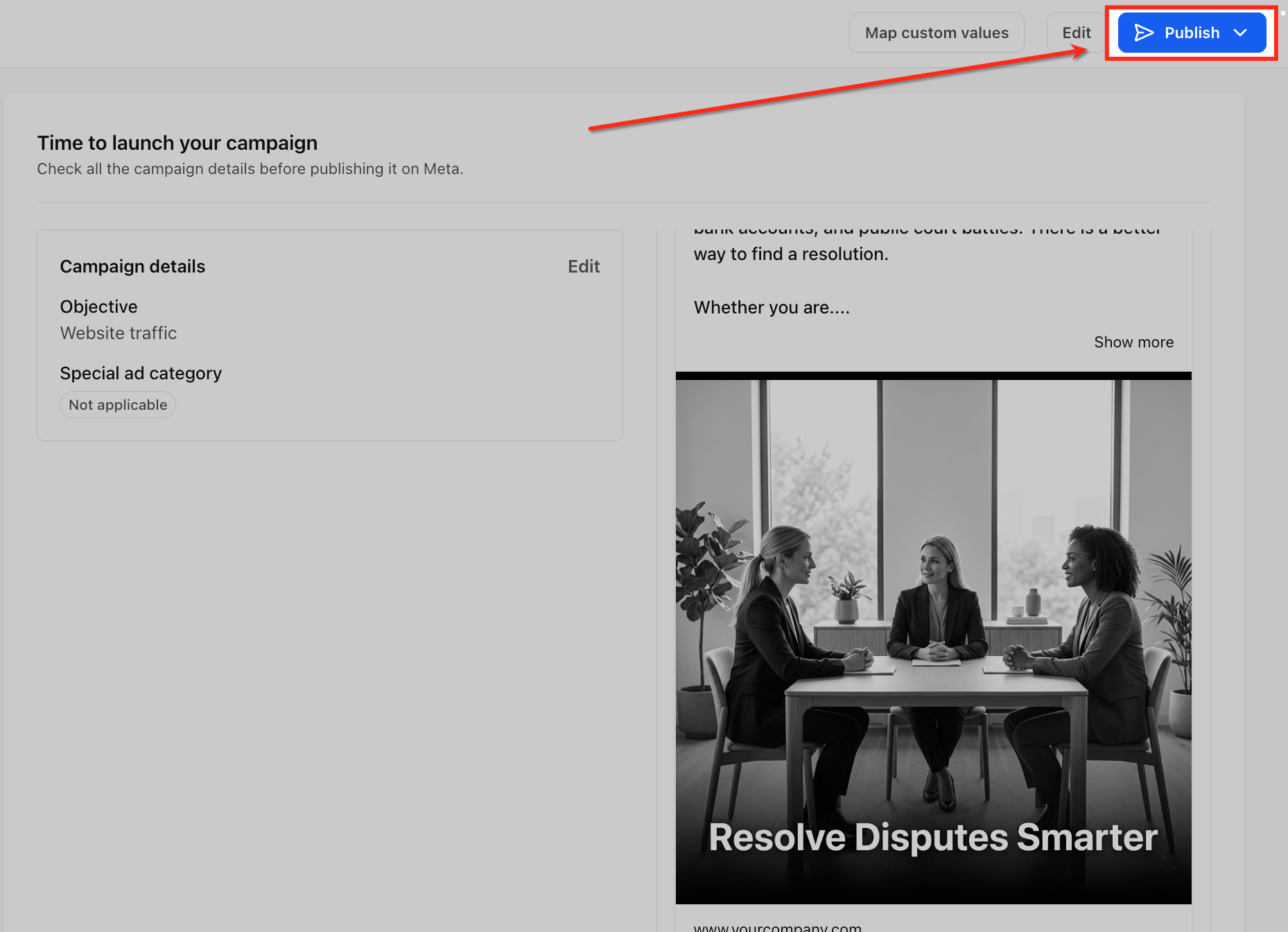
Publish the campaign when ready
Once you have reviewed the score and made any appropriate changes, complete your final campaign review and publish when ready.
Opportunity Score helps with pre-launch readiness, but it does not guarantee campaign delivery, conversions, revenue, or performance. After publishing, use Ad Manager statistics to measure actual campaign results.
Note: Opportunity Score provides guidance to help improve campaign readiness. Recommendations do not automatically modify campaign settings and do not predict or guarantee delivery, conversions, revenue, or campaign performance.
Frequently Asked Questions
Q: Does Opportunity Score publish or edit my campaign automatically?
No. Opportunity Score only provides guidance. It does not automatically change campaign settings, publish the campaign, or apply recommendations for you.
Q: Can I publish a campaign with a Low Opportunity Score?
Yes. A high score is not required to publish. However, reviewing the recommendations before launch can help you identify setup gaps that may need attention.
Q: Does Opportunity Score guarantee better campaign performance?
No. Opportunity Score is a pre-launch setup guidance tool. It does not predict or guarantee delivery, conversions, revenue, or future campaign performance.
Q: Why did my Opportunity Score change after editing my campaign?
The score may update when you change applicable campaign settings. Return to the Review screen after making updates to review the latest score and recommendations.
Q: Why do two campaigns show different recommendation categories?
Opportunity Score considers the platform, objective, campaign type, ad format, and applicable settings for each campaign. Because campaign configurations differ, two campaigns may receive different categories and recommendations.
Q: Do all Meta, Google, and LinkedIn campaigns receive the same recommendations?
No. Recommendations are platform-aware and campaign-specific. Opportunity Score displays only the checks and recommendations that apply to the selected campaign configuration.
Q: Do I need to fix every recommendation?
No. Recommendations are guidance, not required actions unless they relate to a required campaign setup field. Use your campaign goal and business context to decide which recommendations to apply.
Q: What happens when I click Fix?
Clicking Fix takes you to the related section of the campaign builder where you can review or update that part of the campaign setup.
Q: Does Opportunity Score measure live campaign performance?
No. Opportunity Score helps review campaign readiness before publishing. Use Ad Manager statistics after launch to evaluate live or published campaign performance.