
Skills Platform gives AI Agents access to the capabilities they need to work with CRM data, communications, knowledge sources, reusable instructions, automations, and supported external tools. These capabilities are configured within the AI Agent experience you are using rather than installed separately. Available actions and tools can vary by AI Agent type, so configure only the capabilities required for the agent's role.
TABLE OF CONTENTS
- What Is Skills Platform?
- Skill Types and Capabilities
- Built-In Capabilities vs. Custom Skills
- Permissions and Governance
- Configure Skills for AI Agents
- Frequently Asked Questions
- Need Help?
What Is Skills Platform?
Skills Platform is the capability layer that allows AI Agents to perform actions instead of only generating responses. Depending on the agent type, a capability can allow the agent to read or update CRM information, search approved knowledge, send messages, book appointments, participate in automations, or use supported external tools.
There is no separate Skills Platform installation. Capabilities are configured within supported AI Agent experiences such as Voice AI, Conversation AI, Agent Studio, and Managed Agents.
Skill Types and Capabilities
Different capability types serve different purposes. Use the type that matches what the agent needs to accomplish.
Built-In Capabilities
Built-in capabilities allow an agent to perform supported operations. Depending on the agent type, these can include sending messages, updating CRM data, applying tags, booking appointments, triggering processes, and other available actions.
Custom Skills
Custom Skills provide reusable instructions that tell a Managed Agent how to perform a repeatable task. They are useful when the agent needs to follow a defined process, business rule, output format, or escalation path.
Knowledge Sources
Knowledge sources provide approved factual information the agent can retrieve when answering questions or completing tasks. Examples include policies, FAQs, procedures, and product information.
External Tools and Connectors
External tools allow supported agents to interact with systems outside the CRM. Depending on the agent type, this can include supported integrations, APIs, or MCP connectors.
Built-In Capabilities vs. Custom Skills
Built-in capabilities and Custom Skills serve different purposes:
- Built-in capabilities determine what the agent can do, such as updating CRM information, sending a message, or performing another supported action.
- Custom Skills provide reusable instructions describing how a Managed Agent should perform a specific task.
A Custom Skill can include:
- A clear skill name and description
- Task instructions or process steps
- Business rules or qualification criteria
- Required output formats
- Restrictions or guardrails
- Escalation or follow-up conditions
Custom Skills can be enabled or disabled for individual Managed Agents without deleting the skill from the shared skills library.
Permissions and Governance
Give each AI Agent only the capabilities required for its role. Limiting access makes agent behavior easier to test, understand, and troubleshoot.
- Start with minimum access: Enable only the actions and tools the agent needs.
- Limit sensitive actions: Avoid enabling unnecessary record changes, messaging actions, or other high-impact operations.
- Use approved knowledge: Connect only the knowledge sources required for the agent's responsibilities.
- Control external tools: Enable only the specific integrations or connector tools required for the task.
- Test after changes: Retest the agent whenever capabilities, instructions, Custom Skills, or external tools are changed.
Configure Skills for AI Agents
Skills Platform does not require a separate setup. Configure the capabilities an agent needs within the AI Agent experience you are using.
Step 1: Open the AI Agent
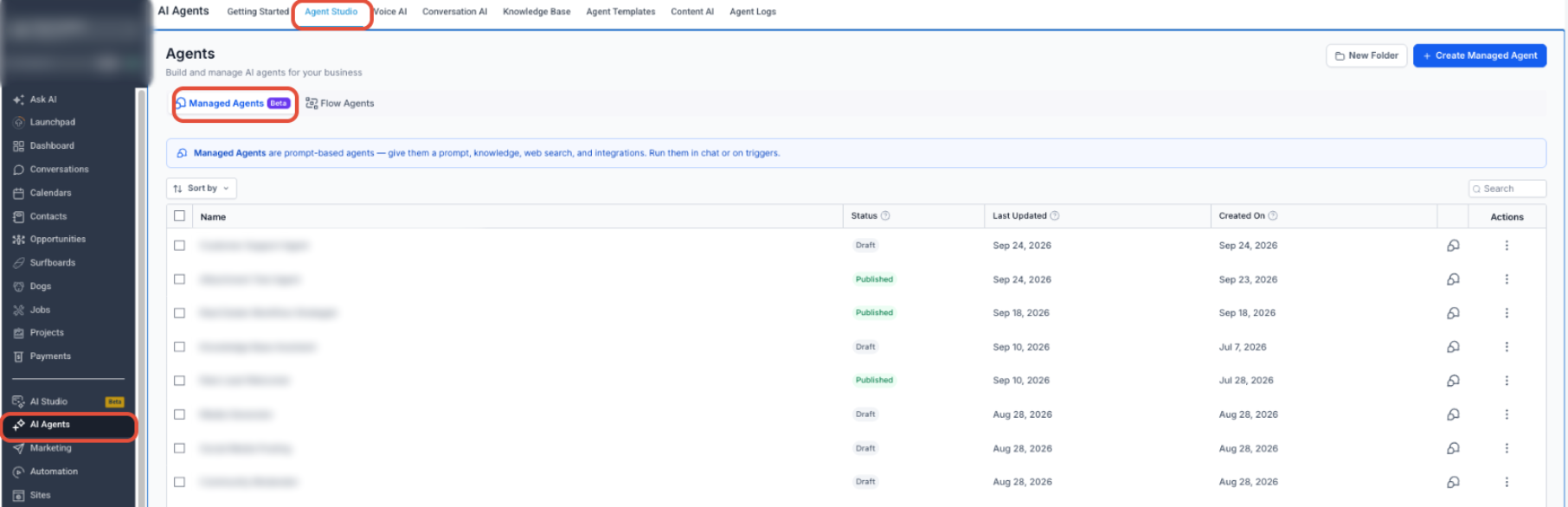
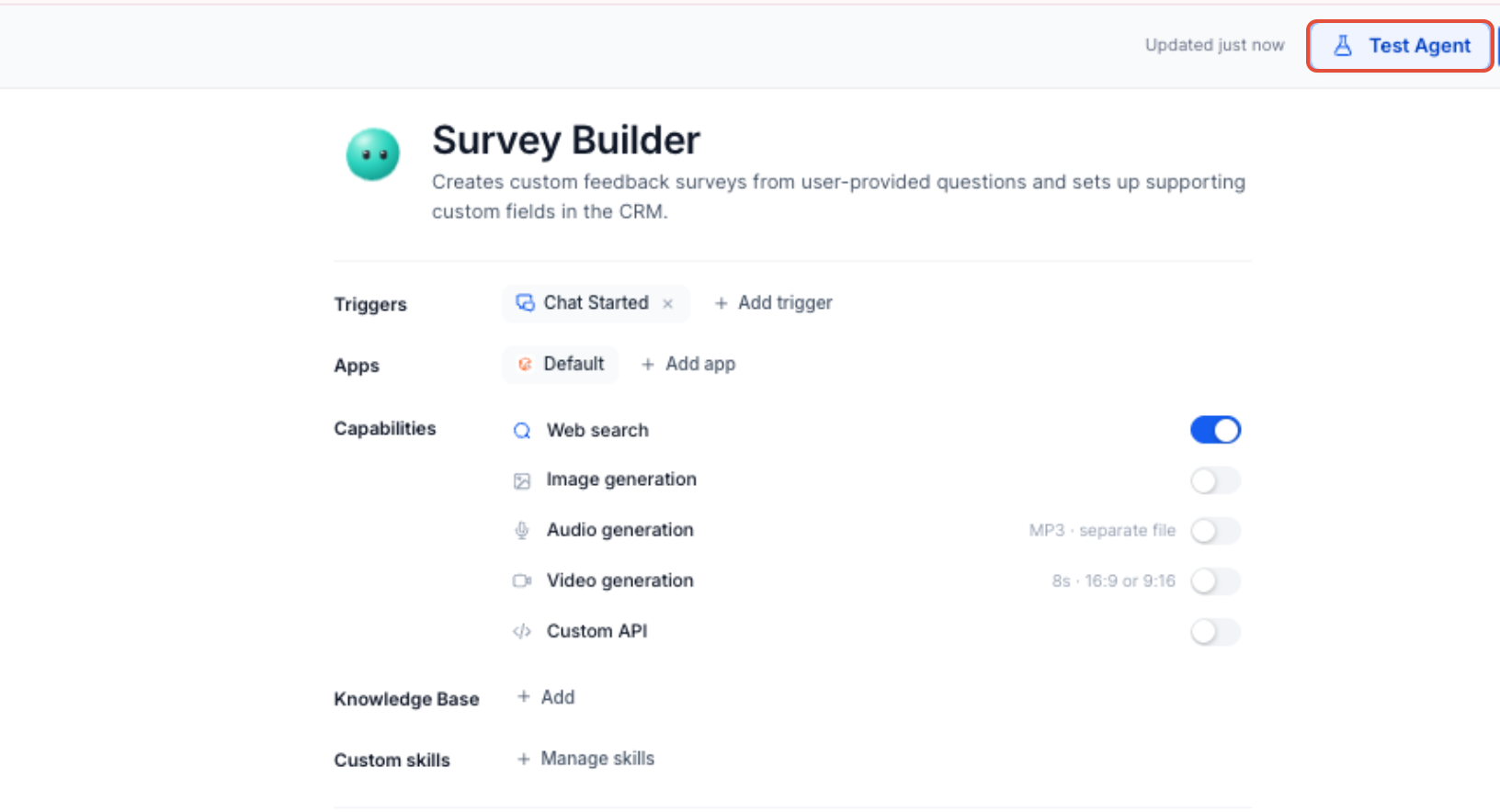
From the Sub-Account view, open the AI Agent experience you want to configure. For Managed Agents, go to AI Agents → Agent Studio → Managed Agents and open the agent you want to configure.
Step 2: Define the Agent's Responsibility
Decide what the agent should accomplish and what it should not do. Use that scope to determine which actions, knowledge sources, Custom Skills, and external tools are required.
Start with the minimum access required for the agent's role and expand its capabilities only when necessary.
Step 3: Enable the Required Actions and Tools
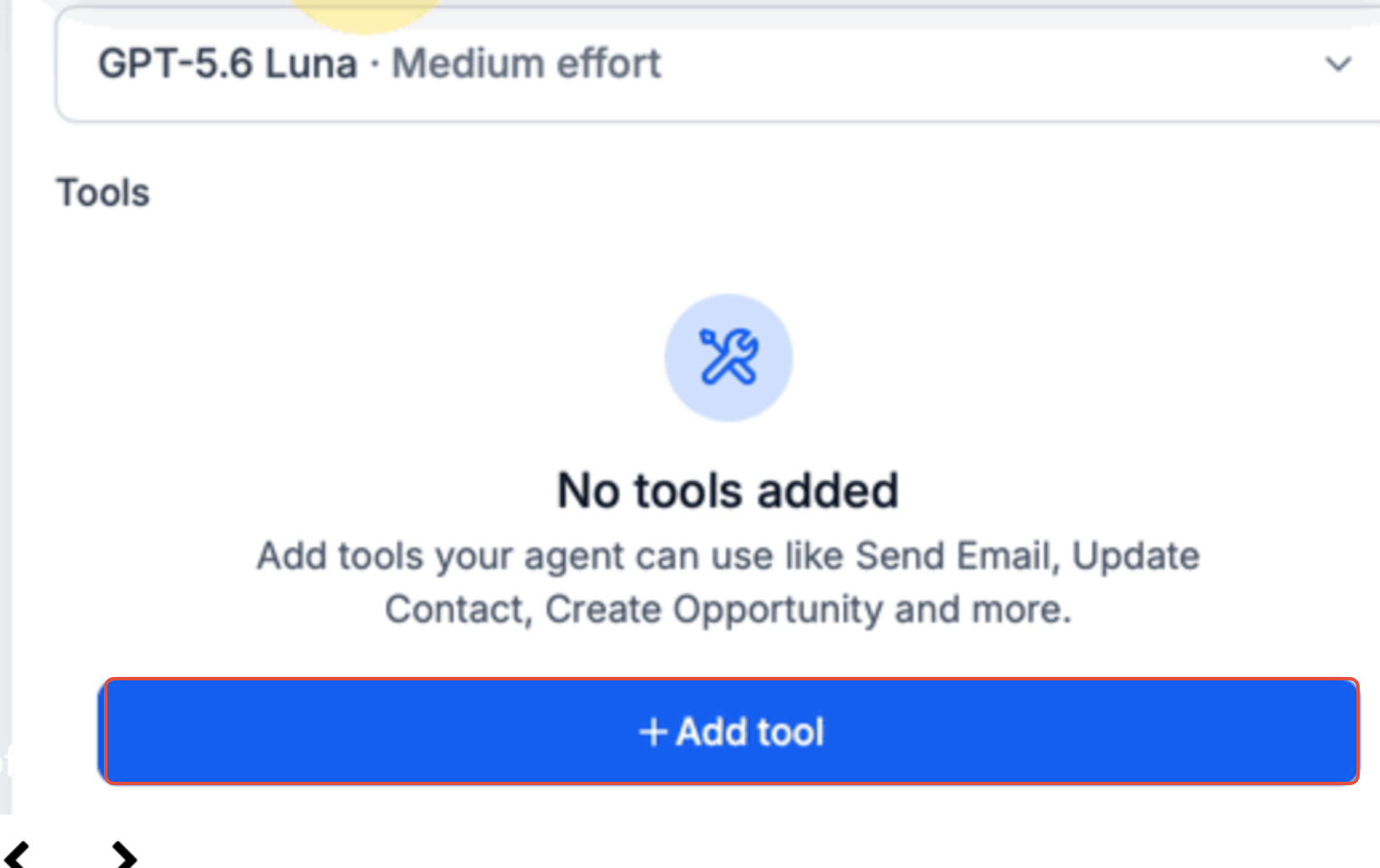
Add or enable only the built-in actions the agent needs. Depending on the agent type, these can include messaging, CRM updates, tags, custom data, notifications, and other supported actions.
Step 4: Connect Knowledge Sources
Connect the approved knowledge sources the agent needs for factual answers. Keep factual reference material in the Knowledge Base and use agent instructions or Custom Skills for repeatable processes.
Step 5: Add Custom Skills When Needed
For Managed Agents, use Custom Skills when the agent needs reusable instructions for a specific task.
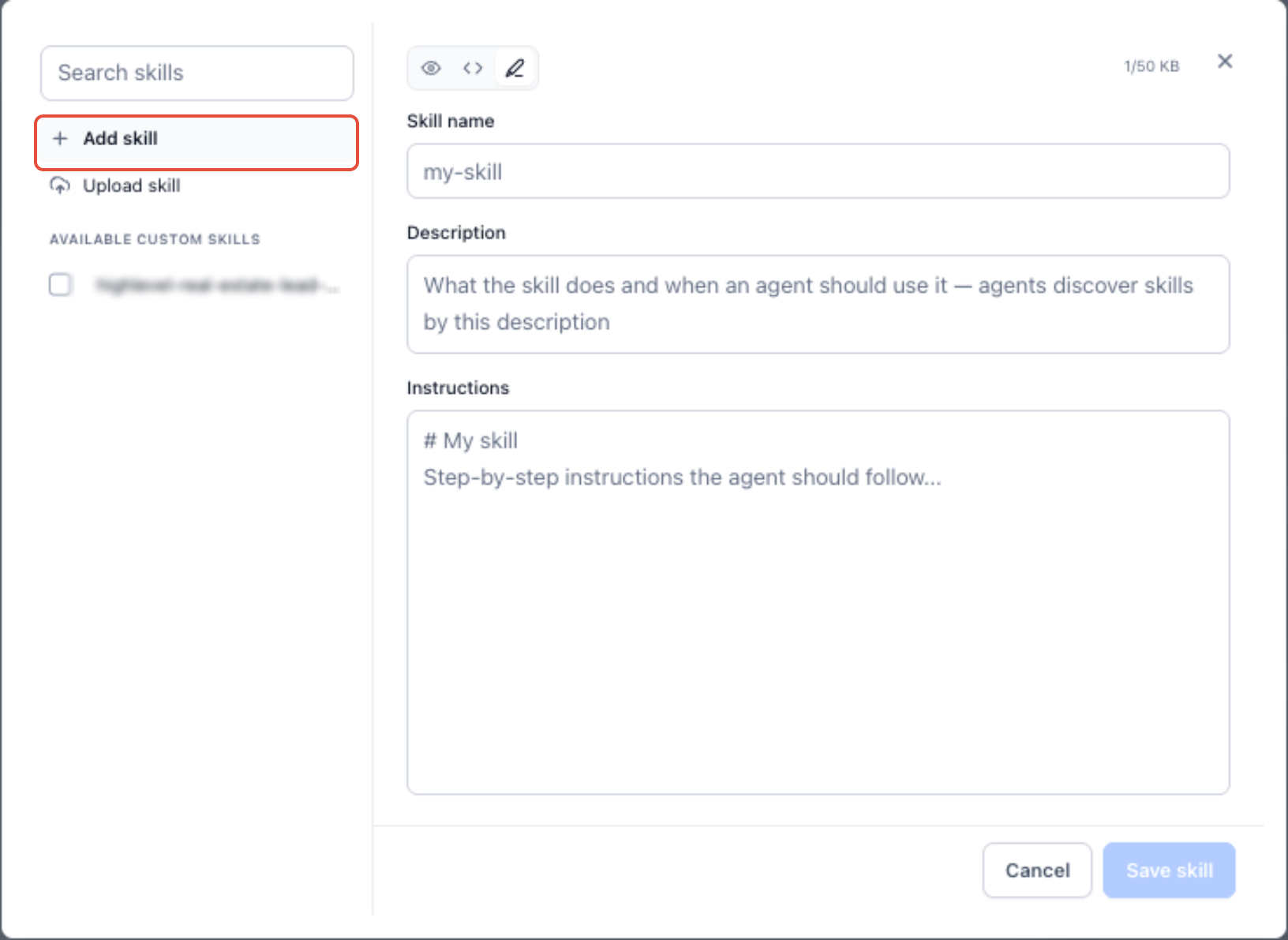
- Open Custom skills and select Manage skills.
- Click Add skill.
- Enter a clear skill name and description.
- Add the process, rules, output format, restrictions, or other instructions the agent should follow.
- Save the skill and enable it for the Managed Agents that need it.
Step 6: Connect External Tools When Required
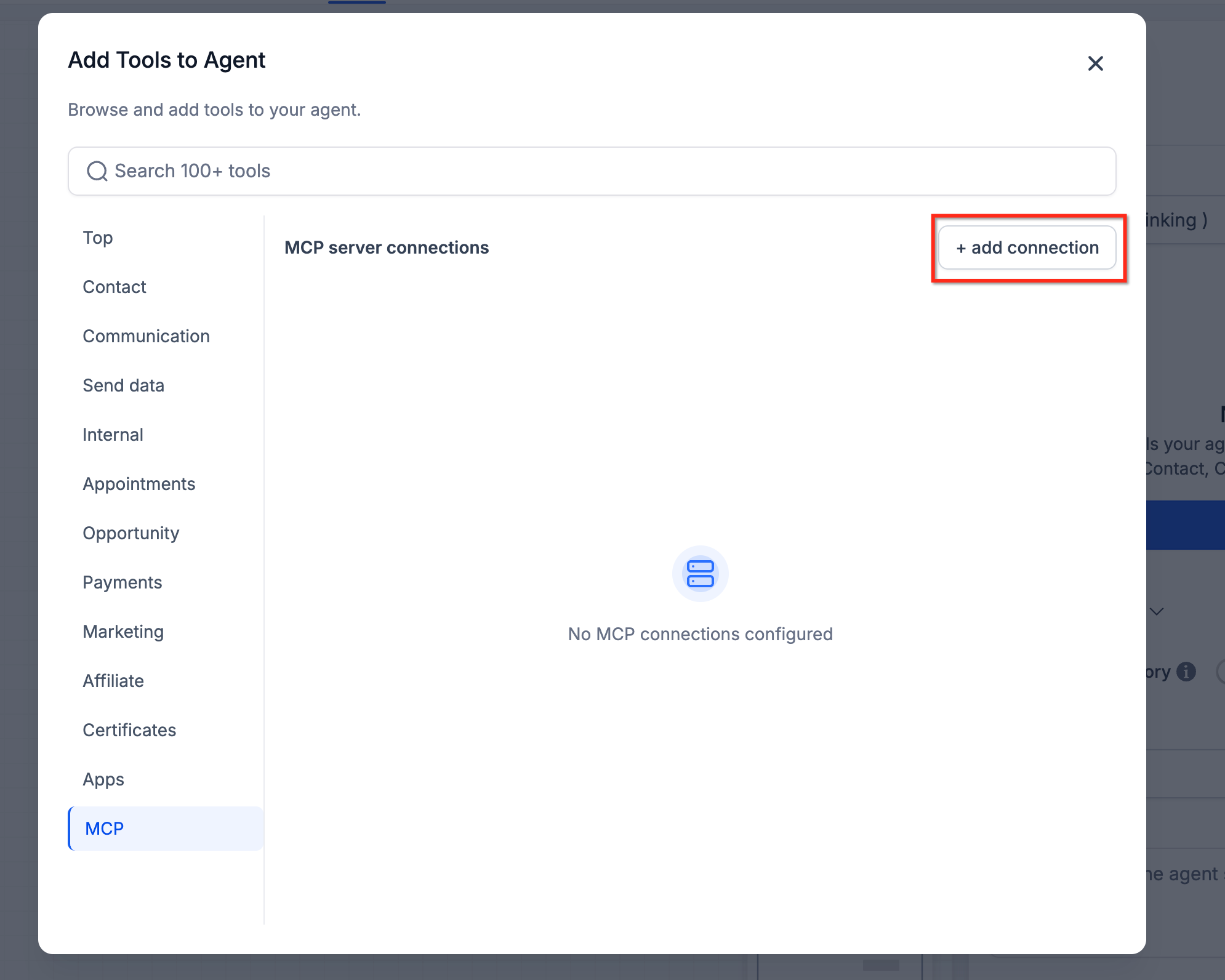
If the agent needs to interact with an external system, add a supported integration or MCP connector where available. Authenticate the connection, then enable only the tools the agent needs.
Step 7: Test and Monitor the Agent
Test realistic requests before using the agent in production. Confirm that it selects the intended capability, receives the correct information, performs the expected action, and handles failures appropriately.
For Managed Agents, open the Activity tab to review executions and confirm which skills and tools were used.
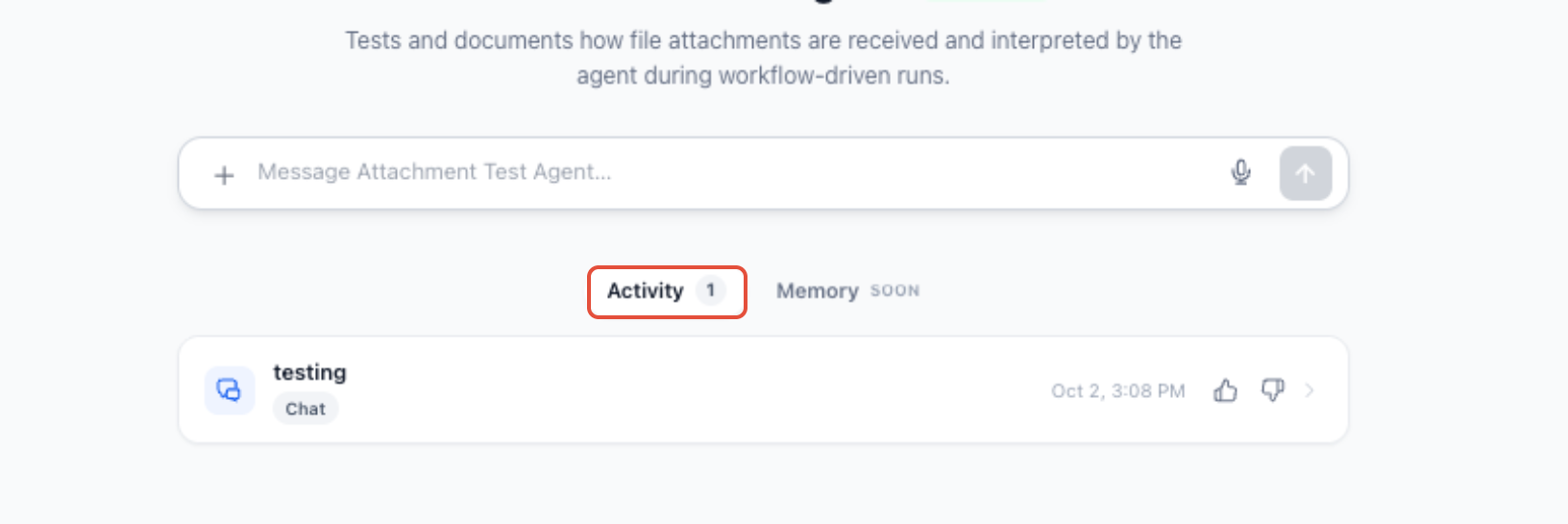
Open an execution to review the completed steps, skills or tools used, inputs, outputs, timing, and run results. Use these details to troubleshoot unexpected behavior and refine the agent's configuration.
Frequently Asked Questions
Q: Do I need to enable Skills Platform separately?
No. Configure the available capabilities directly within the AI Agent experience you are using.
Q: Are Custom Skills the same as built-in capabilities?
No. Built-in capabilities let an agent perform an operation. Custom Skills provide reusable instructions for how a Managed Agent should perform a task.
Q: Can one Custom Skill be used by multiple Managed Agents?
Yes. A Custom Skill can be shared and enabled or disabled for individual Managed Agents.
Q: Should factual information go in a Custom Skill?
Use the Knowledge Base for factual reference material. Use a Custom Skill when the agent needs reusable instructions for performing a process.
Q: Can AI Agents use external applications?
Yes, when the agent type and connector support it. Available external tools can vary by AI Agent.
Q: How can I see which skill or tool a Managed Agent used?
Open the Managed Agent's Activity tab and review the relevant execution.
Need Help?
If an AI Agent is not using a skill or tool as expected, verify that:
- The capability is supported by the AI Agent type you are configuring.
- The required action, Custom Skill, knowledge source, or external tool is enabled.
- The agent's instructions clearly explain when each capability should be used.
- Custom Skill descriptions clearly describe their intended task.
- The correct Knowledge Base source is connected.
- External connector authentication is still valid.
- The agent has only the actions and tools required for its role.
- The latest configuration was saved and retested.
- Managed Agent execution details were reviewed in the Activity tab.
If the issue continues, collect the agent name, agent type, affected skill or tool, run ID when available, relevant input, error message, and screenshots of the execution before contacting support.