
Client Portal — One Portal. Zero Tab-Hopping.
This article covers the unified Client Portal experience that connects Dashboard, Courses, Communities, billing, files, and account settings into a single, seamless customer journey.
You'll learn how to enable the experience, what customers will notice, and how this modernized platform improves performance, navigation, SEO discoverability, and brand consistency across all customer touchpoints.
The new Client Portal experience is built on Labs. This platform represents a modern architectural foundation that enables faster performance, deeper customization, and continuous feature development. Existing portal functionality remains fully supported as customers migrate to this enhanced experience.
What is the Unified Client Portal?
The Unified Client Portal connects Dashboard, Courses, Communities, billing, shared files, and account settings into a single, cohesive customer experience. Instead of managing these features as separate applications with different tabs, navigation patterns, and login flows, customers access everything through one branded, connected portal.
This architecture eliminates the need for customers to switch contexts between sections. Whether they're continuing a course, checking community activity, reviewing an invoice, downloading a shared file, or updating profile settings, the experience feels like part of the same journey—not separate products stitched together.
The platform runs on a modern, shared architecture that enables faster page loads, smoother transitions, consistent branding, and a foundation for future customer-facing capabilities.
Key Benefits
The unified Client Portal delivers measurable improvements in customer experience, performance, brand consistency, and platform flexibility.
What Customers Will Notice
Customers interact with the portal through several key improvements that reduce friction, increase speed, and simplify navigation across all customer-facing sections.
The redesigned login and portal experience keep your business brand front and center. From login to Courses, Communities, billing, and files, customers get a more consistent, polished, and professional experience that reinforces your brand identity at every touchpoint.
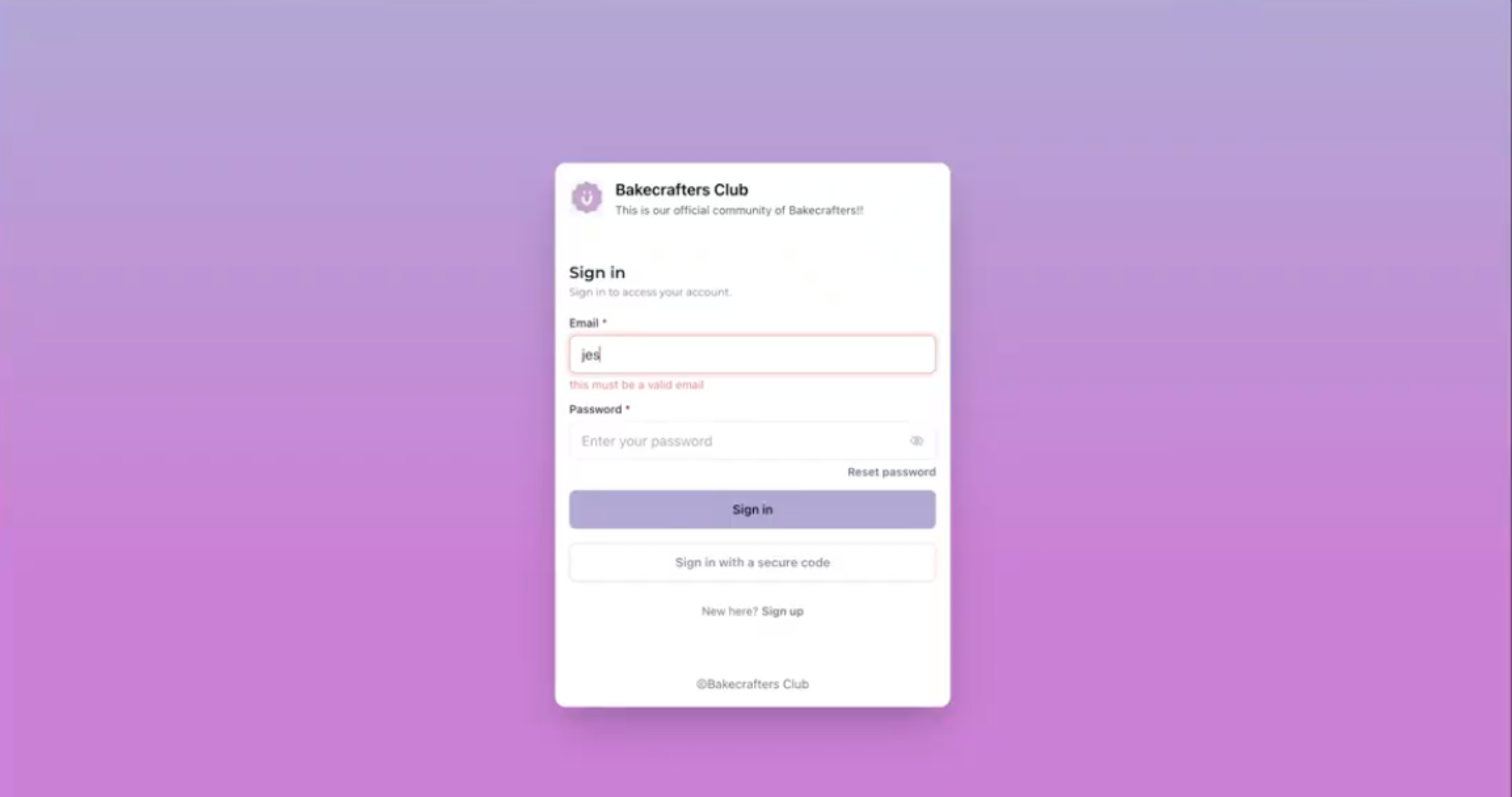
Customers move naturally between Courses, Communities, Dashboard, billing, and shared files without the experience feeling disconnected. Navigation remains consistent across sections, eliminating the need to reorient when switching between activities.
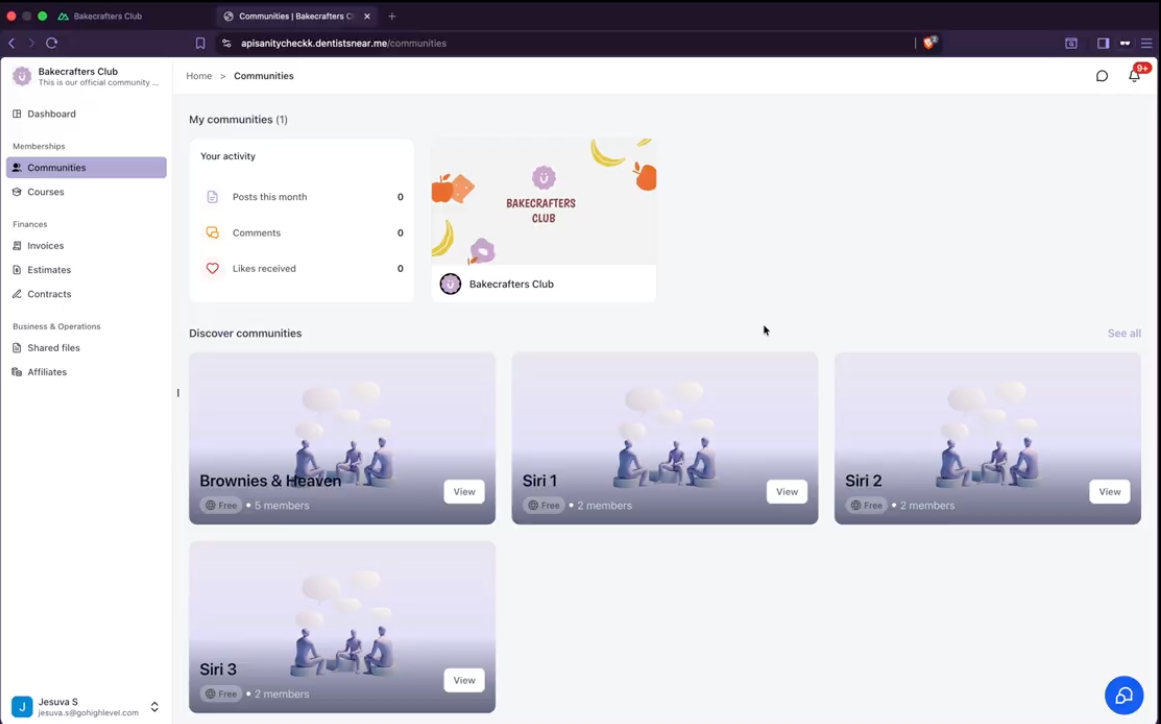
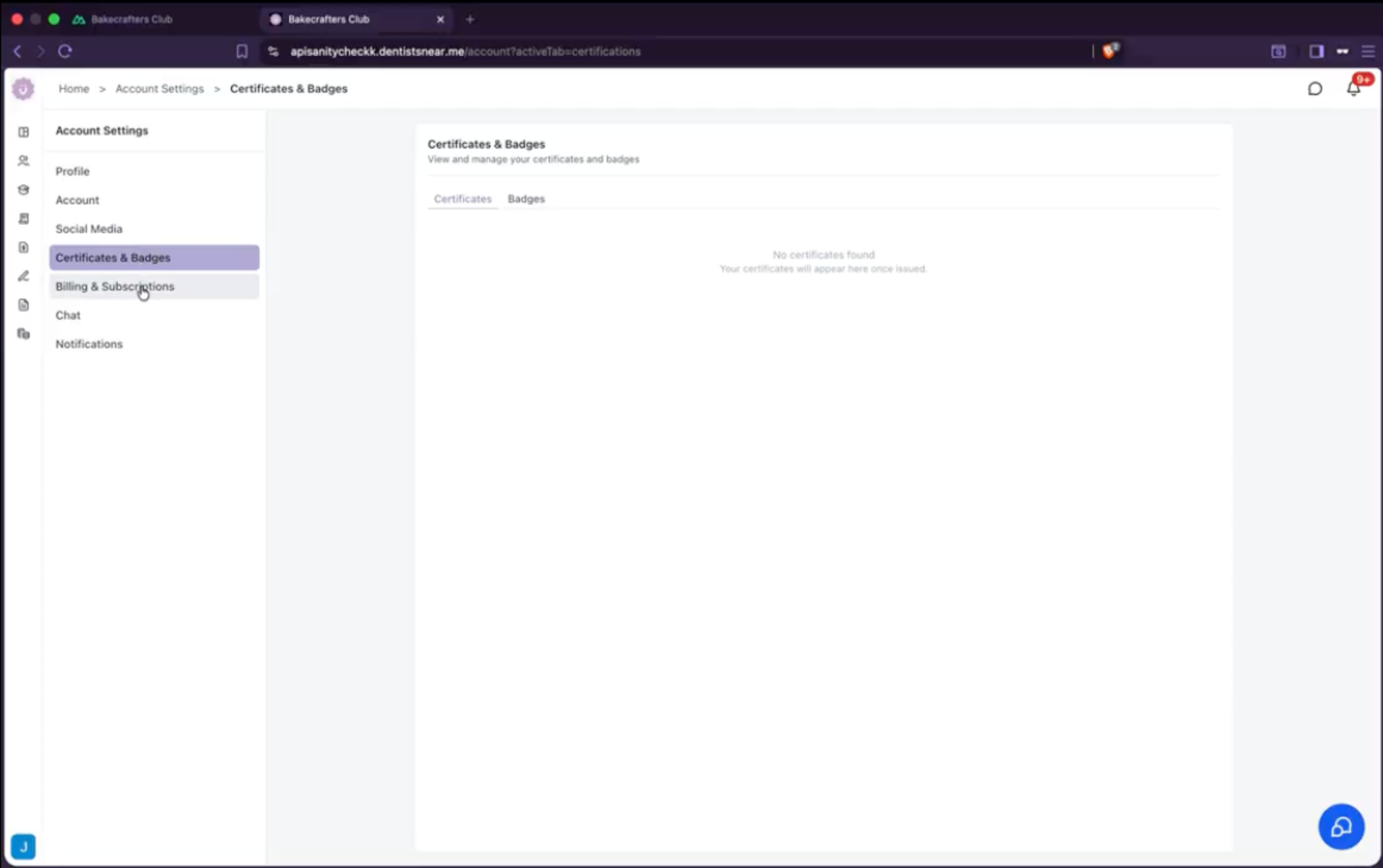
The unified portal provides seamless access to Communities, Courses, account settings, billing and subscriptions, shared files, and certificates and badges—all through one consistent navigation experience.
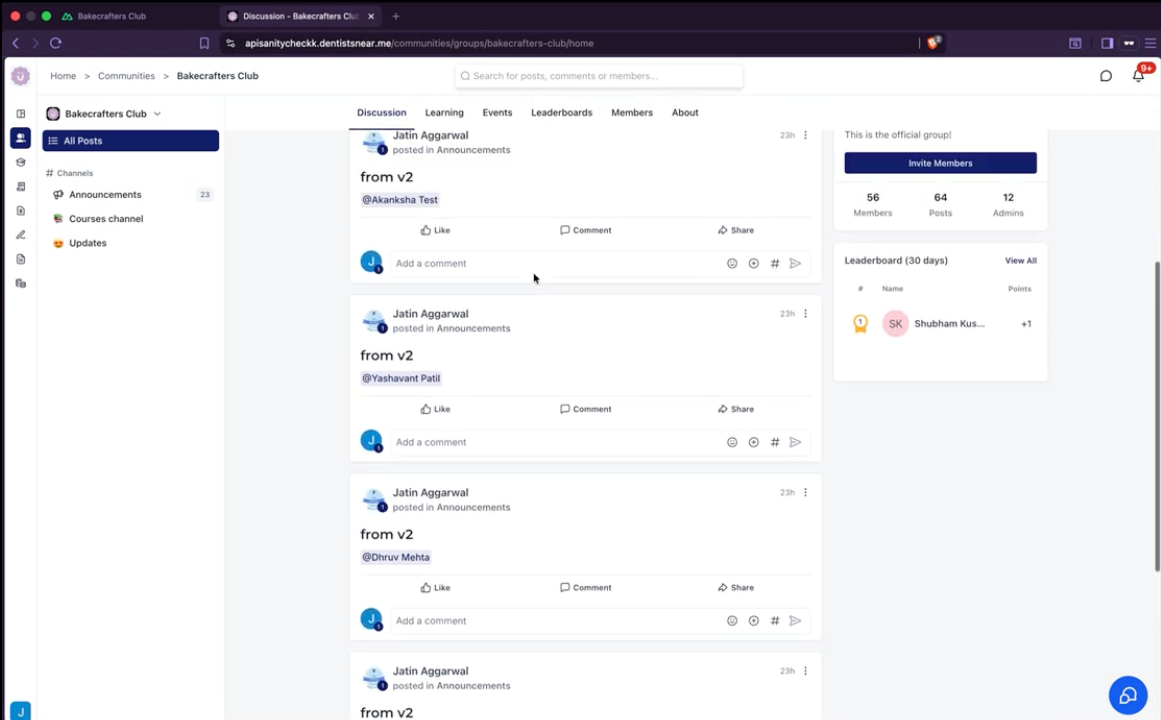
The redesigned dashboard and unified navigation make it easier for customers to find:
- Courses in progress
- Community activity
- Continue Watching
- Pinned Communities
- Billing items
- Shared files
Customers can quickly understand where they are and what to do next without repeated context switching.
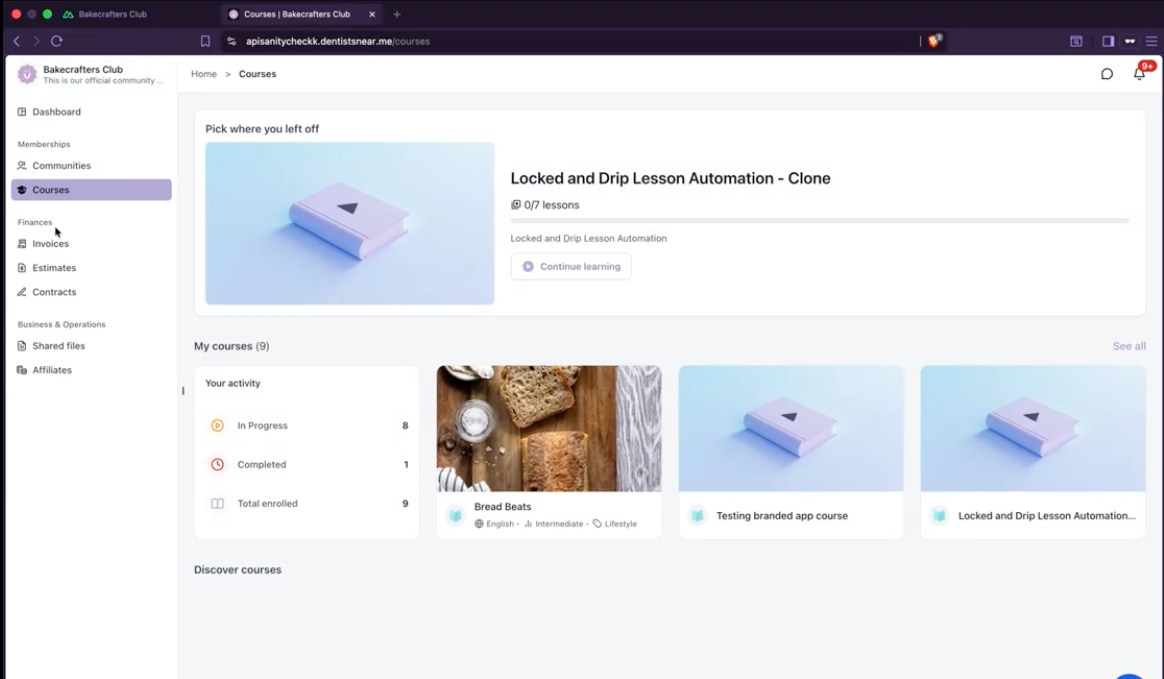
Customers can manage all account settings in one place, including profile information, social media connections, certificates and badges, billing and subscriptions, chat preferences, and notifications—all accessible through the unified portal navigation.
SEO and Public Discoverability
The unified portal expands how businesses can reach customers beyond the portal itself. Eligible public Course and Community pages are SEO-ready, with search-friendly rendering, crawlable URLs, and page metadata that help search engines understand and discover the content.
This gives businesses more opportunities to:
- Increase the reach of public Courses and Communities
- Help new audiences discover valuable content
- Build organic visibility around their expertise
- Turn public content into a stronger growth channel
Private, gated, and customer-only content remains fully protected. SEO-ready rendering applies only to public-facing Course and Community pages that you choose to make discoverable.
Platform Architecture and Future Capabilities
The unified portal represents more than a visual refresh. It migrates Client Portal, Courses, and Communities from separate legacy experiences to connected applications built on a shared, modern architecture.
This architectural upgrade makes it possible to deliver:
- Faster and smoother navigation
- A consistent login and customer journey
- Better performance across devices
- Search-engine-friendly public pages
- A shared foundation across customer-facing products
- Faster delivery of future improvements
- Greater flexibility for branding and customization
This foundation unlocks upcoming customer-facing capabilities, including:
- Appointments inside the Client Portal
- Custom navigation links
- Deeper portal customization
- Expanded branding options
- Richer Community and event experiences
- More customer self-service capabilities
Frequently Asked Questions
If you have questions about enabling the unified portal, customizing the customer experience, or troubleshooting issues, follow these steps:
- Navigate to Client Portal Dashboard in the app for enablement options and settings
- Contact support directly from the app for assistance with enablement or configuration
- Review the screenshots in this article for visual guidance on the unified portal experience