
Understanding how to buy a toll-free number can be critical for your business operations. This article provides a straightforward walkthrough on purchasing a toll-free number. Equip yourself with this knowledge to enhance your customer communications strategy.
TABLE OF CONTENTS
- What is a Toll-Free Number?
- Key Benefits of Toll-Free Numbers
- How to Buy a Toll-Free Number
- Frequently Asked Questions
- Related Articles
What is a Toll-Free Number?
Toll-free numbers are business phone numbers that use recognizable prefixes such as 800, 888, 877, 866, 855, 844, and 833. They can provide businesses with a broader, non-local presence and can support capabilities such as Voice, SMS, and MMS when those capabilities are available for the selected number. Availability depends on the country, number type, selected capabilities, provider inventory, and applicable regulations.
Key Benefits of Toll-Free Numbers
- Professional business presence: Use a recognizable business number that is not tied to a particular local area code.
- Voice and messaging capabilities: Search for toll-free numbers that support capabilities such as Voice, SMS, or MMS when available.
- Flexible number selection: Filter available numbers using number type, capabilities, or specific digits to narrow your search.
How to Buy a Toll-Free Number
- Click Settings in the bottom-left corner.
- Open Phone System.
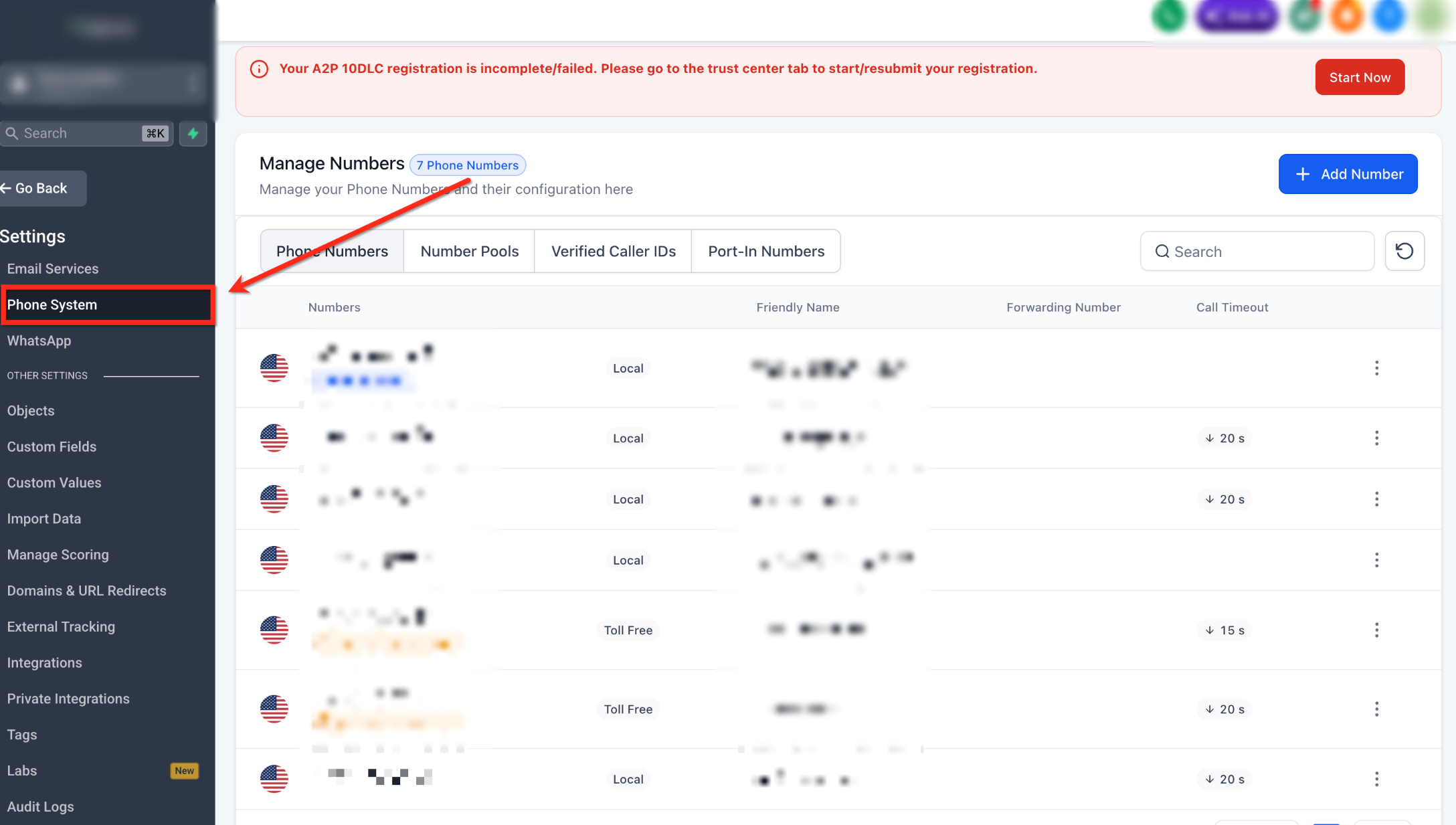
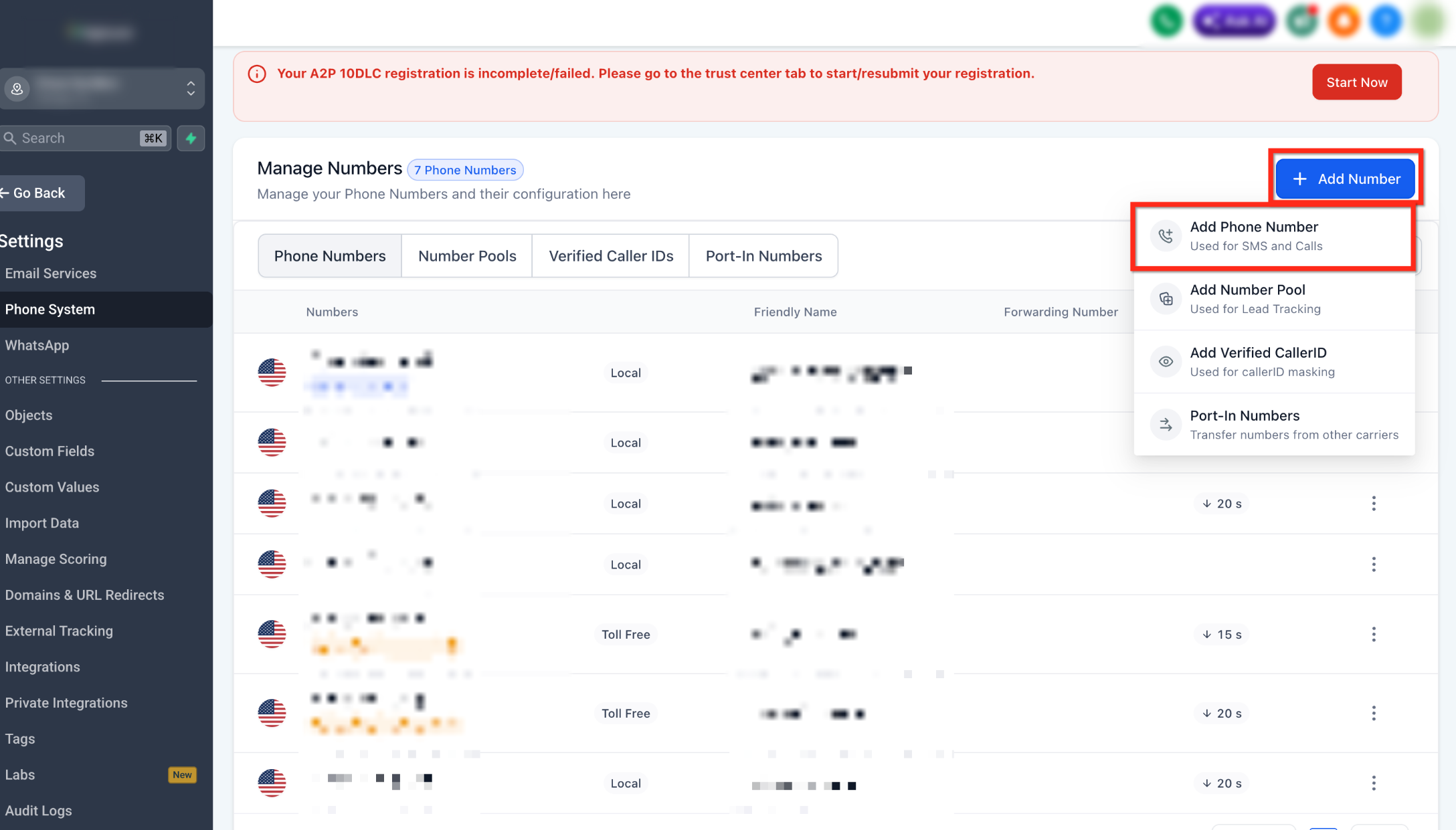
- Click + Add Number.
- From the dropdown menu, select Add Phone Number.
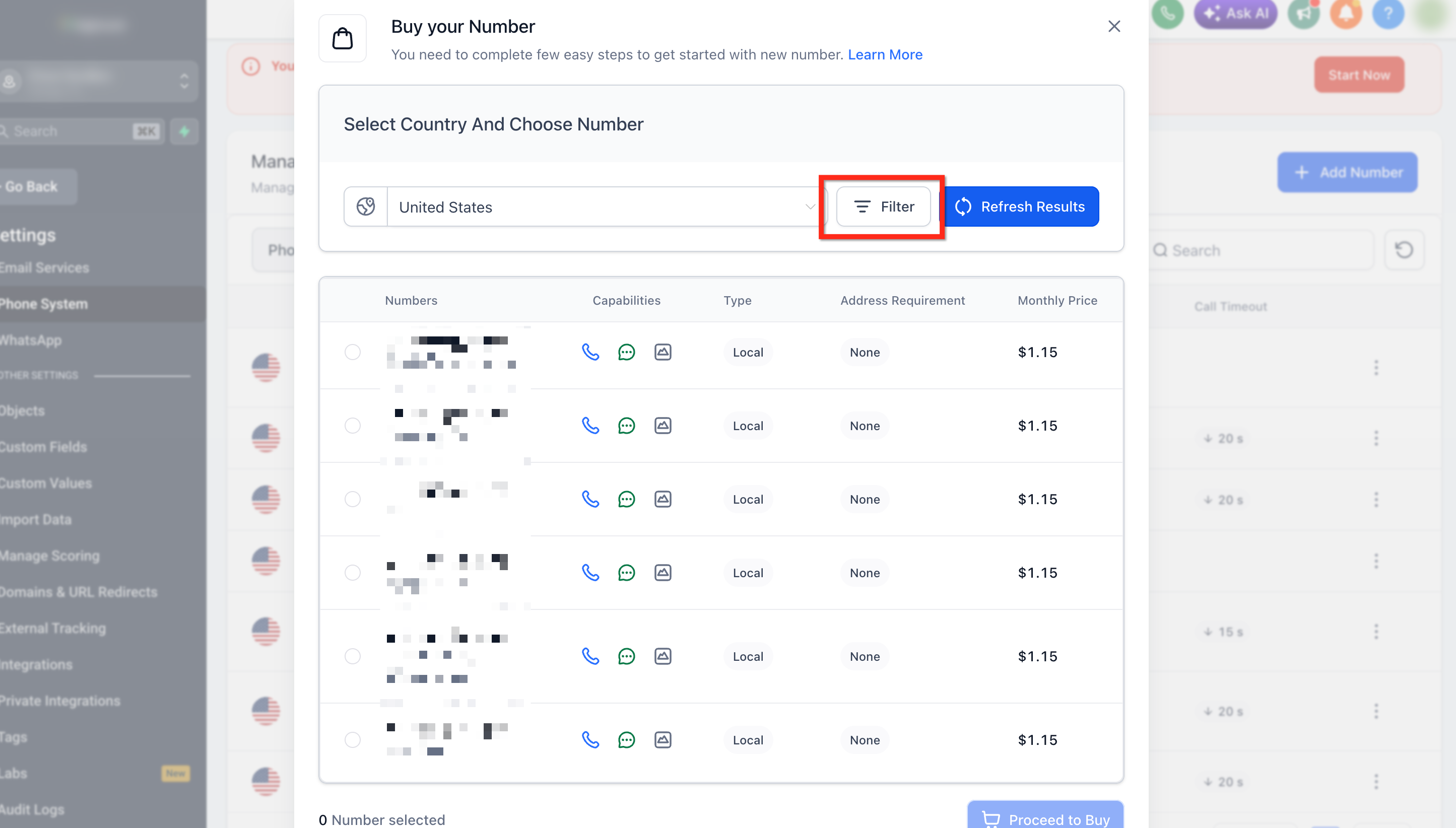
- Click Filters to open the number filters.
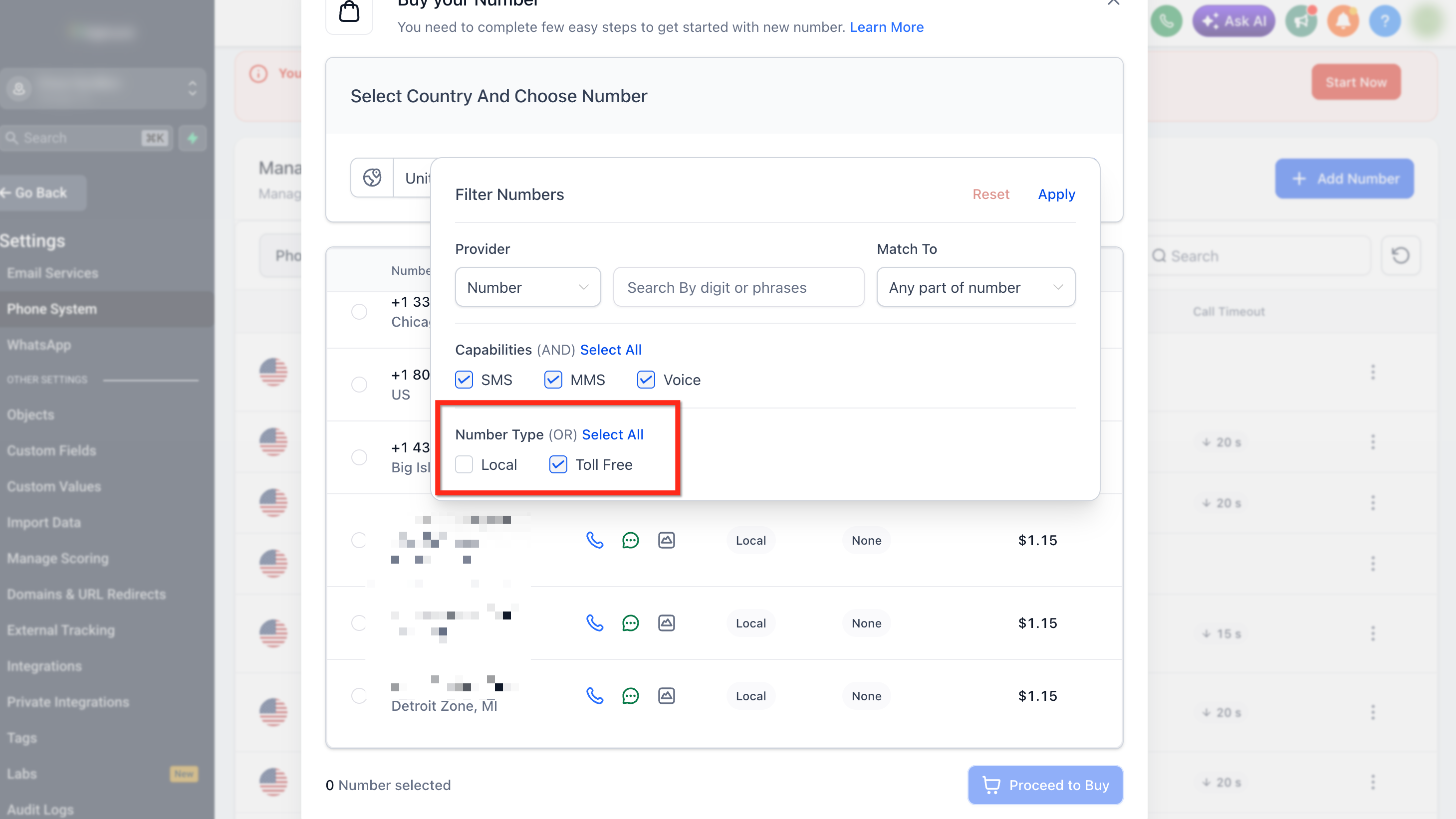
- Under Number Type, select Toll-Free.
- Click Apply to update the search results.
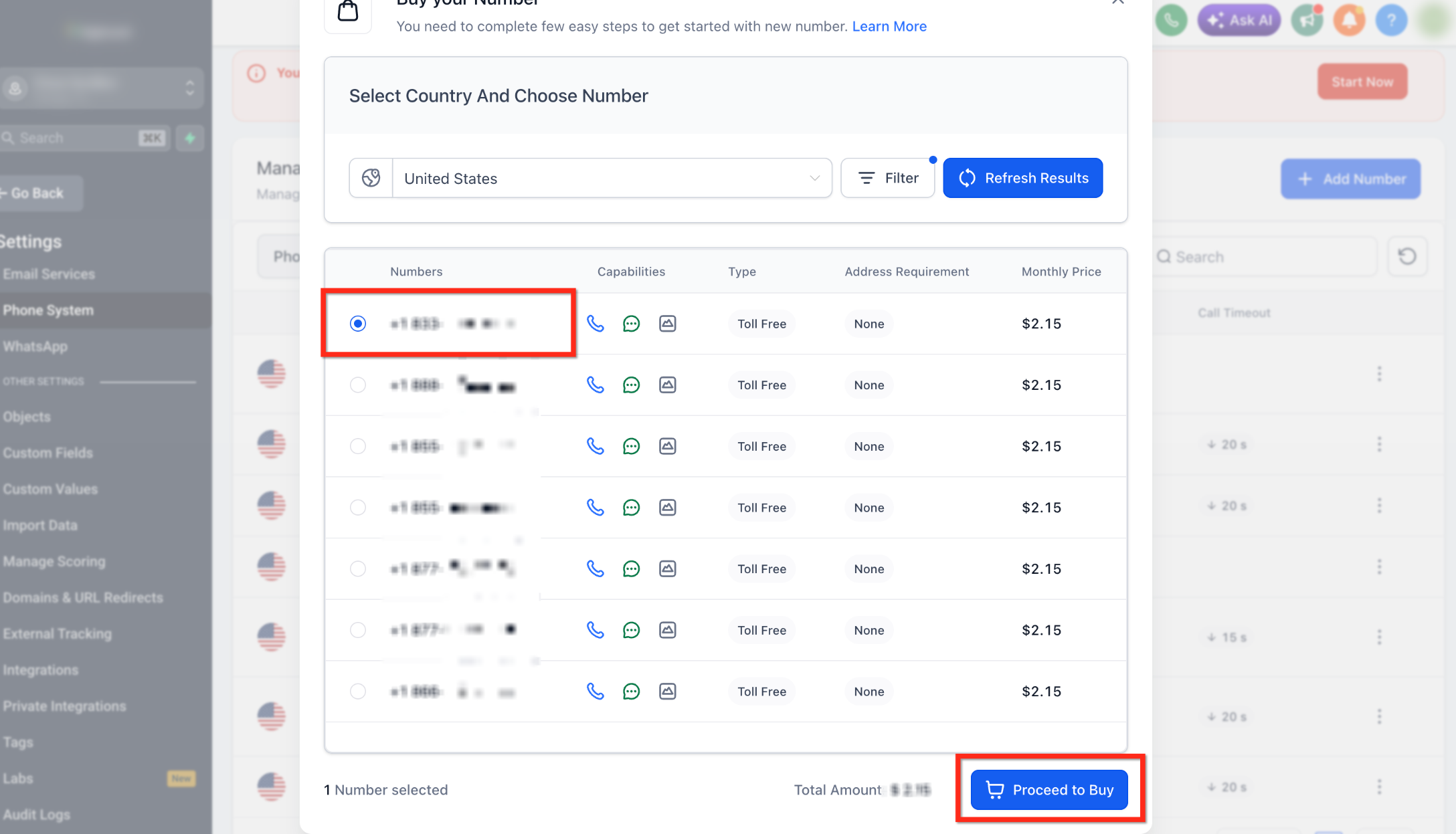
- Select the number you would like to but then click Proceed to Buy.
Frequently Asked Questions
Q: What is the benefit of Toll-Free Numbers over Local/Phone numbers?
Though Toll-Free numbers are high priced they have added advantages to it, please see below:
- Increased throughput of 3 Message segment per second when compared to 1 message segment per second in case of other 10DLC numbers.the
- [US/Canada Only] The Toll-Free Registration helps to send at least a few messages while the registration is in progress unlike the A2P registration for 10DLC numbers.
Q: Does purchasing a toll-free number automatically verify it for SMS or MMS?
No. Purchasing the number and completing Toll-Free Verification are separate processes. Toll-free numbers used for messaging to US or Canadian recipients must successfully complete Toll-Free Verification before SMS or MMS traffic can be sent.
Q: How can one register their US/Canada Toll-Free numbers?
If the account is on the LC phone, you can sign up for Toll-Free Number Registration for LC - Phone (US/Canada) from the application. [Only applicable to US/Canada Toll-Free Numbers]
If the account is using your/their own Twilio account, you will need to contact Twilio support to register your toll-free number.
Q: Can I make calls while Toll-Free Verification is pending?
Yes. Toll-Free Verification applies to messaging. Voice calling is not affected by the Toll-Free Verification status.
Need Help?
If you cannot find, purchase, or use a toll-free number as expected, first review the country, number filters, billing status, and any required messaging verification.
Verify that:
- You are working in the correct account.
- You selected the correct country when searching for a number.
- Toll-Free is selected under the number type filters.
- Your search filters are not too restrictive.
- The toll-free prefix or specific digits you want are currently available.
- The selected number supports the capabilities you need, such as Voice, SMS, or MMS.
- Your billing method is active and able to complete the purchase.
- The number appears under Phone System → Phone Numbers after purchase.
- Any required regulatory information has been completed for the selected number.
- Toll-Free Verification has been completed before using the number for SMS or MMS where required.
- You understand that purchasing the number does not automatically complete messaging verification.
- You are not troubleshooting a messaging verification issue when voice calling is otherwise working normally.
If no toll-free numbers appear in your search, remove optional filters, refresh the available inventory, and try a different supported toll-free prefix.
If the issue continues, collect the country, selected number type, search filters, desired capabilities, attempted phone number, verification status if applicable, and the displayed error message before contacting support.