
Purchasing a phone number gives your account a dedicated business number for supported calling and messaging activities. This guide explains how to search for and purchase a number, complete any required identity or regulatory steps, configure the number after purchase, and troubleshoot common purchase issues.
TABLE OF CONTENTS
- What Is Purchasing a Phone Number?
- Key Benefits of Purchasing a Phone Number
- Before You Purchase a Phone Number
- How to Purchase a Phone Number
- After Purchasing Your Phone Number
- Complete Messaging Registration When Required
- Troubleshooting Phone Number Purchase Errors
- Frequently Asked Questions
- Need Help?
What Is Purchasing a Phone Number?
Purchasing a phone number adds a new business number to your account. After purchase, the number can be configured for supported calling, messaging, routing, voicemail, user assignment, and automation based on your communication needs.
This guide applies to phone numbers purchased directly through the platform. If your account uses an externally connected phone provider, use that provider's purchasing process instead.
Key Benefits of Purchasing a Phone Number
A dedicated business number gives you more control over how your team manages calls and messages while keeping business communication separate from personal phone numbers.
- Two-Way Communication: Use supported numbers for inbound and outbound voice and messaging.
- Local or Toll-Free Options: Search for supported local or toll-free numbers based on country, number type, and availability.
- Centralized Communication: Manage phone activity alongside contacts, conversations, and workflows.
- Flexible Call Routing: Route incoming calls to users, teams, forwarding numbers, or voicemail.
- Business and Personal Separation: Use a dedicated business number instead of a team member's personal phone number.
Before You Purchase a Phone Number
Checking availability, verification requirements, pricing, and the intended use of the number before purchasing can help prevent common setup and purchase errors.
Review Number Availability and Costs
Phone number inventory changes regularly, so a specific area code or number type may not always be available. Availability can depend on the country, area code, number type, supported capabilities, regulatory requirements, and current inventory.
Purchased phone numbers may also have recurring rental charges. Pricing varies by country and number type, and additional usage or registration charges may apply depending on how the number is used.
Complete Identity Verification When Required
Some countries and number types may require identity verification before a phone number can be purchased. If verification is required, follow the prompts shown during the purchase process.
Identity verification is separate from messaging-registration processes such as A2P 10DLC or Toll-Free Verification.
Check Regulatory Requirements
Some countries and number types require an approved address, regulatory information, supporting documentation, or other compliance details before the number can be provisioned.
Complete any regulatory prompts displayed during the purchase process before attempting to finalize the transaction.
Use the Correct Process for a Number You Already Own
Purchasing is intended for obtaining a new phone number. If you already own the number you want to use, you may need to port, import, move, or host the existing number instead of purchasing another one.
How to Purchase a Phone Number
Purchasing the number from the account where it will be used helps ensure the number is available to the correct users, workflows, and communication settings.
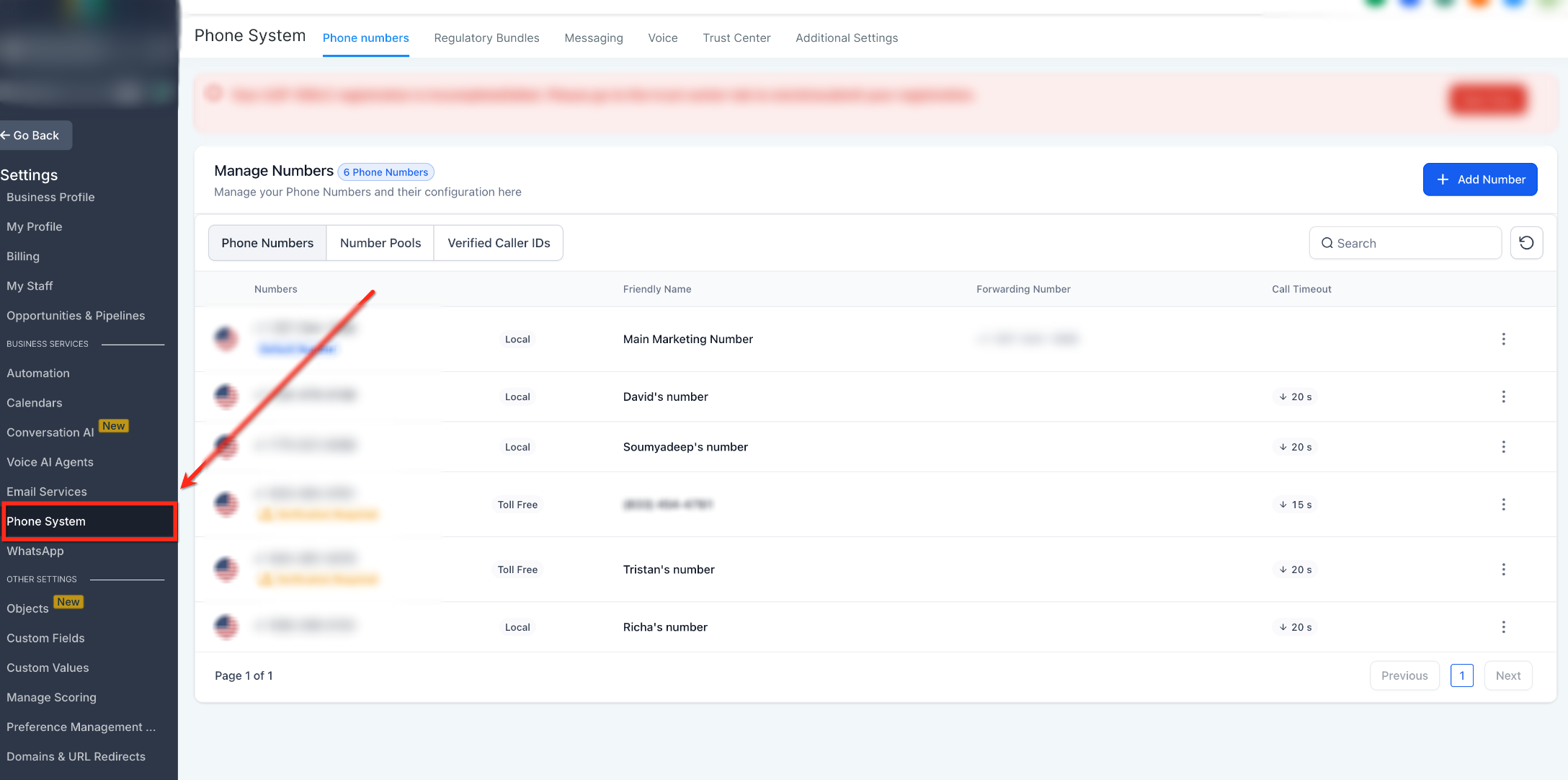
Step 1: Open Phone System
Start from the account where the new phone number should be used.
- Log in to the correct account.
- Click Settings.
- Select Phone System.
If identity verification is required, you may be prompted to complete it during the purchase flow.
Step 2: Add a Phone Number
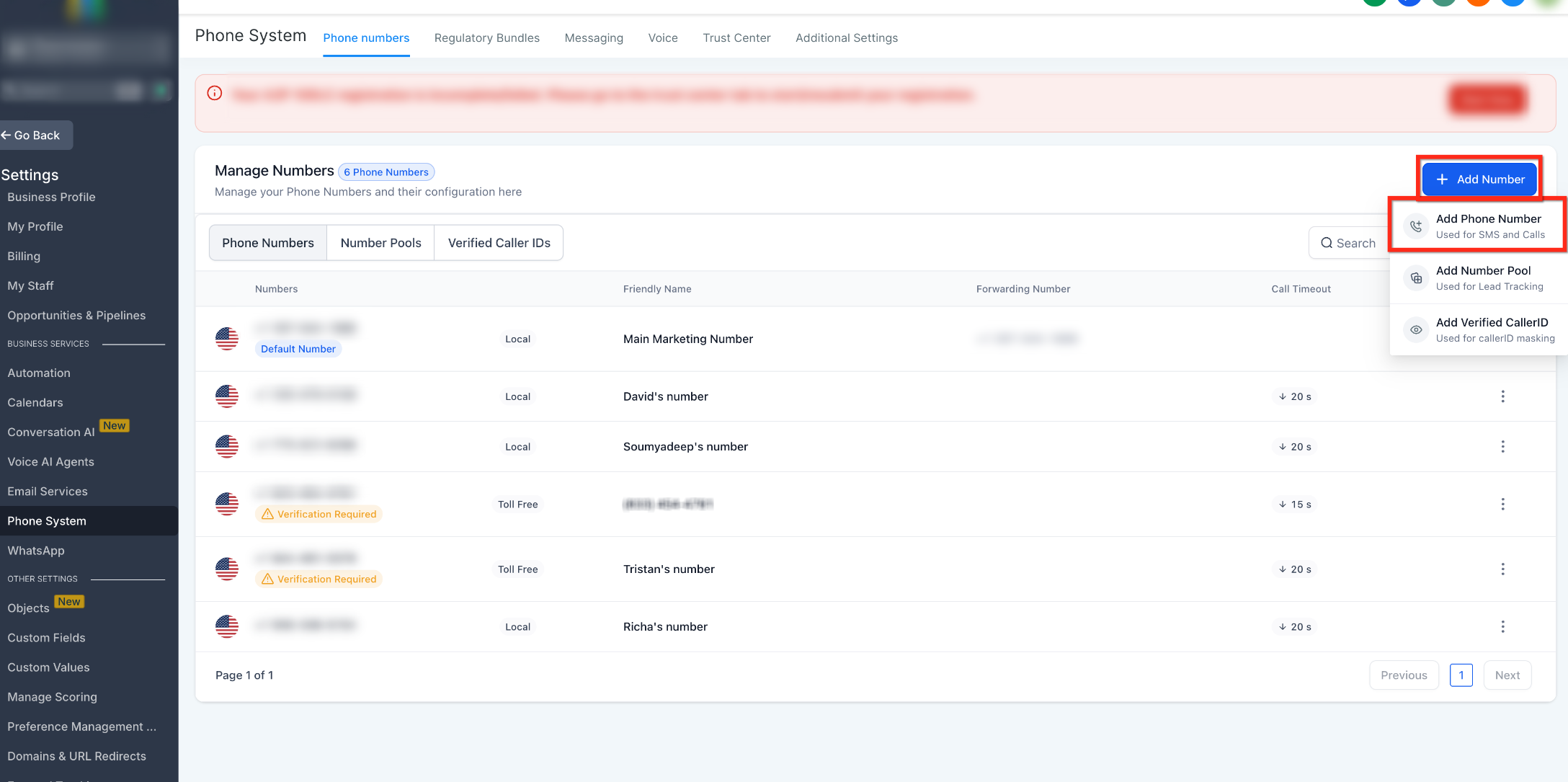
The Add Number menu lets you begin searching for a new business phone number.
- From Phone System, open the Phone numbers tab.
- Click + Add Number.
- Select Add Phone Number.
Step 3: Select the Country and Search Filters
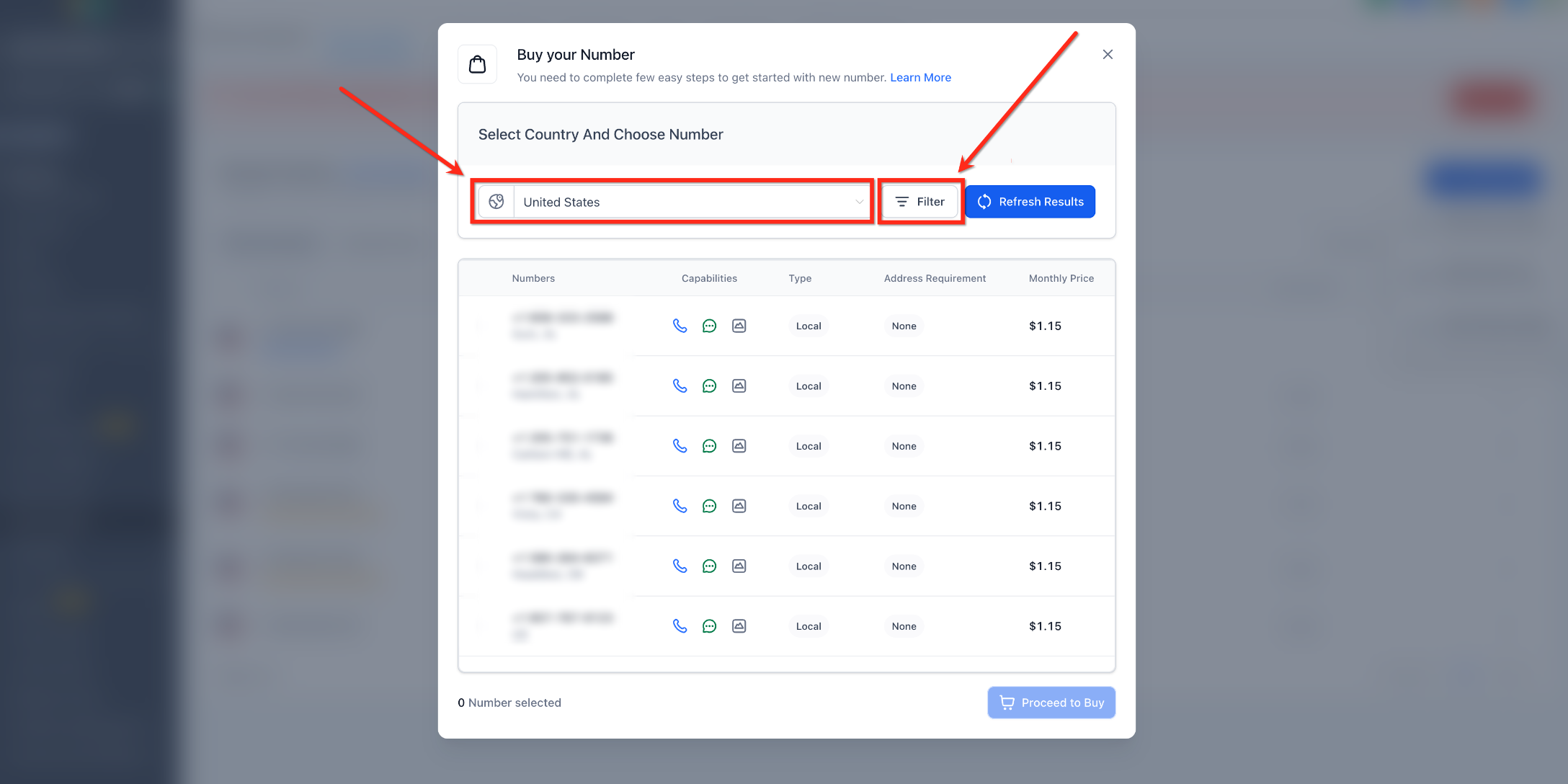
Country and filter selections determine which available numbers appear in your search results.
- Select the desired Country.
- Click Filter to refine the results.
- Apply the filters that match your needs.
Available filters may include:
- Digits or phrases within the phone number
- Voice capability
- SMS capability
- MMS capability
- Local or toll-free number type
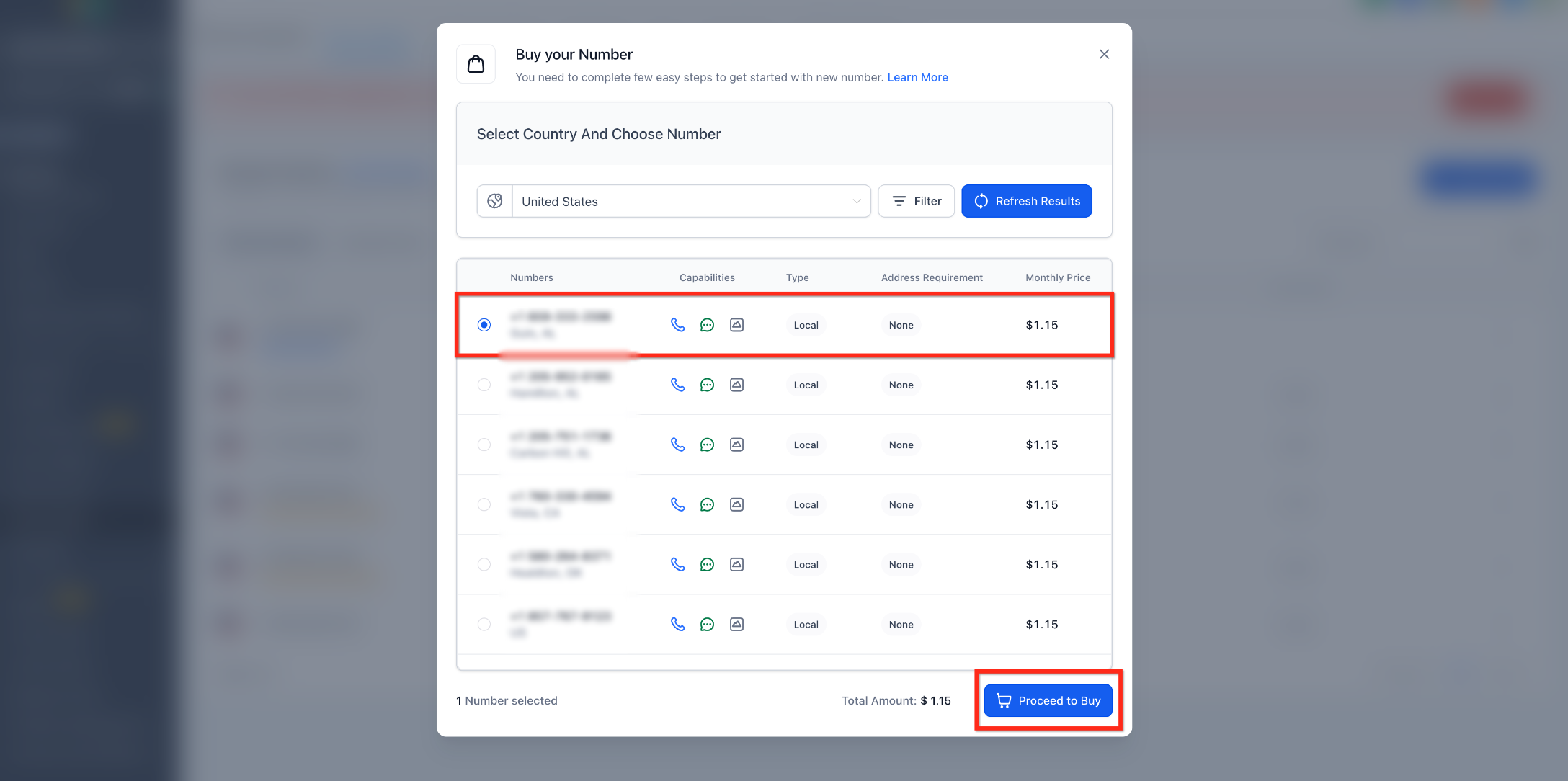
Step 4: Choose an Available Number
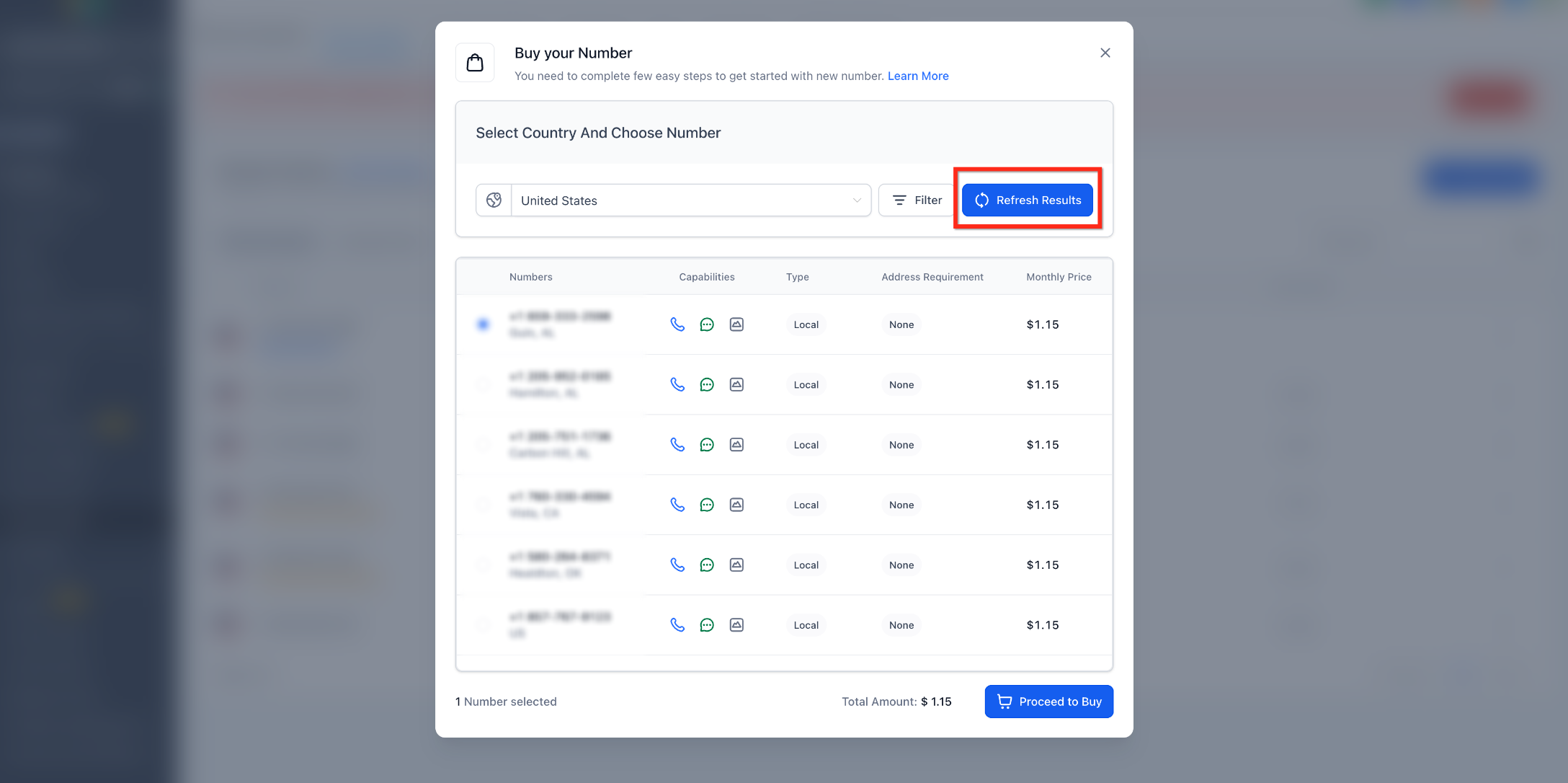
Review the available inventory and choose a number that supports the communication capabilities you need.
- Review the available phone numbers.
- Select the number you want to purchase.
- Click Refresh Results if you want to view different inventory.
- If needed, broaden your filters or search another appropriate area code.
If no suitable number is available, try broader filters, a nearby or overlay area code, or another supported number type.
Step 5: Complete the Purchase
Review the number, pricing, capabilities, and any required regulatory information before confirming the transaction.
- Select the desired phone number.
- Review the displayed capabilities, number type, address requirements, and monthly price.
- Click Proceed to Buy.
Depending on the selected country and number type, you may need to complete an approved address, regulatory requirement, or identity-verification step before the purchase can be completed.
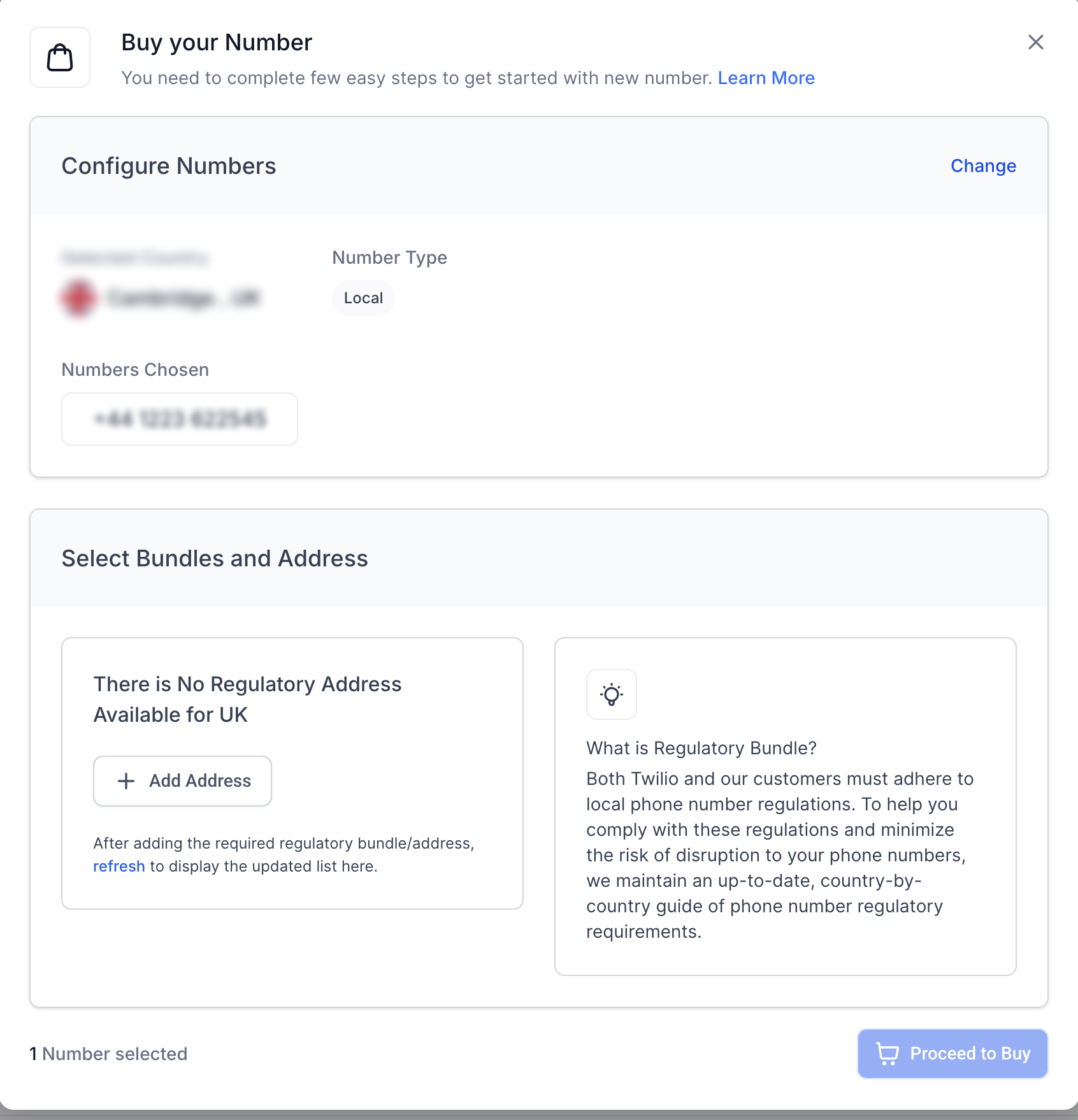
Complete any required address, identity, or regulatory information before proceeding.
- Complete any required verification, address, regulatory, or confirmation prompts.
- Confirm the purchase.
After a successful purchase, the new number appears in your Phone System and may display additional configuration or messaging-registration requirements.
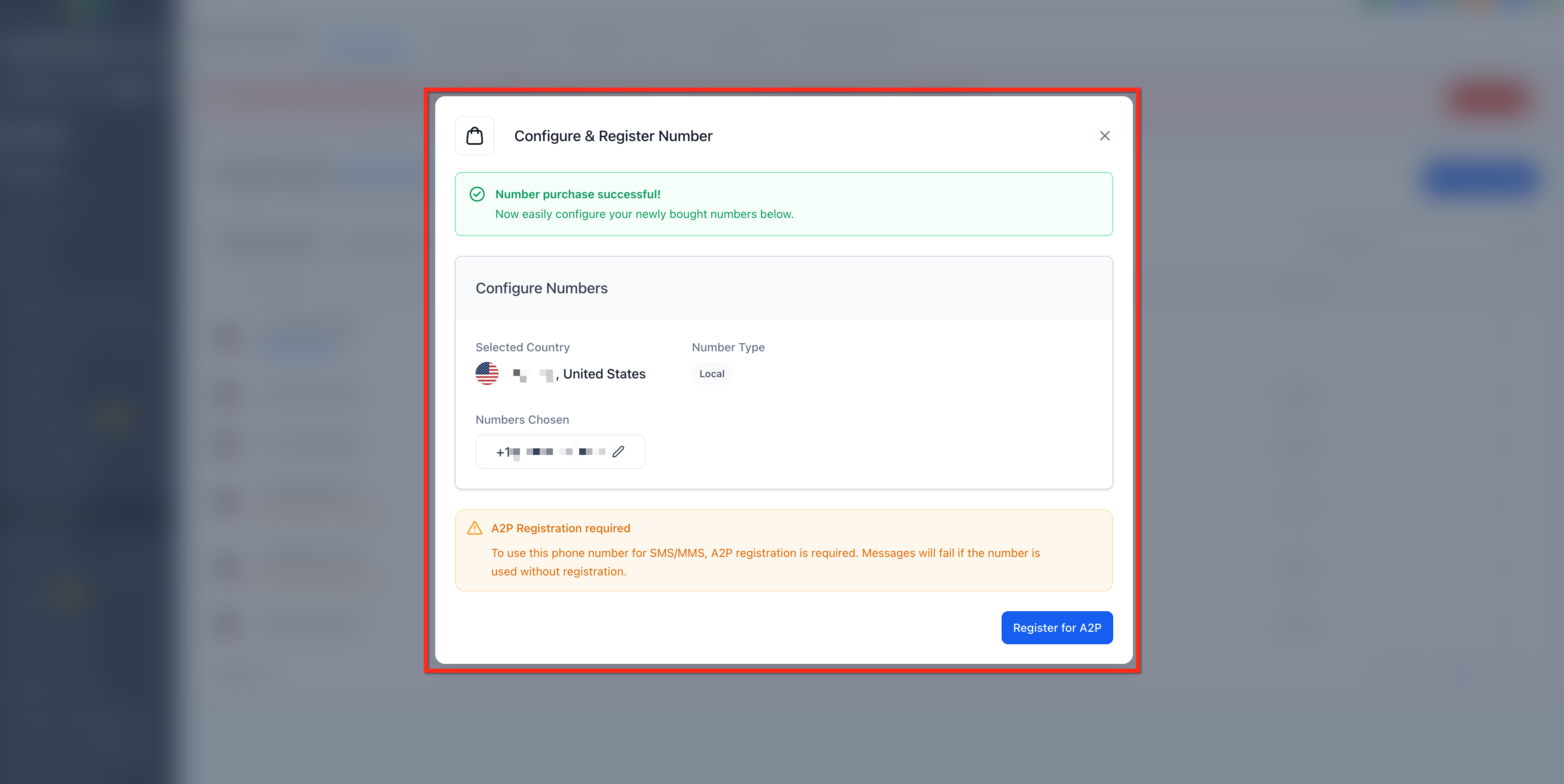
After Purchasing Your Phone Number
A successful purchase adds the number to your account, but additional configuration may be required before it is ready for calling or messaging.
- Go to Settings → Phone System → Phone numbers.
- Confirm the newly purchased number appears in the list.
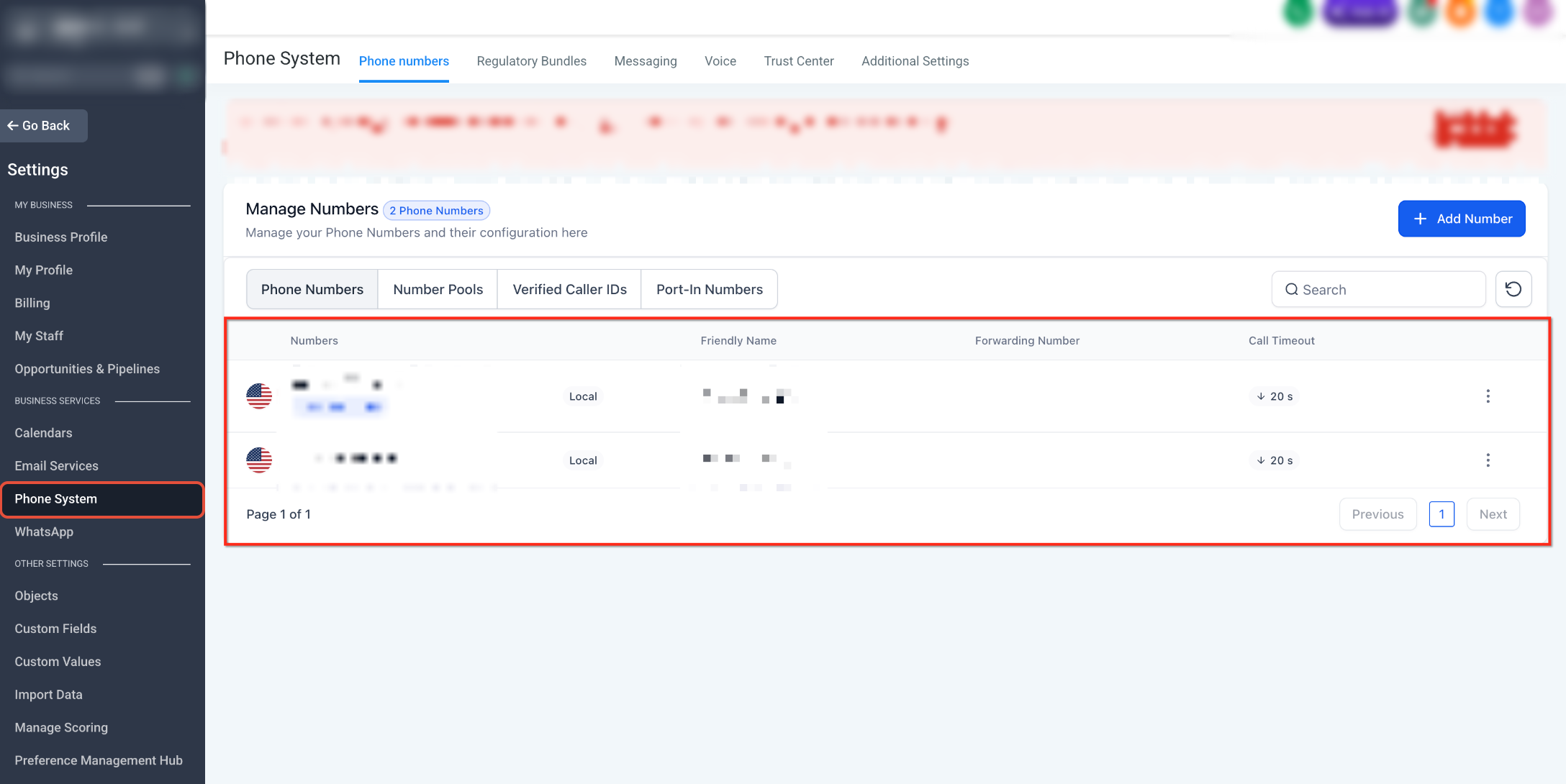
- Open the number's configuration.
- Configure the appropriate routing, forwarding, voicemail, or user settings.
- Make a test call from another phone to confirm inbound calling works as expected.
- Complete any messaging registration or verification required before relying on the number for SMS or MMS.
Complete Messaging Registration When Required
A phone number supporting SMS or MMS does not automatically mean business messaging is ready to use. Registration requirements depend on the number type and the recipients you plan to message.
- US 10-Digit Local Numbers: Applicable business messaging to US recipients may require A2P 10DLC registration.
- Toll-Free Numbers: Toll-free numbers used for applicable SMS or MMS messaging to recipients in the United States or Canada may require Toll-Free Verification.
Complete all applicable registration requirements before relying on the number for business messaging.
Troubleshooting Phone Number Purchase Errors
A purchase can fail because of identity verification, regulatory requirements, changing inventory, restrictive search criteria, or an account-specific issue. Reviewing these items can help identify the cause before retrying.
Purchase Error Checklist
If Proceed to Buy does not complete the transaction, verify that:
- You are purchasing the number from the correct account.
- Any required identity verification has been completed.
- Required address or regulatory information has been submitted and approved.
- The selected phone number is still available.
- Your search filters are not too restrictive.
- You have refreshed the available number inventory.
- You have tried another suitable number or area code if the original selection is unavailable.
Information to Collect for Support
Providing clear purchase and error information can help identify whether the issue is related to inventory, verification, regulatory requirements, or the account.
Collect:
- Account name
- Country
- Number type
- Selected phone number, if applicable
- Exact error message
- Screenshot or screen recording of the error
- Identity-verification status, if applicable
- Regulatory or address approval status, if applicable
- Troubleshooting steps already attempted
Important: Do not send passwords, payment-card information, government-issued identity documents, or other sensitive credentials through unsecured support channels.
Frequently Asked Questions
Q: Why does the monthly price differ from a screenshot or previous purchase?
Phone-number pricing can vary by country, number type, and current rates. Screenshots should be treated as examples rather than pricing quotes.
Q: Is identity verification the same as A2P 10DLC or Toll-Free Verification?
No. Identity verification confirms information associated with the account or purchase. A2P 10DLC and Toll-Free Verification are separate messaging-registration processes.
Q: Can one phone number route calls to multiple team members?
Yes. Depending on your configuration, incoming calls can be routed to an individual user, multiple users, a forwarding number, or voicemail.
Q: Does SMS or MMS capability mean I can start sending messages immediately?
Not necessarily. The number may support messaging technically, but applicable registration or verification requirements may still need to be completed.
Q: Can I purchase another number if a specific area code is unavailable?
Yes. Try another available area code, nearby overlay code, or supported number type if the exact inventory you want is unavailable.
Q: What should I do if I already own the phone number?
Do not purchase a replacement solely to add an existing number. Depending on the current provider and number type, you may need to port or transfer the existing number instead.
Need Help?
If you cannot purchase a phone number, verify that:
- You are in the correct account.
- Required identity verification is complete.
- Any required address or regulatory information has been approved.
- The selected number is still available.
- Your search filters are not too restrictive.
If the purchase still fails, collect the country, number type, selected number, exact error message, verification status, and screenshots before contacting support.