
After unsubscribing, contacts can use the feedback questionnaire to select Unsubscribed by mistake, subscribe again and submit the form. Their email subscription status is then restored. This article explains how resubscription works and how to verify the change in the contact record.
TABLE OF CONTENTS
- What is Resubscribe to an Email List?
- Key Benefits of Resubscribe
- Where the Resubscribe Option Appears
- DND & Consent Updates
- Reporting Notes
- How To Set Up & Test Resubscribe
- Frequently Asked Questions
What is Resubscribe to an Email List?
Resubscribe is a built-in option in the unsubscribe feedback questionnaire that lets contacts reverse an accidental unsubscribe.
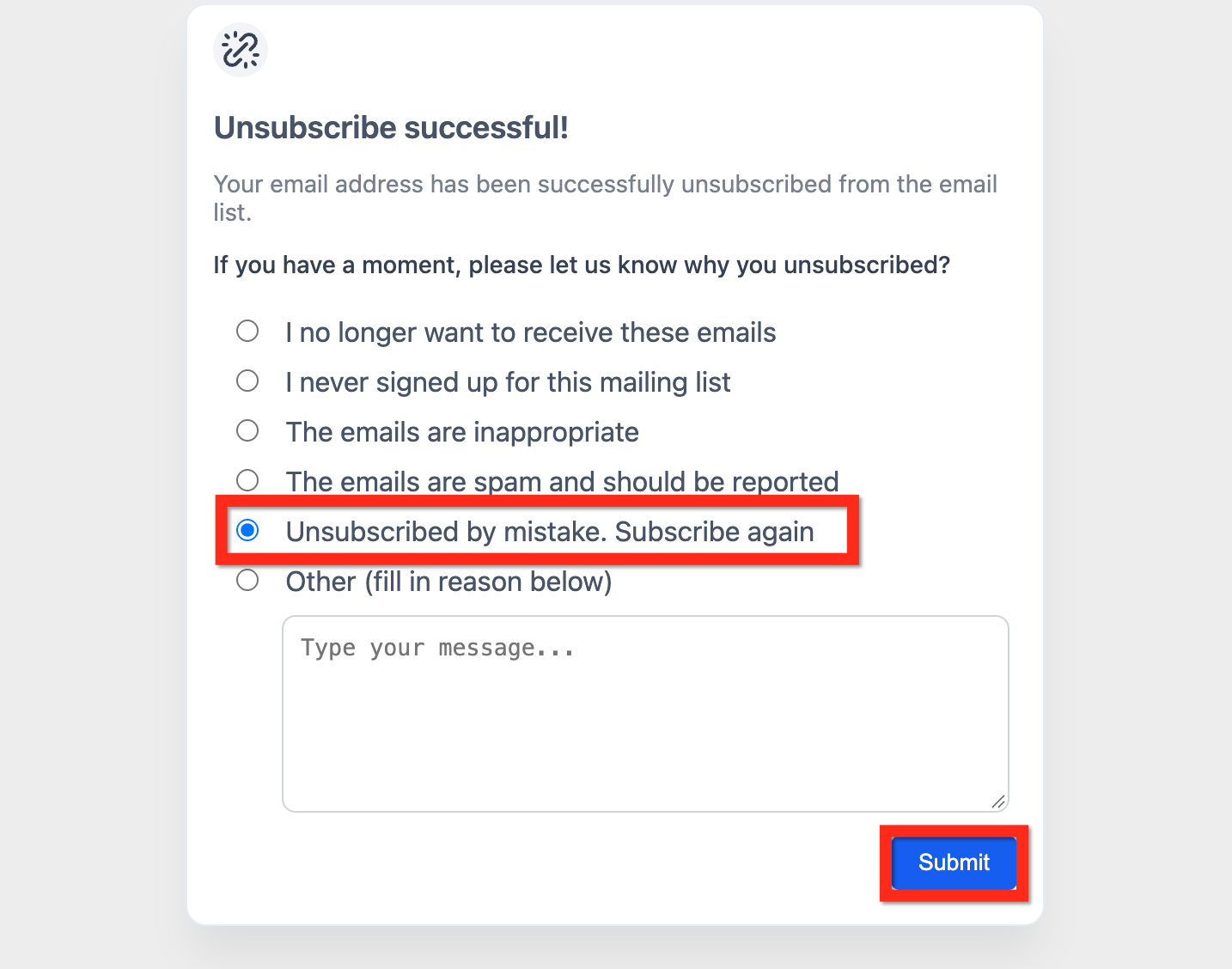
After unsubscribing, the contact can select Unsubscribed by mistake, subscribe again and submit the feedback form. Their email subscription status is then restored.
Key Benefits of Resubscribe
- Simple consent recovery: Contacts can indicate that they unsubscribed by mistake and subscribe again directly from the unsubscribe feedback form.
- Cleaner contact status: Updates the contact's email eligibility without requiring a manual DND change.
- Better campaign continuity: Contacts can receive future email communications after they opt back in.
- Consent visibility: The resubscribe action provides a contact-initiated indication that the contact wants to receive email again.
- Less manual work: Contacts can restore their email eligibility without requesting a manual change.
Where the Resubscribe Option Appears
After a contact unsubscribes from an email, the unsubscribe feedback questionnaire includes the option Unsubscribed by mistake, subscribe again.
The contact selects this option and submits the form to indicate that they want to receive emails again.
DND & Consent Updates
Resubscribe changes a contact's eligibility to receive email.
- Selecting Unsubscribed by mistake, subscribe again and submitting the feedback form resubscribes the contact.
- Verify the change in the contact record after the form is submitted.
- Review the contact's email DND status to confirm that email eligibility has been restored.
Tip: Compare the contact record before and after resubscription to confirm that the email status changed as expected.
Reporting Notes
Campaign reporting may continue to reflect the earlier unsubscribe event even after a contact resubscribes.
- Historical campaign statistics can retain the unsubscribe event associated with the original email.
- When validating whether a contact can receive future email, review the contact's current email eligibility and DND status.
- Use current contact status when determining whether the contact is eligible for future sends.
How To Set Up & Test Resubscribe
Use a test contact to validate the unsubscribe and resubscribe flow before relying on it for live email sends.
Step 1: Prepare a test contact
- Create a contact or identify an existing contact you can use for testing.
- Confirm the contact is currently eligible to receive email.
Step 2: Send a test email
- Include the default unsubscribe link or your configured unsubscribe method.
- Send the email to the test contact.
Step 3: Unsubscribe using the email
- Open the email.
- Click Unsubscribe.
- Complete the unsubscribe flow.
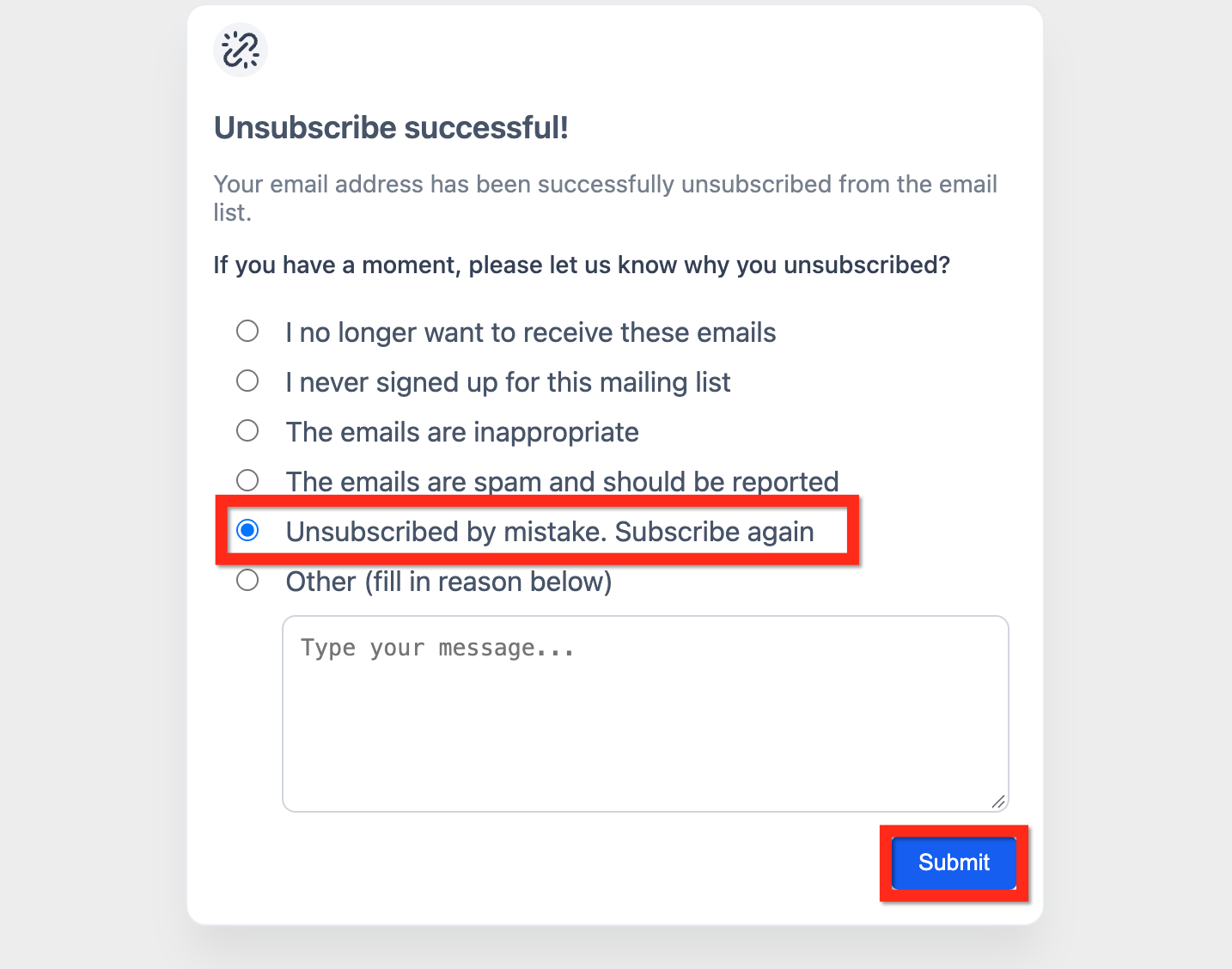
Step 4: Resubscribe from the feedback form
- Locate the feedback questionnaire after unsubscribing.
- Select Unsubscribed by mistake, subscribe again.
- Click Submit.
Step 5: Verify the contact record
- Open the test contact.
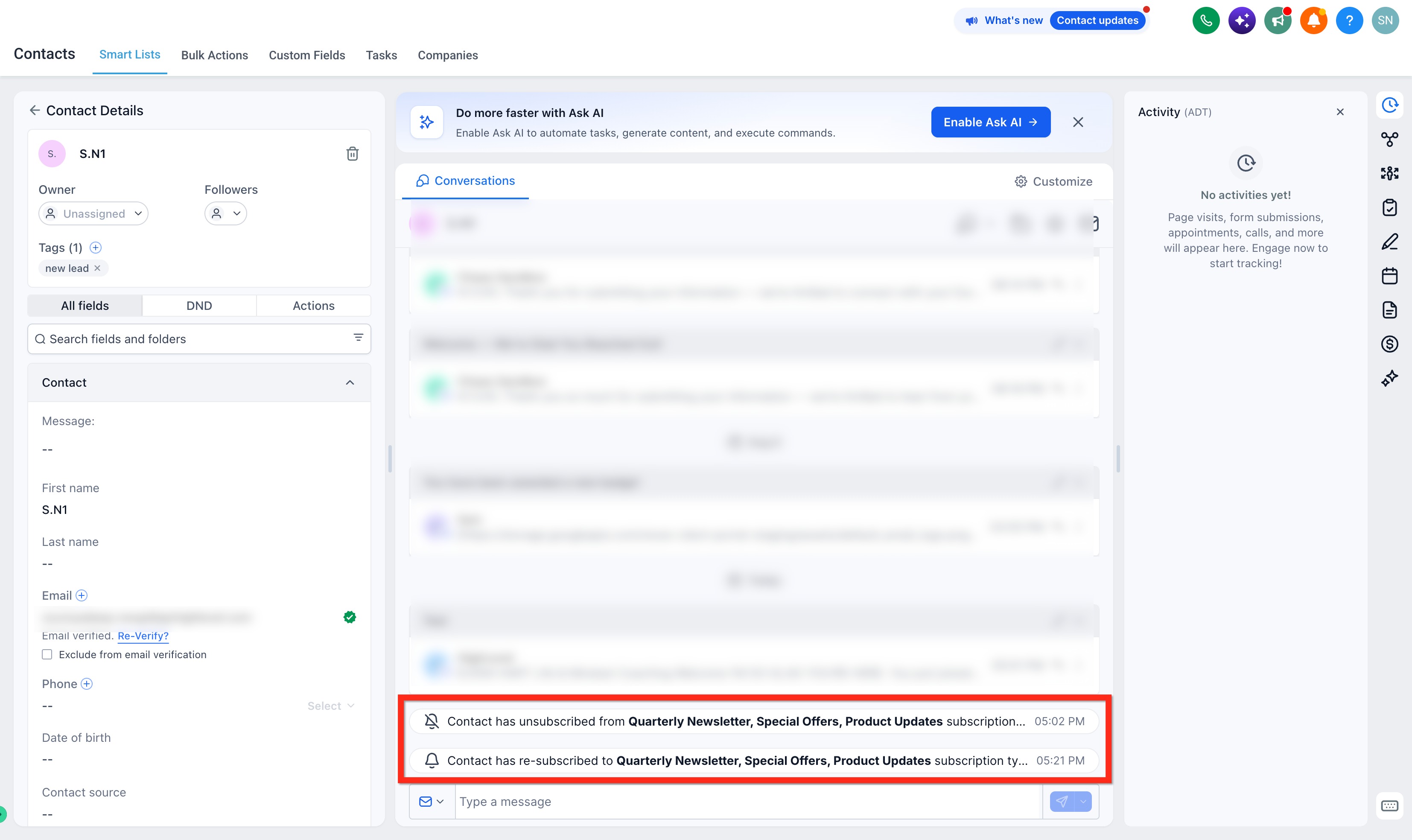
- Review the contact's email DND status.
- Confirm that the contact is eligible to receive email again.
- Review recent activity, if available, to confirm the status change.
Frequently Asked Questions
Q: What if a contact resubscribes and later unsubscribes again?
The contact's current email eligibility reflects their most recent subscription action. Historical reporting can still retain earlier unsubscribe activity.
Q: Can I trigger a workflow when someone resubscribes?
You can use an applicable contact or DND status change trigger when the resubscribe action produces the corresponding status change.
Q: Does resubscribe affect SMS or other channels?
No. Resubscribe restores email eligibility. Preferences and DND status for other communication channels are managed separately.
Q: How quickly do reports update after resubscribe?
Historical campaign reporting can continue to show the original unsubscribe event. Review the contact's current email eligibility and DND status when determining whether they can receive future email.
Q: Will the resubscribe option work with a custom unsubscribe implementation?
If you use a customized unsubscribe experience, test the complete unsubscribe flow and confirm that the resubscribe option appears as expected.
Q: Can I bulk-resubscribe contacts?
The resubscribe option described in this article is initiated by the contact through the unsubscribe feedback flow.
Q: What should I do after someone resubscribes?
You can send a confirmation email or use a follow-up workflow based on your communication strategy.
Q: Does resubscribing replace earlier unsubscribe activity?
The contact's current email eligibility changes when they resubscribe. Historical unsubscribe activity can remain available in reporting or contact activity.