
Learn which AI products are currently available in the platform, how Ask AI, Conversation AI, Voice AI, Managed Agents, Agent Studio, Workflow AI, AI Studio, and the content tools differ, and where to review setup and pricing details.
Some AI products are included with fair-use limits, some are covered by AI Employee Growth or Unlimited, and others are billed at token cost or by usage.
Before quoting pricing or enabling a client-facing plan, review the current AI Product Pricing article and the pricing shown in your account.
2. Key Benefits of AI Tools
3. Current AI Feature List
4. Which AI Tool Should You Use?
5. AI Assistants and Customer-Facing Agents
6. AI Agent Builders and Autonomous Agents
7. AI for Workflows and Automation
8. AI for Websites, Email, and Content
9. Knowledge Base and Reviews AI
10. AI Plans, Pricing, and Availability
11. How To Get Started with AI Tools
12. Frequently Asked Questions
13. Need Help?
What AI Tools Are Available?
AI tools help users create, communicate, automate, analyze, and take action across the platform. Some tools are designed for logged-in team members, while others interact directly with leads and customers or run automatically when a business event occurs.
The current AI ecosystem includes in-app copilots, customer-facing chat and voice agents, agent-building platforms, workflow-generation tools, website and email builders, content and review tools, prompt-testing utilities, and a centralized Knowledge Base used by supported AI products.
Key Benefits of AI Tools
Using the right AI product can reduce repetitive work while improving how teams create assets, respond to customers, manage data, and build automation.
- Faster Creation: Generate workflows, websites, emails, social content, images, and other assets from prompts.
- Scalable Customer Engagement: Use Conversation AI and Voice AI to support customer conversations, qualification, and appointment booking.
- Autonomous Operations: Use Managed Agents to respond to business events and perform supported CRM or connected-app actions.
- Grounded Answers: Connect supported AI tools to a Knowledge Base containing approved business information.
- Safer Testing: Use Prompt Optimizers, previews, testing panels, and version history before changing production behavior.
- Flexible Adoption: Choose free, included, subscription-based, or pay-per-use AI products according to the location's needs.
Current AI Feature List
The products below match the current feature inventory used in the AI Product Pricing documentation. Availability, plan coverage, and limits can differ by feature.
| AI Product | Primary Purpose | Typical Starting Point |
|---|---|---|
| Ask AI | In-app copilot for questions, content, data retrieval, and supported platform actions | A logged-in user enters a typed or spoken prompt |
| Conversation AI | Customer-facing conversations, qualification, FAQs, and booking | A lead or customer sends a message on a supported channel |
| Conversation AI Prompt Optimizer | Scenario-based testing and prompt improvement for Conversation AI agents | A user configures test scenarios and runs simulated customer chats |
| Voice AI | Inbound, outbound, and widget-based voice conversations | A phone call, outbound action, or voice widget interaction |
| Voice AI Prompt Optimizer | Real-call testing, evaluation, and prompt optimization for Voice AI | A user runs scenario-based test calls |
| Agent Studio | Maintain and optimize existing flow-based agents, tools, routing, testing, and versions | A user opens an existing flow-based agent |
| Managed Agents | Natural-language creation of autonomous CRM agents | A user describes the agent's job, triggers, data, and actions |
| Workflow AI | Generate, explain, and edit workflows using natural language | A user enters a workflow-building or editing prompt |
| Funnel & Website AI | Generate and refine funnel or website pages inside the standard builder | A user chooses Assist, Build, a URL, or an image reference |
| Email AI | Create brand-aware email designs, copy, and layouts | A user starts from a prompt or visual reference in Email Marketing |
| Knowledge Base | Store approved source material for supported AI retrieval | An admin adds websites, FAQs, files, tables, or rich text |
| Content AI | Generate and refine text and images across supported content surfaces | A user enters a content prompt in a supported builder |
| Reviews AI | Suggest, automate, and manage review responses and review insights | A new review arrives or a review campaign runs |
| AI Studio | Create websites, landing pages, forms, booking experiences, and interactive web projects | A user starts a dedicated AI Studio project from a prompt, template, or reference |
Which AI Tool Should You Use?
The fastest way to choose a product is to identify who initiates the activity and whether the task is a one-time request, a live customer conversation, or an autonomous business process.
| Use Case | Recommended Tool | Why |
|---|---|---|
| Complete a one-time task in your account | Ask AI | A logged-in user asks the copilot to create, retrieve, summarize, or update supported data and assets. |
| Reply to leads on messaging channels | Conversation AI | It is designed for live customer-facing conversations, qualification, and booking. |
| Answer or make phone calls with AI | Voice AI | It handles spoken conversations, phone actions, and call outcomes. |
| Run a multi-step business process when a CRM event occurs | Managed Agents | Managed Agents can act autonomously based on triggers, Knowledge Bases, CRM tools, and connectors. |
| Maintain or troubleshoot an existing flow-based agent | Agent Studio | The visual canvas exposes the existing agent's nodes, routing, variables, tools, versions, and tests. |
| Generate or edit a standard workflow | Workflow AI | It converts plain-language requests into workflow triggers, actions, settings, and edits. |
| Create a website, page, form, or interactive front-end project | AI Studio | It provides a dedicated conversational workspace for generating and publishing web experiences. |
AI Assistants and Customer-Facing Agents
These products help users complete work directly or engage leads and customers through messaging and phone conversations.
Ask AI
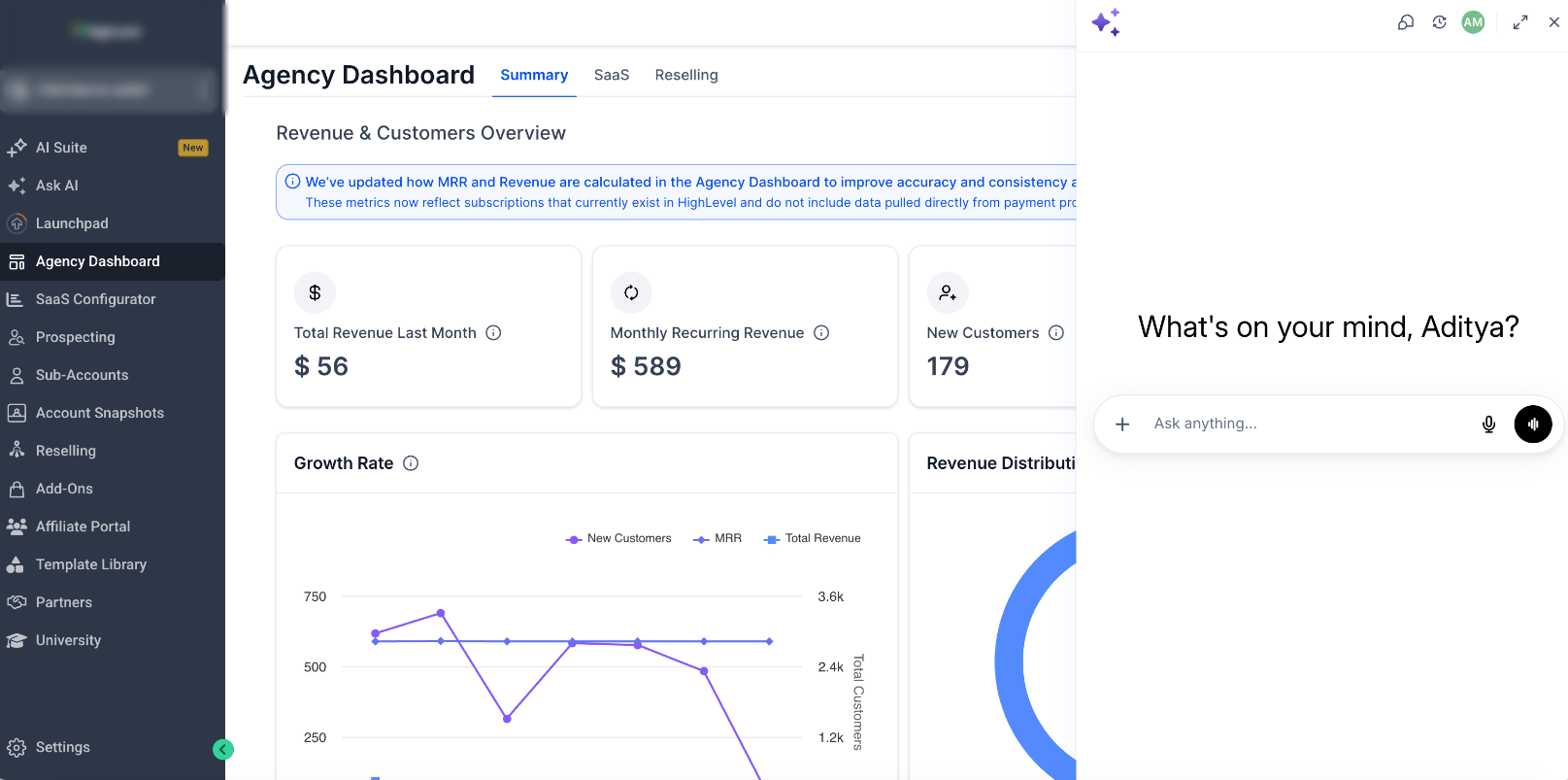
Ask AI is the platform's built-in copilot for logged-in users. It can answer questions, retrieve platform data, create content and assets, manage supported records, run bulk actions, and coordinate supported tasks across many platform modules through typed or voice prompts.
Learn more about Ask AI Assistant
Conversation AI
Conversation AI is a customer-facing messaging agent. It can answer questions, qualify leads, collect information, assist with appointment booking, and respond on supported communication channels. Response modes include Off, Suggestive, and Auto-Pilot, allowing teams to choose between manual review and automated handling.
Learn more about Conversation AI
Conversation AI Prompt Optimizer
Prompt Optimizer tests a cloned Conversation AI agent against realistic scenarios without changing the production prompt. It runs customer-style chats, evaluates outcomes, creates prompt variations, and shows a prompt comparison before an approved version is applied. Availability: Labs.
Learn more about Conversation AI Prompt Optimizer

Voice AI
Voice AI uses AI-powered voice agents to answer inbound calls, place supported outbound calls, collect information, qualify leads, book appointments, use business knowledge, and trigger supported actions. Voice AI can also support multilingual conversations, working hours, transfers, analytics, recordings, and call logs.
Learn more about Voice AI Agents
Voice AI Prompt Optimizer
Voice AI Prompt Optimizer runs real scenario-based test calls, evaluates expected outcomes, records tool activity, and generates prompt variations. The live agent remains unchanged until a user reviews the results and selects Use Prompt.
AI Agent Builders and Autonomous Agents
The platform provides both a conversational agent-building experience and a visual flow environment. Choose the approach that matches how much manual control you need.
Managed Agents
Managed Agents, formerly Super Agents, let users create autonomous CRM agents by describing the desired role in plain language. The platform generates the underlying configuration, including triggers, Knowledge Base access, CRM actions, and supported connected tools. Users can refine the agent through conversation, test it, and publish it when ready.
Learn more about Managed Agents
Agent Studio
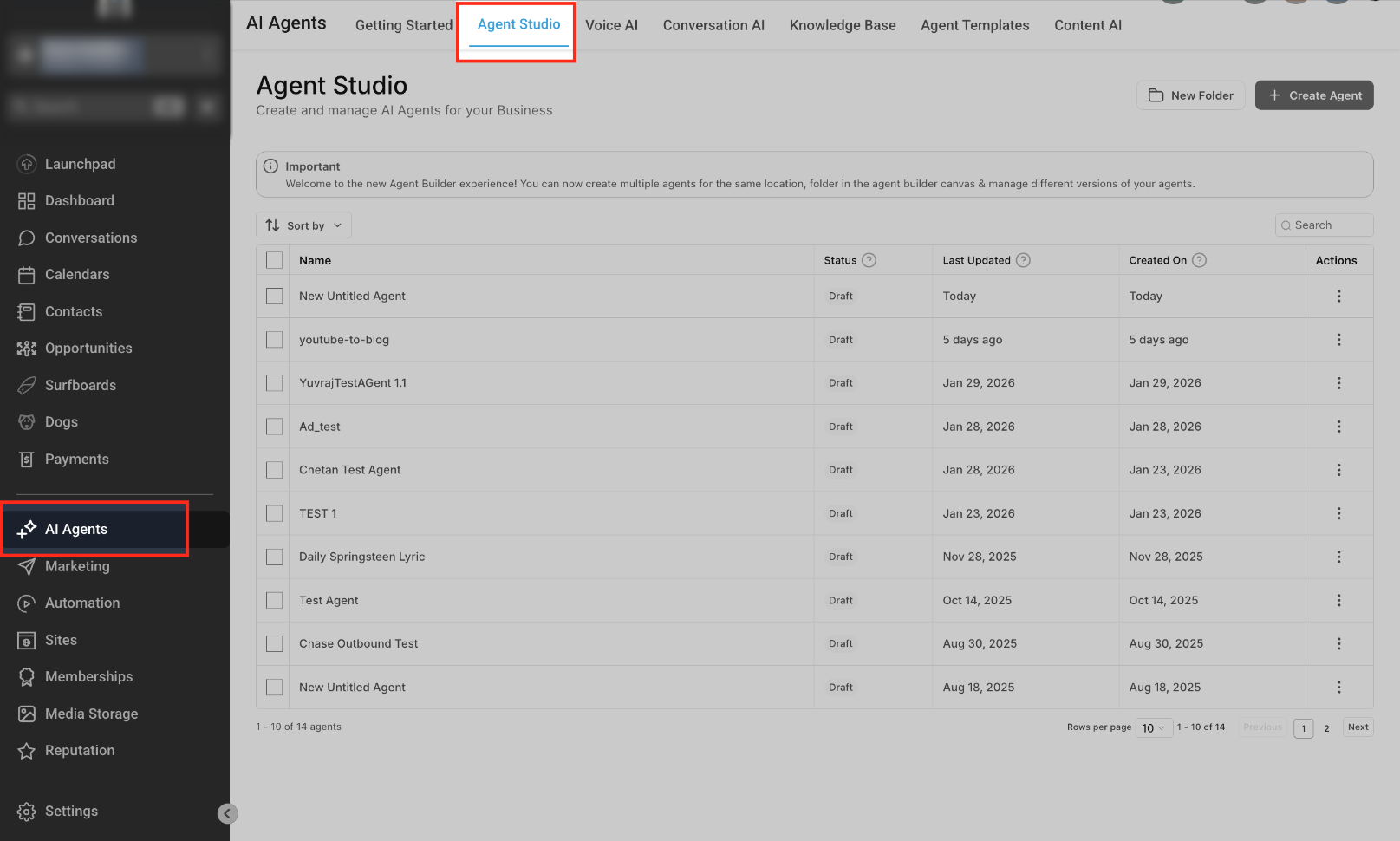
Agent Studio is the visual, node-based environment for maintaining existing flow-based AI agents. It supports node editing, Knowledge Base and web-search tools, APIs, MCP tools, conditional routing, variables, testing, and version control.
Current direction: Managed Agents is the recommended experience for creating new agents. Agent Studio remains available for editing, testing, and maintaining existing flow-based agents.
Learn more about flow-based agents in Agent Studio
AI for Workflows and Automation
Workflow AI helps users build and modify standard workflows faster, while specific Workflow AI actions and external models can add AI reasoning or content generation inside an automation.
Workflow AI Builder
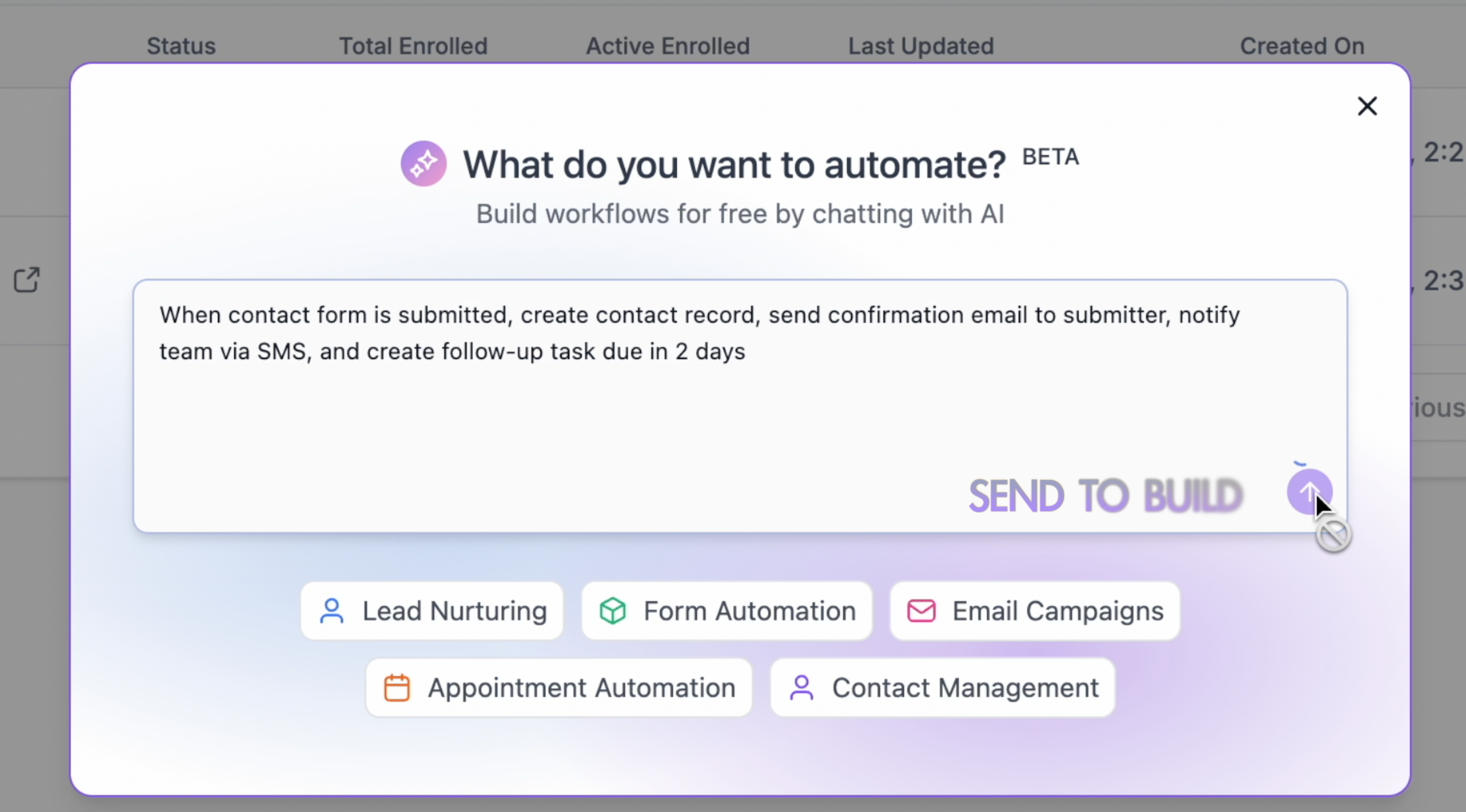
Workflow AI Builder converts a plain-language goal into a complete workflow with triggers, actions, and structure. Users can refine the result through conversational edits, point-and-edit controls, follow-up prompts, and supported workflow-setting updates.
Learn more about Workflow AI Builder
Workflow AI Actions and External Models
Workflow AI also includes specialized actions such as Decision Maker, Intent Detection, Summarize Text, and Translate. These actions can be priced separately from the free Workflow AI Builder experience. External models used through workflow actions are billed according to the applicable model or provider.
Do not treat all Workflow AI usage as one pricing category. Workflow AI Builder and Generate with AI can be included with fair-use limits, while premium actions and external models may have separate charges.
AI for Websites, Email, and Content
The platform provides different AI creation experiences depending on whether you are building within an existing module or creating a broader interactive project.
Funnel & Website AI
Funnel & Website AI creates and edits pages inside the standard builder using guided inputs, prompts, links, or image references. Users can refine pages through chat and review AI-assisted SEO suggestions before publishing. Availability: Labs.
Learn more about Funnel & Website AI
Email AI
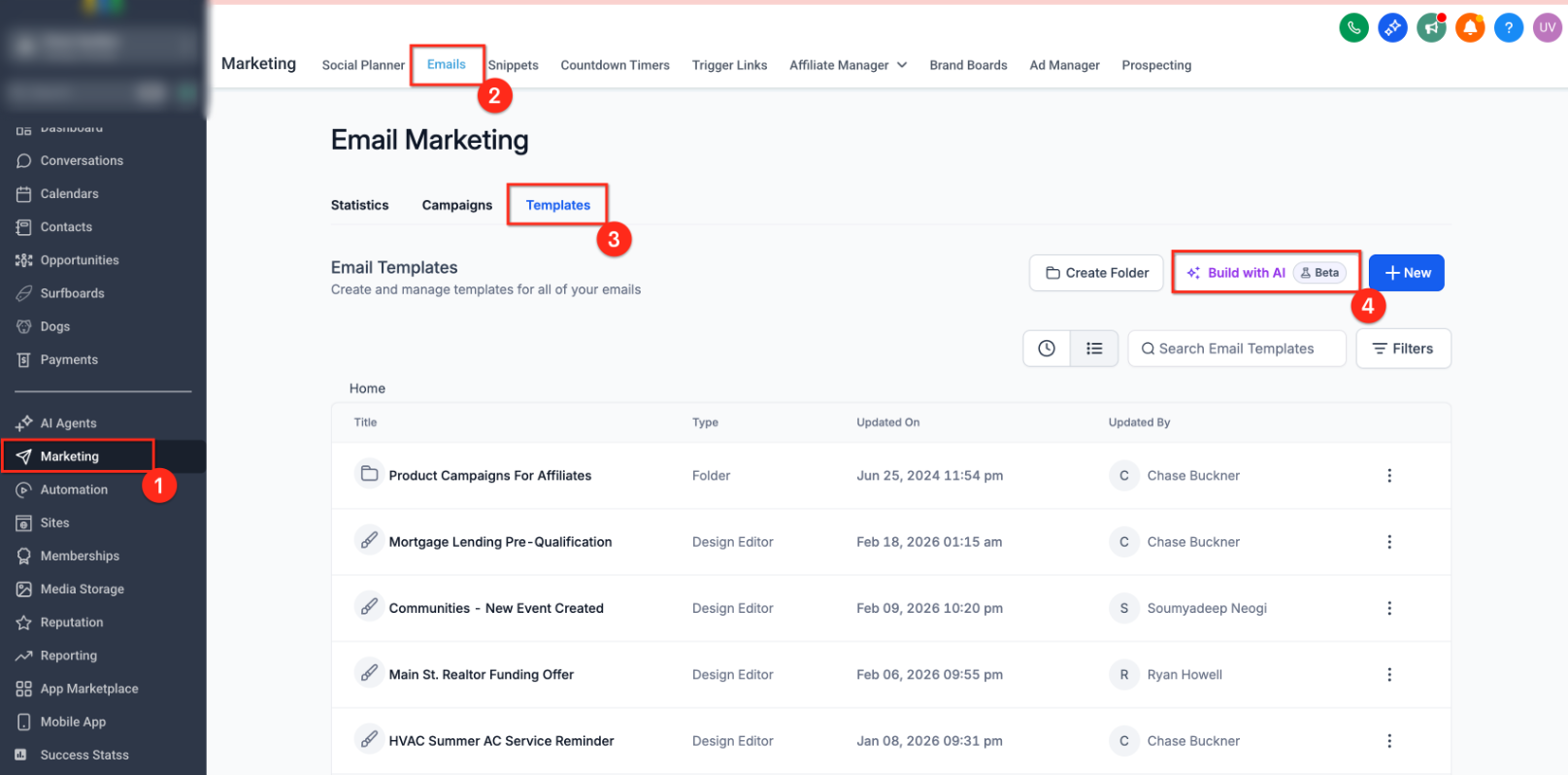
Email AI is a guided, brand-aware experience inside Email Marketing. It can use Brand Board styling, generate an email from a prompt or reference, recommend layouts, support conversational edits, and preserve version history. Availability: Labs.
Content AI
Content AI generates and refines text and images across supported content surfaces. Common uses include social posts, blogs, emails, website copy, headlines, and marketing assets. The available controls and placement depend on the builder where Content AI is used.
See Content AI in Social Planner | Create blog posts with AI
AI Studio
AI Studio is a conversational workspace for building websites, landing pages, forms, booking experiences, and interactive web projects. It can generate layouts, copy, images, and code-level changes, then publish to a preview or custom domain. Availability: Labs.
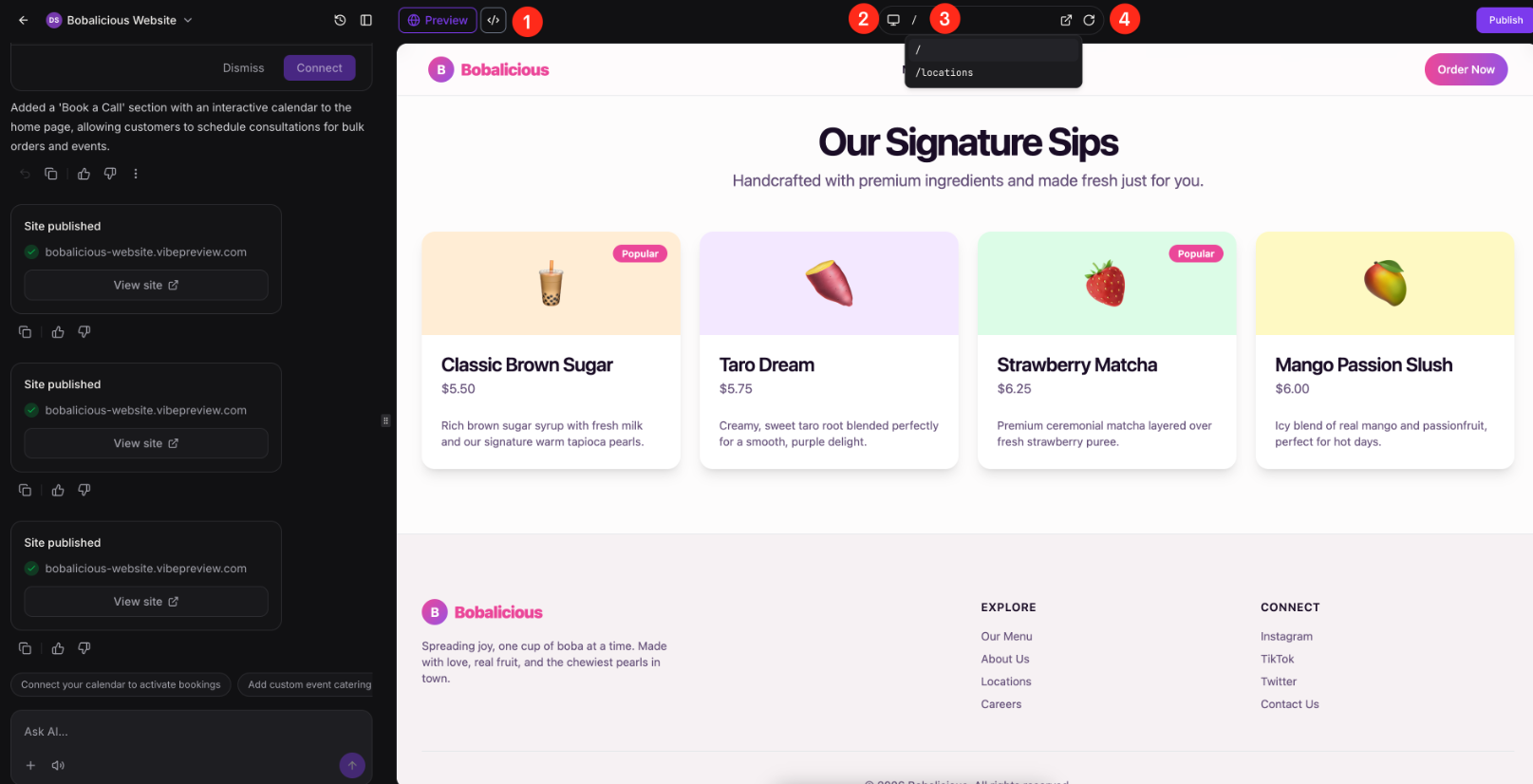
AI Studio and Agent Studio are separate products. AI Studio creates web experiences. Agent Studio manages AI agent logic and tools.
Knowledge Base and Reviews AI
The Knowledge Base gives supported AI products approved business context, while Reviews AI helps businesses manage and understand customer feedback.
Knowledge Base
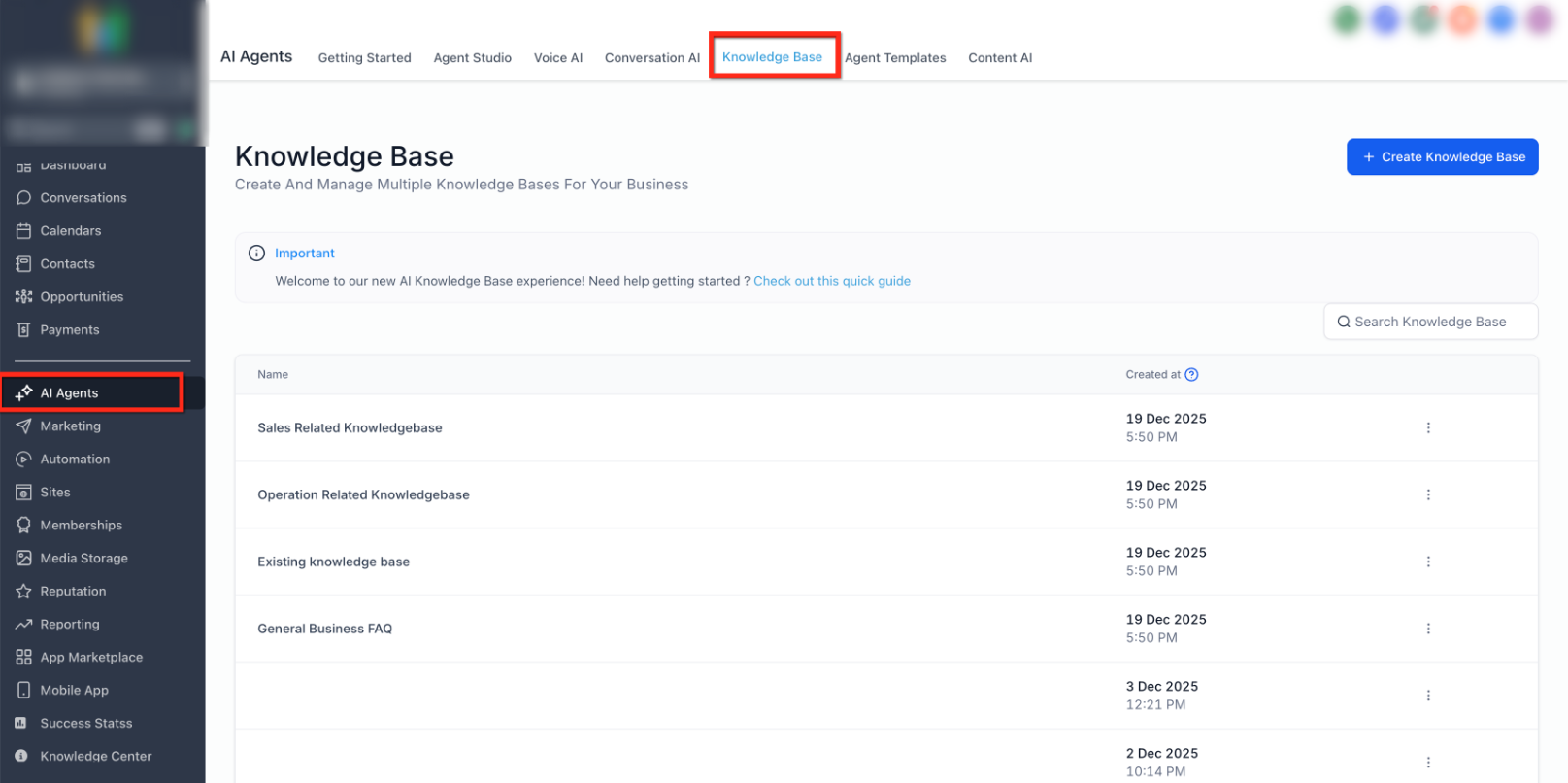
The Knowledge Base is the centralized area for managing AI-ready source content. Supported sources include websites, FAQs, tables, rich text, and uploaded files. AI products that use Knowledge Base retrieval can search these sources to provide more grounded, business-specific answers.
Learn more about the Knowledge Base
Reviews AI
Reviews AI helps teams generate suggested responses or automate review replies. Drip Mode can process older unreplied reviews gradually instead of publishing a large backlog at once.
AI Plans, Pricing, and Availability
AI products are available through Pay-Per-Use, AI Employee Growth, and AI Employee Unlimited. Some products are included on every plan, while others have monthly allowances, fair-use coverage, or token-based charges.
| Plan | Current Base Price | General Model |
|---|---|---|
| Pay-Per-Use | No monthly AI subscription | Supported usage is billed by token, action, response, minute, image, word count, or other applicable unit. |
| AI Employee Growth | $50/month per enabled location | Includes defined monthly allowances across the AI suite, with overages billed at applicable rates. |
| AI Employee Unlimited | $97/month per enabled location | Includes unlimited or increased included usage for selected products, subject to fair use. |
Current examples of product-level coverage include:
- Conversation AI and Voice AI: Growth includes defined monthly allowances; Unlimited includes unlimited usage subject to fair use.
- Reviews AI and Content AI: Unlimited on Growth and Unlimited, subject to fair use.
- Prompt Optimizers: Growth includes defined message or minute allowances; Unlimited includes unlimited usage subject to fair use.
- Ask AI and AI Studio: Usage is included on Growth, with 3x included usage on Unlimited.
- Managed Agents: 100 runs/month on Growth and 1,000 runs/month on Unlimited; token-based on Pay-Per-Use.
- Agent Studio: Pay-per-use on every plan.
- Funnel & Website AI: Free with a 1,000-prompt daily limit per location.
- Email AI and Knowledge Base: Included at no additional cost, subject to fair use.
- Workflow AI: Builder and Generate with AI are free with daily limits; premium actions and external models can create separate charges.
- Phone System charges: Remain separate from Voice AI plan coverage.
For agency access, rebilling, and reselling instructions, see AI Employee: Access, Rebilling and Reselling.
How To Get Started with AI Tools
A structured rollout helps ensure the AI product matches the business goal, has the right data and permissions, and performs safely before it reaches customers or runs automatically.
- Define the job. Decide whether the goal is content creation, internal assistance, customer messaging, phone automation, workflow building, or autonomous task execution.
- Select the product. Use the comparison table in this article to choose the tool designed for that job.
- Confirm access. Check user permissions, plan coverage, Labs requirements, phone requirements, connected channels, and any required integrations.
- Prepare business context. Configure Brand Voice, Knowledge Bases, prompts, approved content, calendars, workflows, and connected tools as needed.
- Review pricing. Confirm current plan inclusions, limits, overages, token costs, and separate communication charges.
- Test with sample data. Use available previews, Prompt Optimizers, testing panels, test contacts, and non-production resources.
- Monitor and improve. Review logs, transcripts, recordings, execution history, generated assets, and customer outcomes after launch.
Frequently Asked Questions
Need Help?
If an AI feature is missing, unavailable, or not behaving as expected, confirm the account configuration before troubleshooting the individual tool.
- Confirm the user has permission to access the feature and the correct sub-account.
- Check whether the feature requires a specific plan, Labs setting, phone setup, connected channel, or integration.
- Review the current usage limit, fair-use policy, token balance, or pay-per-use requirement.
- Test with sample data and review available logs, transcripts, recordings, execution history, or error messages.
- Confirm the feature-specific setup is complete, including prompts, Knowledge Bases, calendars, workflows, Brand Voice, or connected tools.
If the issue continues, collect the sub-account ID, feature name, plan, affected workflow or agent ID, exact error message, timestamps, and screenshots before contacting support. Do not include API keys, access tokens, passwords, or other sensitive credentials.