
You can pay affiliates using PayPal Auto Payouts or a manual payment method. For manually processed payouts, mark the payout as paid after completing the payment outside the platform.
TABLE OF CONTENTS
- Payout Options
- How Payouts Work
- 1. Auto Payouts Using PayPal
- 2. Paying Affiliates Manually
- Configure Payout Methods for Affiliates
Payout Options
You can process affiliate payouts in two ways:
Auto Payouts via PayPal: Automate affiliate payments using the PayPal Payouts API. After setup, you can process payouts directly from the dashboard without manually marking them as paid.
Bank Payments: Pay affiliates manually using a bank or another external payment method, then mark the payouts as paid after completing the payment.
How Payouts Work
Affiliate payouts involve two main steps:
Generating Payouts: Payouts are generated automatically based on the campaign's commission settings and configured payout term. Generated payouts appear in the Pending tab for review.
Paying Affiliates and Marking Payouts as Paid: You can process payouts automatically through PayPal or use a manual payment method.
1. Auto Payouts Using PayPal
PayPal Auto Payouts lets you process payments for multiple affiliates through the PayPal Payouts API.
After completing the one-time setup, you can process affiliate payouts directly from the platform.
2. Paying Affiliates Manually
You can process affiliate payments outside the platform and then mark the corresponding payouts as paid.
Approve and Process a Manual Payout
Go to the Payouts section.
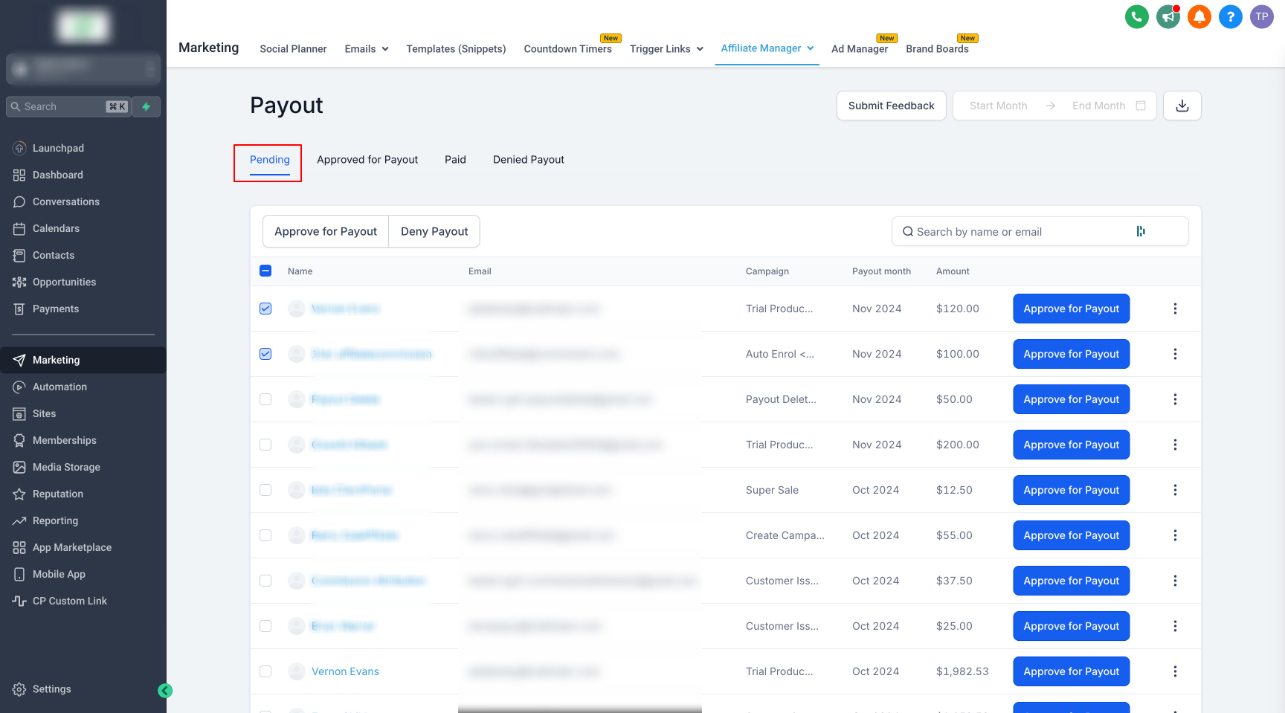
In the Pending tab, approve the payouts you want to process.
Open the Approved for Payout tab.
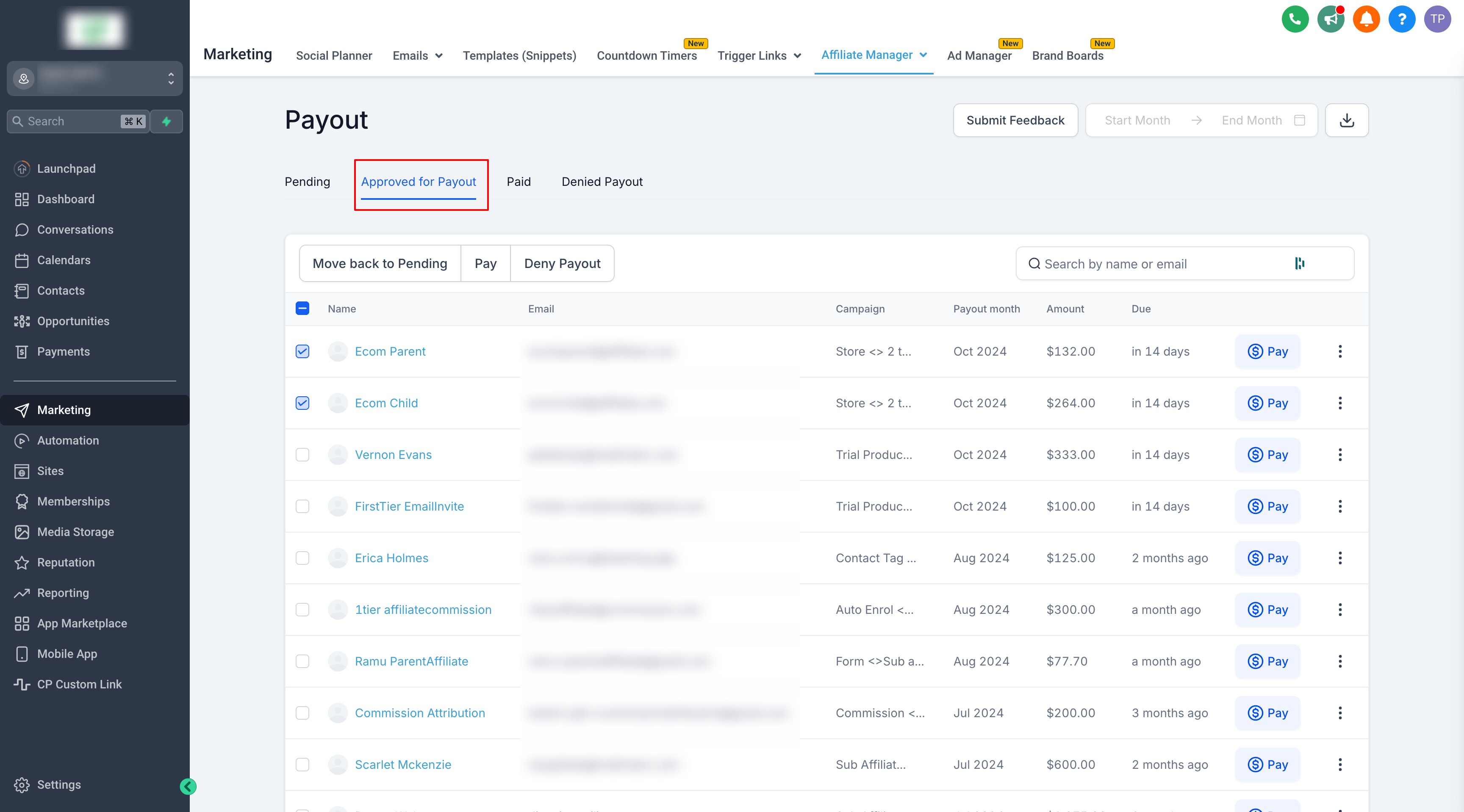
Select the payouts you want to process.
Click Pay.
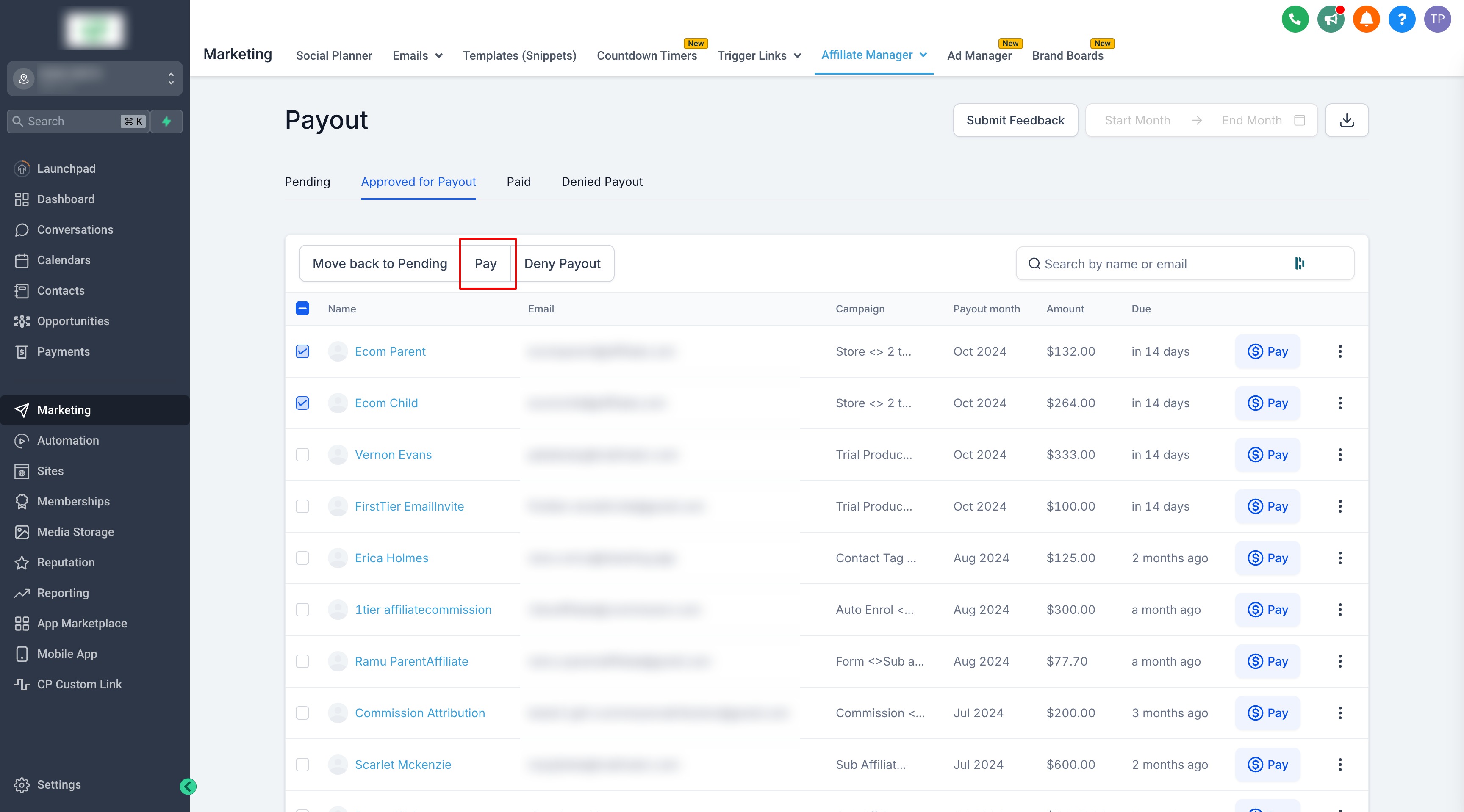
Important: The Pay action is available only to admins with the Pay Affiliate Manager Payout permission. If this permission is disabled, the payout action is hidden.
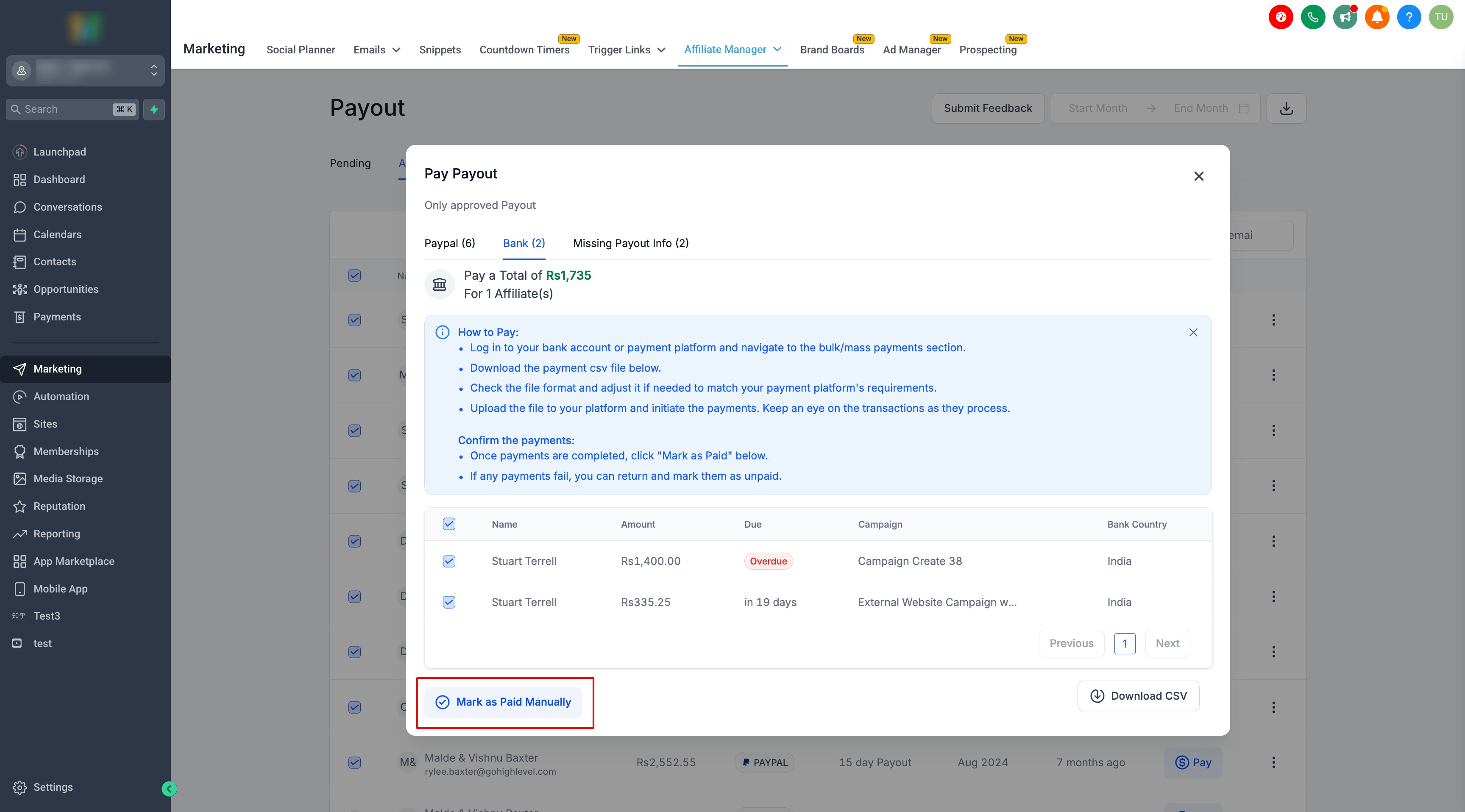
Open the Bank tab.
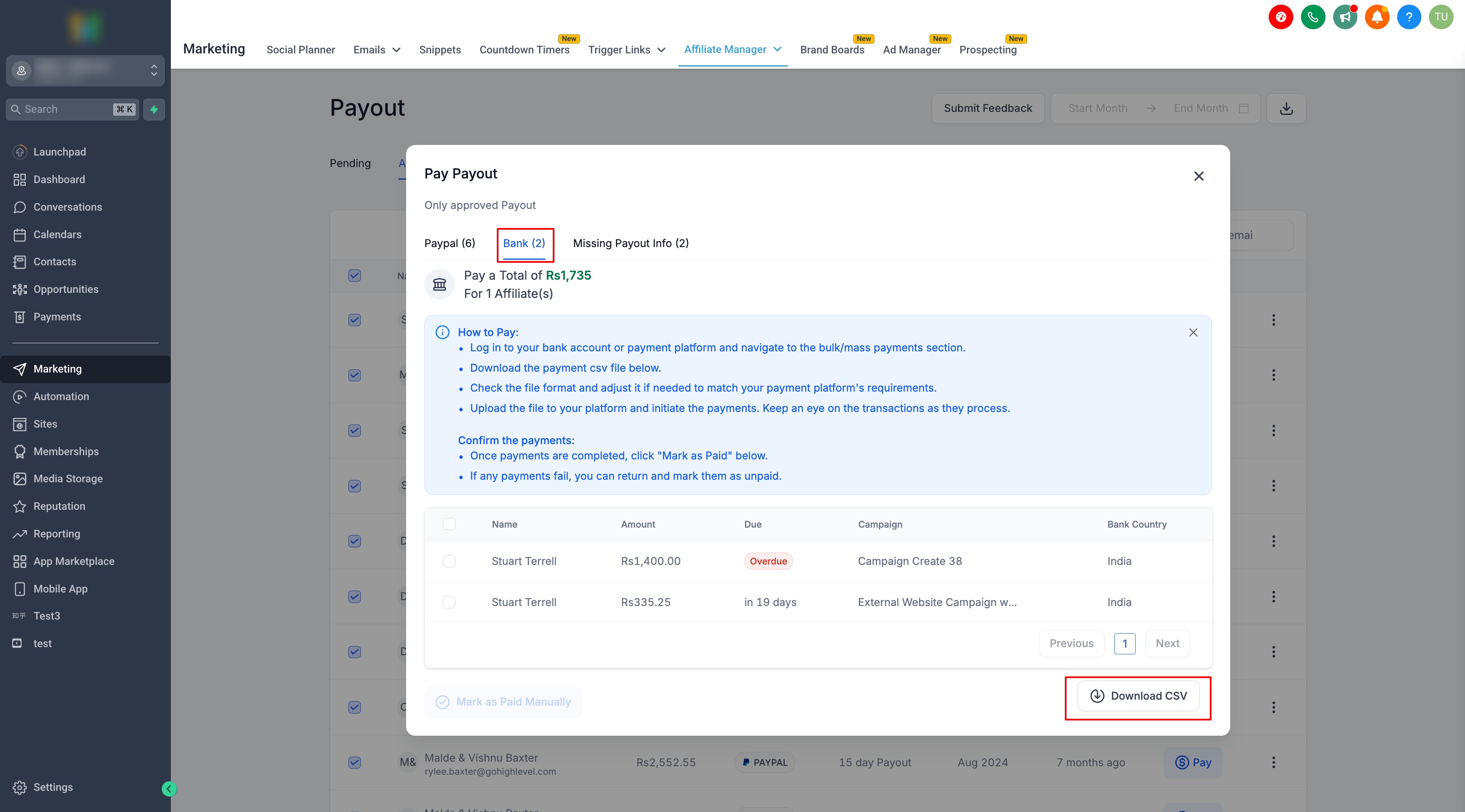
Follow the on-screen instructions. Download the CSV file if needed to process payments using your external payment method.
After completing the payments, return to the payout page and click Mark as Paid.
Important: Review refunds and chargebacks before approving payouts. Refunds for one-time products and subscriptions are not automatically reflected in Affiliate Manager commission payouts.
Configure Payout Methods for Affiliates
You can control which payout methods affiliates can select.
Configure Available Payout Methods
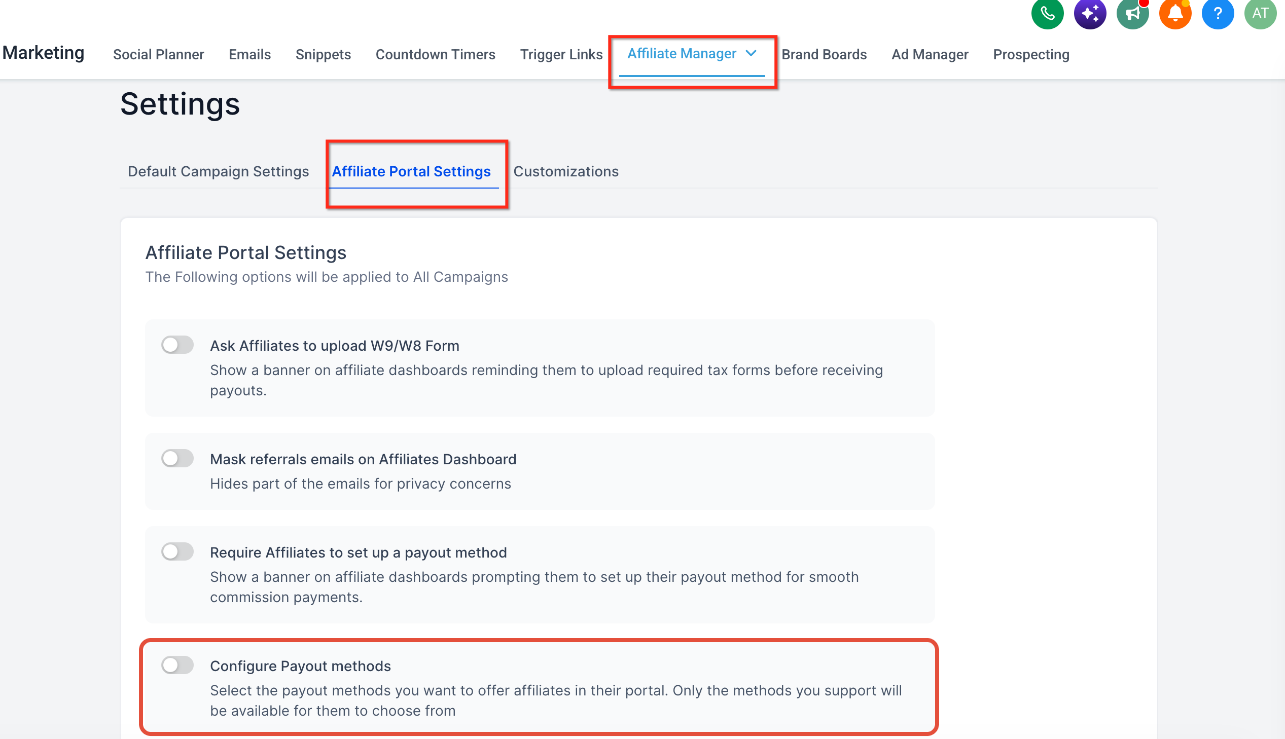
Go to Affiliate Manager → Settings.
Click Affiliate Portal Settings → Configure Payout Methods.
Select the payout methods you want to enable:
PayPal
Bank Transfer
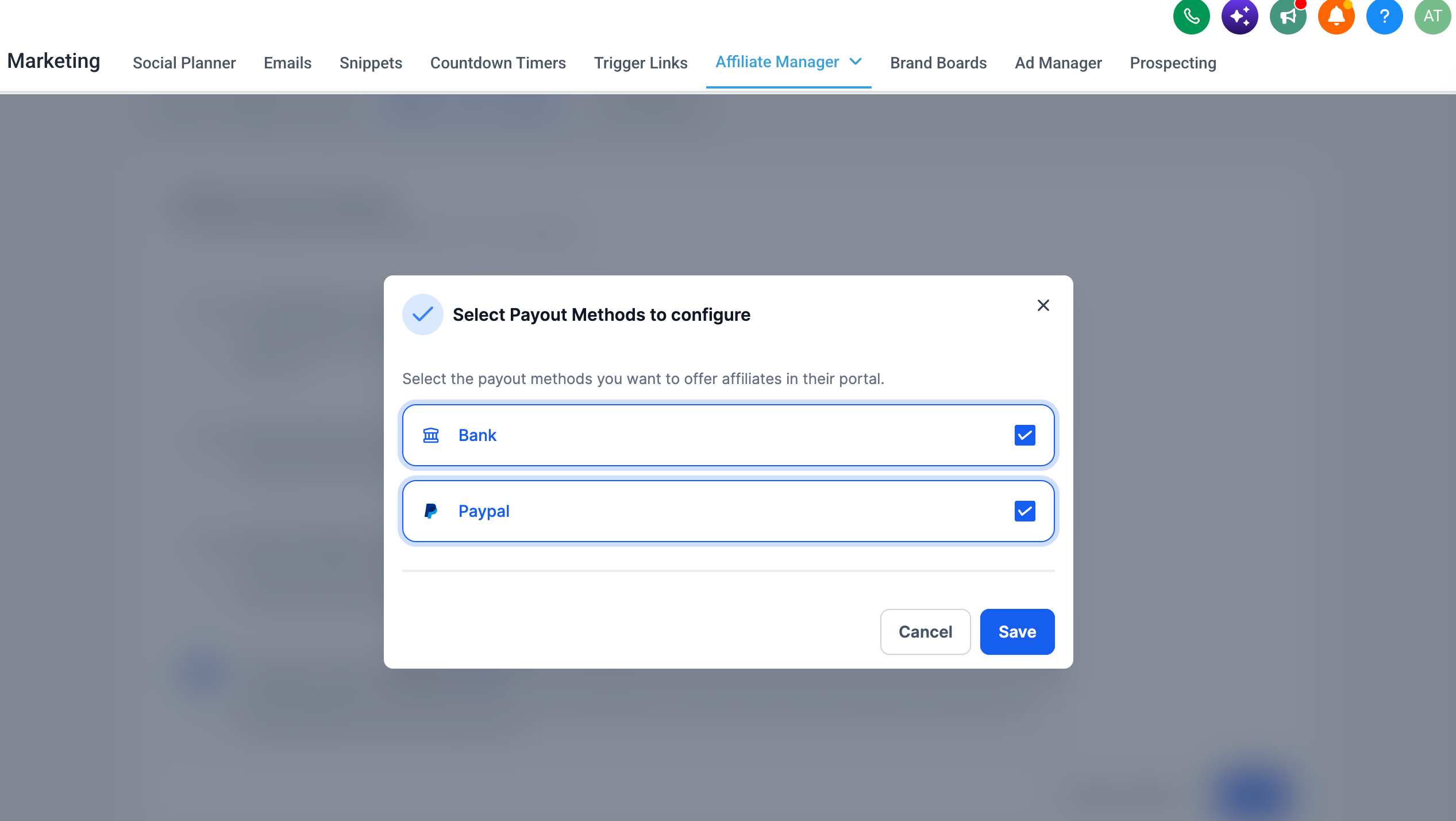
Save your changes.
Affiliates see only the payout methods you enable.
Important: Enable at least one payout method so affiliates can configure how they want to receive payouts.