
Email domain warmup helps businesses gradually increase their email sending volume while establishing a positive sender reputation. The fixed-stage warmup system uses predefined daily sending thresholds to guide new and existing dedicated sending domains through a structured process.
This approach helps reduce the risk of spam filtering, delivery delays, and reputation issues caused by sudden increases in sending volume.
This guide explains how warmup works, how to enable it, and how to monitor your progress.
TABLE OF CONTENTS
- What Is Email Domain Warmup?
- Key Benefits of Email Domain Warmup
- How Fixed-Stage Domain Warmup Works
- Warmup Stages and Daily Sending Limits
- How Stage Progression Works
- Warmup for New vs. Existing Domains
- How to Enable Email Domain Warmup
- Frequently Asked Questions
What Is Email Domain Warmup?
Email domain warmup is the process of gradually increasing the number of emails sent from a dedicated domain. This allows mailbox providers such as Gmail, Outlook, and Yahoo to evaluate the domain's sending behavior.
The fixed-stage model organizes this process into 15 stages, each with a daily sending threshold.
As your domain reaches each stage's threshold, it becomes eligible to advance to the next stage. This provides a structured approach to increasing sending volume while encouraging consistent email practices.
Important: Fixed-stage domain warmup is available for eligible dedicated sending domains. The feature is being rolled out in phases, so availability may vary. New domains automatically enter warmup after successful creation and verification when the feature is available. Existing domains require manual activation.
Key Benefits of Email Domain Warmup
Gradually increasing sending volume helps mailbox providers recognize your domain's sending patterns instead of encountering sudden, unfamiliar activity.
The fixed-stage warmup process provides a clear progression path while helping businesses develop more consistent sending practices.
Improved Email Deliverability: Gradual volume increases help reduce the likelihood of emails being filtered into spam folders.
Stronger Sender Reputation: Consistent sending activity helps establish trust with mailbox providers over time.
Structured Sending Growth: Predefined warmup stages provide clear daily volume targets as your sending needs increase.
Personalized Starting Stages: Existing domains can receive recommended starting stages based on historical sending activity and available Google Postmaster data.
Automatic Stage Progression: Domains advance when their current stage's daily sending threshold is reached, without requiring manual selection of subsequent stages.
Flexible Domain Management: Manage warmup for eligible dedicated sending domains through Email Services.
How Fixed-Stage Domain Warmup Works
The fixed-stage warmup model helps businesses increase sending activity through predefined daily thresholds rather than unrestricted increases in email volume. Understanding these thresholds helps you plan email campaigns and determine when a domain can progress to a higher stage.
The warmup model follows these rules:
Every warmup stage has a predefined daily sending threshold.
A domain must reach its current stage's full daily threshold before progressing.
If the threshold is not reached, the domain remains at its current stage.
The fixed-stage warmup model does not enforce hourly sending limits.
Emails must be sent through the domain undergoing warmup for the system to track progress.
Stage progression is managed automatically.
Example
A domain in Stage 1 has a daily sending threshold of 1,000 emails.
If the domain sends 600 emails in a day, it remains in Stage 1.
If the domain reaches 1,000 emails in a day, it meets the requirement to progress to Stage 2.
Stage 2 has a daily threshold of 2,500 emails.
Important: Currently, reaching or exceeding a dedicated domain's warmup threshold does not automatically block additional emails. A future update is expected to introduce strict enforcement. Until then, follow recommended sending volumes to help protect deliverability.
Warmup thresholds are separate from other sending restrictions, recipient-provider rate limits, and email compliance controls.
Warmup Stages and Daily Sending Limits
The fixed-stage warmup system contains 15 stages, beginning at 1,000 emails per day and increasing to 250,000 emails per day.
These predefined thresholds help senders understand how much activity is needed to advance through the warmup process.
| Warmup Stage | Daily Sending Threshold |
|---|---|
| Stage 1 | 1,000 |
| Stage 2 | 2,500 |
| Stage 3 | 5,000 |
| Stage 4 | 6,500 |
| Stage 5 | 8,000 |
| Stage 6 | 10,000 |
| Stage 7 | 14,000 |
| Stage 8 | 20,000 |
| Stage 9 | 25,000 |
| Stage 10 | 35,000 |
| Stage 11 | 50,000 |
| Stage 12 | 80,000 |
| Stage 13 | 125,000 |
| Stage 14 | 175,000 |
| Stage 15 | 250,000 |
How Stage Progression Works
The system tracks sending activity from the domain undergoing warmup. When the domain reaches the daily threshold assigned to its current stage, it satisfies the volume requirement for advancement.
If the threshold is not reached, the domain remains in its current stage. Warmup does not advance simply because a certain number of days have passed.
Note: The 15-stage model applies to dedicated-domain warmup. Shared-domain ramp-up operates under separate rules and may enforce actual sending restrictions.
Warmup for New vs. Existing Domains
New and existing dedicated sending domains enter warmup differently because they may have different sending histories. New domains begin automatically after verification, while existing domains can use previous sending activity and reputation data to receive a recommended starting stage.
New Dedicated Sending Domains
For newly created domains, warmup is automatically enabled after the domain has been successfully created and verified, provided the feature is available.
Create a dedicated sending domain.
Complete the required DNS verification.
Warmup starts automatically.
Begin sending emails using the verified domain to build warmup progress.
No separate Start Warmup action is required for newly created domains.
Existing Dedicated Sending Domains
Existing dedicated domains require manual warmup activation. When you click Start Warmup, the system analyzes available sending information to recommend an appropriate starting stage.
This may include:
Historical email sending activity.
Available domain reputation information.
Google Postmaster data, when connected.
An existing domain may receive a higher recommended starting stage than a newly created domain based on its previous sending behavior.
Note: Recommended starting stages help account for a domain's established history. They do not provide a general option to manually skip ahead through warmup stages.
How to Enable Email Domain Warmup
Correctly configuring and verifying a dedicated sending domain allows the system to recognize its email activity and track warmup progress. You can access the feature through Email Services. The activation process depends on whether the domain is new or already exists.
Enable Warmup for an Existing Dedicated Sending Domain
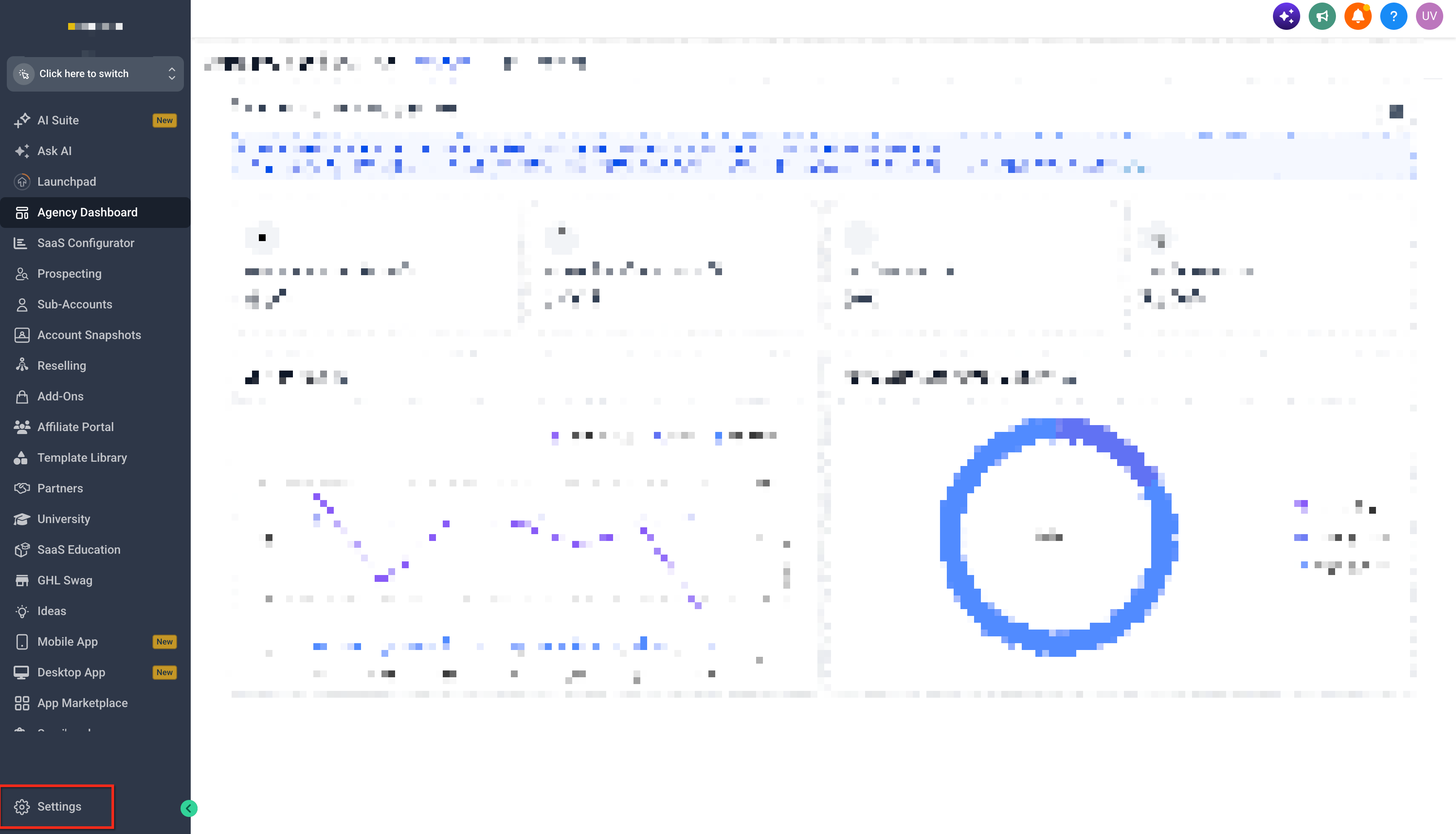
Navigate to Settings.
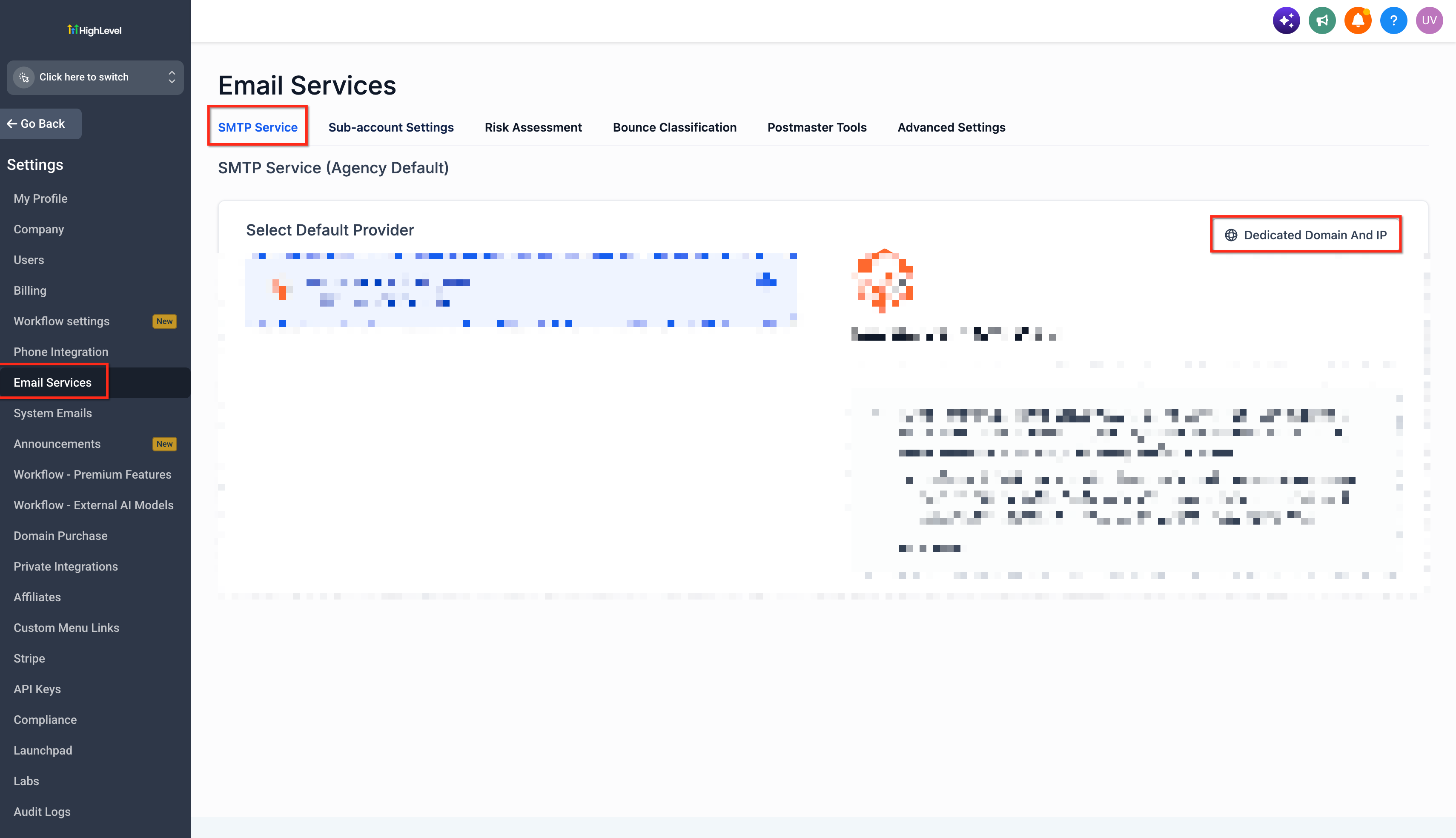
Select Email Services.
Open SMTP Service.
Select Dedicated Domain and IP.
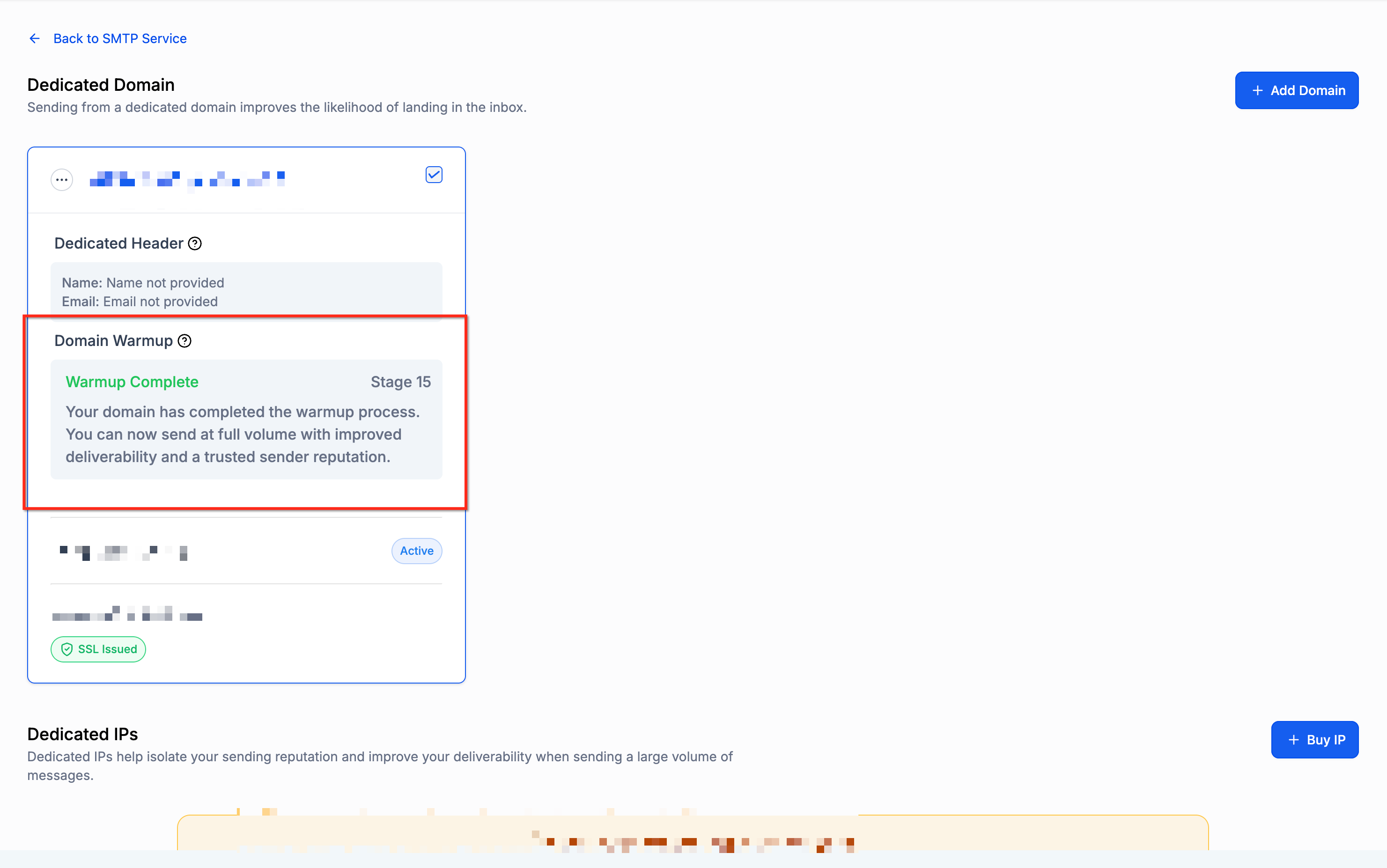
Locate the existing dedicated sending domain you want to warm up.
Click Start Warmup.
Review the recommended starting stage.
Begin sending emails through the configured domain to progress through warmup.
Note: Newly created and verified dedicated sending domains automatically enter warmup when the feature is available. You do not need to activate warmup manually for these domains.
Monitoring Warmup Progress
Monitoring a domain's warmup status helps you understand whether its sending activity is sufficient for stage progression. It also provides an opportunity to identify reputation problems before significantly increasing email volume.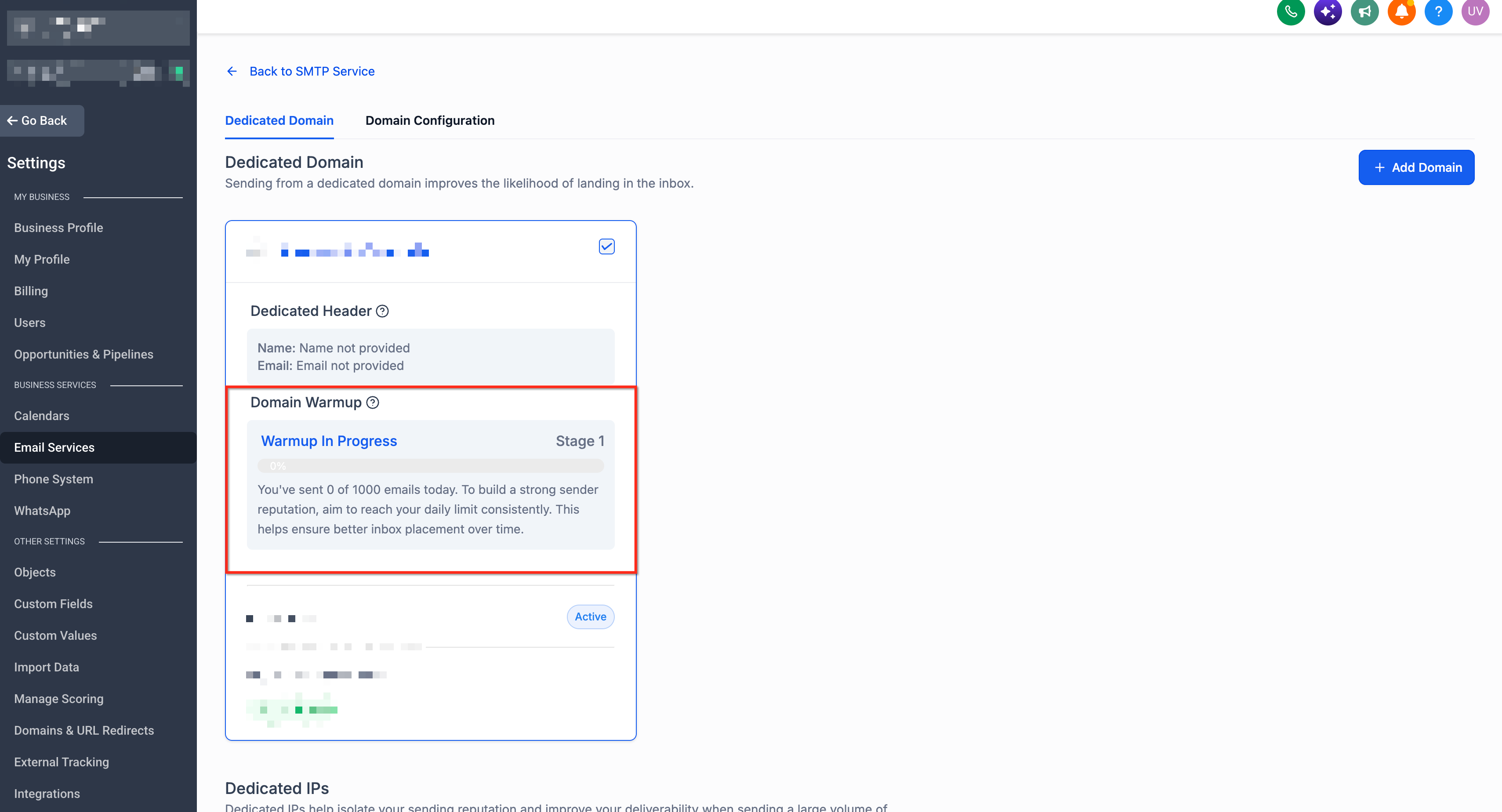
To review your domain:
Navigate to Settings → Email Services → SMTP Service → Dedicated Domain and IP.
Locate the domain currently undergoing warmup.
Review its displayed warmup stage and status.
Compare your sending activity against the daily threshold for that stage.
Review available deliverability and reputation information.
When monitoring warmup, consider the following:
If sending volume remains below the stage threshold, progress remains at the current stage.
Emails sent through other domains do not contribute toward the domain being warmed up.
Increasing volume too quickly can negatively affect reputation even when additional emails are allowed.
Available Google Postmaster data can provide additional insight into the domain's sending health.
Frequently Asked Questions
Can I use fixed-stage warmup with a third-party SMTP provider?
The documented feature applies to eligible dedicated sending domains managed through the built-in email services. Third-party SMTP services may have their own warmup mechanisms and sending restrictions.
Does the warmup system automatically send emails on my behalf?
No. The fixed-stage process tracks actual sending activity from the configured domain. You must send emails using that domain for its warmup progress to advance.
Does exceeding a warmup threshold guarantee that all additional emails will be delivered?
No. Although the dedicated-domain warmup threshold currently does not block excess sending, other platform restrictions, mailbox provider filtering, and rate limits can still affect delivery.
Will connecting Google Postmaster automatically change my current warmup stage?
Connecting Google Postmaster after warmup has started provides additional reputation data but does not retroactively change the current stage.
Can I warm up multiple dedicated sending domains simultaneously?
Warmup progress is associated with the domain used to send emails. Consider each domain's sending activity separately when planning campaigns across multiple domains.