
Ad Manager displays Meta-generated recommendations for published campaigns, helping you identify opportunities to improve ad performance. You can review suggested changes, assess their impact, and navigate directly to relevant campaign settings without switching to Meta Ads Manager. This article explains how to view and act on Meta Recommendations.
TABLE OF CONTENTS
- What Are Meta Recommendations in Ad Manager?
- Key Benefits of Meta Recommendations
- Viewing Meta Recommendations
- Understanding Recommendation Details and Impact Levels
- Reviewing and Applying Recommendations
- How to Use Meta Recommendations in Ad Manager
- Frequently Asked Questions
What Are Meta Recommendations in Ad Manager?
Meta Recommendations are post-publish optimization suggestions provided by Meta and displayed directly in Ad Manager. They help you identify potential campaign improvements after your ads have been published.
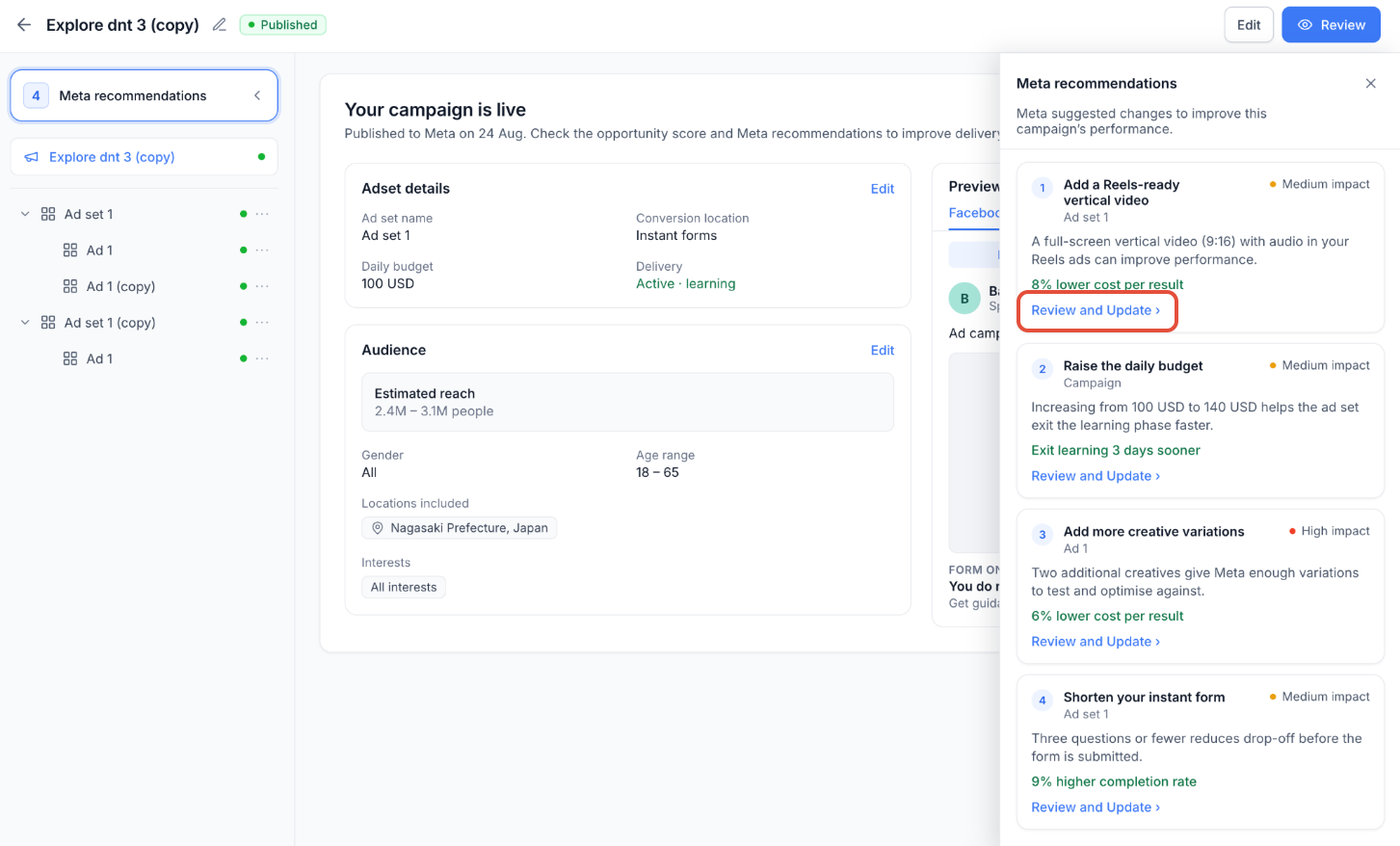
Recommendations are available from the published campaign's Review screen and include suggested changes, impact levels, and expected performance improvements when provided by Meta.
Key Benefits of Meta Recommendations
Meta Recommendations simplify ongoing campaign optimization by bringing actionable suggestions directly into Ad Manager.
In-App Optimization: Review Meta recommendations without switching platforms.
Performance Insights: Identify suggested changes and potential improvements.
Impact Prioritization: Use High, Medium, and Low impact levels to evaluate recommendations.
Quick Navigation: Access relevant campaign settings using Review and Update.
Continuous Optimization: Identify opportunities to improve campaigns after publishing.
Viewing Meta Recommendations
Published Meta campaigns can display optimization suggestions directly on the Review screen, helping you quickly identify areas that may need attention.
Open a published Meta campaign in Ad Manager.
Navigate to the Review screen.
Click Meta recommendations in the upper-left corner.
Review the available suggestions and recommendation count.
If Meta has no suggestions, the panel displays No recommendations right now.
Understanding Recommendation Details and Impact Levels
Each recommendation provides information to help you evaluate its relevance and potential benefits before updating your campaign.
Recommendations may display:
Suggested Change: The optimization recommended by Meta.
Affected Element: The campaign setting or element that needs attention.
Expected Improvement: A potential performance benefit, when provided by Meta.
Impact Level: High, Medium, or Low, indicating the recommendation's relative importance.
Impact levels help you prioritize recommendations. However, expected performance improvements are estimates, not guaranteed results.
Reviewing and Applying Recommendations
The Review and Update option simplifies the process of locating settings related to Meta's recommendations. You can review the suggestion and manually make the appropriate campaign changes.
Open the Meta recommendations panel.
Select a recommendation to review.
Click Review and Update.
Navigate to the relevant campaign section.
Make the suggested change and submit the applicable campaign updates.
Note: Review and Update does not automatically apply the recommendation. Some published campaign settings have editing restrictions, and changes may require Meta review.
How to Use Meta Recommendations in Ad Manager
Use Meta Recommendations to review potential improvements and update eligible campaign settings directly within Ad Manager.
Step 1: Go to Marketing > Ad Manager.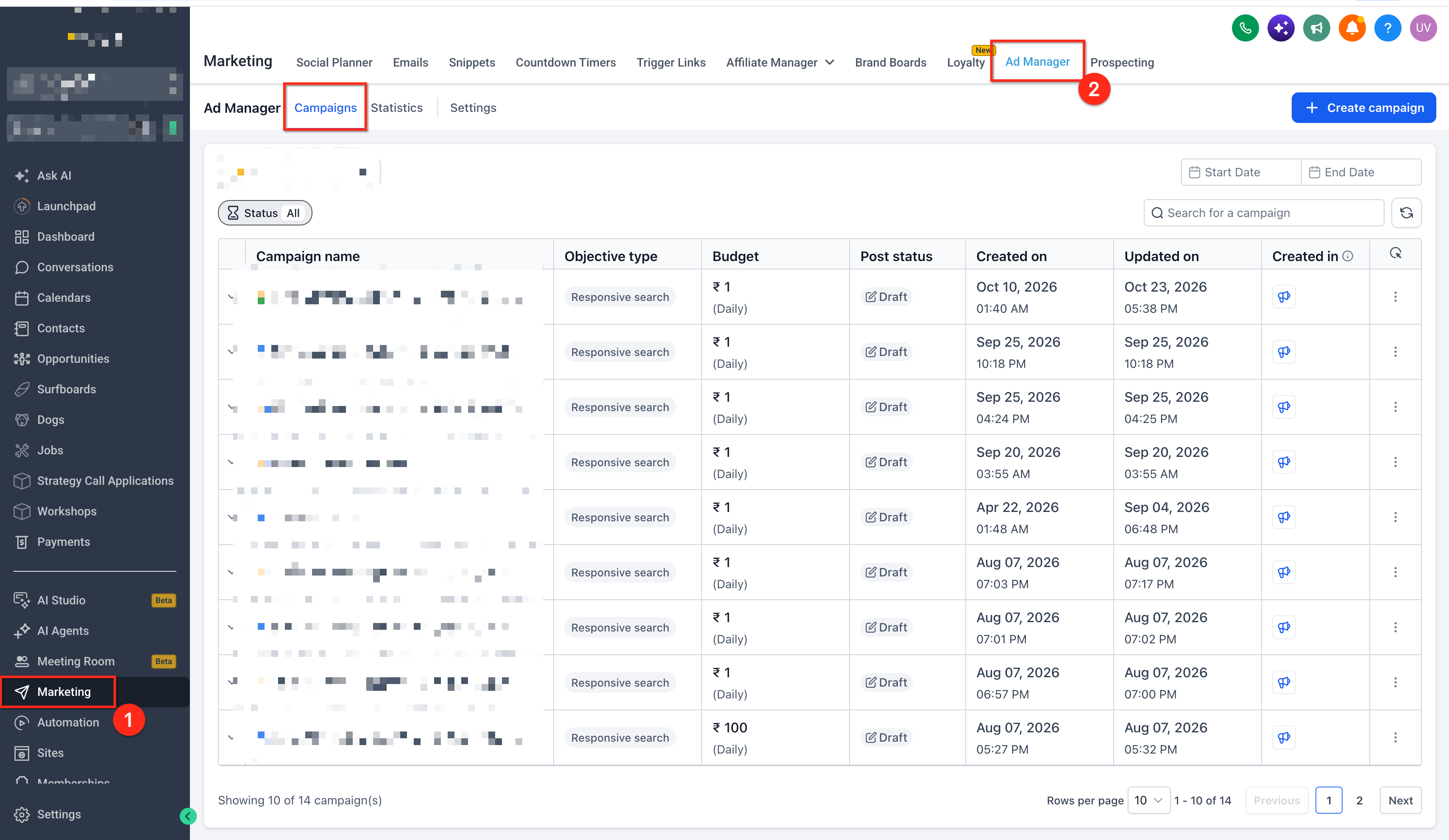
Step 2: Select the published Meta campaign you want to review.
Step 3: Navigate to the campaign's Review screen.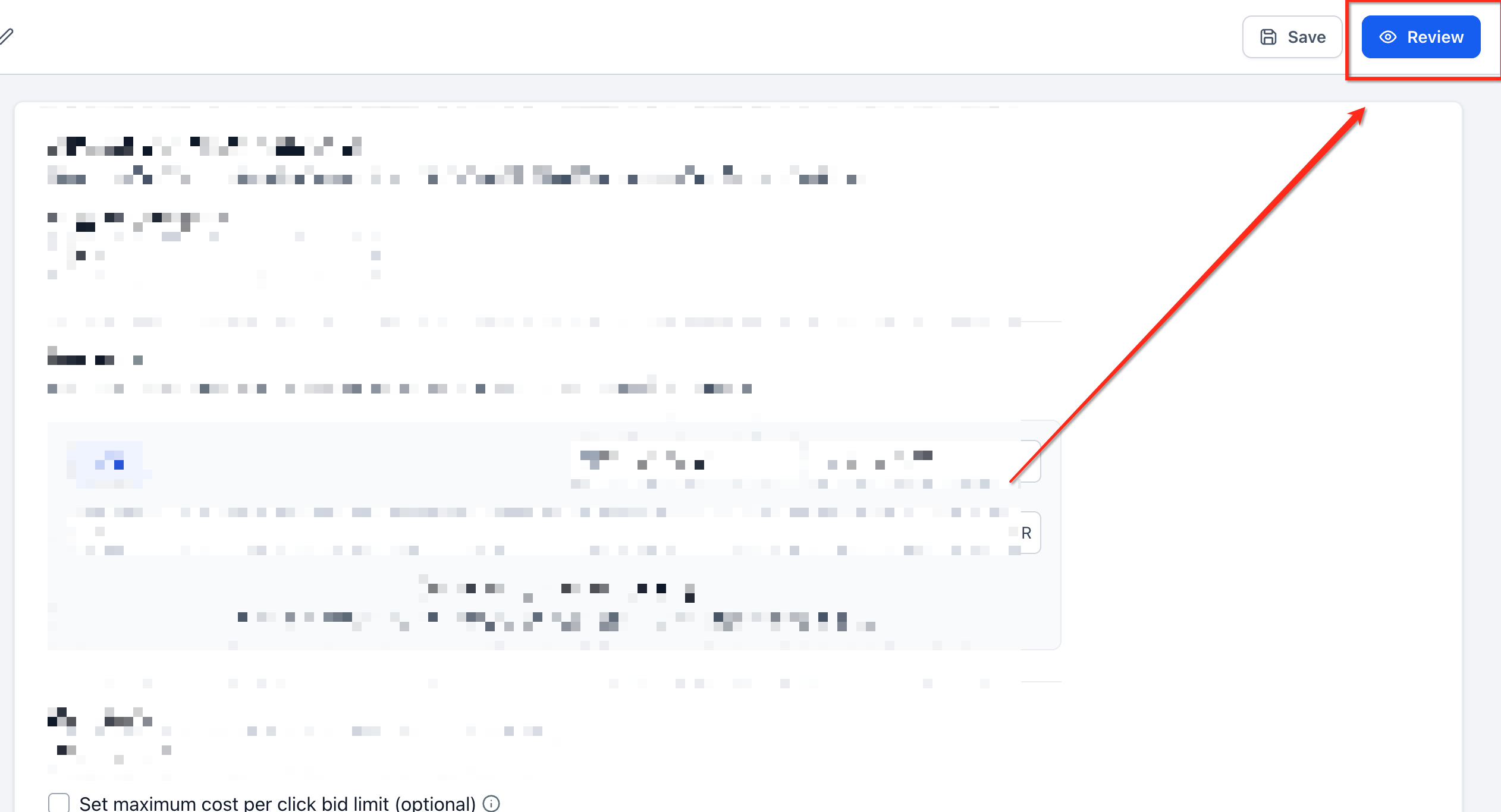
Step 4: Click Meta recommendations in the upper-left corner.
Step 5: Review the available recommendations and their impact levels to identify potential improvements.
Step 6: Click Review and Update on a recommendation.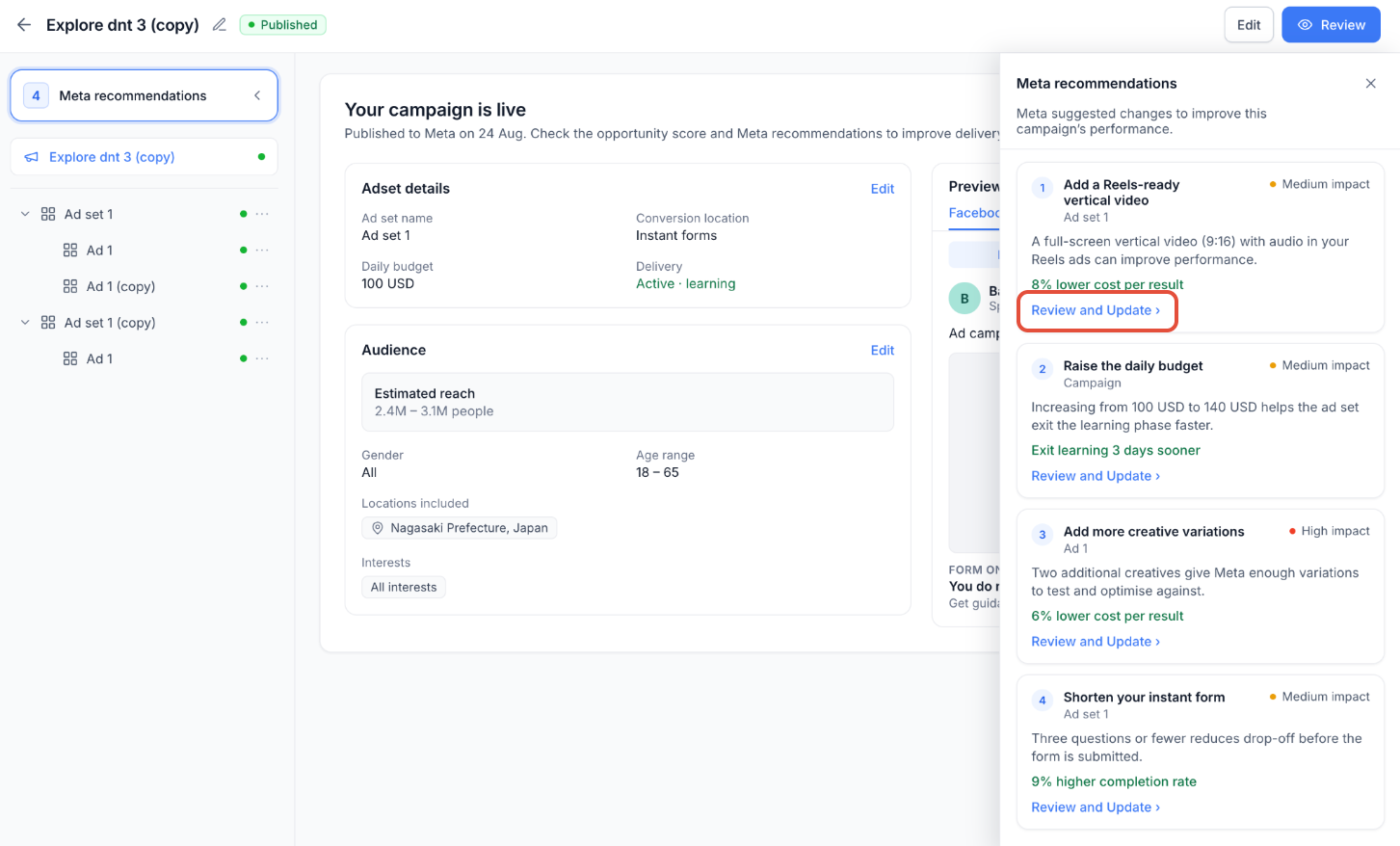
Step 7: Make the suggested changes in the relevant campaign section.
Step 8: Submit the applicable changes using the campaign editing workflow.
Important: Recommendations provide optimization guidance but do not automatically change campaign settings.
Frequently Asked Questions
Q: Are Meta recommendations available before publishing a campaign?
No. This feature is designed for published Meta campaigns. For pre-publish optimization, refer to Opportunity Score.
Q: Does Review and Update automatically apply changes?
No. It navigates to the relevant campaign settings, where you must make the suggested changes.
Q: What do High, Medium, and Low impact levels mean?
They indicate the relative importance of recommendations and help you prioritize potential improvements.
Q: Will every published campaign receive recommendations?
Not necessarily. If Meta has no suggestions, the panel displays No recommendations right now.
Q: Are expected performance improvements guaranteed?
No. Any expected improvements provided by Meta are estimates and do not guarantee results.
Q: Can I access recommendations without opening Meta Ads Manager?
Yes. Meta recommendations are available directly within Ad Manager.