
You can save customer payment methods through supported custom payment providers and use them for future transactions. This helps streamline payment collection without requiring customers to enter their payment information repeatedly. Eligible saved methods also support off-session charging when the connected provider allows it.
TABLE OF CONTENTS
- What Are Saved Payment Methods for Custom Payment Providers?
- Key Benefits of Saved Payment Methods
- How to Add and Charge Saved Payment Methods
- Supported Payment Methods and Requirements
- Viewing and Using Saved Payment Methods
- Off-Session Charging
- Frequently Asked Questions
What Are Saved Payment Methods for Custom Payment Providers?
Saved payment methods let you retain eligible customer payment information for subsequent transactions through a compatible payment provider. Depending on the provider's capabilities, customers can use cards or other supported methods. Available options vary by integration and payment workflow.
Key Benefits of Saved Payment Methods
Saving payment methods provides several advantages:
Faster Payments: Avoid entering the same payment information for every transaction.
Customer Convenience: Simplify repeat purchases and payment collection.
Flexible Payment Options: Use eligible methods supported by your connected provider.
Off-Session Charging: Process authorized transactions without an active customer checkout.
Efficient Payment Collection: Collect pending or delayed payments using eligible saved methods.
How to Add and Charge Saved Payment Methods
You can add customer payment methods and use them for supported transactions directly from contact records or invoices.
Add a Payment Method
Go to Contacts and open the appropriate contact.
Click the $ (Payments) icon.
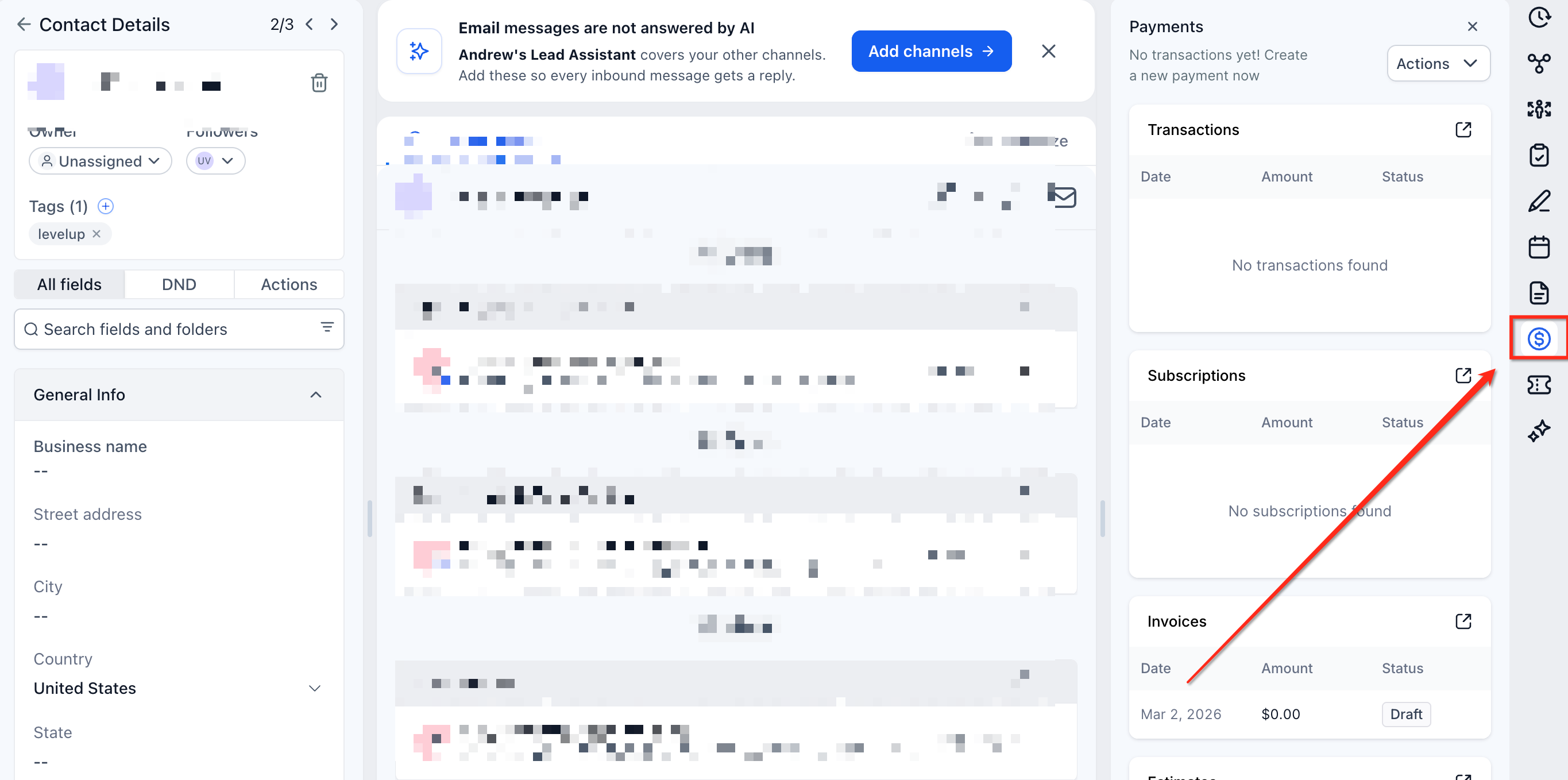
Select Actions → Add Card on File.
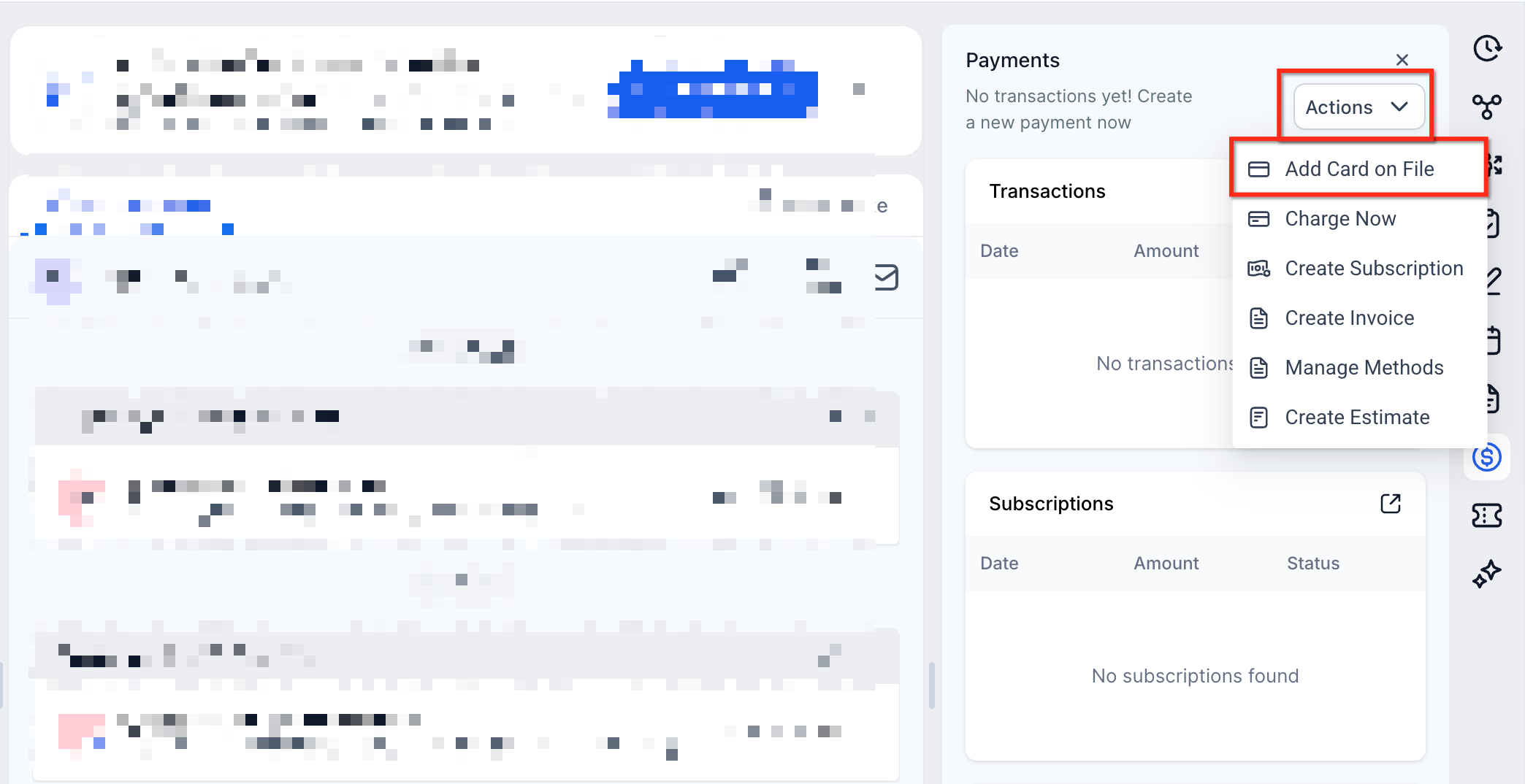
Choose an available payment method.
Enter the required payment details and save the method.
Charge a Saved Payment Method
Go to Contacts and open the customer's record.
Click the $ (Payments) icon.
Select Actions → Charge Now.
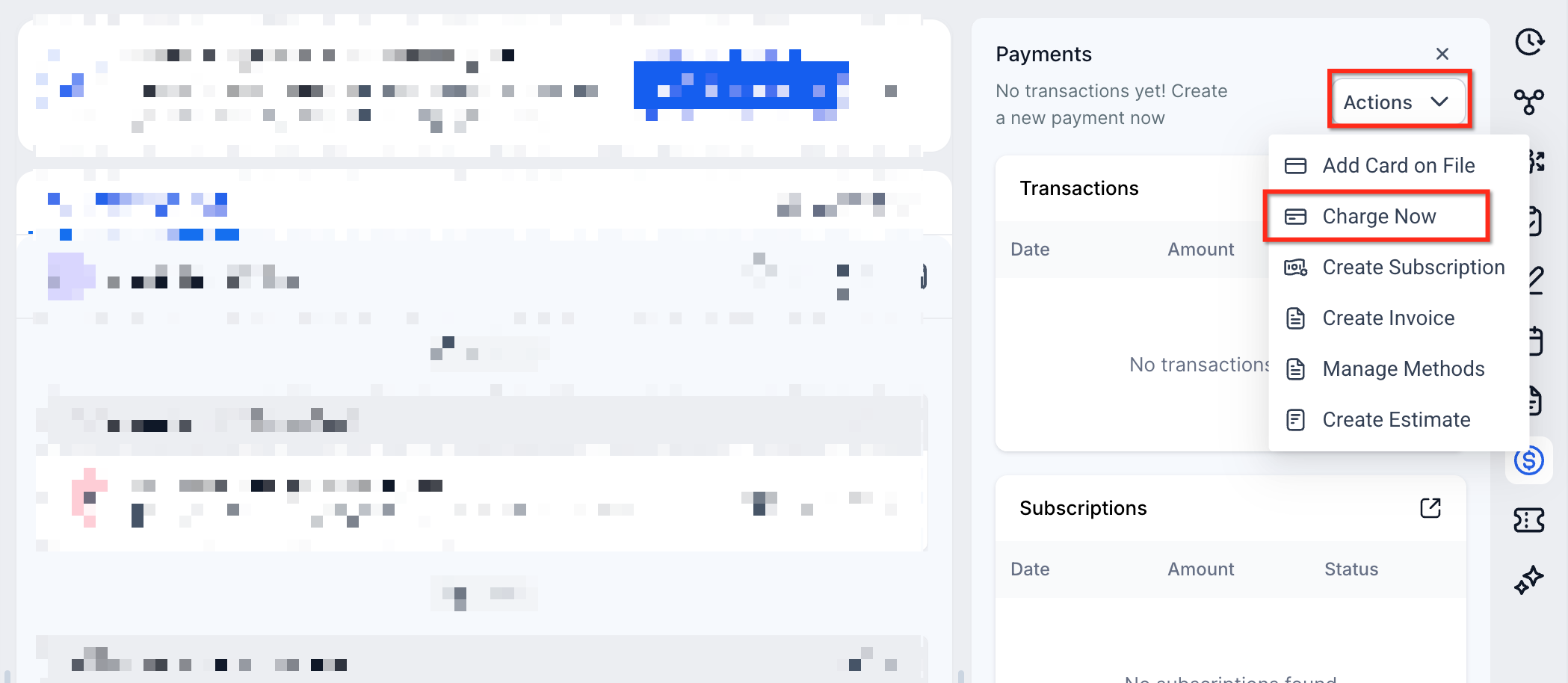
Enter the amount to collect.
Choose an eligible saved payment method.
Confirm the transaction and check its status.
Charge a Saved Payment Method from an Invoice
Go to Payments → Invoices.
Open the invoice you want to collect.
Click Record Payment → Charge a Card.
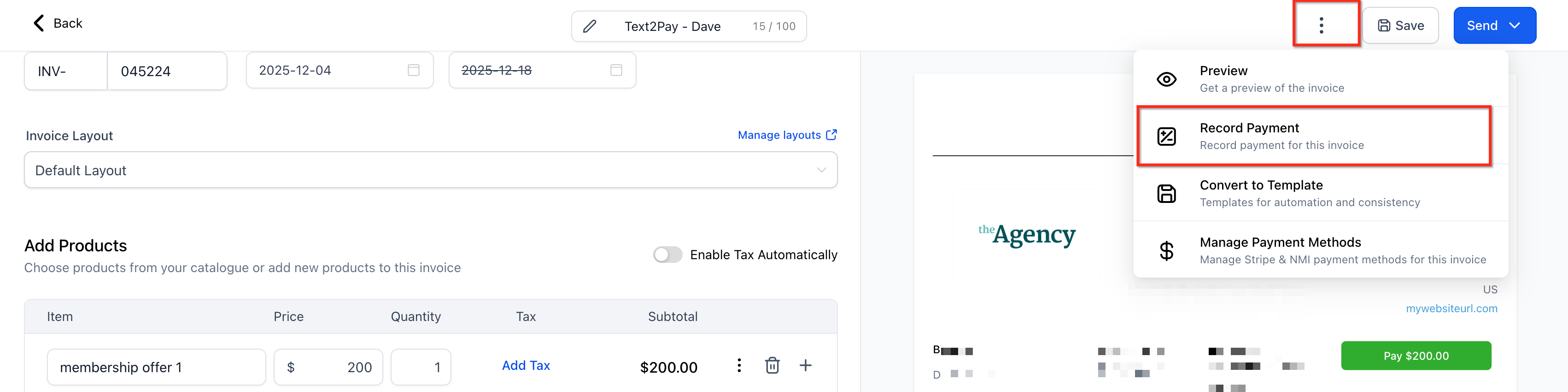
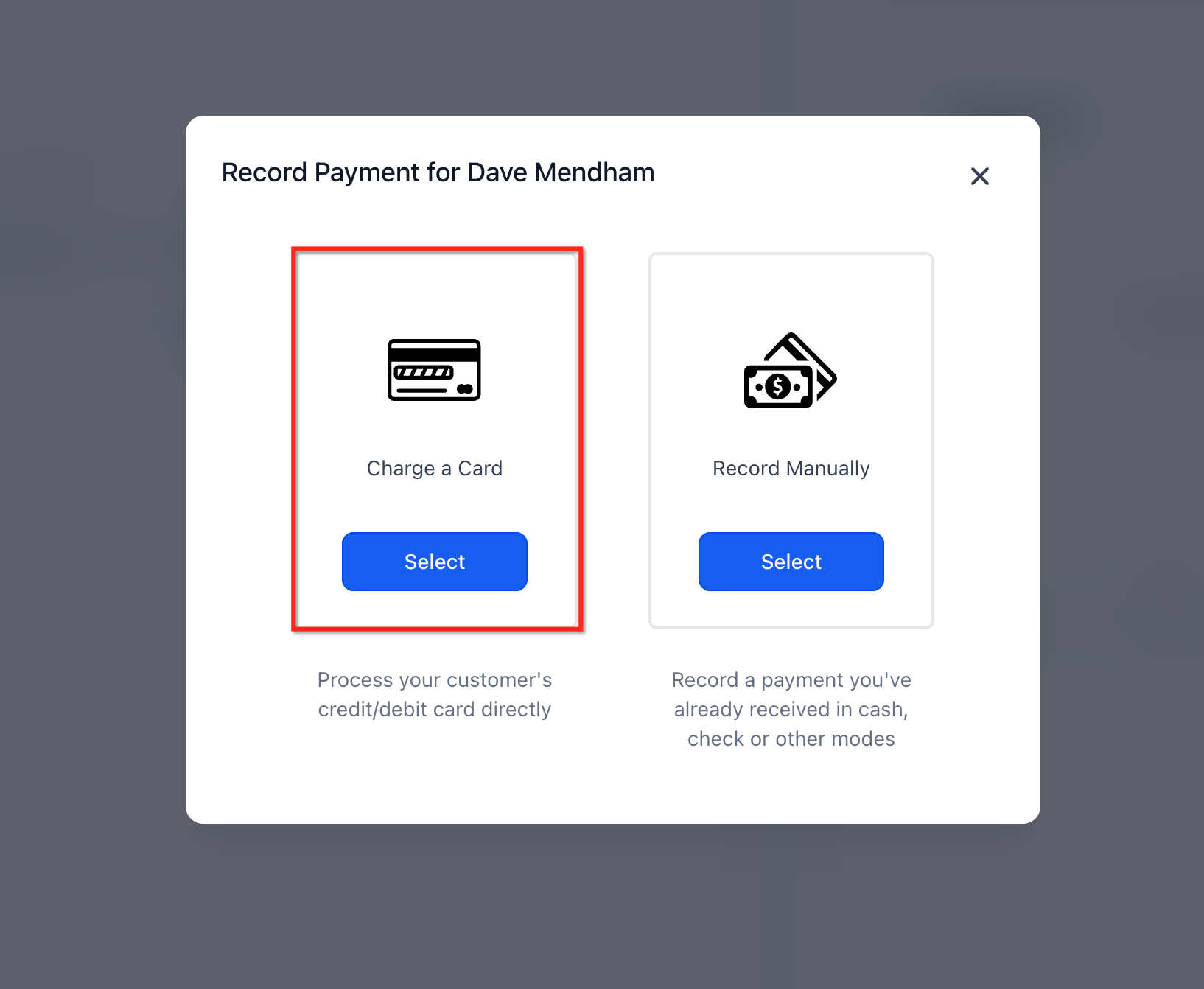
Choose an available saved payment method.
Confirm the payment and verify the transaction status.
Supported Payment Methods and Requirements
The connected custom payment provider controls which methods can be stored and used for subsequent charges. Consider the following requirements:
Supported methods can include cards and other provider-enabled payment options.
The provider integration must support saving and retrieving payment methods.
Off-session payments require provider compatibility and appropriate customer authorization.
Capabilities can differ between custom payment providers.
Important: A payment method available during checkout might not be eligible for saving or off-session transactions.Viewing and Using Saved Payment Methods
You can access eligible saved payment methods when initiating supported payment transactions. The available options depend on the customer's stored methods and the capabilities of the connected provider.
Supported workflows include:
Contact Payments
Contacts → Contact Details → $ icon → Actions → Charge Now
Invoice Payments
Payments → Invoices → Record Payment → Charge a Card
Note: Methods stored through custom payment providers might be available during payment collection without appearing in the standard Manage Cards interface.
Off-Session Charging
Off-session charging lets you process an authorized payment using an eligible saved method without requiring the customer to participate in an active checkout. This functionality can support delayed payments and other authorized collections.
Requirements for Off-Session Charging
The connected custom provider supports off-session transactions.
The customer has an eligible saved payment method.
Appropriate customer authorization has been obtained.
The provider accepts the transaction without additional customer action.
The payment provider determines whether a transaction succeeds or requires further verification.
Important: Off-session charging specifically for defined subscription and one-time products is a planned enhancement and is not included in the functionality described here.
Frequently Asked Questions
Can every custom payment provider save customer payment methods?
No. The provider integration must support storing and retrieving payment methods.
Can customers save payment methods other than cards?
Yes. Additional methods may be available depending on the connected provider's capabilities.
Why can't I find a customer's saved payment method?
The provider might not support retrieving that method, or the saved method might not be associated with the selected contact.
Can I charge a saved payment method when the customer is not present?
Yes, provided the payment method is eligible, the provider supports off-session charging, and the transaction has appropriate authorization.
Can saved methods be used for off-session payments on subscription and one-time products?
This specific functionality is planned for a future enhancement.
Why doesn't a saved payment method appear in Manage Cards?
Certain methods saved through custom provider integrations are accessible during supported payment workflows but are not displayed in the standard Manage Cards interface.