
Managing subscriptions effectively helps you stay on top of recurring revenue, customer activity, and payment status. This guide explains how the subscriptions section works, what information is available, and how to interpret subscription statuses.
TABLE OF CONTENTS
- What is the Subscriptions Section?
- How to Access the Subscriptions Page
- What is Listed on the Subscriptions Page?
- What is Included in Subscription Details?
- Understanding Subscription Statuses
- Subscription Status Sync Behavior
- Failed Payment Behavior
- What is Not Included on the Subscriptions Page
- Frequently Asked Questions
- Need Help?
What is the Subscriptions Section?
The subscriptions section provides a centralized view of all recurring payments created through order forms. It allows you to monitor active subscriptions, track customer payments, and understand the lifecycle of each subscription.
This visibility helps ensure accurate tracking of revenue and customer engagement without needing to review each transaction manually.
How to Access the Subscriptions Page
Accessing the subscriptions page allows you to view and manage all subscription records in one place.
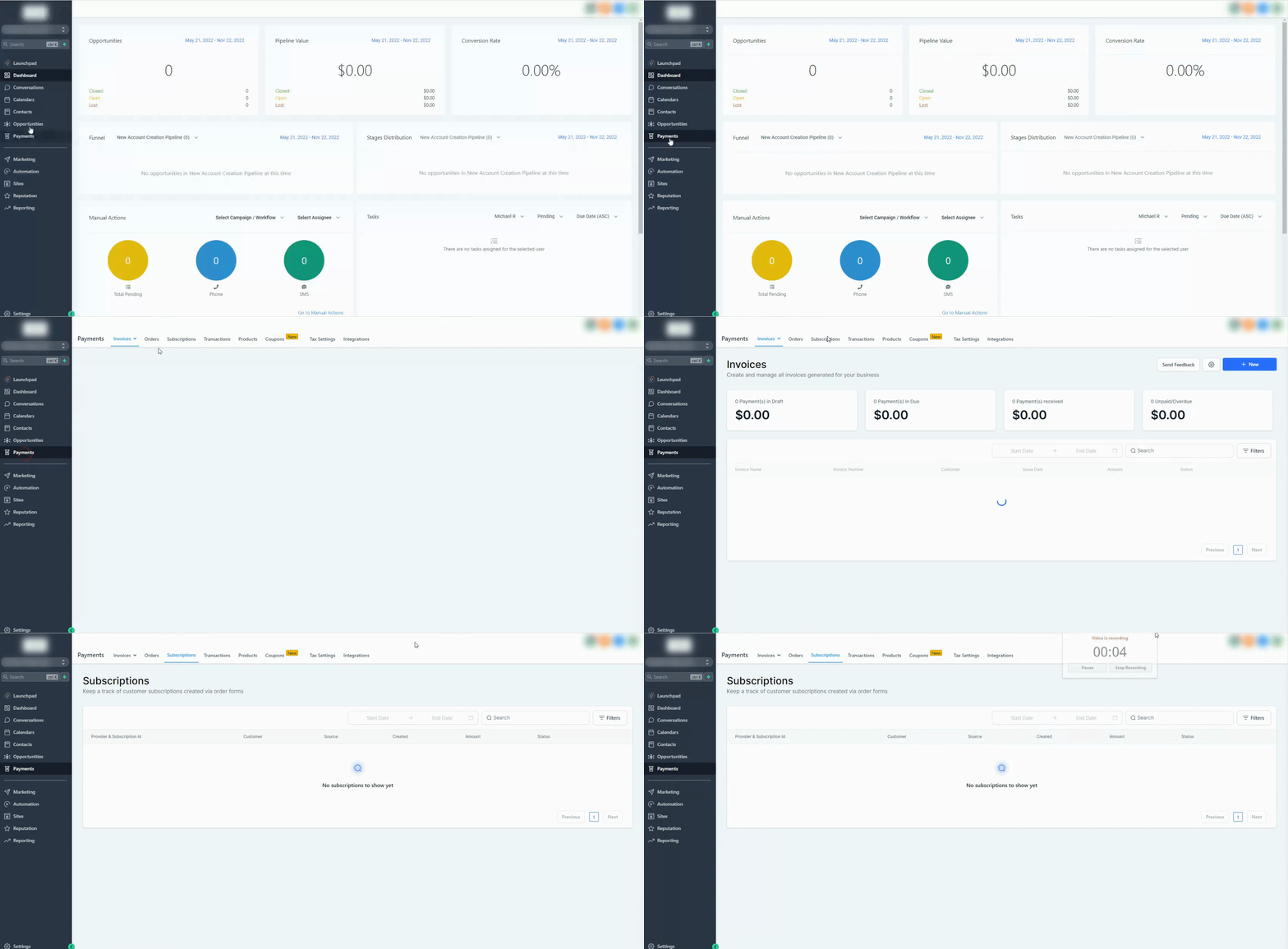
Go to Payments, then click on Subscriptions to open the subscriptions dashboard.
What is Listed on the Subscriptions Page?
The subscriptions page displays all subscriptions created through supported order forms, along with key details that help you track performance and status.
You will see:
Payment provider and subscription ID
Customer details
Source of subscription creationDate of creation
Subscription amount
Current subscription status
This overview makes it easy to monitor multiple subscriptions at a glance.
What is Included in Subscription Details?
Each subscription record contains more detailed information to help you understand payment activity and history.
Details include:
Payment provider information
Source of subscription creation
Transaction history (for supported providers)
These details allow you to track how a subscription evolves over time, including renewals and updates.
Understanding Subscription Statuses
Subscription statuses indicate the current state of a customer’s recurring payment. These statuses are grouped to simplify tracking across different payment providers.
Common statuses include:
Trial: Subscription is in a trial period
Active: Subscription is active and billing normally
Canceled: Subscription has been canceled
Suspended: Subscription is temporarily paused
Failed: Initial payment attempt failed
Incomplete: Setup started but not completed
Unpaid: Payment is due but not completed
Expired: Subscription has ended
Understanding these statuses helps you quickly identify which customers require attention.
Subscription Status Sync Behavior
Subscription data may sync differently depending on how it was created.
Subscriptions created through certain providers will stay updated with real-time changes such as cancellations and payments
In some cases, subscription updates and future payment tracking may be limited
Subscription records will still be created for tracking purposes, even if full synchronization is not available
This ensures you always have a record of subscription activity, even if some updates require external verification.
Failed Payment Behavior
If a subscription fails during the initial payment attempt:
The subscription will not appear in the subscriptions list
The customer record will still be created
This allows you to follow up manually or re-engage the contact if needed.
What is Not Included on the Subscriptions Page
The subscriptions page is focused only on specific subscription sources. Some items are not included:
Recurring templates created in the invoices section
Subscriptions created through membership-based products
Understanding these limitations helps avoid confusion when tracking subscription data.
Frequently Asked Questions
Q: Why don’t I see a subscription after a failed payment?
Subscriptions are only created after a successful initial payment. Failed attempts will not appear in the list.
Q: Can I track future payments for all subscriptions?
Future payment tracking depends on how the subscription was created. Some providers offer full tracking, while others may have limited visibility.
Q: Do subscription statuses update automatically?
In many cases, statuses update automatically. However, this depends on the payment provider and how the subscription was created.
Q: Can I manage or cancel subscriptions directly from this page?
Management capabilities may vary. Some actions may require handling through the original payment setup.
Need Help?
If you need assistance managing subscriptions or understanding specific statuses, reach out to support or consult additional help resources available in your account.