
Preference Management helps you manage email subscription choices at the contact level so each person receives only the types of communication they want. You can create custom preference categories, assign them to campaigns, automatically exclude unsubscribed contacts, allow contacts to update their own preferences, and track subscription changes in Conversations.
TABLE OF CONTENTS
- About Preference Management (Email Unsubscription Management)
- How will Preference Management work?
- 1. Create Custom Preference Types
- 2. Adding the Preference Management Link to Email Footers
- 3. Assign Preferences to Campaigns
- 4. Automatic Audience Filtering
- 5. Contact-Level Preference Management
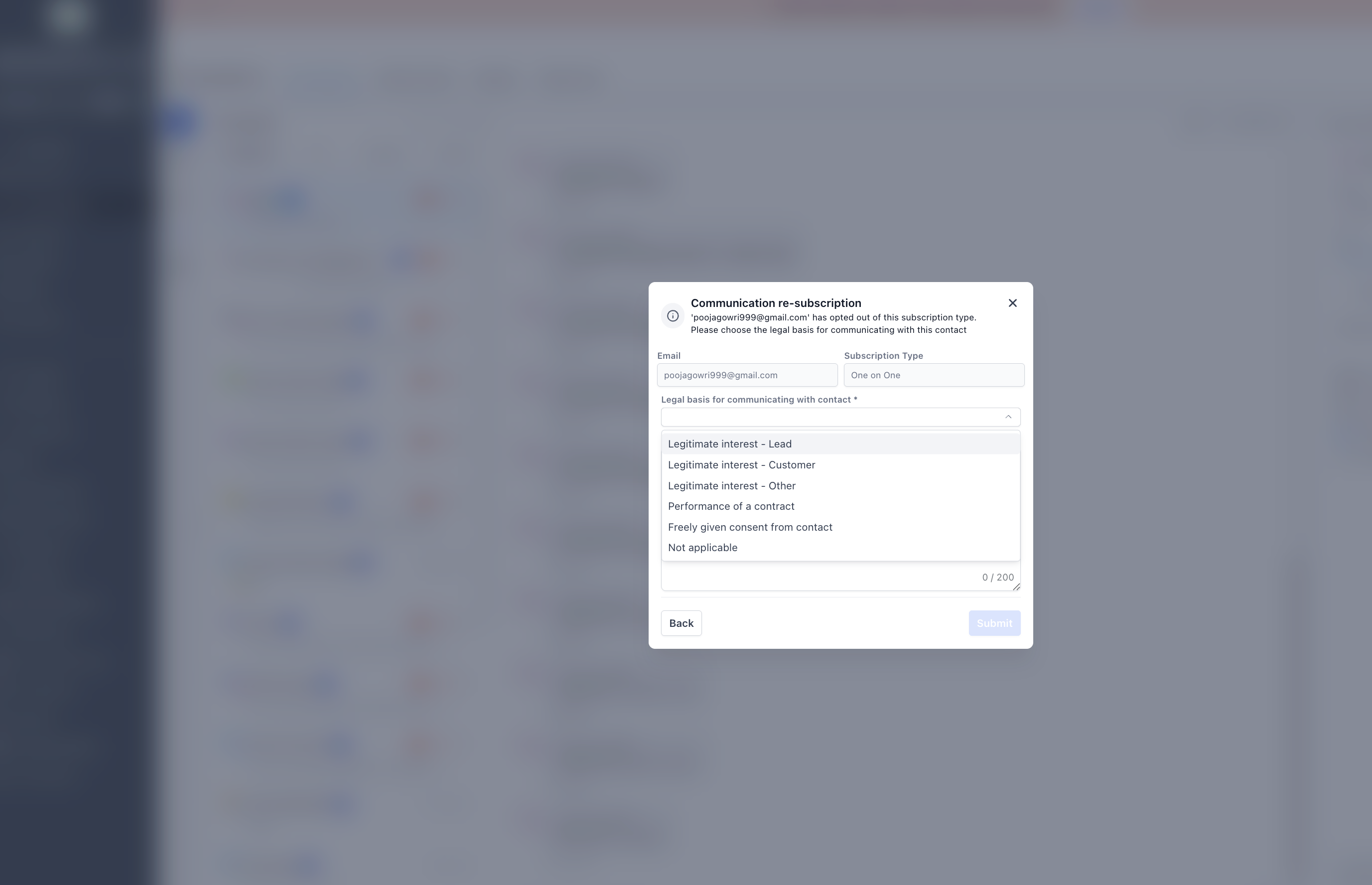
- 6.Resubscribe using legal basis (User flow)For any preference category marked as Unsubscribed, the location must provide a valid legal basis before the contact can be resubscribed.
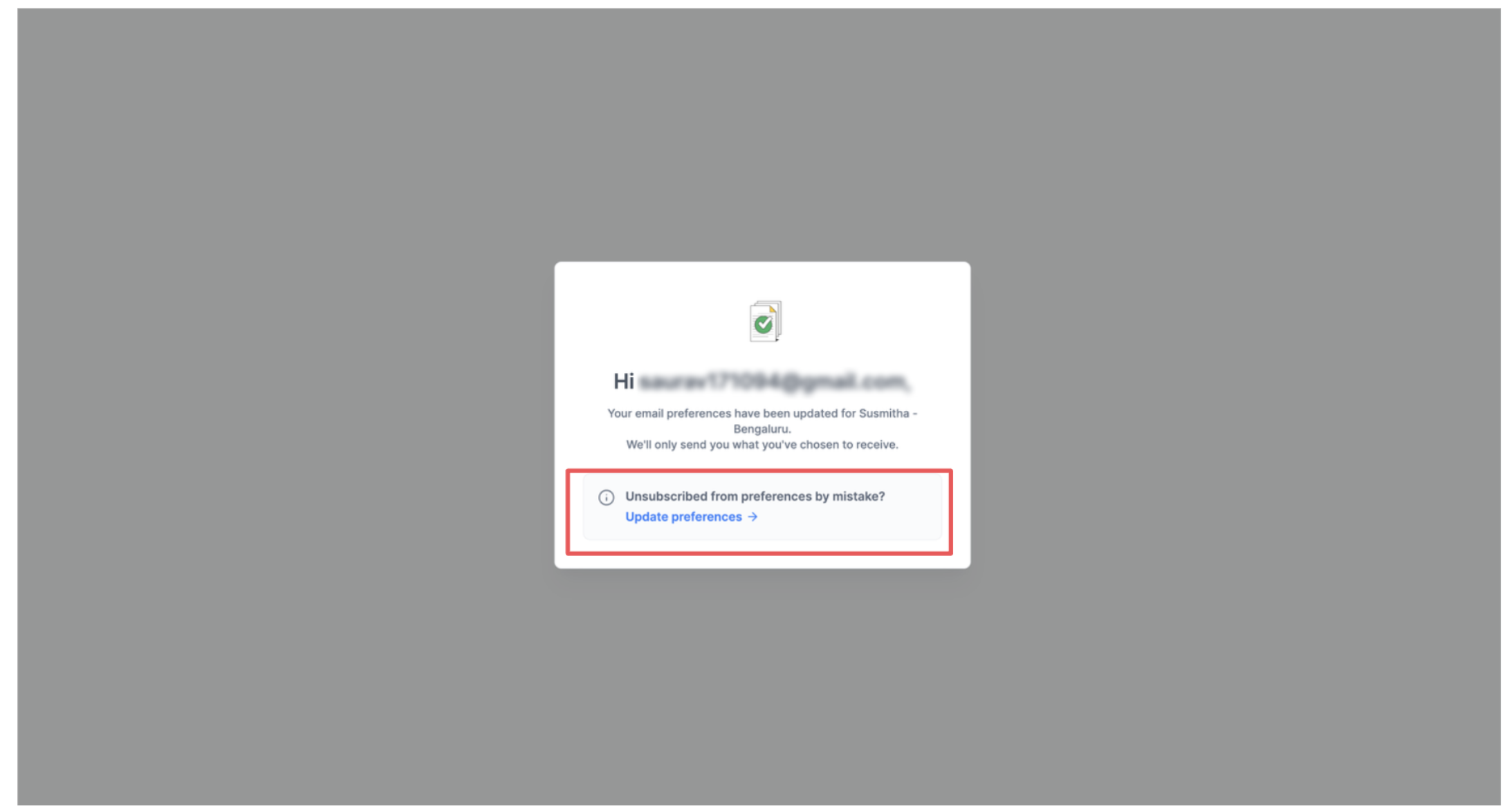
- 7. Resubscription via the Preference Management Link (Contact flow)
- 8. Subscription visibility on Conversations
- Important Points to be noted
- Feature Deprecation
About Preference Management (Email Unsubscription Management)
Preference Management helps businesses stay compliant by honoring each contact’s communication choices—whether they want to receive emails, and if so, what types of emails they prefer. This reduces unwanted outreach, minimizes the risk of being marked as spam, and supports healthier email deliverability.
With Preference Management, each location can create and manage custom communication categories that align with its marketing needs. These categories can be linked directly to campaigns, enabling the system to automatically respect every contact stated preferences.
When a contact opts out of a specific preference type, any future campaigns assigned to that category will automatically exclude them, even if they were part of the original campaign audience. This ensures more relevant messaging, stronger compliance, and a more personalized experience for every contact.
How will Preference Management work?
Here’s how it functions:
1. Create Custom Preference Types
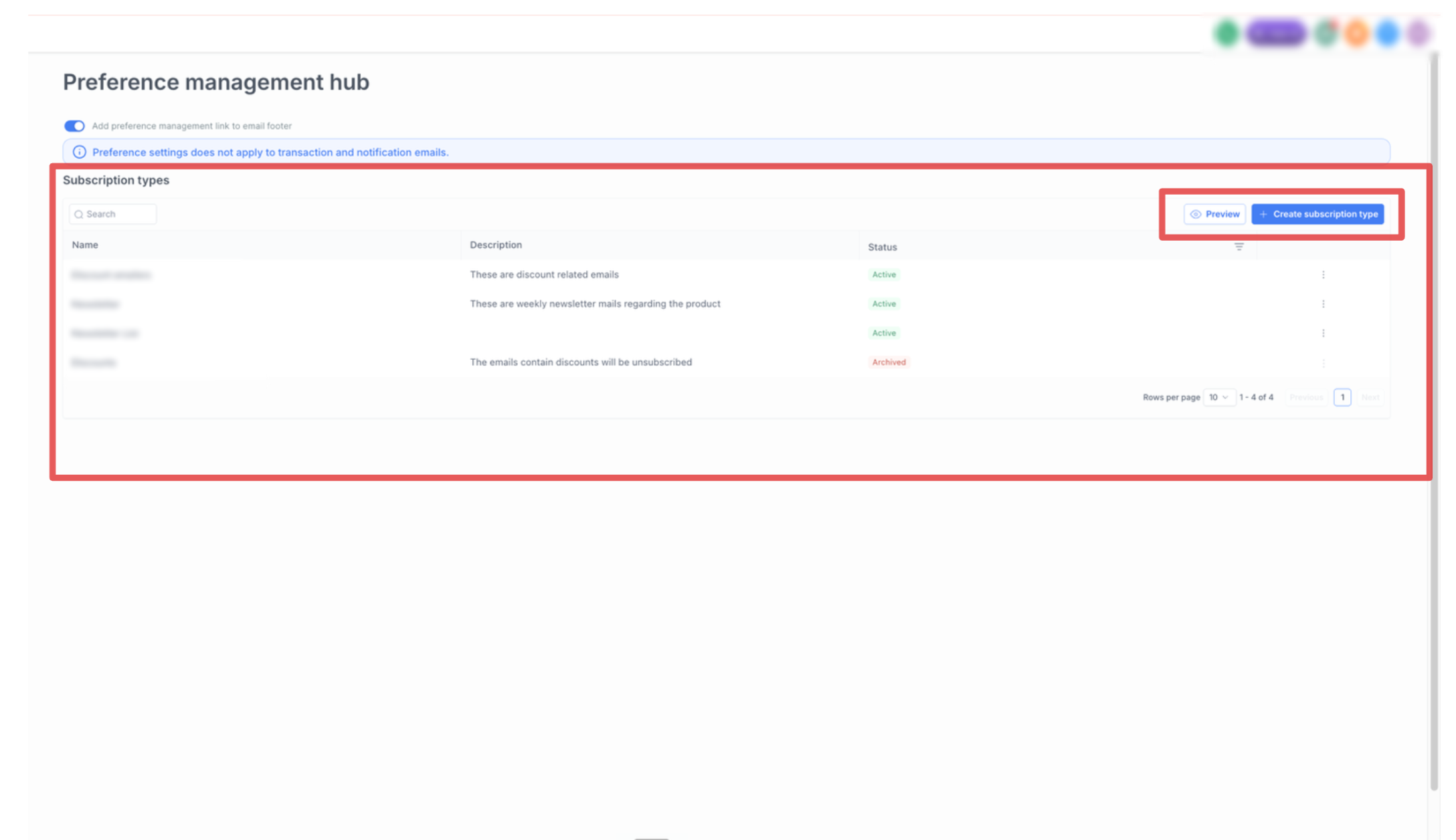
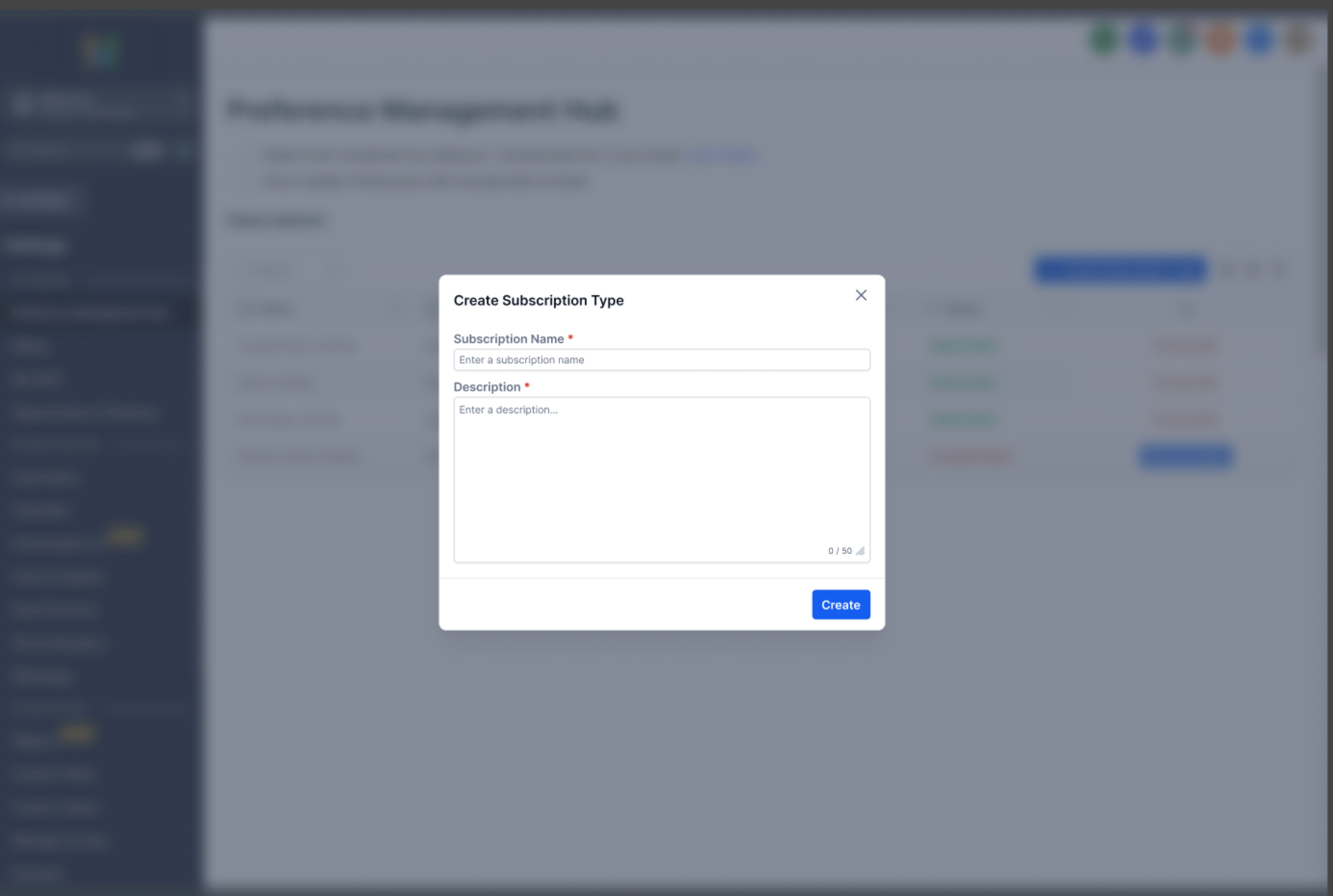
Location admins can create and manage location-specific preference categories in Settings → Preference Management Hub, where all active categories are created and tracked.
2. Adding the Preference Management Link to Email Footers
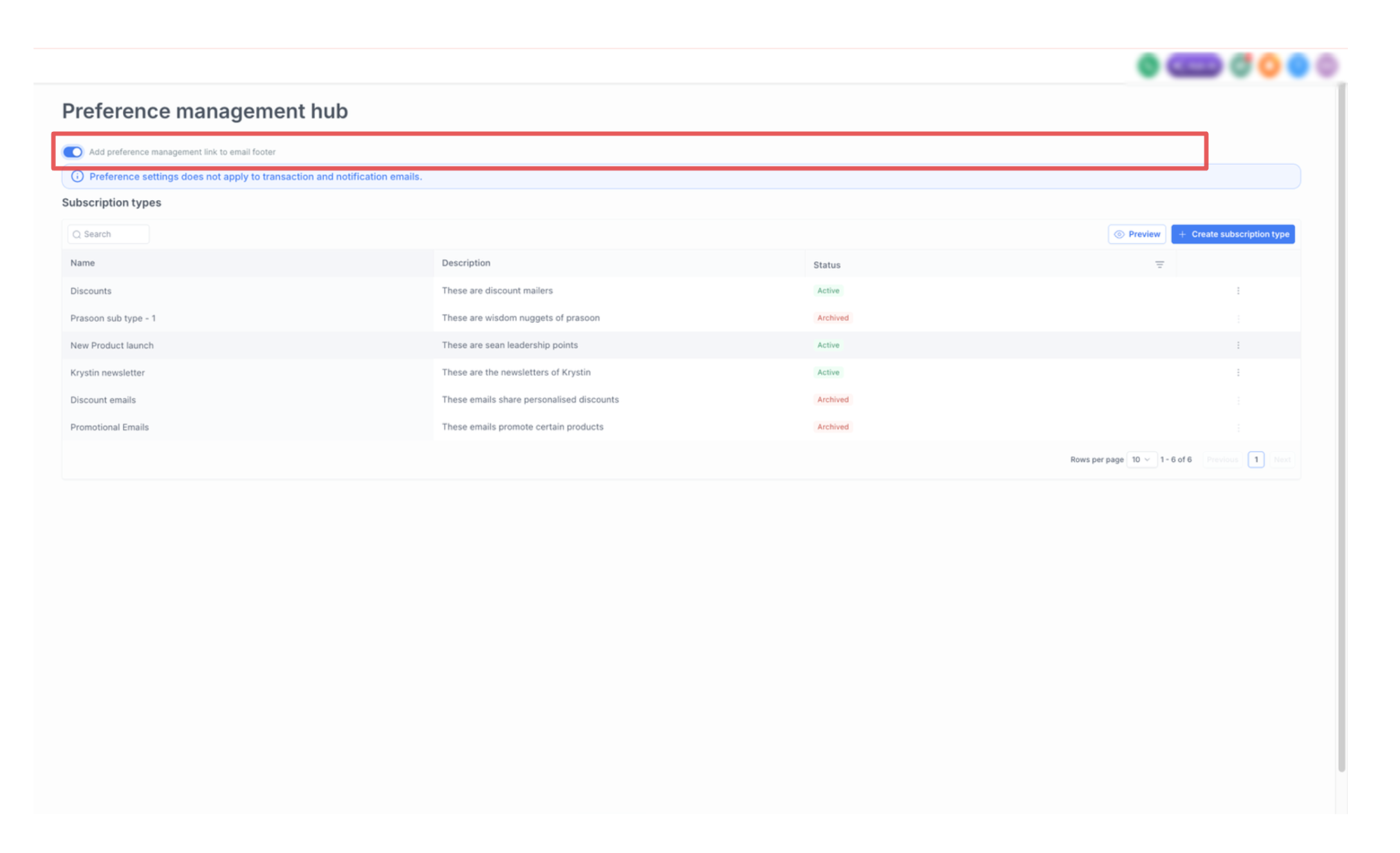
Users can enable the “Add Preference Management Link to the Footer” option within the Preference Management module to automatically include the preference management link in email footers. The toggle value is in default disabled state.
Additionally, the preference management link can also be accessed and inserted manually using the Email Marketing Custom Values section.
3. Assign Preferences to Campaigns
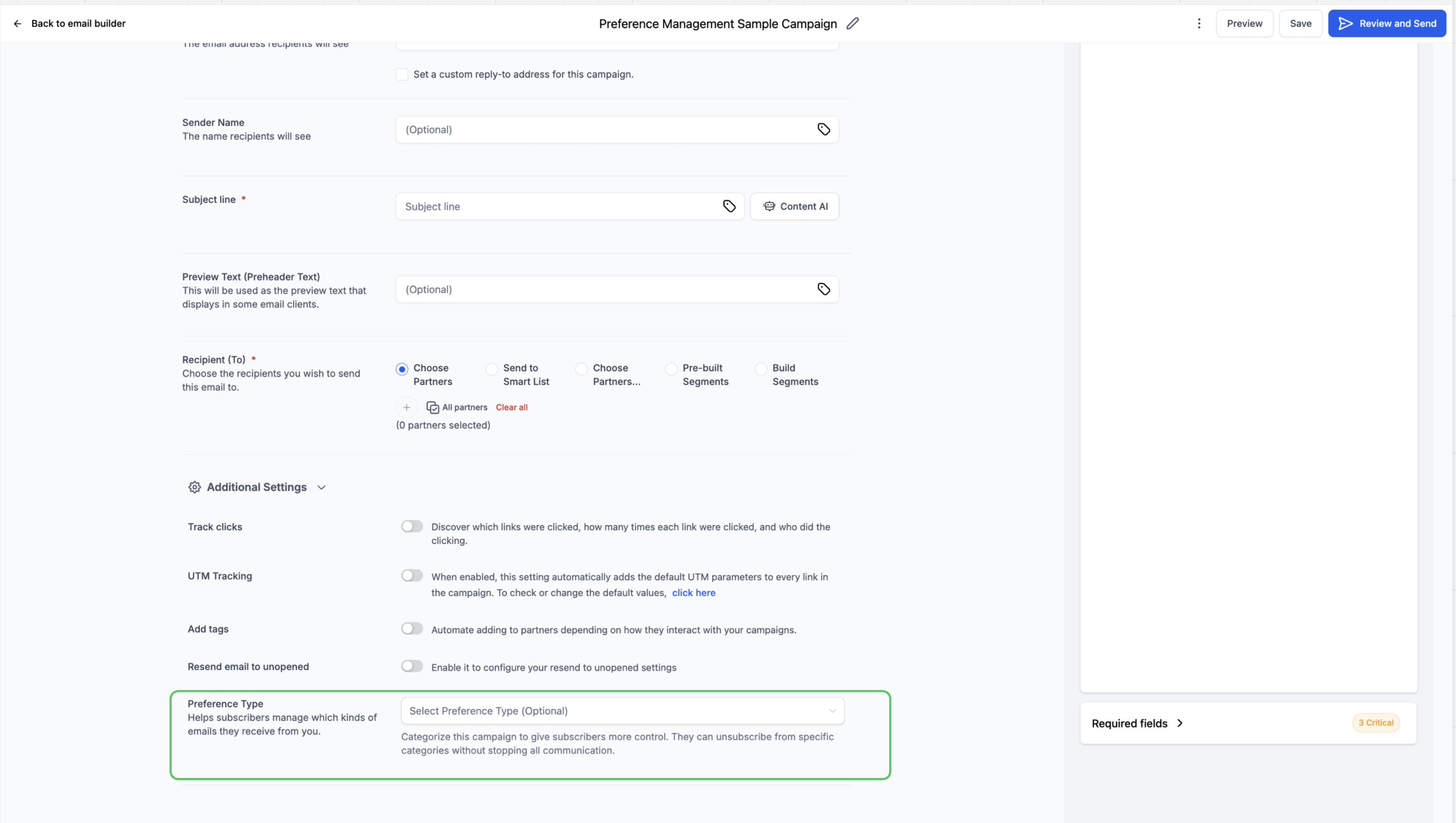
When building or editing a campaign, assign a preference type. This tells the system what type of communication the campaign represents.
4. Automatic Audience Filtering
If a contact has opted out of a specific preference type, they will be automatically excluded from any campaign assigned to that category- even if they were originally included in the campaign audience. This ensures accurate targeting and prevents unwanted emails from being sent.
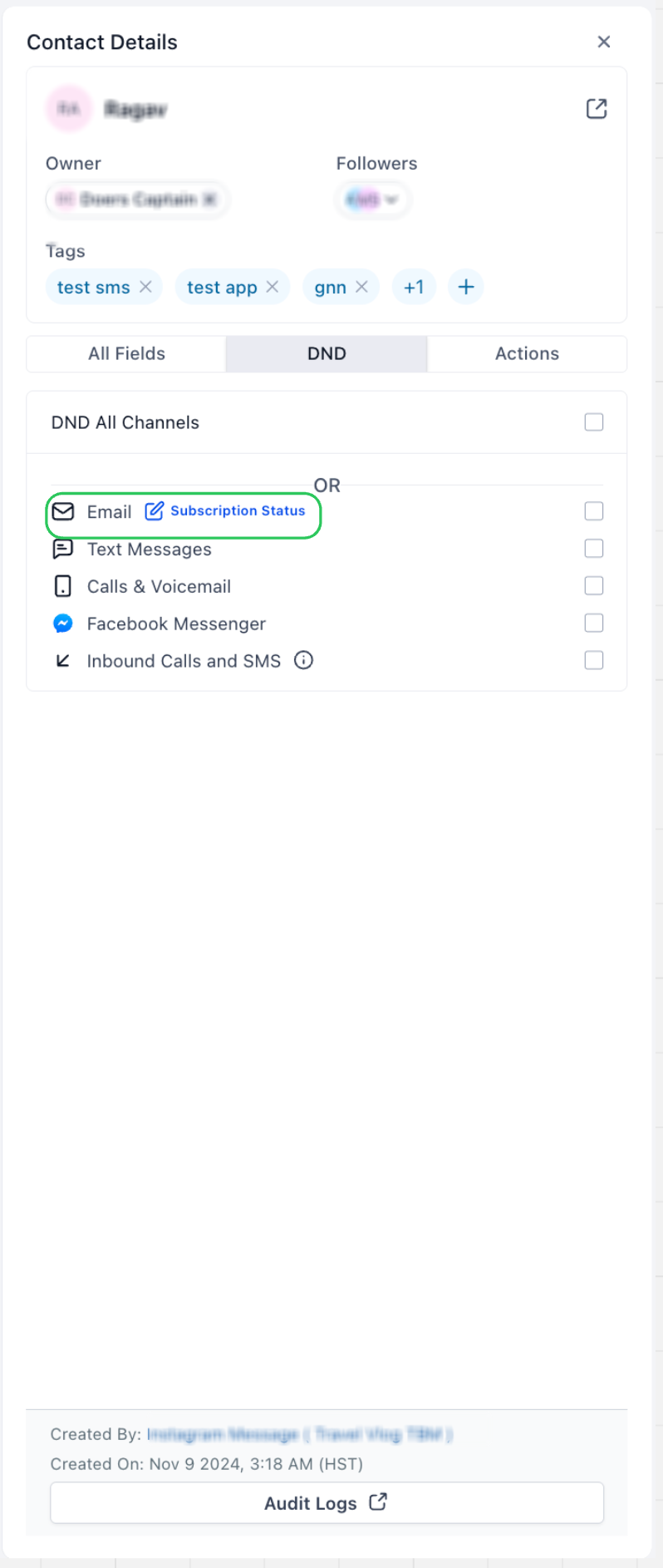
5. Contact-Level Preference Management
User can manage contact preferences at any time, and you can also view or adjust these settings directly from the Contact Details page.
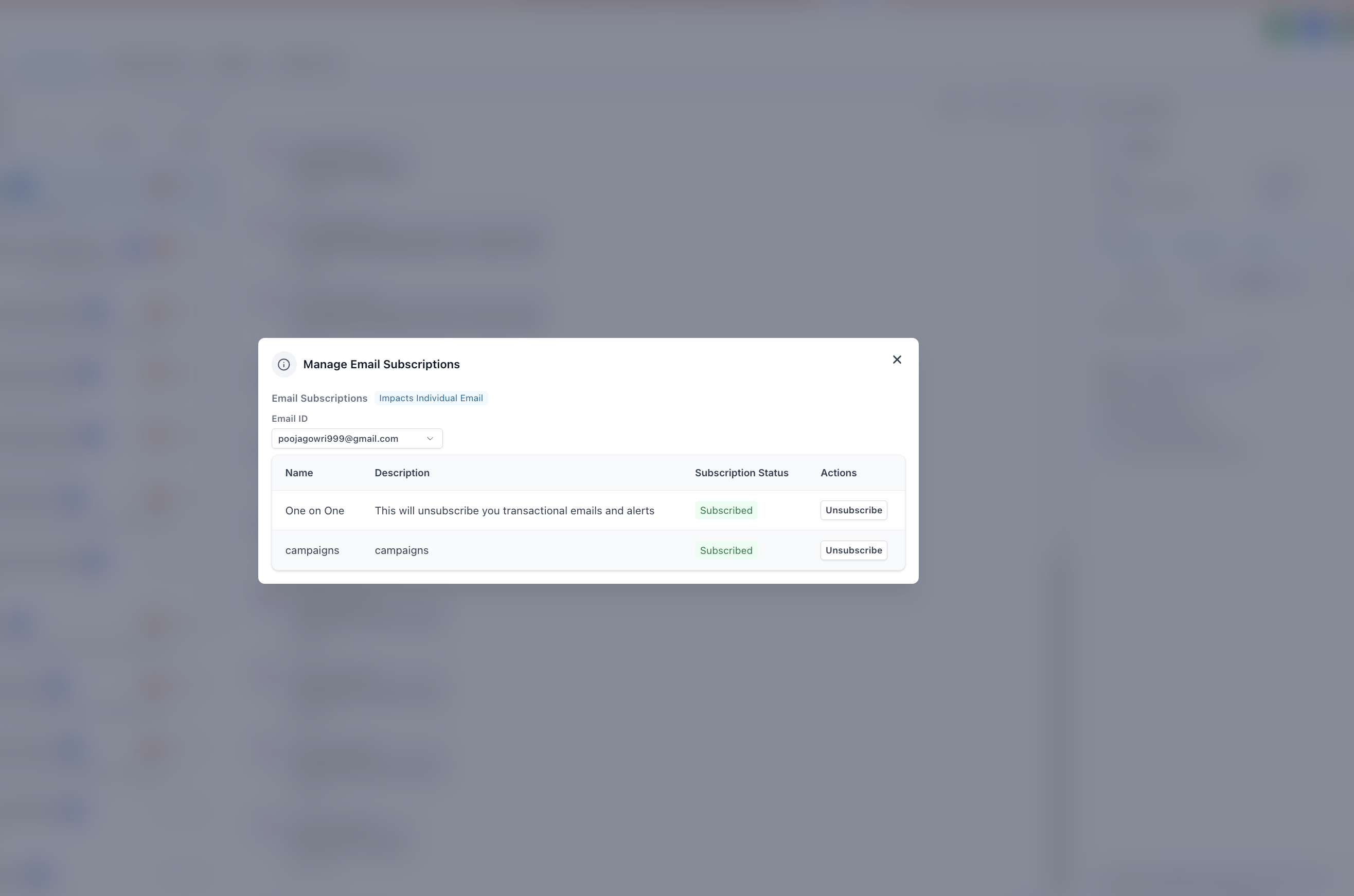
6.Resubscribe using legal basis (User flow)
For any preference category marked as Unsubscribed, the location must provide a valid legal basis before the contact can be resubscribed.
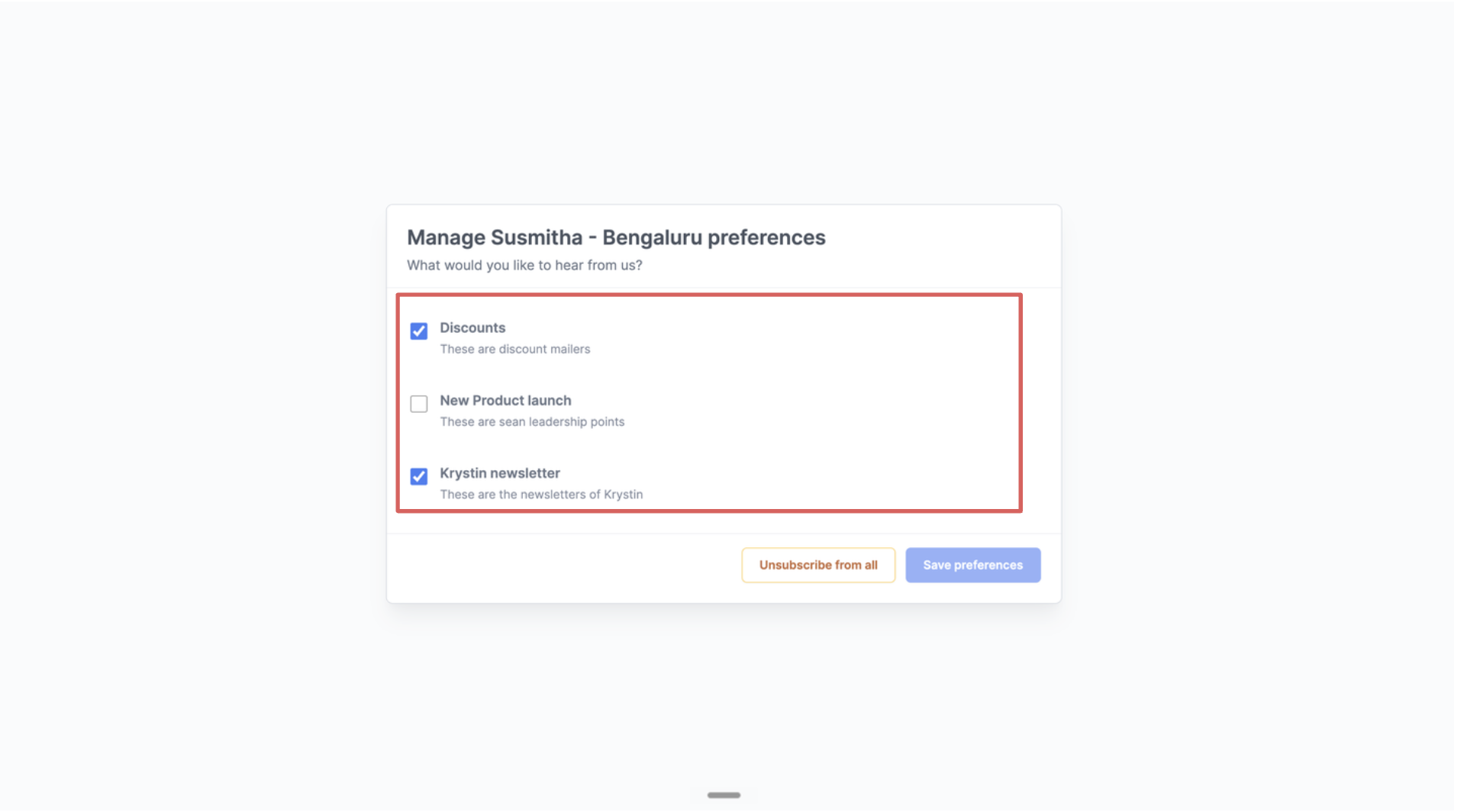
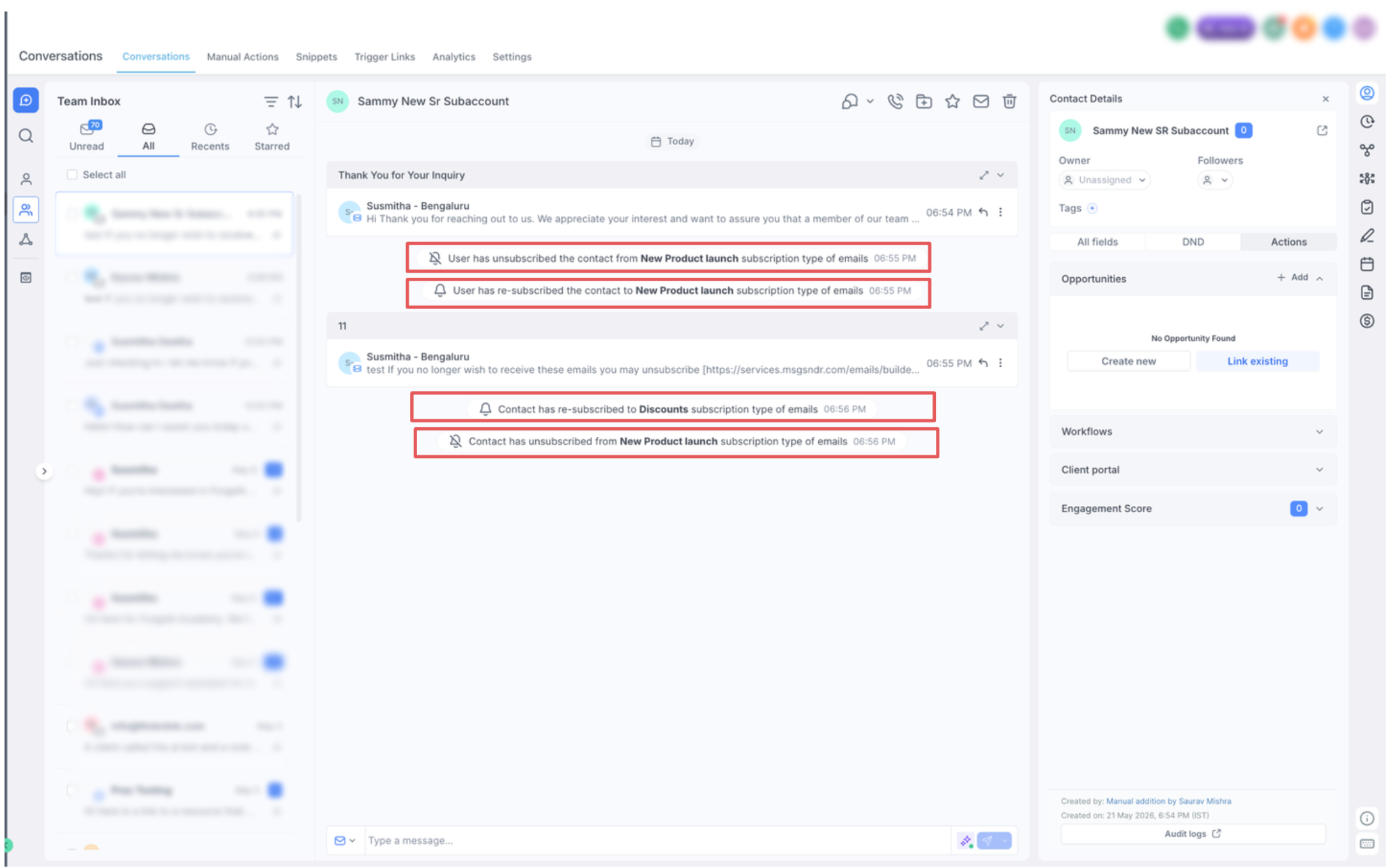
8. Subscription visibility on Conversations
Preference status updates are now logged in Conversations.
Logs are created for updates triggered from both:
- the contact’s end
- the user’s end
Important Points to be noted
1. To access and use Preference management, the following Labs toggles must be enabled at the location level:
- Preference Management
2. Preference Management is an irreversible labs feature. Because it allows unsubscribing contacts at the location level, once enabled, the change cannot be undone
3. Subscription preferences are stored and maintained at the contact level for each business location. However, the Preference Management feature is currently supported only for LC Email Services and is not compatible with third-party SMTP providers. If a user switches from LC to another SMTP provider, the contact preferences will stay saved, but the user won’t be able to access the Preferences module anymore.
4. The preference management capabilities enable more granular DND controls at the subscription-type level. DND is triggered only when a contact has unsubscribed from all subscription type
Feature Deprecation
As part of ongoing improvements to the Preference Management Hub, One-on-one subscription type configuration have been streamlined on 31/03/2026 to better align with expected business communication workflows.Relevant subscription data continues to be maintained. For any questions or inconsistencies, please contact our Support team.
Need Help?
If Preference Management is not working as expected, first review the feature settings, campaign preference assignment, contact subscription status, and email service configuration.
Verify that:
- Preference Management is enabled in Labs for the correct account.
- You understand that enabling Preference Management is irreversible once activated.
- The required preference categories have been created under Settings → Preference Management Hub.
- The correct preference type is assigned to each campaign.
- The Preference Management Link is enabled in the email footer or inserted manually where needed.
- The contact’s current subscription selections are correct.
- Contacts who unsubscribed from a preference category are being excluded from campaigns assigned to that category.
- A valid legal basis is provided before manually resubscribing a contact where required.
- Contacts can reopen the Preference Management link and update their choices.
- Subscription changes are appearing in the contact’s Conversations activity.
- The account is using the supported built-in email service, since Preference Management may not be available with third-party SMTP providers.
- Contact preferences remain saved if the email provider changes, even if the Preference Management interface is no longer available.
- DND is not expected to apply unless the contact has unsubscribed from all applicable subscription types.
If contacts are still receiving emails they should be excluded from, confirm that the campaign is assigned to the correct preference category and review the contact’s current subscription status before sending again.
If the issue continues, collect the affected contact, campaign name, preference category, subscription status, email service in use, expected behavior, and screenshots of the Preference Management settings before contacting support.