
Fixed-Rate AI Billing
This article explains how to configure fixed-rate billing for your AI products. You'll learn how to set flat rates per message or call, when to use fixed-rate versus markup billing, and how to apply these settings across your client accounts.
By the end, you'll be able to offer transparent, predictable AI pricing that builds client trust and simplifies your sales conversations.
What is Fixed-Rate AI Billing?
Fixed-rate AI billing allows you to charge your clients a flat, predictable price per unit of AI usage—such as $0.50 per Conversation AI message or $1.00 per Voice AI call—instead of applying a markup to the underlying token-based cost.
AI products (Conversation AI and Voice AI) consume tokens based on the complexity and length of each interaction. While you continue to be billed by LeadConnector based on actual token usage, fixed-rate billing lets you shield your clients from this variability. Your clients see only the simple, flat rate you've configured, making AI products easier to understand, sell, and budget for.
You control the pricing model on a per-product, per-client basis, and you can switch between fixed-rate and markup-based billing at any time.
Key Benefits
Switching to fixed-rate billing for AI products gives you greater flexibility, predictability, and client confidence.
Understanding Billing Models
LeadConnector offers two billing models for AI products. You can select the model that best fits your business strategy for each product and client.
With markup billing, your client is charged a multiplier (for example, 1.5x or 2x) on top of the actual token cost incurred for each AI interaction. The charge varies with usage complexity and length.
Best for: Clients who understand usage-based pricing or when you want to pass through cost variability transparently.
With fixed-rate billing, your client is charged a flat amount per unit of AI usage (for example, $0.50 per Conversation AI message) regardless of the underlying token cost. You manage the spread between your cost and the fixed rate.
Best for: Simplifying sales, improving client predictability, and building trust with non-technical, price-sensitive clients.
You are still billed by LeadConnector based on actual token usage. Fixed-rate billing shifts usage variability from your client's invoice to your margin management. Monitor your AI usage costs to ensure your fixed rates remain profitable.
How to Set Up Fixed-Rate Billing
You can configure fixed-rate billing for AI products in three places within LeadConnector. The configuration is applied per product (Conversation AI or Voice AI) and per client. Follow the steps below for the most common workflow.
Go to Settings → My Staff → Locations. Select the client location you want to configure and click Manage Client → Re billing.
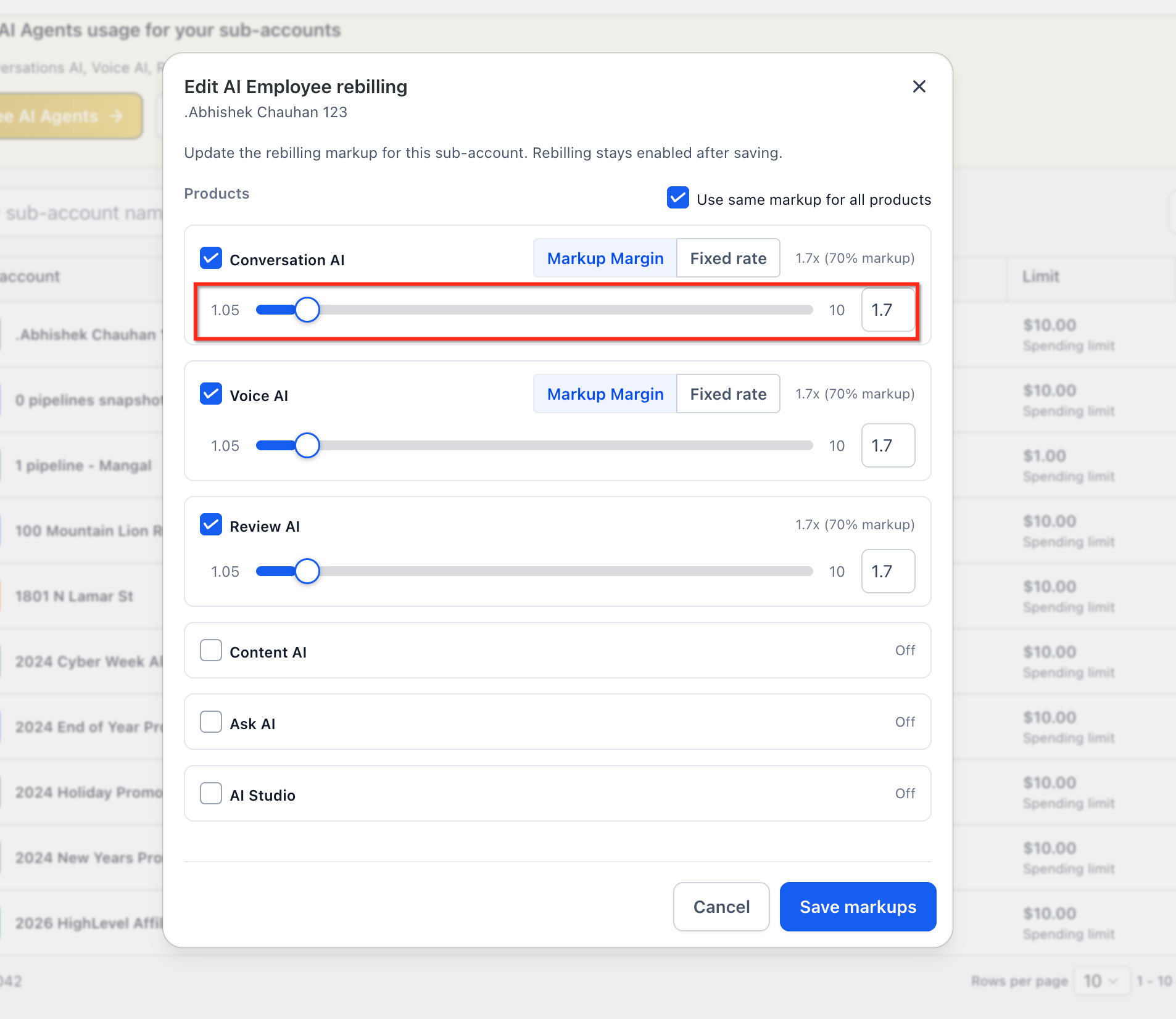
In the Re billing settings, locate the AI product you want to configure (Conversation AI or Voice AI). Choose the billing model from the dropdown: Markup or Fixed Rate.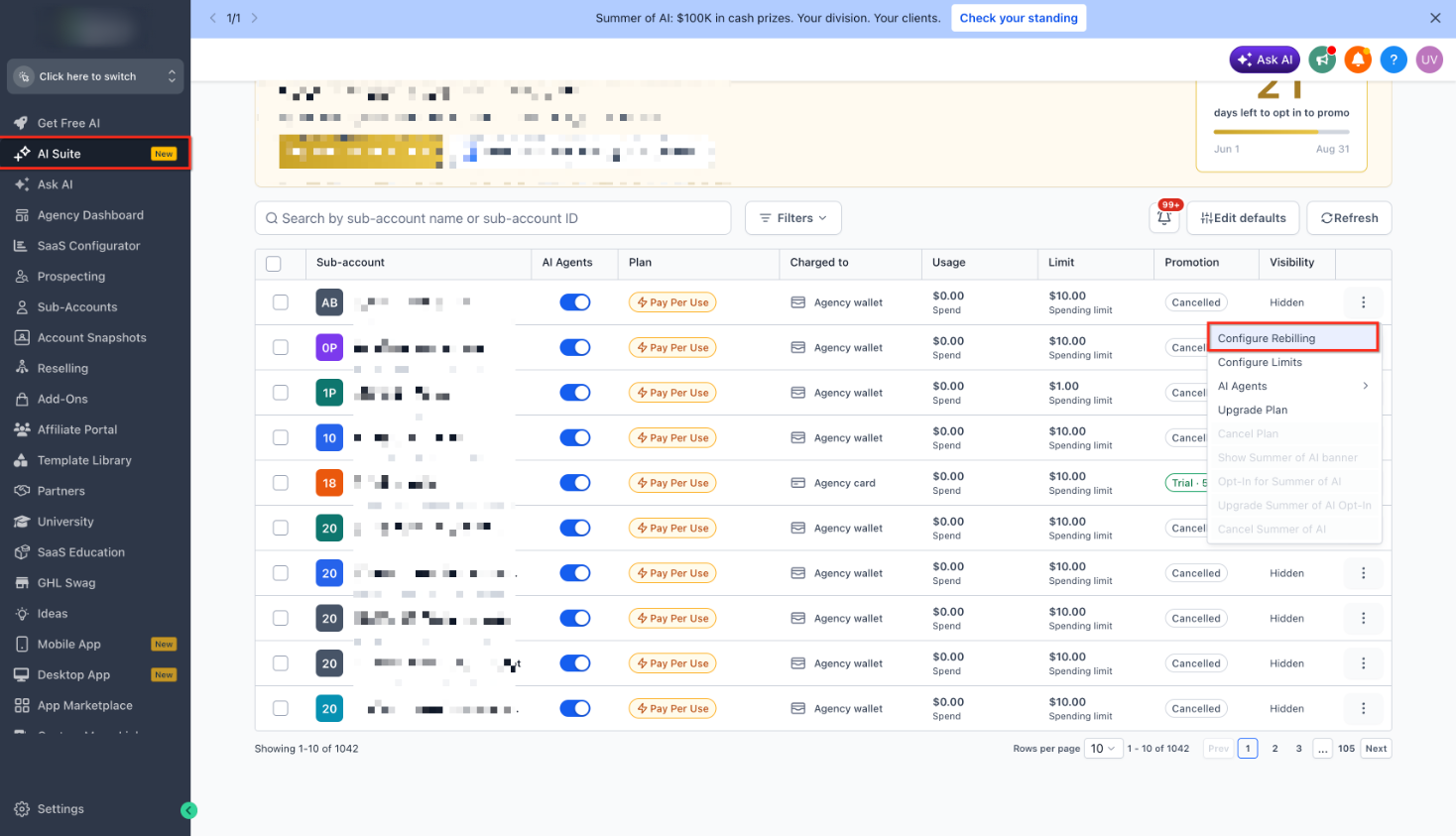
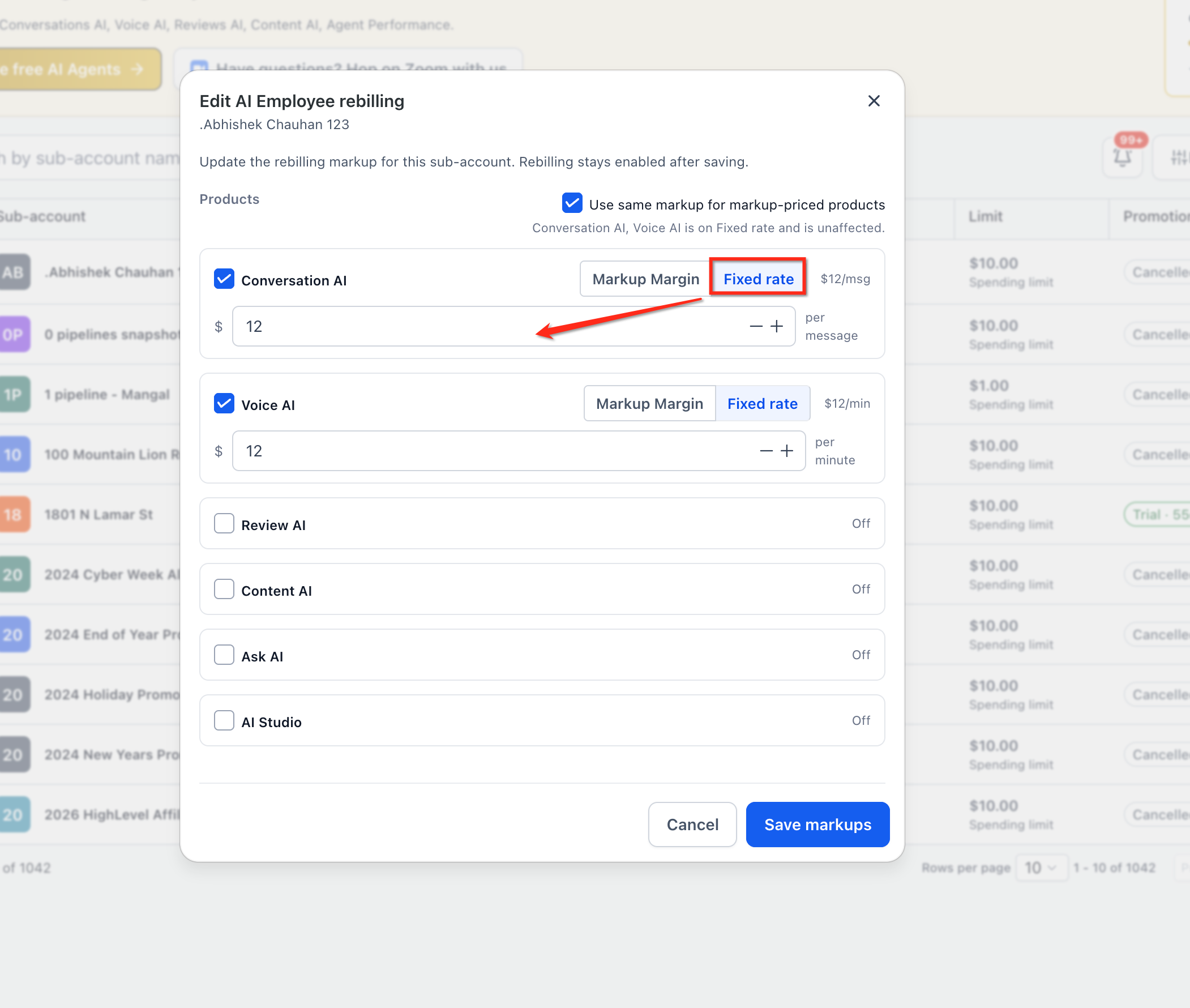
If you selected Fixed Rate, enter the flat amount you want to charge per unit (for example, $0.50 per message for Conversation AI). This is the amount your client will see on their invoice for each billable event.
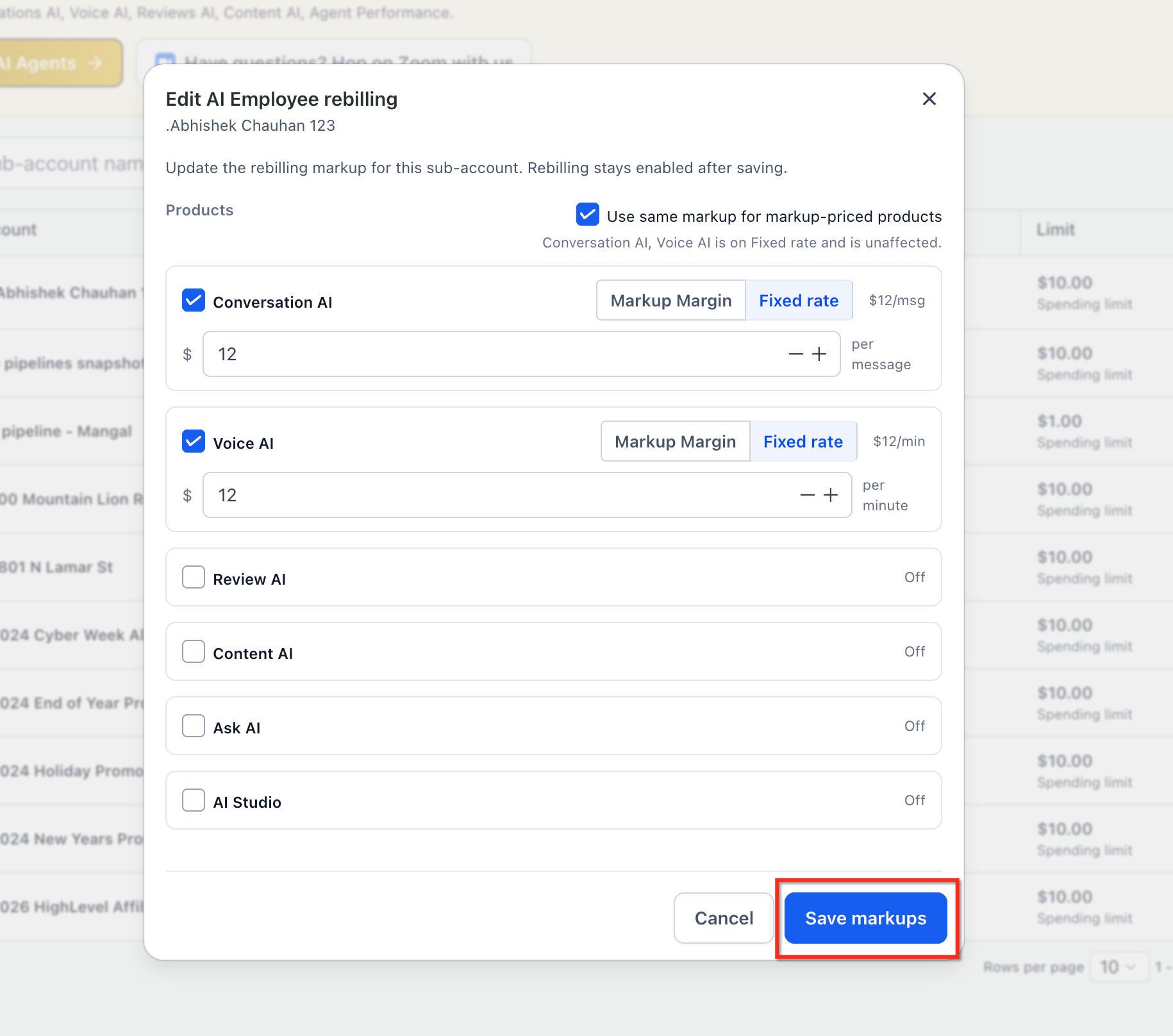
Click Save to apply your settings. The new billing model takes effect immediately. All future AI events for this client will be charged at the fixed rate you configured.
You can also configure fixed-rate billing when creating or updating a SaaS plan (SaaS plan → Re billing settings) or from the AI Usage dashboard. All three configuration paths write to the same underlying settings, so use whichever workflow fits your process.
Frequently Asked Questions
If you have questions about configuring fixed-rate billing or need assistance choosing the right pricing model for your clients, our support team is here to help.
- Visit Settings → Support to open a support ticket.
- Use the in-app chat to connect with a support specialist in real time.
- Check the AI Usage dashboard for insights into your current AI costs and usage patterns.